TL;DR
- If you’re self-hosting and want the most complete open-source option: Langfuse.
- If your stack is built on LangChain or LangGraph: LangSmith.
- If non-engineers need to edit prompts without a pull request: PromptLayer.
- If your real problem is catching regressions in CI: Promptfoo.
- If you’re already deep in AWS Bedrock: Amazon Bedrock Prompt Management.
- Every tool in this category does four things: version control, environment labeling, evaluation integration, and runtime fetching.
- Before buying anything, ask whether the prompt is even the right unit to version. For agent-based systems, it often isn’t.
Somewhere in your stack right now, a prompt is doing more work than the code around it. It’s the thing a product manager wants changed by Friday, the thing nobody can find the current version of, and the thing that broke production last month in a way nobody could explain, let alone roll back cleanly.
That’s the moment this category exists for. Prompt management tools showed up because prompts started behaving like a second, faster-moving codebase hidden inside your slower one. This guide compares ten of them on the things that actually differ: versioning model, environment handling, evaluation depth, licensing, and who they’re genuinely built for.
It also does something most comparisons in this space skip. It asks whether you need one of these tools at all, and it looks at the part of the problem that prompt versioning alone doesn’t solve, which is the real reason some teams roll back a prompt and get the same broken behavior anyway.
What Prompt Management Tools Actually Do
A prompt management tool centralizes prompt storage, versioning, testing, and deployment so a prompt can change without triggering an application release. That’s the whole pitch, and it holds up because of a mismatch most teams hit the same way.
A prompt management tool is the system used to version, deploy, test, and monitor prompts the way application code gets treated, with change history, controlled releases, and regression protection, and it becomes necessary the moment prompts stop being a string in a file and start behaving like an operational dependency.
In most LLM applications, prompt iteration and code deployment are owned by different people. Product managers and domain experts iterate on prompts while engineers own deployments, and with prompts embedded in code, a simple wording change requires engineering involvement, code review, and a full deployment cycle.
Four capabilities show up across nearly every serious tool in the category:
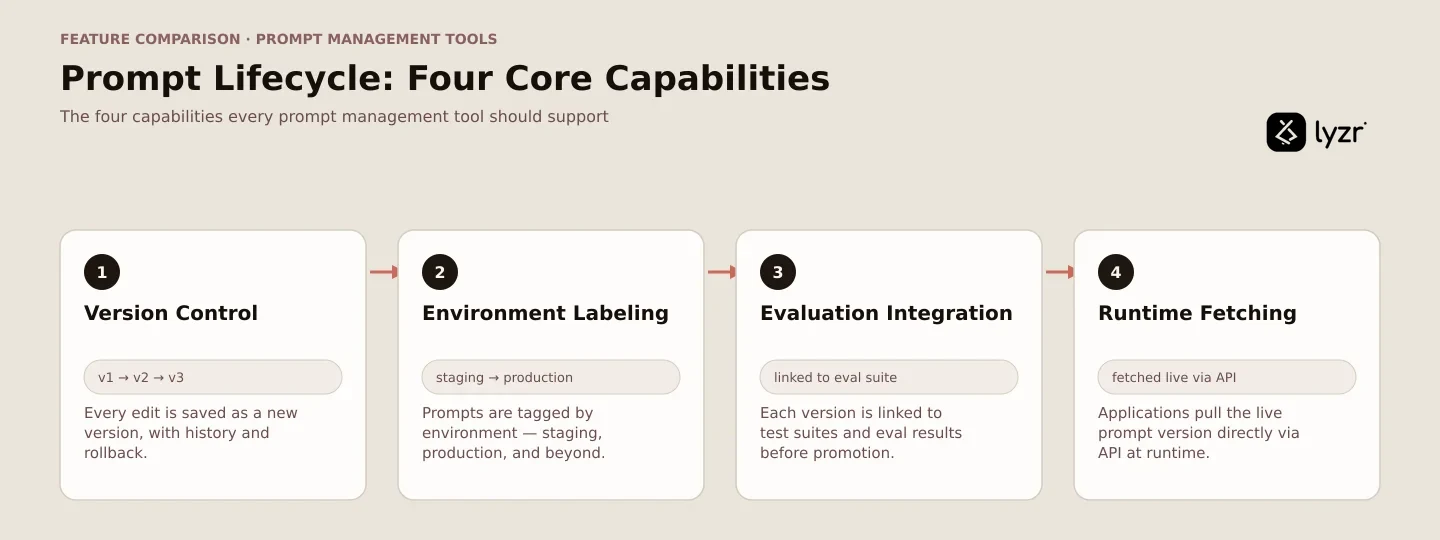
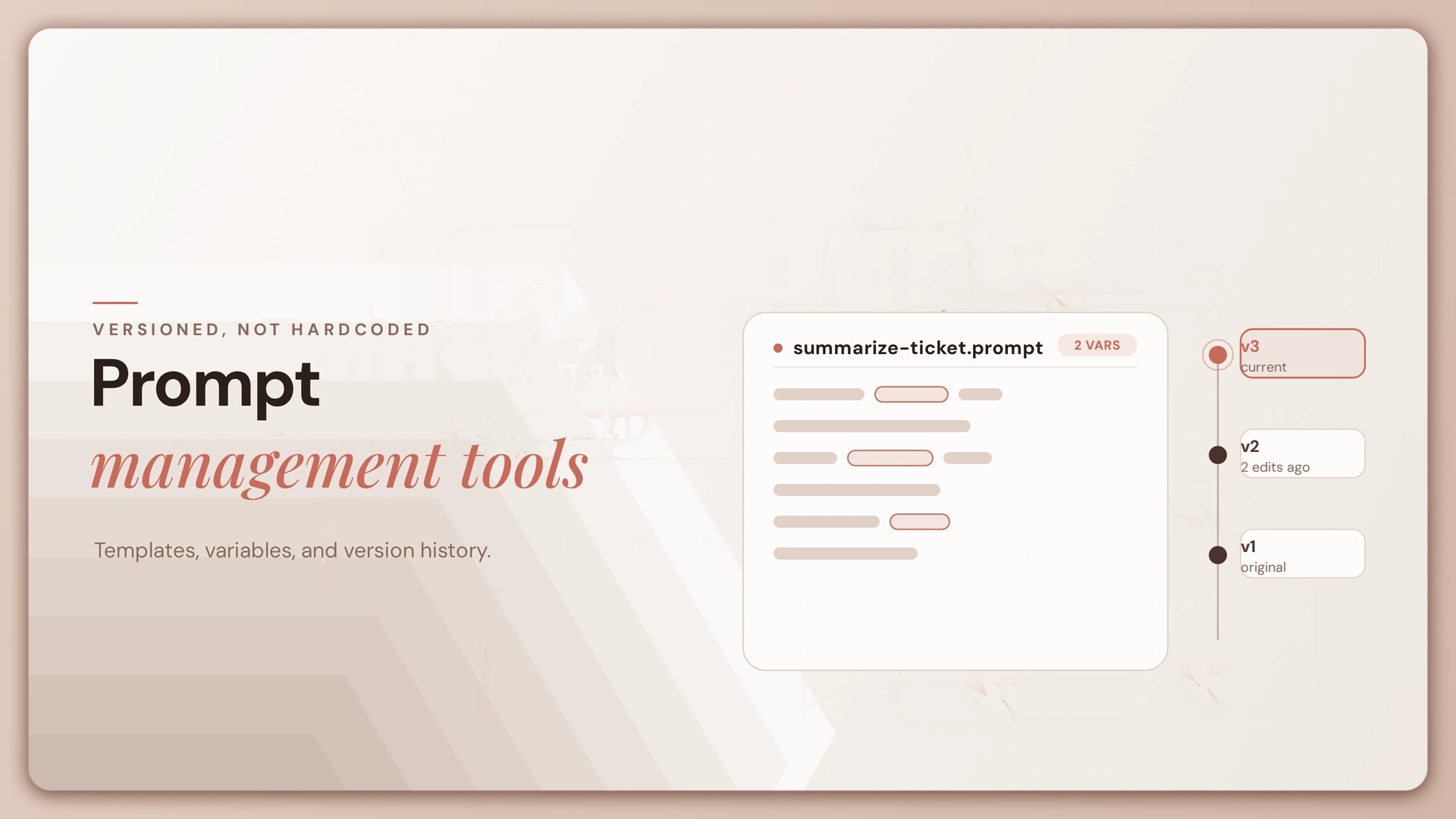
Version control. Every edit becomes a discrete, retrievable version with a full change history and a rollback path. This is the floor, not the differentiator.
Environment labeling. A label like production or staging points at a specific version. Promoting a prompt means moving the label, not copying text between files.
Evaluation integration. Linear versioning forces sequential work, where one person edits at a time, and testing two approaches means overwriting one to try the other. Git-style branching lets multiple people experiment on parallel branches without interfering with each other.
The stronger tools tie a version directly to an evaluation run rather than just storing text.
Runtime fetching. Your application calls an SDK for the labeled version at request time instead of hardcoding the string. This is what makes decoupling real: change the prompt in the UI, and the next call picks it up.
Prompt engineering and prompt management solve different problems. One is about writing a good instruction; the other is the operational layer that keeps thousands of instructions safe to change. If you want the writing side of this, our guide to prompt engineering and the deeper prompt engineering techniques breakdown cover that ground separately.
Do You Actually Need One?
You need a dedicated tool if any of three things are already true. If none of them are, the honest answer is no, and it’s worth reading this section before the comparison table below.
You need one if non-engineers have to edit prompts.
Iterating on prompts to find the right tone isn’t the job of engineers, who are generally not skilled at that task, which is why a visual CMS lets a content team rapidly iterate and deploy without touching code. If that’s your team, a pull request is the wrong workflow regardless of how good your engineers are.
You need one if you can’t answer “which version is live.”
Most teams effectively store prompts, slap a version counter on them, and call it management, with no branching so two people editing the same prompt overwrite each other, and no approval workflow so a broken prompt can reach production unreviewed. If that describes your setup, you have a management gap, not a tooling preference.
You need one if a prompt change has already broken something you couldn’t roll back cleanly.
This is usually the trigger event, not a planning decision. Nobody adopts prompt management proactively; they adopt it the week after an incident.
You might not need one if you have a handful of prompts, they change at the same rate as your code, and one team owns all of them.
Most teams do not need any of this yet, and the honest test is change rate rather than team size. If prompts change less than once a week, the people editing them can already open a pull request, and deploys take minutes, a string in the repository is the better tool because it’s free, reviewed alongside the code that depends on it, and carries no runtime dependency on a third party.
That’s not a hedge. It’s a real answer for a real slice of teams reading this, and it costs a conversion that was never going to happen anyway.
The 10 Tools at a Glance
Verify every cell against current vendor documentation before you commit; licensing and self-hosting terms move fast in this category.
Feature comparison: 10 prompt management tools
| Tool | Best for | Open source | Self-host | No-code editing | Eval built in | Observability depth |
|---|---|---|---|---|---|---|
| Langfuse | Open-source, self-hosted | Yes (MIT core) | Yes | Yes | Yes | Deep |
| LangSmith | LangChain / LangGraph teams | No | Enterprise tier | Yes | Yes | Deep |
| PromptLayer | Non-technical editors | No | No | Strong | Yes | Moderate |
| Promptfoo | CI regression testing | Yes (MIT) | Yes | No | Deep | Limited |
| Braintrust | Eval-led workflows | No | No | Yes | Deep | Deep |
| Helicone | Teams already on a gateway | Yes (Apache 2.0) | Yes | Basic | Basic | Moderate |
| Agenta | Open source with a UI | Yes (MIT) | Yes | Yes | Yes | Moderate |
| PromptHub | Git-style collaboration | No | No | Strong | Moderate | Limited |
| Bedrock Prompt Management | AWS-native stacks | No | n/a | Yes | Via Bedrock eval | Via CloudWatch |
| Pydantic Logfire | Type-safe Python teams | Partial | No | No | Yes | Deep |
One flag before you read the profiles: several of these products also do AI agent observability, which is a related but distinct job. Observability answers what a system did in production. This comparison stays on versioning, environments, and deployment, the questions that come before and during a release rather than after.
Prompt Management Tools in Depth
Open source and self-hostable
Langfuse is the most complete open-source option in this list.
Tracing, evaluations, prompt management, experiments, annotation, and the playground are all MIT licensed without usage limits.
Peripheral enterprise capabilities like advanced human annotation pipelines, enhanced RBAC, and audit logging require a commercial license when self-hosting.
The honest limitation: self-hosting carries real operational overhead, and you’re responsible for running and maintaining the deployment, though the managed cloud option removes that burden.
Worth noting: Langfuse was acquired by ClickHouse in January 2026, and the MIT license, self-hosting, and Cloud endpoints remain unchanged, with the roadmap staying the same.
Pick it if you want a full-featured, self-hosted registry and are prepared to run it yourself.
Promptfoo is a testing tool that teams often use for prompt management, which is a real distinction worth holding onto.
It’s a local-first, open-source tool for evaluating LLMs that runs as a command-line tool, library, or CI/CD step, built around systematically testing prompts across providers.
OpenAI announced its acquisition of Promptfoo on March 9, 2026, with a commitment that it stays open source under its current license.
It’s excellent at catching regressions before a merge; it’s not a registry with a UI for non-engineers to edit copy. Pick it if regression testing in CI is the actual job to be done.
Agenta pairs an open-source registry with a genuinely usable UI.
All functional features, including evaluation, prompt management, and observability, are open source under the MIT license, with only advanced enterprise collaboration features like RBAC, SSO, and audit logs kept under a separate license.
Its Variants model maps prompt iteration onto branches, pairing immutable commits with a side-by-side compare view.
The honest limitation: it’s a weaker fit if you need the largest community for deployment help, or a built-in optimizer that generates the next prompt version for you.
Pick it if you want an open-source registry with git-like variants and a real editing surface.
Helicone sits at the gateway layer, and 2026 changed its risk profile.
It versions prompts using production data and deploys them through its AI Gateway without code changes.
Mintlify acquired Helicone in March 2026; the product now runs in maintenance mode with security updates and bug fixes continuing while Mintlify works with customers on migration to another platform.
That’s a meaningfully different answer than a year ago. Pick it only if you’re already running the gateway and have accepted the maintenance-mode tradeoff; for anything new, weigh it against the risk of routing AI calls around a gateway you don’t fully control.
Commercial platforms
LangSmith is the default for LangChain and LangGraph teams.
It provides environments for promoting commits through staging and production, commit tags for version control, and the ability to compare a commit against its previous version with a diff view.
The honest limitation: its value is coupled to the LangChain ecosystem, and teams outside it often find the workflow awkward. See our breakdown of LangChain alternatives if that coupling is a concern. Pick it if you’re already LangChain-native and want prompt management wired into the same tracing surface.
PromptLayer is the strongest option when prompt editing belongs to people who don’t write code.
Instead of hard-coding prompt strings where only engineers can change them and every edit ships as a deploy, it stores each template centrally with full history so teams can edit, review, test, and release prompts without code changes.
It’s also the only tool in this category that ships native production A/B testing, splitting live traffic between prompt versions by percentage or user segment while every other tool expects you to write that routing logic yourself.
The honest limitation: its observability is lighter than dedicated tracing platforms. Pick it if cross-functional editing is your actual bottleneck.
Braintrust takes an eval-first stance on the same problem. Its workflow ties prompt iteration directly to test datasets rather than treating evaluation as a bolt-on.
Its AI assistant automatically generates test datasets, runs evaluations, and iterates on prompts based on natural language instructions, so every prompt update gets evaluated against real test data before it reaches users.
The honest limitation: the eval-heavy workflow can feel like overhead if you just want a simple registry. Pick it if rigorous, evaluation-driven iteration is the actual center of your process.
PromptHub reproduces a git workflow more literally than anything else on this list.
Edits open a merge request that notifies the team for review, with changes to prompts, parameters, or models logged automatically for collaboration and approval.
It also runs CI/CD guardrails that block deployment of low-quality prompts.
The honest limitation: the feature set is broad enough that the UI can feel dense at first, and teams that just want slim versioning may find some of it extraneous.
Pick it if your team wants branches, diffs, and merge requests to feel exactly like the version control engineers already use.
Cloud-native and stack-specific
Amazon Bedrock Prompt Management is the convenient choice if you’re already inside AWS.
Its runtime APIs support executing a prompt using a stored identifier, storing system prompts, multiple messages, and tool configuration, and comparing two versions of a prompt to review the differences between them.
The honest limitation: it’s built for the Bedrock ecosystem specifically, supported only in a defined set of AWS regions, and there’s no self-hosting option outside AWS. Pick it if your team is already committed to Bedrock as the foundation model layer.
Pydantic Logfire draws a sharper line between authoring and releasing than most tools in this list.
It gives a dedicated place to author prompts, save stable versions, test them against representative inputs, and promote a version to production without redeploying the application, treating a prompt as first-class configuration that lives next to, but separately from, traces.
Because the resolved label and version stay attached as baggage to every child span of the run, you get a direct correlation between a run’s behavior and the exact prompt version that produced it.
The honest limitation: it’s the strongest answer to “why is this request slow, where’s the bottleneck, and what’s it costing me,” but a narrower fit if your question is specifically “why did the agent choose that tool.”
Pick it if your team is already type-safe Python and Pydantic-native.
What Prompt Versioning Alone Does Not Capture
Here’s the part almost nobody in this category writes about. You roll back the prompt. The behavior doesn’t roll back with it.

Model version and parameters. The same prompt string against a different model snapshot produces different output, and temperature or top-p shift it further.
Versioning improves experimental reproducibility by preserving the configuration that ran, but exact output reproduction can still fail when a provider updates a model behind an alias, retrieval returns different documents, or a tool changes state, which is why teams should record and pin the surrounding execution context whenever the architecture allows it.
A registry that versions only the string and leaves model config in an environment variable gives you a partial record, and a partial record creates false confidence in an incident.
Retrieved context. In any RAG system, what the model actually sees is your template plus whatever the retriever returned. The corpus changes, the retriever changes, chunking strategy changes. Versioning the prompt while the retrieval layer drifts underneath it means the artifact you thought was reproducible isn’t. If you’re building retrieval into agents, our guides on agentic RAG and building a state-of-the-art RAG engine go deeper on where that drift comes from.
Tools and agent structure. An agent’s instructions describe what its tools do and when to call them. Change a tool’s signature and the instructions can go stale without anyone editing a word of them.
Teams adopting broader context hubs need review boundaries for prompts, tools, skills, and agent files, because each of those assets can independently change production behavior.
In multi-agent architectures, the handoff structure between agents is part of the behavior too, and tool definitions themselves are dynamic in ways a prompt-only registry won’t track.
The practical fix: whatever tool you pick, version the prompt alongside its model configuration and tool definitions, not on its own. Several of the tools above support attaching that metadata to a version. Use it. A rollback that restores one of three inputs that shaped a behavior isn’t a rollback, it’s a guess with extra steps.
Prompt Management in Agentic Systems
Here’s the architectural point that reframes the whole comparison. In an agent platform, a prompt isn’t a standalone artifact. It’s one attribute of an agent, alongside its tools, memory configuration, model selection, and permissions.
That changes what gets versioned. If the agent is the unit you version, the prompt travels with its model configuration and tool definitions by construction, which closes the three gaps above without wiring together a second system. What you give up is granular, prompt-only experimentation; editing is bounded by whatever the platform’s interface allows, and a dedicated tool will always offer deeper prompt-specific tooling for that narrow job.
You still want a dedicated tool for prompts that live outside agents, non-agentic LLM features, heavy prompt-level A/B testing, or non-technical editors who need a purpose-built interface for that one job.
Lyzr is not a prompt management tool. On Lyzr’s platform, an agent’s instructions are versioned as part of the full agent definition, connected to the tools, model, and permissions it runs with. Git for Agents connects that definition to a real repository with branches and pull requests, and OpenController governs the agent, the prompt inside it, and everything else the agent touches, rather than managing the prompt in isolation. For teams whose prompts all live inside agents, that can remove the need for a separate registry entirely. For teams with prompts outside that boundary, non-agentic features, standalone chat tools, marketing copy generation, it doesn’t, and a dedicated tool from this comparison is still the right call. If you want the fuller argument for why agents change the unit of versioning, our enterprise prompt management guide and prompt versioning tools guide cover the enterprise governance angle in more depth.
How to Choose
Five scenarios cover most teams reading this:
- Open source, self-hosted, full-featured: Langfuse.
- LangChain or LangGraph native: LangSmith, and accept the ecosystem coupling that comes with it.
- Non-engineers need to edit prompts: PromptLayer or PromptHub.
- Regression testing in CI is the real need: Promptfoo, possibly paired with a registry for the collaboration layer.
- Your prompts live inside agents: check whether your agent platform versions instructions together with configuration before adding a separate tool.
None of these are mutually exclusive. A common, sensible stack is a registry for collaboration and deployment plus Promptfoo in CI for regression protection. For a deeper look at what production readiness requires beyond prompt versioning, the agents to production playbook and docs.lyzr.ai are the next stops, alongside AI agent observability platforms if tracing what already shipped is the gap you’re actually trying to close.
Fetching a versioned prompt at runtime
# Fetching a versioned prompt at runtime, vendor-neutral shape.
# Tested against Python 3.11, September 2026.

import prompt_registry_sdk  # stand-in for any real SDK's client

FALLBACK_PROMPT = """
Summarize the following text for a busy executive.
Focus on outcomes and action items.
Text: {text}
"""

def get_summary_prompt() -> str:
    try:
        # Fetch whatever version is labeled "production" right now.
        prompt = prompt_registry_sdk.get_prompt(
            name="executive-summary",
            label="production",
        )
        return prompt.template
    except Exception as error:
        # The registry is a network dependency. If it's unreachable,
        # fall back to a known-good local copy instead of failing the request.
        print(f"Prompt registry unavailable, using fallback: {error}")
        return FALLBACK_PROMPT

def summarize(text: str) -> str:
    template = get_summary_prompt()
    prompt = template.format(text=text)
    # send `prompt` to your model client here
    return prompt
Note the except block. A prompt fetched from an external service at runtime is a dependency with its own availability and latency, and that’s the tradeoff decoupling buys you: faster iteration, in exchange for one more thing that can fail on the request path.
Frequently Asked Questions
What are prompt management tools?
They’re systems that centralize prompt storage, versioning, testing, and deployment so prompts can change without an application release.
What is the best open source prompt management tool?
Langfuse is the most complete for teams that want tracing, evaluation, and prompt versioning bundled together and self-hostable under MIT. Agenta and Promptfoo are strong picks for a UI-led registry and CI-led testing, respectively.
Are there free prompt management tools?
Yes. Langfuse, Agenta, Promptfoo, and Helicone are open source and free to self-host, though Helicone is now in maintenance mode following its 2026 acquisition. Several commercial tools also offer usage-limited free tiers.
What is the difference between prompt management and LLM observability?
Prompt management versions and deploys what you send to a model. Observability traces and evaluates what happened as a result. The categories overlap in practice and several vendors sell both, which is why it’s worth reading a comparison of AI agent observability platforms alongside this one rather than treating them as substitutes.
Do I need a prompt management tool?
You likely need one if non-engineers edit prompts, you can’t say which version is in production, or a prompt change has broken something you couldn’t roll back. For a small number of prompts changing at the same rate as your code, a version-controlled file in your repository is a legitimate, cheaper answer.
How does prompt versioning work?
Each edit is stored as a discrete, immutable version. An environment label points at a specific version, and your application’s SDK fetches whatever version carries that label at request time.
Can I manage prompts in Git?
Yes, and for many teams it’s the right call. The tradeoff is that any prompt change then requires a deploy, and non-engineers need someone to open the pull request for them.
What should I look for in a prompt management tool?
Version control with real rollback, environment labels, evaluation integration, reliable runtime fetching, and the ability to attach model configuration to a prompt version rather than storing it somewhere else.
Does prompt versioning capture everything that affects output?
No. Model version, generation parameters, retrieved context, and tool definitions all shape behavior alongside the prompt. Version them together, or a rollback only restores part of what actually produced the output.
How do prompt management tools work with AI agents?
In an agent platform, the prompt is typically one attribute of a versioned agent definition, bundled with the agent’s tools and configuration. That can remove the need for a separate registry for prompts that live entirely inside agents.
Where This Leaves You
Nine of the ten tools above will do what their vendor says. The part worth sitting with is the question underneath all of them: is the prompt actually the thing you need to version, or is it a proxy for something larger you haven’t named yet, the agent, the retrieval pipeline, the tool contract it depends on?
If your prompts are standalone, that’s not a hard question, and the comparison above should get you to a shortlist in a few minutes. If they’re embedded in agents with their own tools and permissions, it’s worth checking whether your agent platform already answers the versioning question before you add a second system on top of it. Either way, the test that matters isn’t which tool has the most features. It’s what happens the day a rollback restores the prompt and the behavior stays broken anyway.
Book A Demo: Click Here
Join our Slack: Click Here
Link to our GitHub: Click Here