A platform team wires an AI agent to a new helpdesk system over the Model Context Protocol, gets the server signed off, and moves on. Three months later, an access review finds the same agent can quietly call a function that exports full customer records, a capability nobody flagged because the review checked the server, not the tools living inside it.
Nobody did anything wrong. They answered a different question than the one that mattered, and that gap is the whole reason an MCP registry and a tool registry aren’t the same thing.
Key Takeaways
- An MCP registry catalogs whole MCP servers (metadata, endpoints, namespaces); a tool registry goes deeper, tracking each server’s individual functions and what each is allowed to do.
- Gartner expects the average Fortune 500 enterprise to run over 150,000 AI agents by 2028, up from fewer than 15 in 2025. A catalog stops being optional well before that.
- Single-agent setups usually get by on an MCP registry alone. Multi-agent enterprises generally need both, since server-level approval says nothing about which functions inside a server are safe to hand to an agent.
- The official MCP Registry is open source and free, but according to its own documentation, it doesn’t scan for security issues or manage per-tool access. Something else has to.
What is an MCP registry, and what is a tool registry?
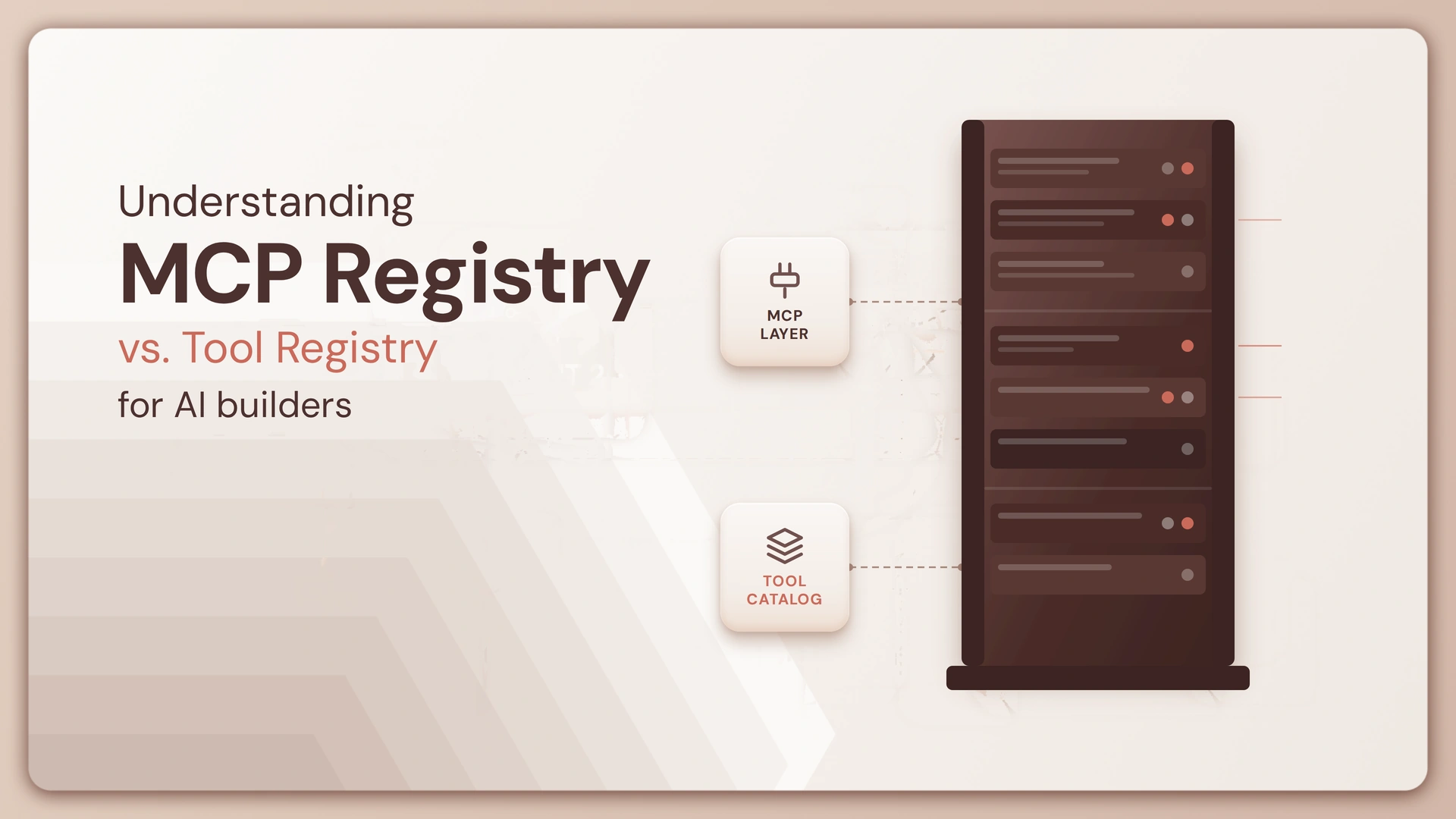
An MCP registry catalogs whole MCP servers: what they are, where they live, and how to connect, whereas a tool registry catalogs the individual functions those servers expose and governs which functions a given agent is actually permitted to call.
What is an MCP registry?
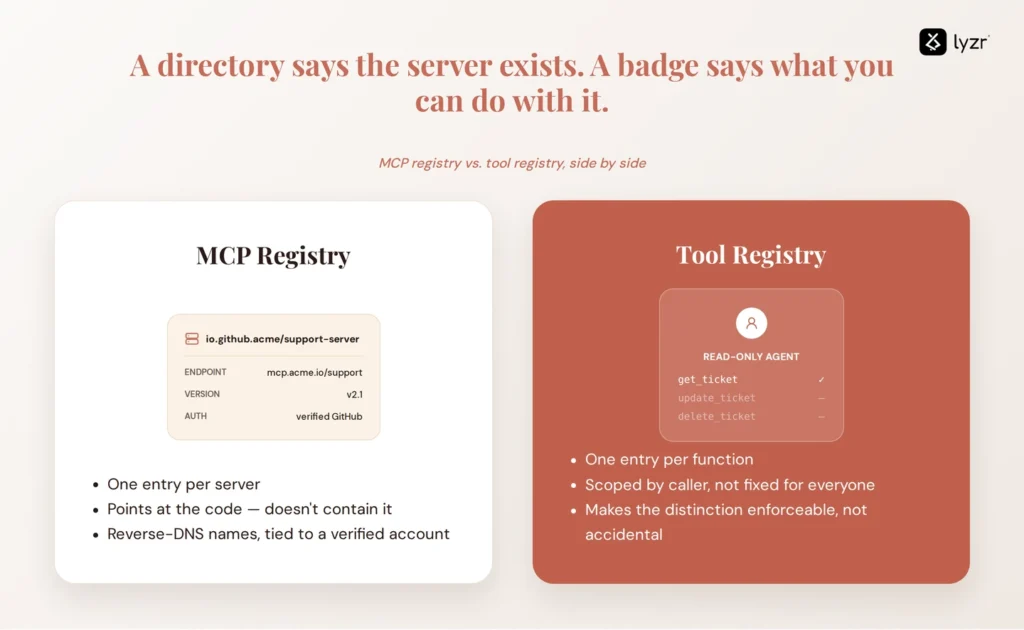
An MCP registry is a directory of servers, not code: a name, an endpoint or package location, a version, and how a client should authenticate. The official MCP Registry, live in preview since September 2025 and backed by engineers from Anthropic, GitHub, PulseMCP, and Microsoft, uses reverse-DNS names like io.github.acme/support-server tied to a verified GitHub account, so a name can’t be spoofed. The server code stays wherever it lives; the registry just points at it.
What is a tool registry?
A tool registry sits one layer down, listing the callable functions a server exposes, the schema each expects, and who’s cleared to invoke it. A well-built server doesn’t hand every connected agent the same fixed toolset. It can expose a narrower set of functions depending on the caller’s role, so an admin agent and a read-only agent talking to the same server end up with genuinely different capabilities. A tool registry is what makes that distinction enforceable instead of accidental.
MCP registry vs. tool registry: the key differences
Laid side by side, the two stop looking like competing tools and start looking like two layers of the same stack.
| MCP registry | Tool registry | |
| What it catalogs | Whole MCP servers | Individual callable functions inside those servers |
| Level of abstraction | Directory of servers, like a phonebook | Inventory of exact executables and their parameters |
| Metadata stored | Endpoint, version, namespace, auth method | Function schema, required scope, calling permissions |
| How discovery works | Clients query a mostly static catalog before connecting | Servers can expose a different, session-specific tool list at runtime |
| What it governs | Whether a server is known and reachable | Whether a specific agent can call a specific function |
| What it doesn’t do | Enforce per-function access or scan for malicious behavior | Tell you which servers exist in the first place |
The row worth sitting with is discovery. An MCP registry is a static lookup: query it, get connection details, and connect. A tool registry has to account for servers changing what they expose from one session to the next based on who’s asking, a more dynamic problem than server lookup ever was.
Do AI agents need both an MCP registry and a tool registry?
The answer depends on scale. Most “you need both” arguments online skip that qualifier, since it’s more profitable to sell a complete platform than tell half your audience they don’t need one yet.
When an MCP registry alone is enough
For running one or two agents against a small, known set of servers, you probably don’t need a dedicated tool registry. Native MCP discovery already tells your client what a server offers, and with only a handful of tools in play, a person can eyeball whether each is safe. A separate governance layer here usually solves a problem you don’t have yet.
When you need both
That changes once you’re running dozens of agents against overlapping servers, especially across teams. IBM’s Institute for Business Value found only 18% of organizations maintain a current, complete inventory of their AI agents, striking given how much integration work depends on knowing what’s actually deployed. Approving a server once says nothing about whether every function inside it stays safe to call months later. That’s a tool registry’s job, one most MCP registries were never built for.
A practical example: one MCP server, two registries
Take a support team connecting an agent to its helpdesk platform over MCP. Registration is simple here: the server gets added, its namespace verified, and it shows up in the internal catalog as approved. As far as the registry is concerned, the job’s done.
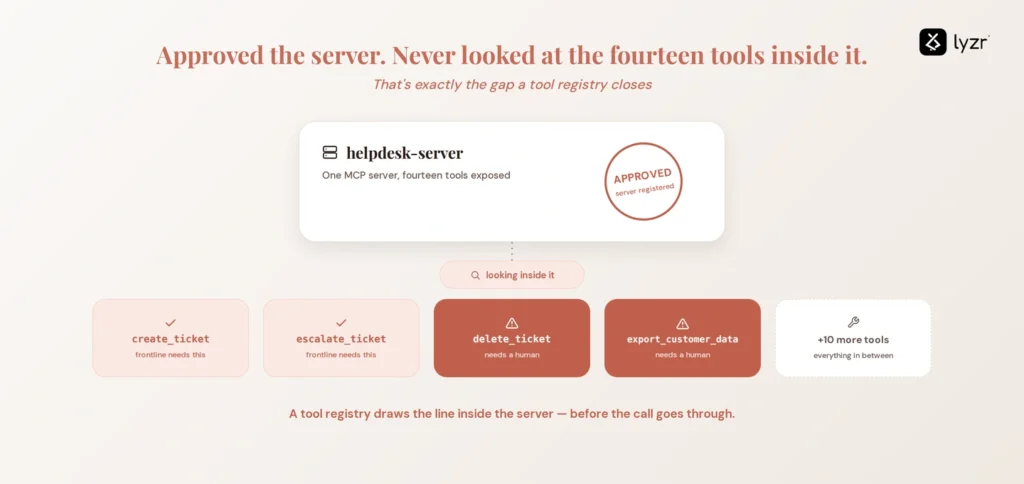
That one server, though, exposes fourteen tools. Two of them, create_ticket and escalate_ticket, are exactly what a frontline agent needs. A few others, including delete_ticket and export_customer_data, aren’t something you want an agent calling without a person in the loop, however well-behaved the model has been so far. The registry has no opinion here; it approved a server, not a function list. A tool registry draws that line and enforces it, ideally before the call goes through rather than after someone spots it in a log.
Open-source MCP registries and tool registries
The official MCP registry
The protocol’s own registry is open source, hosted at registry.modelcontextprotocol.io with code on GitHub, free to publish to or query. Since its September 2025 preview launch, contributions have come from at least nine organizations including Anthropic, GitHub, PulseMCP, and Microsoft, and it’s still in preview more than a year later, which says a lot about how much groundwork a registry needs before anyone calls it stable.
Why it isn’t the whole answer
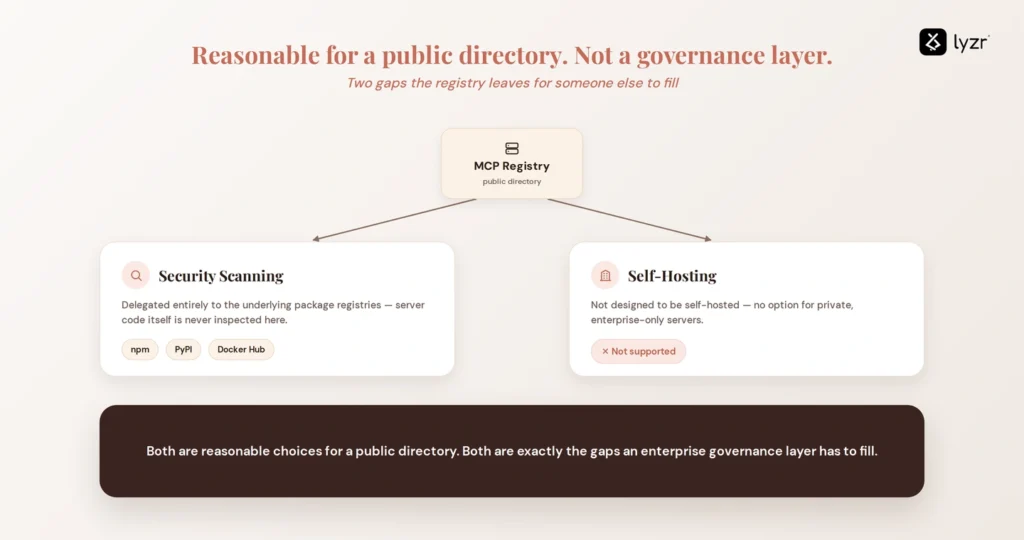
By its own documentation, the registry delegates security scanning entirely to the underlying package registries (npm, PyPI, Docker Hub) rather than inspecting server code itself, and isn’t designed to be self-hosted for private, enterprise-only servers. Both are reasonable choices for a public directory, and both are exactly the gaps an enterprise governance layer has to fill.
Tool-level registries, for what it’s worth, are rarely open source at all, since fine-grained execution policy and audit logging are usually where a vendor’s product actually lives. At least one major desktop platform has skipped the two-layer split entirely, folding discovery and access control into one on-device registry, a sign the boundary here isn’t as fixed as it looks on paper.
Getting started: from registry to governed rollout
Start with an inventory, not a policy. Gartner’s own guidance on managing agent sprawl lists “build a centralized agent inventory” as step two of six, right after establishing governance rules: you can’t approve, scope, or audit a server or a tool you don’t know exists. That inventory needs to include the tools each server exposes, not just server names, or you end up with the exact blind spot we’re trying to avoid.
Once you have the list, assign ownership before policy. Someone specific should own each server, and each sensitive tool inside it, rather than leaving approval as a responsibility nobody actually holds. Then pick one high-risk server, the kind touching customer data or production write access, and run it through full registration and per-tool scoping before rolling the process out further. Lyzr’s AI agent sprawl audit is a reasonable way to see where your own inventory stands first.
How Lyzr’s Opencontroller complements MCP and tool registries
Both registries stop at the same place: telling you something exists. Opencontroller, Lyzr’s unified control plane for AI agents, draws that exact line in its own positioning: “Everyone shipped a registry in 2026. A registry tells you an agent exists. It does not deploy it, promote it, or refuse its next call.” The same gap applies here. Registering a server or cataloging a tool is not the same as deciding what happens the next time that tool gets called.
Opencontroller is built around four capabilities. Find automatically discovers agents, models, tools, data, and workflows across an organization’s AI estate, including the ones nobody got around to registering anywhere. Ship evaluates, validates, and governs every agent and workflow before it reaches production. Run monitors agents, applications, APIs, and infrastructure in real time from one control plane. Improve turns real-world usage, performance, cost, and security signals into actionable insights.
To be clear about what that is and isn’t: Opencontroller doesn’t publish or catalog MCP servers or tools the way a registry does, and it isn’t a substitute for either one. It sits alongside whatever discovery and cataloging you already have, aimed at the part neither kind of registry was built to do. If you’d rather see how that works than read about it, book a demo.
FAQ
An MCP registry catalogs whole MCP servers: metadata, endpoints, namespaces. A tool registry catalogs the individual functions those servers expose and governs which agent can call which function. One answers what servers exist; the other answers what an agent can do.
Yes. Code’s on GitHub, with a public API at registry.modelcontextprotocol.io. It launched in preview in September 2025 with contributors from Anthropic, GitHub, PulseMCP, and Microsoft, and remains in preview more than a year later.
Not always. A single agent connecting to one or two known servers can usually run on an MCP registry alone. Multi-agent enterprises generally need both, since server-level approval doesn’t account for which functions inside an approved server are safe to call.
No. A registry tells a client what servers exist and how to connect. A gateway sits in the traffic path and actively authenticates, authorizes, and routes calls. Many deployments use both, the registry feeding the gateway its list of approved servers.
A server can pass registration and still expose functions nobody meant to hand an agent, since registration approves the server, not each function inside it. That gap often stays invisible until an audit or incident surfaces it.
Book A Demo: Click Here
Join our Slack: Click Here
Link to our GitHub: Click Here
Got a use case in mind?
8 weeks from use case to agents running in production.
Platform, people and FDEs, all in. Bring your environment. We'll co-build and stay until it's live.
Talk to UsFree resource
101 AI Agents Use Cases
100+ production-ready AI agent use cases across Marketing, Sales, HR, Banking, Insurance, Operations and a lot more
Download now