An AI agent can work perfectly on a developer’s laptop and still fail the moment it touches real data, real tools, or real users.
That is why environment design matters.
You need somewhere to experiment, somewhere to test, somewhere to validate production-like behavior, and somewhere that stays protected.
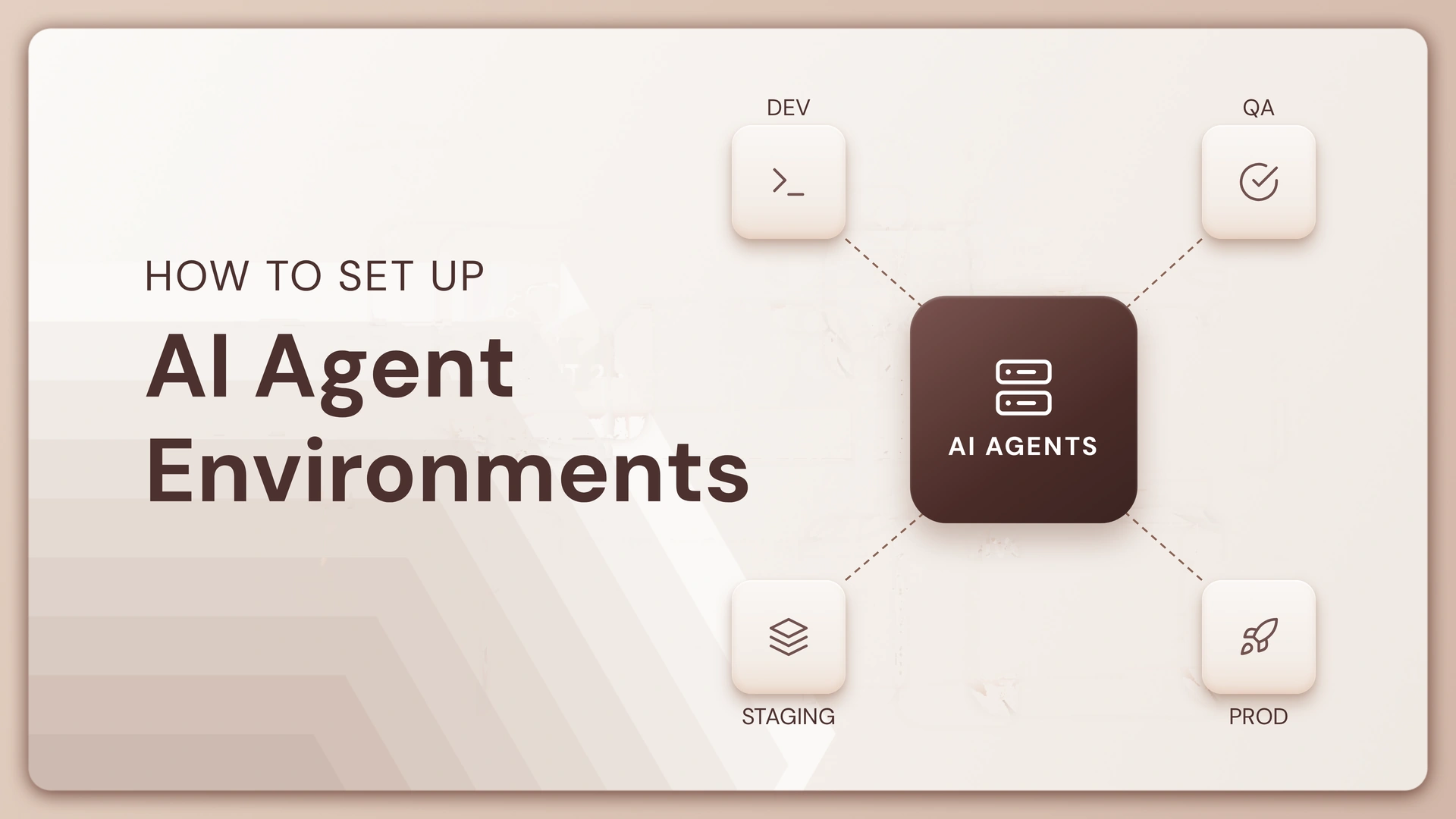
For AI agents, the four environments are usually Dev → QA → Staging → Prod.
The important part is not creating four folders or four deployments. It is deciding what is allowed to change in each environment, what must be tested before promotion, and who can approve the move forward.
First, what should each environment actually do?
Before setting anything up, give every environment one clear job.
If Dev, QA, Staging, and Prod all behave like slightly different versions of the same playground, your team will eventually test the wrong thing in the wrong place.
| Environment | Main purpose | Who works here? | What can change? | Production data? |
|---|---|---|---|---|
| Dev | Build and experiment | Developers | Prompts, workflows, tools, models, retrieval | No |
| QA | Break the agent deliberately | Developers + QA | Test configurations and candidate versions | Sanitized/test data |
| Staging | Rehearse production | Engineering + business owners | Release candidate only | Production-like, controlled |
| Prod | Serve real users and workloads | Approved operators | Only approved releases | Yes, where permitted |
A useful rule is simple:
The closer an environment is to production, the harder it should be to change.
That sounds obvious. But AI agents make the boundary especially important because changing a prompt, model, retrieval setting, tool permission, or memory configuration can change runtime behavior without changing traditional application code.
For more on this, see Version Control for AI Agents and Git for AI Agents: A Developer’s Lifecycle Guide.
Before you create four environments, answer these 6 questions
You do not need a complicated architecture diagram to start.
You need to know what moves between environments and what must stay isolated.
Quick environment check
Answer these with Yes or No:
| Question | Yes | No |
|---|---|---|
| Can you identify exactly which agent version is running in Prod? | ☐ | ☐ |
| Can a developer change Prod without an approval step? | ☐ | ☐ |
| Do Dev and Prod use different credentials? | ☐ | ☐ |
| Can you test tool calls before giving the agent real access? | ☐ | ☐ |
| Can you roll back to the last known-good agent version? | ☐ | ☐ |
| Do you know who approved the current Prod version? | ☐ | ☐ |
If you checked No more than twice, your problem is probably not the number of environments. It is the promotion process between them.
That distinction matters.
Four environments with no release discipline simply give you four places to lose track of changes.
Step 1: Build Dev for speed, not safety
Dev should be the easiest environment to change.
This is where developers can try a different model, rewrite system instructions, connect a new MCP server, change retrieval settings, add a tool, or test a new workflow without worrying about breaking production.
But Dev should still have boundaries.
| Dev setting | Recommended approach |
|---|---|
| Credentials | Developer/test credentials |
| Data | Synthetic, masked, or sample data |
| Models | Flexible |
| Tool access | Broad, but non-production |
| Deployment | Frequent |
| Approvals | Minimal |
| Logging | Detailed |
| Rollback | Git/version history |
The key is freedom with isolation.
A developer should be able to make 20 changes in an afternoon without creating 20 production incidents.
If your team uses Lyzr Agent Studio, you can also connect agent development to a version-controlled workflow. Lyzr’s Git-based approach supports branches, commits, pull requests, and promotion workflows for agent changes.
Step 2: Make QA the place where the agent gets challenged
QA should not be another copy of Dev with a different URL.
Its job is to answer a much more uncomfortable question:
What happens when the agent is given something it was not expecting?
AI agents need more than conventional unit tests. You should test their outputs, tool calls, retrieval behavior, failure handling, permissions, and ability to stay within the intended workflow.
A practical AI agent QA checklist
Before an agent leaves QA, check:
- Expected user journeys complete successfully
- Incorrect or incomplete inputs are handled safely
- Tool calls use the right arguments
- Unauthorized tools or data cannot be accessed
- Retrieval returns the expected information
- The agent does not invent missing information
- Escalation or human handoff works
- Response format stays within the required structure
- Latency stays within the acceptable range
- Token and model usage stays within the expected budget
- Regression tests pass against the previous version
The last point is easy to miss.
Suppose Version 1.8 fixes invoice extraction but makes customer escalation worse.
A QA process that tests only the new feature will call Version 1.8 a success.
A regression suite will catch the trade-off.
For a deeper look at this layer, see Best AI Agent Evaluation Tools in 2026.
Step 3: Use Staging to answer one question: “Would I ship this?”
Staging should be boring.
That is a compliment.
It should look and behave as much like Prod as possible, while keeping real users and irreversible actions out of the picture.
Think of Staging as the final rehearsal.
| Area | QA | Staging |
|---|---|---|
| Goal | Find defects | Validate release readiness |
| Data | Test/sanitized | Production-like |
| Integrations | Test endpoints | Production-equivalent endpoints |
| Model | Candidate | Production target |
| Credentials | Test credentials | Production-like, tightly scoped |
| Users | Internal testers | Selected business testers |
| Change frequency | High | Low |
| Approval | QA sign-off | Release approval |
This is where you should test the things that are difficult to reproduce in Dev:
- realistic traffic patterns
- production-like retrieval
- authentication and authorization
- external API behavior
- multi-agent handoffs
- long-running workflows
- timeout and retry behavior
- observability and alerts
- rollback
If your agent touches a CRM, payment system, ticketing platform, database, or internal API, Staging should prove that the complete chain works before Prod gets involved.
Step 4: Treat Prod as a controlled environment, not the “latest” environment
Production should not be where the team discovers whether the latest agent version works.
By the time a version reaches Prod, you should already know:
- Which version it is.
- What changed.
- What was tested.
- Who approved it.
- What environment it passed through.
- How to roll it back.
A simple release record can look like this:
| Release | Version | QA | Staging | Approved by | Rollback |
|---|---|---|---|---|---|
| R-104 | Agent v1.8 | Pass | Pass | AI Platform | v1.7 |
| R-105 | Agent v1.9 | Pass | Pending | — | v1.8 |
That one table can prevent a surprisingly large amount of confusion during an incident.
What should actually move between environments?
This is where many AI teams get the model wrong.
You are not moving “the prompt” from Dev to Prod.
An agent is made up of several moving parts, and they can all affect behavior.
| Component | Dev | QA | Staging | Prod |
|---|---|---|---|---|
| System instructions | ✓ | ✓ | ✓ | Approved version |
| Model configuration | ✓ | ✓ | ✓ | Approved version |
| Workflow | ✓ | ✓ | ✓ | Approved version |
| Tools | Test tools | Test tools | Production-like | Approved tools |
| Knowledge base | Test | Controlled | Production-like | Production |
| Memory | Test | Test | Controlled | Production |
| Secrets | Dev-only | QA-only | Staging-only | Prod-only |
| Policies | Relaxed where safe | Test | Production-equivalent | Enforced |
| Observability | Full | Full | Full | Full |
The important principle is:
Promote the same tested configuration, not a manually rebuilt copy of it.
Otherwise, you can end up testing Version 2.4 in Staging and accidentally deploying a slightly different Version 2.4 to Prod.
That is how “it passed staging” becomes a very unhelpful sentence during an incident.
Dev → QA → Staging → Prod: what should the promotion gates look like?
The environments are useful only when promotion between them has rules.
Each gate should answer a different question.
| Gate | Question |
|---|---|
| Dev → QA | Does the new version work well enough to test? |
| QA → Staging | Did it survive functional, behavioral, and regression testing? |
| Staging → Prod | Does the release behave correctly in a production-like environment? |
| Prod → Rollback | Has production behavior crossed a defined failure threshold? |
Lyzr’s Control Plane follows this broader staged-promotion model, where environments can have their own deployment pipelines and approval steps. The current Lyzr environment model uses stage-specific pipelines, with example branches such as nonprod, preprod, and prod.
See Lyzr Agent Control Plane and the Lyzr Environments documentation for the deployment model.
How many checks should happen before Prod?
There is no magic number.
But you can make the decision much easier by grouping checks into five categories.
| Check category | Example |
|---|---|
| Functional | Does the agent complete the intended workflow? |
| Behavioral | Does it respond correctly across expected and unexpected inputs? |
| Security | Can it access only the systems and data it should? |
| Operational | Are latency, cost, retries, and failure handling acceptable? |
| Governance | Is the owner, version, approval, and audit trail recorded? |
A production release should not depend on one “all tests passed” button.
An agent can pass functional tests while failing a permission test.
It can pass behavioral tests while exceeding your cost threshold.
It can pass everything while nobody knows who approved the release.
That is why the gate should combine technical and operational checks.
A 5-minute test: is your environment setup actually ready?
Forget the architecture diagram for a moment.
Imagine your production agent starts returning incorrect answers at 10:30 AM.
Could your team answer these questions by 10:35?
Incident readiness checklist
- Which version is currently live?
- What changed in that version?
- Who approved the change?
- Which QA tests did it pass?
- Which Staging tests did it pass?
- What model is it using?
- Which tools did it call?
- Which knowledge source did it use?
- What changed immediately before the incident?
- Can you roll back without rebuilding the agent?
If the answer to the last question is “we would need to figure it out,” your deployment process needs more versioning and rollback discipline.
Lyzr’s Agent Improvement Engine also shows why production should not be treated as the end of the lifecycle. Once agents are live, teams need a way to monitor behavior, identify recurring issues, and safely push improvements.
What changes when you have 10 agents instead of 1?
One agent can survive a surprisingly informal process.
Ten agents start exposing the cracks.
At 50 or 100 agents, manually remembering which team owns which environment, which version passed QA, and which deployment was approved stops being a practical operating model.
That is where a central control layer becomes useful.
| At 1–5 agents | At 10–25 agents | At 50+ agents |
|---|---|---|
| Manual promotion can work | Standardized pipelines become important | Centralized lifecycle control becomes important |
| Small team owns releases | Multiple teams share environments | Multiple teams and platforms need coordination |
| Basic version history | Formal approvals | Policy-driven promotion |
| Simple logs | Centralized observability | Cross-agent visibility |
| Manual rollback | Documented rollback | Fast, controlled rollback |
This is also where AI agent governance starts becoming part of the deployment conversation.
You are no longer asking only, “Does this agent work?”
You are asking, “Who owns it, what can it access, which version is running, what changed, and who approved it?”
Dev, QA, Staging, and Prod: the setup in one view
If you need a simple operating model to take back to your engineering team, use this one:
| Stage | Primary objective | Release rule | Data | Approval |
|---|---|---|---|---|
| Dev | Build | Anything isolated from Prod | Synthetic/test | Developer |
| QA | Break and evaluate | Must pass test suite | Sanitized/test | QA/engineering |
| Staging | Rehearse | Must match production assumptions | Production-like | Engineering + business |
| Prod | Run | Approved artifact only | Real/approved | Release owner |
The environment names can change. Some teams use UAT, Pre-Prod, or Non-Prod instead of QA and Staging.
The principle stays the same:
Separate experimentation from validation, and validation from real-world execution.
FAQs
How many environments do AI agents need?
Four environments — Dev, QA, Staging, and Prod — are a useful starting point for teams that need a clear separation between development, testing, production rehearsal, and live execution.
Smaller teams may combine QA and Staging initially. The important thing is that testing and production access remain separated.
What is the difference between QA and Staging for AI agents?
QA is where you actively try to break the agent and find defects. Staging is where you validate the release candidate under conditions that closely resemble production.
A useful shortcut is:
QA asks, “What can go wrong?”
Staging asks, “Are we comfortable shipping this?”
Should Dev and Prod use the same AI model?
Not always.
You may use a cheaper or faster model during development to iterate quickly. But before production, the exact production model and configuration should be tested in Staging.
If the model changes, treat that as a meaningful release change.
Should AI agents use separate credentials for each environment?
Yes.
Dev, QA, Staging, and Prod should use separate credentials and appropriately scoped permissions. A developer should not need production credentials just to build or test an agent.
How do you promote an AI agent from staging to production?
Promote a known, versioned release rather than rebuilding the agent manually.
A typical flow is:
Dev → QA → Staging → approval → Prod
Each promotion should preserve the version, configuration, test results, and approval history.
What should be tested before deploying an AI agent to production?
At minimum, test functionality, agent behavior, tool calls, retrieval, permissions, failure handling, latency, cost, regression scenarios, and rollback.
For high-risk workflows, add adversarial testing, human approval gates, and stronger access controls.
How do you roll back an AI agent?
Roll back to the last known-good version of the complete agent configuration.
That can include the prompt, model configuration, workflow, tools, retrieval settings, and relevant policies. Avoid treating rollback as “change the prompt back” because the prompt may not be the only thing that changed.
For more on this, see Agent Versioning: The Missing Layer in the AI Agent Development Lifecycle.
The goal isn’t four environments. It’s controlled movement between them.
Dev, QA, Staging, and Prod are only useful if your agent has a predictable path between them.
Build quickly in Dev.
Break things in QA.
Rehearse the release in Staging.
Protect Prod.
Then make the movement between those environments versioned, tested, observable, and reversible.
That is the difference between an AI agent that merely runs and an AI agent that an engineering team can operate confidently as it grows.
If you are building that lifecycle in Lyzr, start with Agent Studio, explore Git for AI Agents, and see how Lyzr Agent Control Plane handles staged deployment and governance across agent environments.
Book A Demo: Click Here
Join our Slack: Click Here
Link to our GitHub: Click Here