A checkout page that loads in two seconds during a normal Tuesday can take twelve seconds during a flash sale. The traffic didn’t change gradually. It spiked, and the four servers that handled Tuesday’s load had no chance against Saturday’s.
Adding servers manually would fix it eventually. An engineer gets paged, spins up new instances, configures them, and registers them with the load balancer. That takes minutes to hours. The sale is over by the time capacity catches up.
This is the exact problem auto scaling was built to solve. It lets infrastructure add or remove capacity on its own, in response to real demand, without a human sitting at a console during the spike.
This guide walks through what auto scaling actually is, how the mechanism works, the different ways it gets implemented across AWS, Azure, and Kubernetes, and where it sits next to load balancing. Toward the end, it also gets into a distinction that matters more every year: scaling infrastructure is not the same problem as governing what runs on that infrastructure, especially once AI agents are part of the workload.
What is auto scaling?
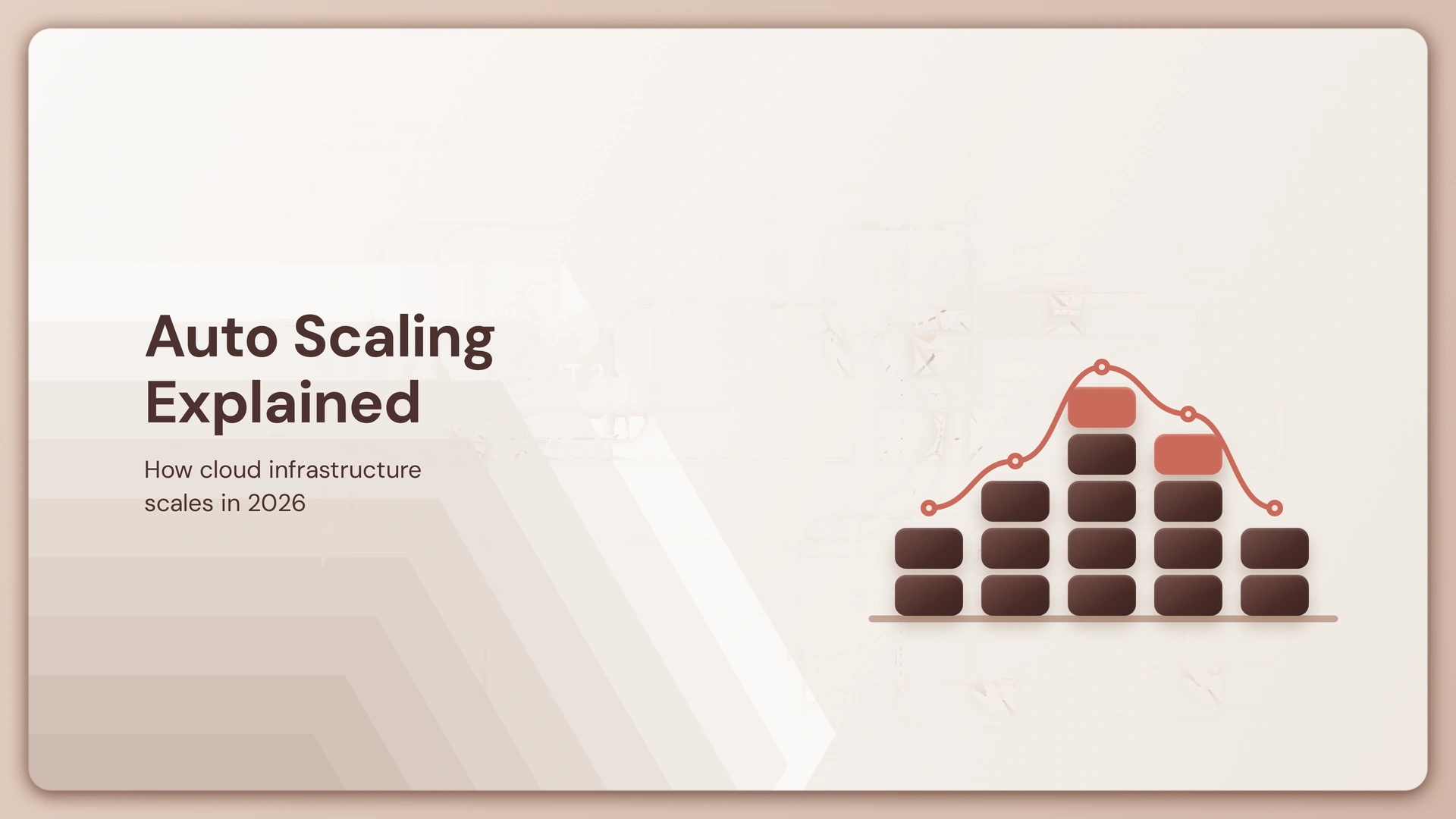
Auto scaling is the automated process of adjusting computing resources up or down based on real-time application demand. Instead of provisioning for peak load year-round or risking downtime during spikes, a system monitors demand and adjusts capacity to match it.
The objective is straightforward: keep performance steady when traffic climbs, avoid paying for idle capacity when it drops, and remove the need for someone to manually intervene every time load shifts. Depending on the platform, “capacity” might mean virtual machine instances, containers, pods, or database throughput. The mechanism is the same regardless of what’s being scaled: watch demand, adjust supply.
How does auto scaling work?
It runs on a loop: monitor, evaluate, scale, stabilize, repeat. A monitoring system tracks a metric, usually something like CPU utilization or request count, and compares it against a threshold defined in a scaling policy. When that threshold is crossed, a scaling action fires.
Three numbers govern the loop. Minimum capacity sets the floor that should always be running. Maximum capacity caps how far the system can scale out, mostly to control cost. Desired capacity is the target the system tries to hold under normal conditions.
Picture an application running on four instances by default. Traffic climbs, average CPU crosses 70%, and the group scales out to eight. Traffic falls back an hour later, and after a cooldown period designed to prevent the system from reacting to every small fluctuation, it scales back toward four. No one touched a console.

What are the types of auto scaling?
Auto scaling breaks down into five approaches, and most production systems combine more than one.
- Horizontal scaling adds or removes instances, containers, or pods. This is the default approach in cloud-native architecture.
- Vertical scaling changes the resources available to an existing instance, such as CPU or memory, without changing the count.
- Scheduled scaling adjusts capacity ahead of a known pattern, like traffic that always spikes at 9 a.m.
- Dynamic (reactive) scaling responds to live metrics as they cross a threshold.
- Predictive scaling uses historical data to forecast demand and provision ahead of it rather than reacting after the fact.
None of these are mutually exclusive. A retail platform might run scheduled scaling for a known sale date, dynamic scaling for everything else, and predictive scaling layered on top to smooth the transition.
What is the difference between horizontal and vertical scaling?
Horizontal scaling changes how many resources you have; vertical scaling changes how big each one is. That distinction decides which approach fits a given workload.
Horizontal scaling vs vertical scaling at a glance
| Horizontal Scaling | Vertical Scaling | |
|---|---|---|
| What changes | Number of resources | Capacity of a resource |
| Example | 4 servers → 8 servers | 4 vCPU → 8 vCPU |
| Main advantage | Handles distributed workloads well | Simpler for certain workloads |
| Main limitation | Requires architecture built for distribution | Resource ceilings and downtime can matter |
| Common use | Cloud-native applications | Databases and hard-to-distribute workloads |
Horizontal scaling can add capacity without modifying existing instances, which makes it a strong fit for distributed cloud-native applications. Vertical scaling can be simpler for workloads that are difficult to distribute, such as some relational database architectures, although increasing resources can involve operational constraints or downtime.
What triggers auto scaling?
Triggers depend entirely on the platform and the policy you configure, but they generally fall into two buckets: performance metrics and schedules. Auto scaling resources typically scale in response to an event or metric threshold that engineers identify as closely correlated with degraded performance.
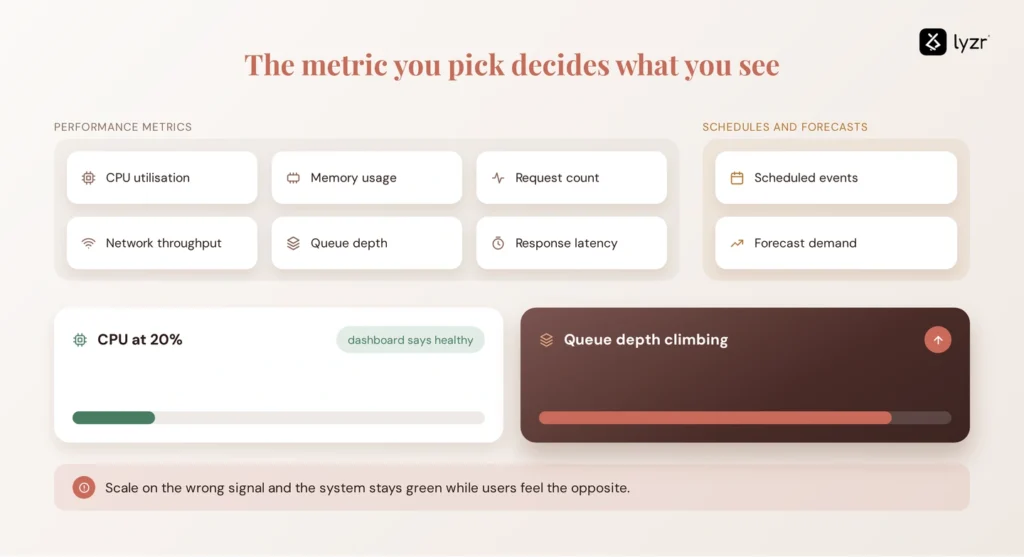
Common signals include CPU utilization, memory usage, request count, network throughput, queue depth, and response latency. Scheduled events and forecasted demand round out the list.
CPU is the most common trigger, but it’s easy to over-rely on it. A queue-based worker service might sit at 20% CPU while its backlog grows for minutes, meaning the real bottleneck (queue depth) never shows up in a CPU chart at all. Choosing the wrong metric to scale on can leave a system technically “healthy” by its dashboard while users experience the opposite.
How does auto scaling work in AWS?
AWS handles auto scaling primarily through Amazon EC2 Auto Scaling, which automatically launches or terminates EC2 instances based on user-defined policies, health status checks, and schedules. The core unit is the Auto Scaling Group (ASG), built from a launch template that defines the instance configuration, plus minimum, maximum, and desired capacity settings.
An ASG can span multiple Availability Zones, and EC2 Auto Scaling balances instances evenly across them as the group scales, protecting applications from failures in a single location. Scaling policies include target tracking (hold a metric at a set value), step scaling, and scheduled actions, and unhealthy instances get replaced automatically through built-in health checks.
EC2 isn’t the whole story. AWS Application Auto Scaling extends the same principle to other services, letting you build scaling plans for resources including Amazon ECS tasks, Amazon DynamoDB tables and indexes, and Amazon Aurora replicas. Each of these uses its own scaling mechanics suited to that service. ECS can scale task counts, DynamoDB can scale provisioned capacity, and Aurora supports different scaling mechanisms depending on the workload and configuration. They share the principle of adjusting capacity automatically, not a single implementation.
How does auto scaling work in Azure?
Azure’s equivalent is Azure Autoscale, and it works on the same core logic as AWS: it automatically adds and removes resources according to the load on an application, adding resources when load rises and reducing them when load drops to lower costs. It applies across Virtual Machine Scale Sets, App Service plans, and other supported resource types.
Rules can be metric-based, triggering when a value like CPU usage crosses a threshold, or time-based, triggering on a schedule such as every Saturday at 8 a.m. The naming and console differ from AWS, but the underlying question, how much capacity do we need right now, is identical.
How does auto scaling work in Kubernetes?
Kubernetes splits auto scaling across three independent components, each working at a different layer of the stack. The Horizontal Pod Autoscaler (HPA) increases or decreases the number of pods in a deployment, replica set, or stateful set based on CPU utilization or other metrics, scaling horizontally because it affects instance count rather than the resources given to a single container.
The Vertical Pod Autoscaler (VPA) adjusts the resource requests and limits of a container instead of changing pod count, right-sizing workloads that are over- or under-provisioned. The Cluster Autoscaler automatically adds or removes nodes in a cluster based on resource requests from pods, so if HPA needs more pods than the current nodes can host, Cluster Autoscaler provisions new nodes to make room.
Three layers, three different jobs: pods, pod resources, and nodes. Kubernetes auto scaling only works well when all three are configured to cooperate rather than fight each other. That same layered thinking carries over once agents rather than static services are what’s being reconciled across a cluster, which is worth understanding in more depth in Agent Cluster Reconciliation.

What is an auto scaling group?
An Auto Scaling Group is a logical collection of compute instances, particularly in AWS, managed together according to shared capacity and health requirements. It is one implementation of auto scaling, not a synonym for the concept itself, since Azure and Kubernetes achieve the same outcome through their own mechanisms.
An ASG is defined by minimum, maximum, and desired capacity, a launch template or configuration, health checks that replace failing instances, and the scaling policies that decide when to add or remove capacity.
Auto scaling vs load balancing: what’s the difference?
Load balancing distributes incoming traffic across available resources. Auto scaling changes how many resources are available. They solve adjacent but separate problems.
Auto scaling vs load balancing side by side
| Auto Scaling | Load Balancing | |
|---|---|---|
| Primary job | Adjust capacity | Distribute traffic |
| Changes resource count? | Yes | No |
| Routes requests? | No | Yes |
| Responds to demand? | Yes, by changing capacity | Yes, by spreading existing demand |
| Work together? | Yes | Yes |
They’re complementary, not competing. A typical architecture puts a load balancer in front of an Auto Scaling Group: the balancer spreads traffic across whatever instances exist right now, and auto scaling changes how many instances that “right now” includes.
What are the benefits and limitations of auto scaling?
The benefits are well established: steadier performance during spikes, better resource utilization, less manual firefighting, meaningful cost control, and improved resilience since unhealthy instances get replaced automatically.
The limitations matter just as much. Scaling takes time, so a sudden enough spike can still cause a rough few minutes before new capacity comes online. Badly tuned thresholds cause thrashing, scaling in and out too often, or the opposite failure of not reacting fast enough. Auto scaling adds compute; it does not fix a slow database query or an inefficient code path. Some workloads simply resist horizontal distribution. And a subtler point often gets missed: more resources do not automatically mean a safer or better-behaved workload. Scaling a flawed process just runs more copies of the same flaw, faster.
What happens when auto scaling is applied to AI workloads?
Auto scaling can handle the infrastructure demands of AI workloads, but it doesn’t answer the governance questions that appear when the workload is an autonomous agent. When the workload being scaled is an inference service or an autonomous AI agent, “add more capacity” can mean adding more active agent instances, and each of those instances can carry its own identity, instructions, tool access, permissions, model, memory state, deployment version, and evaluation status.
Infrastructure auto scaling answers “how many resources should be running.” It has no mechanism for answering “which agents should be running, what are they allowed to touch, and are they behaving the way they were tested to behave.” Those are different questions, sitting at a different layer of the stack, and conflating them is where a lot of agent deployments run into trouble as they grow past a pilot, especially once those agents are spread across multiple clouds rather than a single environment.
Is auto scaling enough for AI agent governance?
No. Auto scaling manages infrastructure capacity; AI agent governance manages the identity, configuration, permissions, evaluation, and lifecycle of the agents running on that capacity.
Scaling out an agentic workload does not, on its own, provide agent identity, approval workflows before deployment, evaluation gates that block a broken version from shipping, configuration and version control, runtime observability into agent decisions, policy enforcement, or an audit trail per agent. Infrastructure scaling manages capacity. Agent governance manages behavior and lifecycle. Confusing the two means an organization can be fully “scaled” and still have no idea which version of which agent just took an action.
Auto scaling vs AI Control Plane
They operate at different layers, and the table below makes the split concrete.
Auto scaling vs AI Control Plane comparison
| Auto Scaling | AI Control Plane | |
|---|---|---|
| Primary focus | Infrastructure capacity | Agent lifecycle and governance |
| Main question | How much capacity is needed? | Which agents should run, under what policy? |
| Scaling | Core function | Not its primary function |
| Identity | Infrastructure/resource identity | Agent identity |
| Evaluation | Not its purpose | Agent evaluation and promotion |
| Observability | Infrastructure metrics | Agent behavior and runtime activity |
| Audit | Scaling/resource events | Agent lifecycle and action history |
| Scope | Compute capacity | The agent estate |
An AI Control Plane doesn’t replace Auto Scaling Groups, Kubernetes, or IAM. It complements those systems by addressing a different layer of the problem: governing the identity, lifecycle, and behavior of AI agents rather than managing infrastructure capacity.
How does an AI Control Plane fit into a scaled AI architecture?
An organization keeps its existing cloud infrastructure exactly as it is. EC2 Auto Scaling still handles EC2. HPA still handles pods. What changes is the addition of a governance layer that sits above the infrastructure and tracks the agents running on it.
Centralizing model traffic with a gateway is one problem; the harder question is who governs the AI agents built on top of it once there are dozens or hundreds running in production. That’s the layer a control plane operates at, independent of which LLM gateway or model sits underneath it.
Lyzr’s OpenController assumes the agent already exists as a container in the environment and addresses the harder questions: who can run it, what it can spend, what it can access, and what happened when it did. Each deployed agent is registered automatically with version, framework, target cloud, and full deployment history, and receives its own identity tied to that registry entry, giving security teams fine-grained access control and an audit trail for every action it takes.
Nothing about this replaces the scaling layer. It runs alongside existing infrastructure and governs agents wherever they’re deployed. Auto scaling still decides how many resources exist. The control plane decides which agents are allowed to use them, and what they’re allowed to do once they’re running.
Lyzr Agent Control Plane: The Vercel for AI Agents
That gap is exactly why a large share of AI agent pilots, according to research from Forrester and Anaconda supported by IDC, never make it to production: teams solve the scaling problem and discover, too late, that scaling was never the hard part. For a deeper look at the underlying architecture behind that governance layer, see Opencontroller Architecture.
Frequently asked questions
Auto scaling is the automated process of adjusting compute resources, such as instances, containers, or pods, based on real-time application demand. It adds capacity when load rises and removes it when load falls, without manual intervention.
It runs a continuous loop of monitoring a metric, comparing it to a threshold, taking a scaling action when the threshold is crossed, and stabilizing before evaluating again. Minimum, maximum, and desired capacity settings keep that loop within bounds.
The main types are horizontal, vertical, scheduled, dynamic (reactive), and predictive scaling. Most production systems combine two or more depending on how predictable the workload’s demand patterns are.
An application running on four instances that scales to eight when average CPU crosses a defined threshold, then scales back to four once demand drops, is a standard auto scaling example on AWS, Azure, or Kubernetes alike.
Triggers include performance metrics like CPU, memory, request count, queue depth, and latency, as well as fixed schedules or forecasted demand. The right trigger depends on which metric actually reflects the workload’s real bottleneck.
In AWS, auto scaling primarily refers to Amazon EC2 Auto Scaling, which manages EC2 instance count through Auto Scaling Groups, plus AWS Application Auto Scaling for services like ECS, DynamoDB, and Aurora.
An Auto Scaling Group is a logical collection of EC2 instances managed together based on minimum, maximum, and desired capacity, health checks, and scaling policies. It’s one implementation of auto scaling, not the concept itself.
Kubernetes auto scaling uses three components: the Horizontal Pod Autoscaler adjusts pod count, the Vertical Pod Autoscaler adjusts pod resource requests, and the Cluster Autoscaler adjusts node count in the cluster.
Horizontal scaling changes the number of resources; vertical scaling changes the capacity of an existing resource. Horizontal scaling suits distributed cloud-native applications, while vertical scaling remains common for workloads like traditional databases.
Auto scaling adjusts how many resources exist; load balancing distributes traffic across whichever resources currently exist. They’re complementary and typically deployed together in the same architecture.
There is no additional charge for AWS Auto Scaling itself; you pay only for the AWS resources needed to run your applications and any Amazon CloudWatch monitoring fees. In other words, the scaling mechanism is free, but the EC2 instances, ECS tasks, or database capacity it provisions bill normally.
Yes, auto scaling helps AI inference and agent workloads handle variable demand without over-provisioning for peak load around the clock. It manages the compute layer, but it doesn’t address governance of the agents themselves.
No. Auto scaling manages infrastructure capacity, while AI agent governance manages agent identity, permissions, evaluation, configuration, and behavior, none of which infrastructure scaling was designed to track.
An AI Control Plane is a governance layer that manages the identity, evaluation, configuration, observability, and lifecycle of AI agents running across an organization’s infrastructure, operating independently of whatever scaling or gateway layer sits beneath it.
Book A Demo: Click Here
Join our Slack: Click Here
Link to our GitHub: Click Here