For fifteen years, “workflow automation” meant Zapier, IFTTT, Microsoft Power Automate, and a handful of RPA tools. Trigger an action when an event happens. Move data between systems. Replace manual clicks. The category was useful, mature, and stable.
In 2026, the category is fragmenting.
Workflow automation still works perfectly well for routine, rule-based tasks like sending a Slack message when a form is submitted, syncing a calendar invite to a CRM, routing a support ticket based on keywords. For these jobs, Zapier, n8n, and Microsoft Power Automate remain excellent tools, often the right answer.
But for everything beyond rules, workflows that require judgment, unstructured inputs, decisions under ambiguity, or coordination across systems, workflow automation is hitting a wall. The work that gets stuck in the wall is increasingly being done by AI agents instead. Not because AI agents are a better version of workflow automation, but because they’re a different category of software entirely.
This guide explains what workflow automation actually is, where it still wins in 2026, where AI agents have replaced it, and how to choose between them for your specific enterprise use cases. By the end, you’ll have a clear decision framework for whether your next automation project should be built with Zapier-class tools or with an AI agent platform, and what to do when the answer is “both.”
What is workflow automation?
Workflow automation is software that executes a sequence of predefined steps when a specific trigger fires. It connects applications, moves data, and performs actions based on rules, without a human clicking through each step manually.
The defining word is predefined. Every workflow automation tool, from the simplest Zapier “Zap” to the most complex enterprise RPA deployment, works the same way: you tell the tool what should happen, the tool executes exactly that, and it stops when the steps run out or a condition isn’t met. There is no judgment, no adaptation, no decision-making outside the rules you wrote.
This is fundamentally different from how AI agents work and why the distinction matters for any 2026 automation decision. For the deeper comparison between rule-based and AI-driven systems, see our piece on agentic vs non-agentic systems.
For example, instead of manually following up on website leads, you can automate it: ‘If a customer submits a form, send a thank-you email and assign a follow-up task to the sales team.’
The software takes care of the rest from email sending, notifying the team, and ensuring nothing slips through the cracks.
The most common workflow automation tools in 2026 are:
- Zapier: the category-defining no-code automation tool, strongest for cross-app integrations and SMB-to-mid-market workflows
- Microsoft Power Automate: Microsoft’s enterprise workflow automation tool, deeply integrated with Microsoft 365, SharePoint, and Dynamics
- Lark: all-in-one team platform with native automation, one of the most practical productivity tools for internal task and approval workflows
- n8n: the open-source workflow automation alternative, popular with developer-led teams who want self-hosted automation
- Make (formerly Integromat): a visual workflow builder with strong support for complex branching and conditional logic
- UiPath, Automation Anywhere, Blue Prism: enterprise RPA platforms for desktop-level UI automation
- IBM webMethods, MuleSoft, Boomi: enterprise integration platforms for system-to-system workflows at scale
These tools share a common DNA: they’re excellent at executing rules, terrible at making judgments. That distinction is the entire reason this guide exists.

How workflow automation actually works?
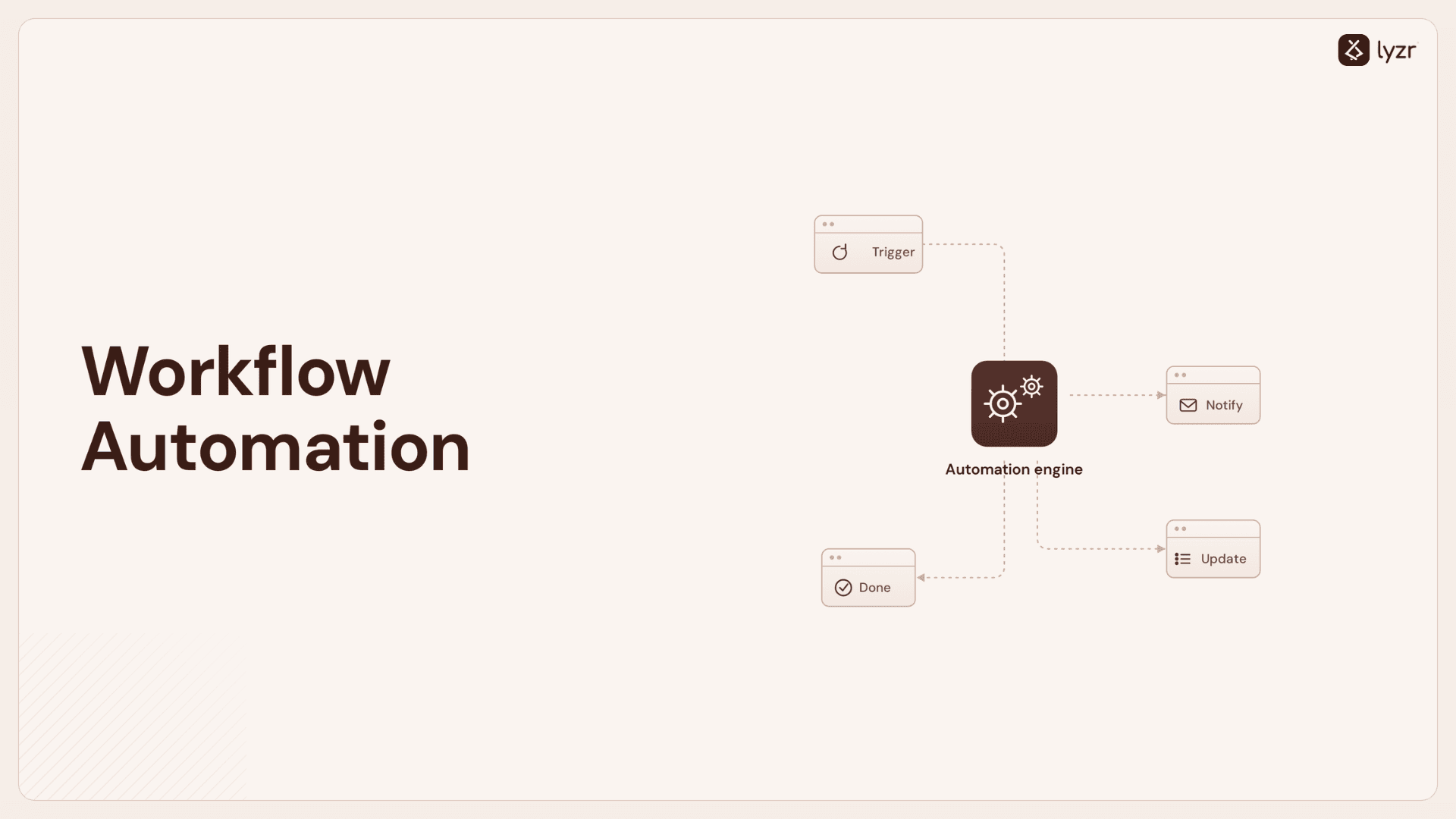
Every workflow automation platform, regardless of vendor or interface, operates through the same three-part pattern:
1. Trigger. Something happens that starts the workflow. A new row in a Google Sheet. An incoming email matching a specific subject. A form submission on a website. A scheduled time. The trigger is the when.
2. Condition (optional). A logical check that decides whether the workflow should proceed. Is the email from a customer or a vendor? Is the form submission from a paying user? Is the row’s value above a threshold? Conditions create branches and filtering. Without them, every trigger leads to the same action.
3. Action. What the workflow does. Send an email. Update a CRM record. Post a message to Slack. Create a calendar invite. Update a database. Trigger a downstream workflow. The action is the what.
Complex workflows chain dozens of these together, a single trigger fires, conditions branch into multiple paths, and each path executes a different sequence of actions often supported by data pipeline tools to move, transform, and process data efficiently across systems.
The most sophisticated enterprise workflows can involve hundreds of steps spanning a dozen systems. But the underlying pattern never changes: predefined trigger → predefined condition → predefined action.
Simply put: When something happens (trigger) → Do this (action)
This is the model’s strength and its ceiling. Strength: it’s deterministic, debuggable, and predictable. Ceiling: it can only handle situations the workflow author anticipated. Any input outside the rules, a malformed email, an ambiguous customer request, a decision that depends on context, either falls through to a default branch or fails.

Workflow automation vs. AI agents: when each one wins
This is the comparison most teams need and the one most blogs avoid making honestly. Workflow automation and AI agents are not better-and-worse versions of the same thing. They’re different categories of software that solve different problems. Picking the wrong one for a use case is the most common cause of automation projects failing.
| Dimension | Workflow Automation | AI Agents |
|---|---|---|
| Core capability | Executes predefined steps | Decides which steps to take |
| Input type | Structured data (forms, fields, rows) | Structured and unstructured (text, documents, conversations) |
| Decision model | Rules and conditions written in advance | Reasoning at runtime using a language model |
| Adaptability | Fixed; breaks on inputs outside the rules | Adapts to unexpected inputs within trained scope |
| Best for | Routine, repetitive, well-defined processes | Judgment, ambiguity, multi-step reasoning |
| Setup time | Minutes to hours per workflow | Days to weeks per agent |
| Maintenance | Low (rules don’t drift) | Higher (model performance can shift over time) |
| Failure mode | Predictable: the workflow stops or fails | Unpredictable: the agent may hallucinate or take wrong action |
| Governance need | Modest (audit logs, error monitoring) | Heavy (audit trails, hallucination control, observability) |
| Cost per execution | Low (cents) | Higher (cents to dollars depending on LLM usage) |
| Examples | Zapier, Power Automate, n8n, Make, UiPath | Lyzr, Microsoft Copilot Studio, Salesforce Agentforce |
A useful way to read this table: workflow automation is what you use when you can write the rules. AI agents are what you use when the rules are too complex, too contextual, or too numerous to write down.
A customer onboarding email confirming a successful signup?
Rules-based, use workflow automation. A customer support reply that needs to read the customer’s previous tickets, check their account status, and decide whether to issue a refund or escalate? Judgment-based, use an AI agent. The boundary is rarely fuzzy in practice. If you can describe the workflow as “if X then Y,” workflow automation is the right tool. If you’d describe it as “depending on the situation, the system needs to figure out what to do,” you need an agent.
For a deeper architectural look at AI agents specifically, see our guide to what AI agents are and the Lyzr vs n8n comparison for the most-asked specific question in this category.
What are examples of workflow automation?
Workflow automation shows up differently in every function, but the underlying pattern is the same: identify a repetitive, rule-based process and automate the steps. Here’s what workflow automation typically looks like across the major enterprise functions.
1. Marketing workflow automation
Marketing teams use workflow automation primarily to nurture leads, segment audiences, and trigger campaigns based on user behavior. Common workflows include:
- New lead captured → added to CRM → assigned to a nurture sequence → flagged for sales when behavior thresholds are hit
- Email campaign performance triggers: open rates below threshold trigger a re-engagement sequence
- Webinar registration → calendar invite → reminder cadence → post-event follow-up with relevant content
- Social media scheduling and cross-posting across channels
Tools: HubSpot, Marketo, ActiveCampaign, Klaviyo for marketing-native automation; Zapier and Make for cross-tool flows. When marketing automation needs to make judgment calls, like personalizing content based on intent signals or deciding which message to send to which segment, teams increasingly layer on agentic personalization on top of the rule-based foundation.
Here’s how marketing ops pros put automation to work:
- Lead management without the manual work – Capturing leads is just the start. Automation makes sure every prospect is classified and routed to the right place, so campaigns can run without a hitch. Using lead routing tools ensures that each lead is automatically assigned to the right team member, improving follow-up speed and conversion rates. For example, users of their CRM would benefit from implementing Salesforce lead routing methods.
- Segmenting subscribers on autopilot – The right message needs the right audience. Automation takes care of subscriber segmentation as soon as they sign up, so campaigns stay relevant.
- Cleaning up data before it causes trouble – Formatting issues and data errors are a marketer’s worst nightmare. Automation catches and fixes them before they become a mess. Platforms like SendPulse take this further with trigger-based automation flows that send the right message across email, SMS, and chatbots based on user behavior, no manual intervention needed.
- Streamlining campaign setups – Before execution begins, creating and managing social media campaigns requires structured workflows. Using automated templates for project scopes and proposals ensures that team roles, budgets, and timelines are locked in without the manual back-and-forth of drafting documents from scratch. With that in mind, an estimate Template for Excel can help teams create accurate cost estimates, outline project expenses in advance, and keep pricing details organized from the start.
For example, with Lyzr Agent Studio, you can easily build a Campaign Management Agent that schedules email blasts, adjusts ad spend based on performance, and personalized messaging, so every campaign runs smoothly without constant oversight.

2. Sales workflow automation
Sales workflow automation handles the operational tasks that consume rep time without adding value: data entry, scheduling, follow-up reminders, and pipeline hygiene. Common workflows include:
- New lead in CRM → enrichment via data provider → assignment to rep based on territory rules → first-touch email scheduled
- Calendar invite accepted → meeting prep doc auto-generated → follow-up email scheduled 24 hours after
- Deal stage change → notification to manager → CRM activity logged → forecast updated
- Inactive deal detected (no activity for X days) → escalation alert to sales manager
Tools: Salesforce Flow, HubSpot Workflows, Outreach, Salesloft. For sales work involving judgment, qualifying leads on more than rules, drafting personalized outreach, or coordinating multi-step deal navigation, AI agents replace traditional automation. See the Lyzr Jazon AI SDR for the agentic equivalent.
Every minute spent on manual tasks is a minute not spent closing deals or preparing a winning pitch with an
AI presentation tool. Utilizing a sales workflow management tool can further streamline sales automation by facilitating workflow design, task management, and data exchange. In this setup, Zoho consulting services help align Zoho-based systems with business goals by configuring CRM workflows, automation, and integrations to improve efficiency and sales performance.

Here’s how sales workflow automation works:
- Following up without the mental load – The first interaction with a lead is crucial, but keeping track of every prospect can be overwhelming. Automation ensures no lead slips through the cracks by handling follow-ups automatically. Setting up sms campaign tool allows you to schedule these messages in advance, so you can focus on building relationships instead of managing spreadsheets.
- Scheduling demos without the back-and-forth – Setting up meetings shouldn’t feel like a negotiation. Automation syncs calendars, schedules demos effortlessly, and when your team is collecting data from external sources, a reliable web scraping API with javascript support can help pull in real‑time info to enrich lead profiles, so sales teams can focus on the pitch, not the logistics.
- Keeping the pipeline accurate without manual updates – A CRM is only useful if it’s up to date. Automation updates deal statuses in real time when key actions occur, ensuring the pipeline reflects what’s actually happening. Platforms like Pepper Cloud, an AI-powered CRM software, automate WhatsApp using Getgabs and email follow-ups, keep sales pipelines current, and personalize engagement with real-time insights, making it easier for teams to close deals efficiently.

For example, with Lyzr Agent Studio, you can easily build an ICP Generator Agent that analyzes customer behavior, identifies high-value segments, and refines your ideal customer profile, so every campaign targets the right audience from the start.

3. HR Workflow Automation
HR teams use workflow automation to handle the high-volume, repetitive parts of employee lifecycle management: onboarding tasks, benefits enrollment, leave requests, and compliance reminders. Common workflows include:
- New hire approved → IT provisioning request → equipment ordering → access provisioning → onboarding email sequence
- Benefits enrollment deadline → email reminder cadence → escalation if unenrolled
- Performance review cycle → calendar invites → form distribution → manager reminders → completion tracking
- Offboarding triggered → access revocation → exit interview scheduling → final pay calculation
Tools: Workday, BambooHR, ADP, Rippling. For HR work that requires reading unstructured inputs (resumes, performance feedback, employee questions), AI agents take over. See Lyzr Diane and agentic AI in HR for the deeper picture.
How HR workflows are automated:
- Candidate screening without manual review – Automatically filter résumés based on qualifications, experience, and skills, surfacing top candidates instantly.
- Interview coordination without the scheduling chaos – Send availability requests, book interview slots, and notify all participants automatically.
- Employee onboarding that runs itself – Trigger document collection, system provisioning, training assignments, and welcome sequences the moment an offer is accepted.
- Employee monitoring software help streamline people operations while maintaining the personal touch.
- PTO requests processed instantly – Route time-off requests to managers, check balances, update calendars, and send confirmations without HR intervention. Visitor management without manual check-ins – Automate guest registration, track visitor access, notify employees of arrivals, and maintain accurate visitor records while improving workplace security and efficiency.
Example: Deploy an AI Resume Filtering Agent that screens hundreds of applications, ranks candidates by fit, and schedules interviews with top prospects, reducing time-to-hire by 60%.
Looking to automate your HR workflows seamlessly? Read our complete HR automation guide.
4. Finance

Finance teams automate the recurring, deterministic work that consumes accountant time: invoice processing, expense approvals, reconciliations, and reporting. Common workflows include:
- Invoice received → OCR data extraction → matched against purchase order → routed for approval → payment scheduled
- Expense report submitted → policy check against rules → routed to manager → reimbursement triggered
- Month-end close → automated journal entries → variance reports generated → dashboards refreshed
- Vendor payment terms → scheduled payment runs → reconciliation against bank feeds
Tools: NetSuite, Sage Intacct, Bill.com, Stampli for AP automation. For finance work involving judgment, credit decisioning, fraud detection, risk assessment, see AI credit scoring and AI agents for loan approval.
5. Legal and procurement workflow automation
Legal and procurement teams use workflow automation for contract intake, vendor onboarding, document routing, and compliance tracking. Common workflows include:
- Contract request → template selection → routing for legal review → e-signature collection using
Electronic signature software → archive in repository - New vendor request → questionnaire distribution → due diligence checks → approval routing → master vendor record creation
- Compliance deadline approaches → automated reminders → document collection → status tracking
- Litigation hold triggered → identification of relevant custodians → notification routing → preservation verification
Tools: Ironclad, SpotDraft, DocuSign CLM, Coupa, SAP Ariba. Legal work involving judgment, contract review against standard terms, risk identification, clause comparison, is increasingly handled by agents. See Lyzr’s contract review agent and contract search agent.
How legal teams use automation:
- Contract review without the bottleneck – Automatically extract key terms, flag non-standard clauses, check against approved templates, and route for attorney review only when needed.
- Approval workflows that move fast – Send contracts to stakeholders in the correct sequence, track signatures through a contract software or a digital signature API, and store executed documents automatically.
- Compliance monitoring without constant checking – Monitor regulatory changes, trigger compliance reviews, and maintain audit trails automatically. For tax-specific obligations, AI tools for tax professionals can automate everything from nexus tracking to filing.
- Matter management without manual tracking – Update matter status, track deadlines, manage documents, and generate client reports without manual coordination.
Legal workflow example: Deploy a Contract Management Agent that reviews agreements for compliance, extracts obligations and renewal dates, routes for approvals, and maintains a centralized contract repository. When combined with professional legal translation services for cross-border contracts, this reduces contract cycle time by up to 70% while ensuring legal accuracy across jurisdictions.
6. Customer support workflow automation
Support teams use workflow automation for ticket routing, escalation rules, SLA tracking, and customer notifications. Common workflows include:
- Ticket received → categorized by keyword → routed to correct queue → assigned to available agent
- Ticket aging past SLA → auto-escalation to manager → CSAT survey triggered post-resolution
- Refund request approved → finance notification → customer email confirmation → CRM record updated
- High-priority customer signal detected → routed to dedicated account team
Tools: Zendesk, Freshdesk, Intercom for native automation; workflow tools for cross-system flows. For support work involving multi-step problem resolution, reading customer history, deciding on resolutions, drafting personalized responses, AI agents are the natural fit. See Lyzr’s AI cross-channel support agent.
The pattern across functions: workflow automation handles the steps where rules are clear; AI agents handle the steps where judgment is required. Most mature enterprise functions end up running both, with workflow automation as the connective tissue between systems and AI agents handling the decision points within.
5 enterprise use cases where workflow automation is enough
1. Cross-application data sync. Moving structured data between systems, a new lead in HubSpot syncs to Salesforce, a new hire in Workday syncs to Slack and Google Workspace. The data is structured. The mapping is fixed. The transformation is deterministic. Tools like Zapier, Make, and n8n handle this elegantly and an AI agent would add cost and complexity for no upside.
2. Notification and alerting chains. A monitoring system detects a threshold breach, a workflow tool posts to a Slack channel, creates a Jira ticket, and emails the on-call engineer. Pure rule-based routing. Microsoft Power Automate or PagerDuty are stronger choices than an AI agent here.
3. Form-driven approval routing. A purchase requisition above $5,000 routes to the manager; above $25,000 routes to the VP; above $100,000 routes to finance. The thresholds are explicit. The routing logic is fixed. RPA platforms or Power Automate handle this in production reliably.
4. Calendar and scheduling automation. Meeting requests routed to the right person’s calendar based on availability rules, automatic rescheduling when conflicts arise, recurring reminders for compliance events. Tools like Calendly and Microsoft Bookings combined with workflow automation handle this well.
5. Simple email marketing flows. Send a welcome email when someone signs up, send a follow-up after 3 days, send a “we miss you” after 30 days of inactivity. Marketo, HubSpot, and Klaviyo do this natively. An AI agent would be overengineered.
The pattern across all five: the workflow can be written as a finite set of rules, the inputs are predictable, and the decisions are deterministic. If your automation use case looks like one of these, the answer is probably Zapier, Power Automate, or n8n, not an AI agent platform.
5 enterprise use cases where AI agents are required
For these, AI agents aren’t a “better version” of workflow automation; they’re the only category of tool that can do the work at all.
1. Multi-step customer support resolution. A customer writes: “My order didn’t arrive and I think the wrong item was charged.” Resolving this requires reading the customer’s tone, checking the order, verifying shipping status, checking the payment record, deciding whether to issue a refund or replacement, and responding appropriately. No workflow automation tool can handle this, there are too many variables, the language is unstructured, and the right action depends on judgment. AI agents (like Lyzr’s AI cross-channel support agent) handle the full resolution autonomously, escalating only when confidence is low.
2. Loan origination and credit decisioning. A loan application arrives. The agent reads the application, pulls credit data from multiple bureaus, verifies the applicant’s identity, checks against compliance rules, evaluates risk based on income patterns and alternative data, and either approves, declines, or routes to human underwriting. This is dozens of steps with conditional logic that depends on what the previous step found, exactly the kind of work workflow automation tools can’t compose. AI agents (like Lyzr’s AI loan origination agent) handle this pattern at scale. See also AI agents for loan approval and AI credit scoring for the deeper picture.
3. Insurance claims processing. A claim is submitted with documents, photos, and a description. The agent reads the documents, classifies the claim type, gathers supporting evidence, evaluates against policy terms, calculates settlement, and either pays out, requests more information, or routes for human adjustment. The work is heavily document-driven, requires judgment at each step, and varies wildly by claim. The Lyzr claims processing agent is built for this pattern. See AI agents for insurance for the broader vertical view.
4. Contract review and procurement. A vendor sends a 40-page contract. The agent reads it, flags non-standard clauses, compares against the company’s standard terms, identifies risk areas, and produces a structured review for the legal team. Workflow automation can’t read contracts. Document-extraction tools can read text but can’t compare against standard terms with judgment. AI agents (like Lyzr’s contract review agent) close this gap.
5. Cross-system enterprise research. A sales rep asks “what’s the latest on the Acme account?” and gets a synthesized answer pulling from Salesforce, Gmail, Slack, the call recording platform, and the support ticket system. No workflow automation tool can compose unstructured information across systems with judgment. This is what enterprise research agents do, and it’s increasingly the highest-value AI agent use case inside Fortune 500 organizations.
The pattern across all five: the work involves unstructured inputs, judgment under ambiguity, and decisions that depend on context. These aren’t “advanced workflows.” They’re a different category of work, work that requires reasoning, not rule execution. The architectural framework for this kind of work is what we call agentic workflows, and it’s the layer where most enterprise automation is moving in 2026.
The 95% problem: why most enterprise automation never scales
Here’s the part most workflow automation blogs avoid mentioning: a lot of enterprise automation never makes it to production. This is true for both categories, workflow automation and AI agents, but for different reasons.
Workflow automation projects typically fail to scale because they accumulate complexity. A single Zapier workflow with 30 steps and 12 conditional branches works perfectly the day it’s built. Three months later, the underlying systems have changed, edge cases have multiplied, and the workflow either silently fails or produces wrong results. Workflow automation is brittle at scale, it works until it doesn’t, and the failure modes are death-by-a-thousand-cuts rather than dramatic.
AI agent projects typically fail to scale because they lack production infrastructure. Roughly 5% of enterprise AI agent prototypes reach production. The other 95% die in pre-production for the same six reasons, repeatedly:
- Governance and approval gates: no dev → UAT → pre-prod → production path with explicit human approvals. This is the layer that Responsible AI infrastructure is designed to solve.
- Observability and audit: no traceability for regulators or internal compliance teams to answer “why did this agent take that action?”
- Hallucination control: no managed way to keep error rates within acceptable bounds for high-stakes workflows. This is what Hallucination Manager is built for.
- Cross-framework coordination: real enterprises run agents on multiple frameworks (LangChain, CrewAI, Salesforce Agentforce, Microsoft Copilot) that need to be governed together. This is the agent orchestration problem at enterprise scale.
- Multi-cloud reliability: production agents can’t go down because one cloud region had an outage
- The platform-plus-people gap: vendors sell platforms; consultancies sell people; production requires both plus the operational know-how to combine them
The shift in enterprise automation in 2026 isn’t really workflow automation versus AI agents. It’s the recognition that both categories need to live under a unified governance and orchestration layer if either is going to ship at enterprise scale. This is the category Lyzr calls the Agent Control Plane, and it accepts both rule-based workflow automation and AI-agent-driven workflows under one identity, observability, and audit framework. For the deeper architectural picture of how multi-agent systems coordinate at scale, see our multi-agent architecture guide.

For the full diagnostic of what separates the 5% that ship from the 95% that don’t, read how to take AI agents to production.
How to choose between workflow automation and AI agents
Three questions, asked in order, decide every automation project:
Question 1: Can the work be described as “if X then Y”?
If yes, workflow automation is the right choice. Use Zapier, Power Automate, n8n, or Make. Don’t overbuild. Don’t pay LLM costs for work that doesn’t need reasoning.
If no, if the work involves judgment, unstructured inputs, or decisions that depend on context, proceed to question 2.
Question 2: Does the work require coordinating across multiple systems with context, or can a single tool handle it?
If a single tool can handle it (single-agent reasoning, like a Q&A agent or document classifier), you need an AI agent platform but you don’t need orchestration. Microsoft Copilot Studio, Salesforce Agentforce, or any single-agent platform works.
If the work requires multiple agents passing context between them, or operations across multiple frameworks and clouds, you’re in agentic workflows territory, proceed to question 3.
Question 3: Will this be running at enterprise scale, under enterprise governance, in production?
If no (proof-of-concept, internal tool, experiment), use an open-source framework like LangGraph, CrewAI, or Lyzr’s own GitAgent (built on the Open GAP protocol for interoperability). Iterate fast and cheap.
If yes, you need a control plane. This is where Lyzr lives: cross-framework orchestration, multi-cloud deployment, native governance, and the production-readiness infrastructure that 95% of stalled enterprise AI projects are missing.
The right answer for most large enterprises is a portfolio: workflow automation tools (Zapier, Power Automate) for routine work, AI agent platforms for judgment work, and a control plane that governs the whole portfolio. Single-vendor commitments are increasingly rare in 2026, the question is whether your stack has the orchestration layer to govern the heterogeneity.

Where to go from here
Workflow automation is being reshaped in 2026, and where you should go next depends on where you are in your automation journey:
If you’re frustrated by the limits of workflow automation tools:
- Read agentic workflows for the deeper picture of what’s replacing rule-based automation
- Compare Lyzr vs n8n directly
- Try Architect, the vibe-coding platform for business users frustrated they can’t build their own agents
If you’re a developer or platform team building custom agents:
- Build in Lyzr Agent Studio, the low-code platform that compressed Accenture’s six-month LangChain build to weeks
- Explore GitAgent, our open-source agent framework
- Read about agent orchestration for the multi-agent coordination patterns
If you’re a CIO or Enterprise Architect managing automation across the organization:
- Read about the Lyzr Agent Control Plane, the orchestration layer for governing both workflow automation and AI agents across frameworks and clouds
- Read how to take AI agents to production, the playbook for closing the six gaps that stall enterprise automation
- Read enterprise AI agents in 2026 for the broader strategic picture
- Request a Lyzr enterprise architecture briefing
If you want the data behind the trends:
- Read The State of AI Agents 2026 Report, the data behind the 5% production stat and the consolidation trends in enterprise automation
- Browse Lyzr’s customer deployments for real enterprise examples
Frequently asked questions
What is workflow automation in simple terms?
Workflow automation is software that runs a predefined sequence of steps automatically when a trigger fires. For example, when a customer fills out a form, a workflow tool can automatically send a welcome email, add them to a CRM, and notify a sales rep, without anyone clicking through each step manually.
What’s the difference between workflow automation and AI agents?
Workflow automation executes rules you wrote in advance. AI agents make decisions at runtime using language models to reason about what to do. Workflow automation is best for routine, well-defined tasks; AI agents are best for work involving judgment, unstructured inputs, or decisions that depend on context.
What are the best workflow automation tools in 2026?
The leading workflow automation tools include Zapier (cross-app integration), Microsoft Power Automate (Microsoft-native enterprises), n8n (open-source self-hosted), Make (visual workflow builder), and UiPath / Automation Anywhere (enterprise RPA). For workflows requiring judgment or unstructured inputs, AI agent platforms like Lyzr are increasingly replacing traditional workflow tools.
Can workflow automation replace AI agents?
No. Workflow automation can replace AI agents only for tasks that can be fully described as predefined rules. For tasks involving judgment, unstructured inputs, or context-dependent decisions, workflow automation hits a ceiling that AI agents are specifically designed to handle. Most enterprises end up using both for different parts of their automation portfolio.
How much does workflow automation cost?
Workflow automation tools typically use tiered subscription pricing. Zapier ranges from free to $799/month per user for enterprise plans. Microsoft Power Automate is included in some Microsoft 365 plans and starts around $15/user/month standalone. Enterprise RPA (UiPath, Automation Anywhere) typically costs significantly more, with deployment costs in the tens to hundreds of thousands annually.
Is RPA the same as workflow automation?
RPA (Robotic Process Automation) is a subset of workflow automation focused specifically on automating user-interface-level tasks, clicking buttons, filling forms, copying data between applications. Modern workflow automation includes both UI-level RPA and API-level integrations, with most enterprises using a combination.
How do I know if I need workflow automation or an AI agent?
Ask whether the task can be described as “if X then Y” with all conditions written in advance. If yes, workflow automation is the right tool. If the task requires judgment, reads unstructured inputs (documents, emails, conversations), or makes context-dependent decisions, you need an AI agent. Most enterprises run both: workflow automation for routine work, agents for judgment work.
What’s agentic workflow automation?
Agentic workflow automation refers to workflows where AI agents make decisions at runtime rather than following predefined rules. It’s the convergence of workflow orchestration and agentic AI: the orchestration patterns of traditional workflow tools combined with the reasoning capabilities of AI agents. See agentic workflows for a deeper look.
Why do most enterprise automation projects fail?
Workflow automation projects typically fail because they accumulate complexity faster than teams can maintain, workflows work the day they’re built but degrade as underlying systems change. AI agent projects fail because they lack production infrastructure (governance, observability, hallucination control, multi-cloud reliability). Roughly 95% of enterprise AI agent prototypes never reach production. See the production playbook for the full diagnostic.
What’s the difference between workflow automation and business process automation?
Workflow automation typically focuses on streamlining specific, repeatable tasks within a department (like email follow-ups or invoice approvals). Business process automation (BPA) encompasses broader, end-to-end processes that span multiple departments and systems. AI workflow automation platforms like Lyzr can handle both, from simple task automation to complex, multi-step business processes.
What are the benefits of workflow automation?
Workflow automation delivers measurable benefits:
- Time savings: Eliminate hours spent on repetitive tasks
- Reduced errors: Remove manual data entry mistakes
- Cost efficiency: Lower operational costs by 40-60%
- Faster processes: Accelerate approvals, responses, and workflows
- Better compliance: Maintain consistent processes and audit trails
- Scalability: Handle growing volumes without adding headcount
- Employee satisfaction: Free teams to focus on strategic work
Organizations using Lyzr have achieved results like 500+ monthly leads from marketing automation, 14.7x ROI on performance management workflows, and $8M raised using AI fundraising agents.
Can workflow automation integrate with my existing tools?
Yes. Enterprise workflow automation platforms integrate with common business systems including:
- CRMs: Salesforce, HubSpot, Pipedrive
- Communication: Slack, Microsoft Teams, Gmail
- Project management tools : Asana, Jira, Monday.com
- Operations management solutions: Productive.io
- HR systems: Workday, BambooHR, Greenhouse
- Finance: QuickBooks, NetSuite, Expensify
- Document management: Google Drive, SharePoint, Dropbox
Lyzr’s agents connect with your existing tech stack, eliminating the need to replace working systems.
What’s the difference between workflow automation and RPA?
Workflow automation and Robotic Process Automation (RPA) both eliminate manual tasks, but differ in approach:
Workflow Automation:
- Integrates systems at the API/data level
- Works natively within applications
- Handles structured and unstructured data
- Scales easily without infrastructure overhead
- AI-powered for intelligent decision-making
RPA:
- Mimics human actions through UI interaction
- Uses “bots” that click and type like humans
- Best for legacy systems without APIs
- Requires more maintenance and infrastructure
- Typically rule-based rather than AI-powered
Modern AI workflow automation platforms often deliver better results with lower maintenance needs. Businesses that still rely on fax for regulated or compliance-driven document exchange can also integrate a
fax service API to automate secure document transmission within these workflows.
Do I need technical skills to implement workflow automation?
Not with modern no-code platforms. Lyzr Agent Studio and similar tools use visual interfaces that business users can operate without coding knowledge. You’ll need to:
- Understand your business processes
- Map workflow steps and decision points
- Configure integrations (often point-and-click)
- Test and refine automation
For complex enterprise workflows, platforms like Lyzr provide expert consultation as part of the Platform + People model, combining easy-to-use technology with professional implementation support.
Book A Demo: Click Here
Join our Slack: Click Here
Link to our GitHub: Click Here