TL;DR
- Build business agents with tools and workflows: Lyzr Agent Studio.
- Developer-focused integrations with managed authentication: Composio.
- Broad app connectivity through APIs and MCP: Pipedream Connect.
- Searchable business data for agents: Airbyte Agents.
- Flexible, self-hostable visual automation: n8n.
- Ecosystem-tied organisations: Microsoft Copilot Studio or Salesforce Agentforce, depending on your stack.
An agent can spot a customer issue and recommend a next step. Finishing the job means pulling account details, checking a policy, updating the CRM and opening a support ticket. That is where integration becomes the hard part of agent development. Every connection raises questions about authentication, available actions, data access and what happens when a tool call fails.
Buyers then face a confusing choice between dedicated integration layers, workflow builders and agent platforms. This guide compares the best platforms for connecting AI agents to business tools, including Lyzr Agent Studio, with what each does, where it fits and what to watch for.
These are fit-based recommendations, not a universal ranking.
What does it mean to connect an AI agent to business tools?
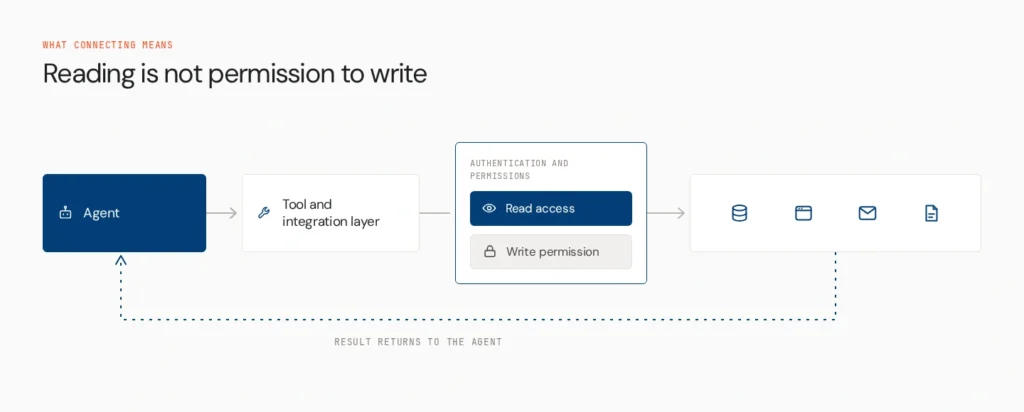
Connecting an agent to business tools means giving it a controlled way to retrieve information from, or act through, external applications, APIs and databases. The agent receives a task, identifies the information or action it needs, selects a tool, the integration authenticates and executes the request, and the result returns so the agent can continue.
A sales agent might read an account’s CRM history, check recent tickets, draft a summary and create a follow-up task. Access to information and permission to act are different things. Reading a customer record doesn’t imply the right to change it.
What should buyers look for?
- Application coverage: the apps, APIs and data sources you need, plus support for custom integrations. Catalogue size alone says little.
- Authentication and permissions: credential management, user-specific access and limits to only the needed actions.
- Tool execution: structured inputs and outputs, and handling of errors.
- Workflow compatibility: whether integrations work inside an agent, a visual workflow or a multi-step process.
- Production readiness: retries, rate limits, changing APIs, logging and the maintenance you inherit.
How we compared them
We assessed application coverage, custom API and protocol support, authentication, ease of using tools in agent workflows, read and write support, flexibility, deployment and pricing, using official documentation. This is a buying guide, not an identical hands-on test of every product.
The 10 platforms
1. Lyzr Agent Studio
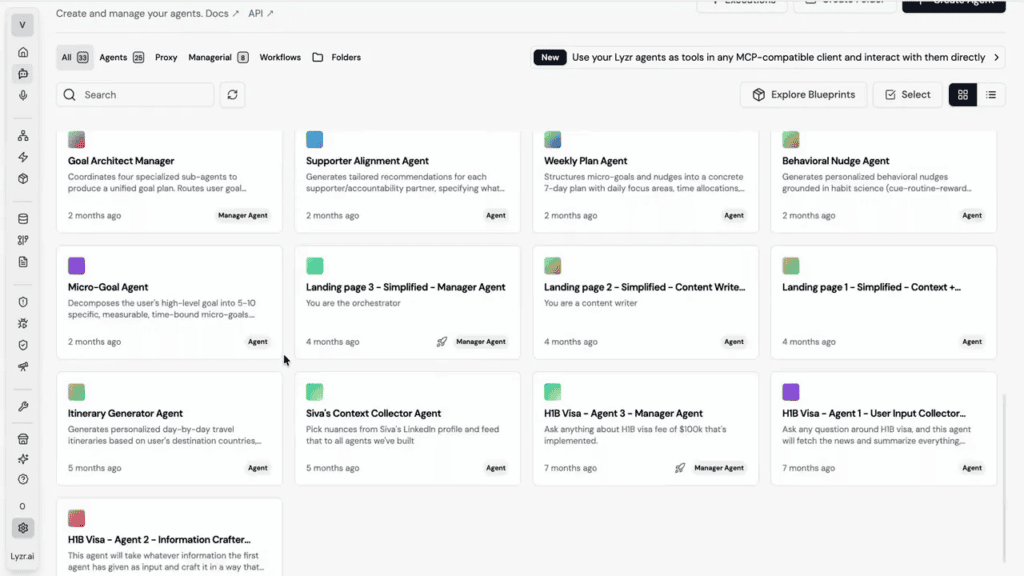
Lyzr Agent Studio is a no-code and low-code environment for building, testing, deploying and monitoring agents. A Tools section connects and manages tool integrations, knowledge bases include RAG, a Neo4j graph and text-to-SQL, and multi-agent systems run through a Manager Agent or SuperFlow DAG. Every agent is also available through a REST API.
For a sales request, an agent needs both the right CRM context and a defined way to create a follow-up. Some capabilities need custom API setup or depend on plan and other Lyzr components.
- Strengths: build, test and deploy in one place, with mixed orchestration
- Limits: not a connector catalogue, and custom systems need configuration
Best for: teams building agents that interact with existing systems and run multi-step tasks.
2. Composio
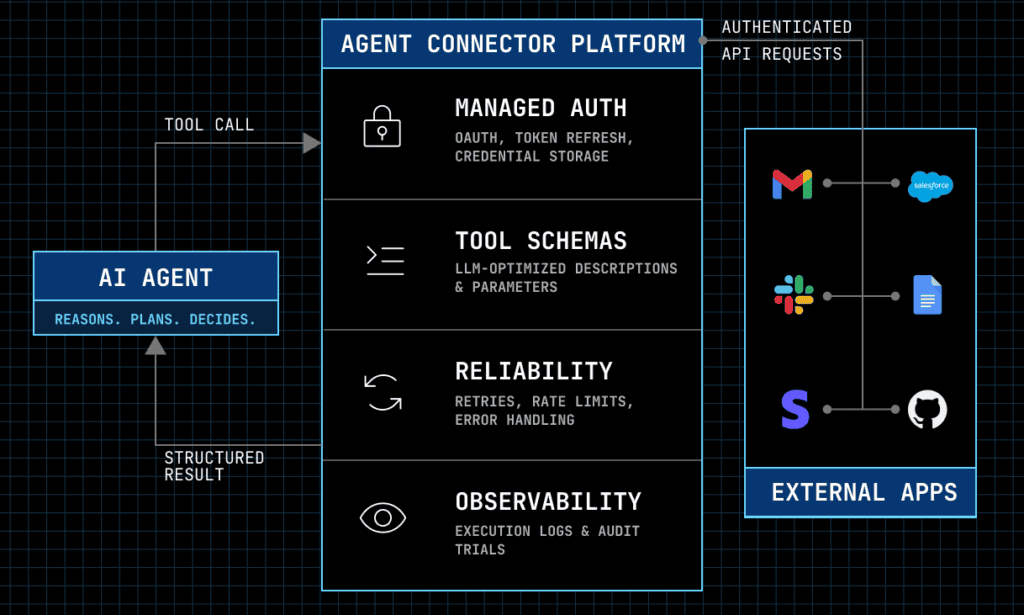
Composio is an agent integration layer. Its site describes 1,000+ apps with managed authentication and a hosted MCP server, so developers avoid building OAuth flows for each app.
- Strengths: broad toolkits, managed auth, framework support
- Limits: a hosted service with limited self-hosting, and it supplies tools, not the agent itself
Best for: developers who need a dedicated layer giving agents access to many apps.
3. Pipedream Connect

Pipedream Connect offers managed app connections, per-user OAuth, API actions and MCP tools. Third-party summaries put its catalogue above 3,000 apps, larger than most agent-native layers.
- Strengths: breadth and per-user authentication
- Limits: catalogue size doesn’t guarantee the exact action you need, and workload-based pricing needs modelling
Best for: product and engineering teams wanting wide connectivity with managed authentication.
4. Airbyte Agents
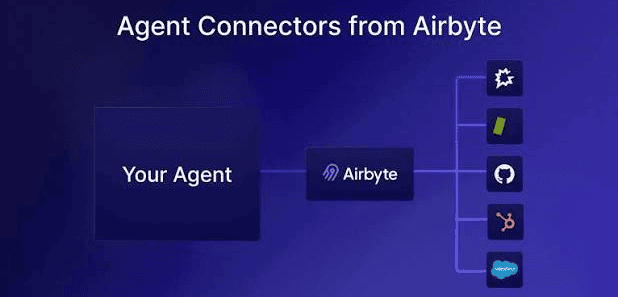
Launched in May 2026, Airbyte Agents focuses on data. Its Context Store replicates a curated subset of connector entities into managed storage so agents can search across systems without calling each API per request. Connectors can also fetch live data and write changes back, and the store itself supports search only.
- Strengths: consistent search across sources, including APIs with no search endpoint
- Limits: replicated data may lag, and connector coverage is still growing
Best for: teams needing agents to search information spread across many systems.
5. n8n

n8n is a visual workflow tool with 400+ integrations, an AI Agent node and a fair-code Sustainable Use License. That makes it source-available and self-hostable, but not classic open source.
- Strengths: flexibility, code when needed, deployment control
- Limits: you manage credentials and self-hosted operations
Best for: teams wanting visual automation with AI steps and self-hosting.
6. Relevance AI

Relevance AI is a visual environment for creating and orchestrating agents with tools and integrations.
- Strengths: fast assembly of agents for defined workflows
- Limits: coverage and execution options should be checked against your stack
Best for: operations teams building agents for specific business tasks.
7. Microsoft Copilot Studio

Copilot Studio builds agents inside the Microsoft ecosystem, connecting to Microsoft 365, Teams, SharePoint, Dynamics and the Power Platform.
- Strengths: native access to Microsoft data and identity
- Limits: connectors, licensing and tenant configuration shape the result
Best for: organisations invested in Microsoft business applications.
8. Salesforce Agentforce

Agentforce builds agents that work with Salesforce CRM data, business logic and supported external systems.
- Strengths: CRM context and actions
- Limits: value depends on Salesforce investment and data permissions
Best for: CRM-heavy organisations.
9. UiPath
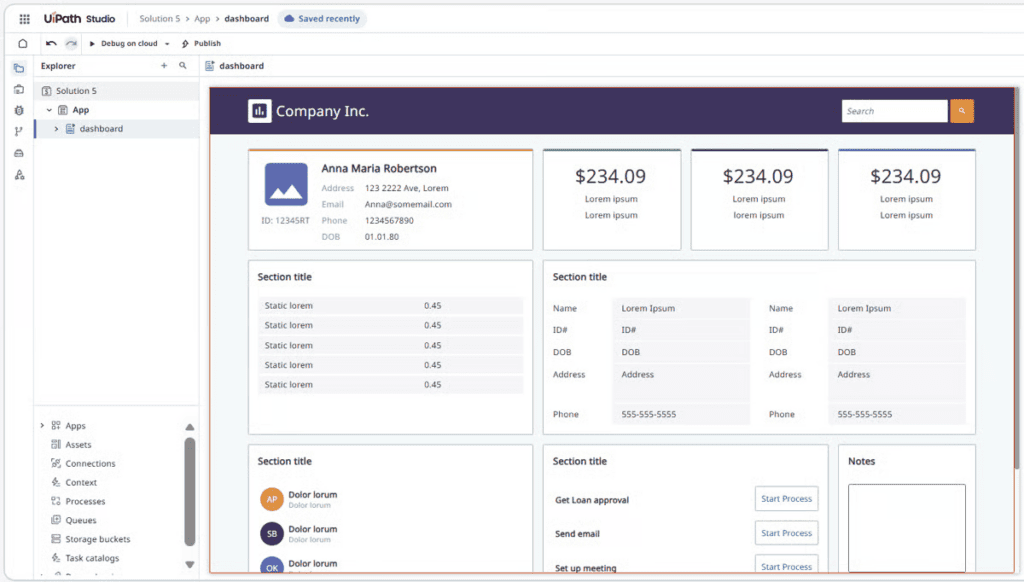
UiPath combines software robots, AI and process orchestration. It matters when an agent must reach legacy applications without convenient APIs.
- Strengths: works across legacy and structured processes
- Limits: licensing and implementation can be heavy
Best for: enterprises extending automation programmes with agents.
10. ClickUp with ClickUp Brain
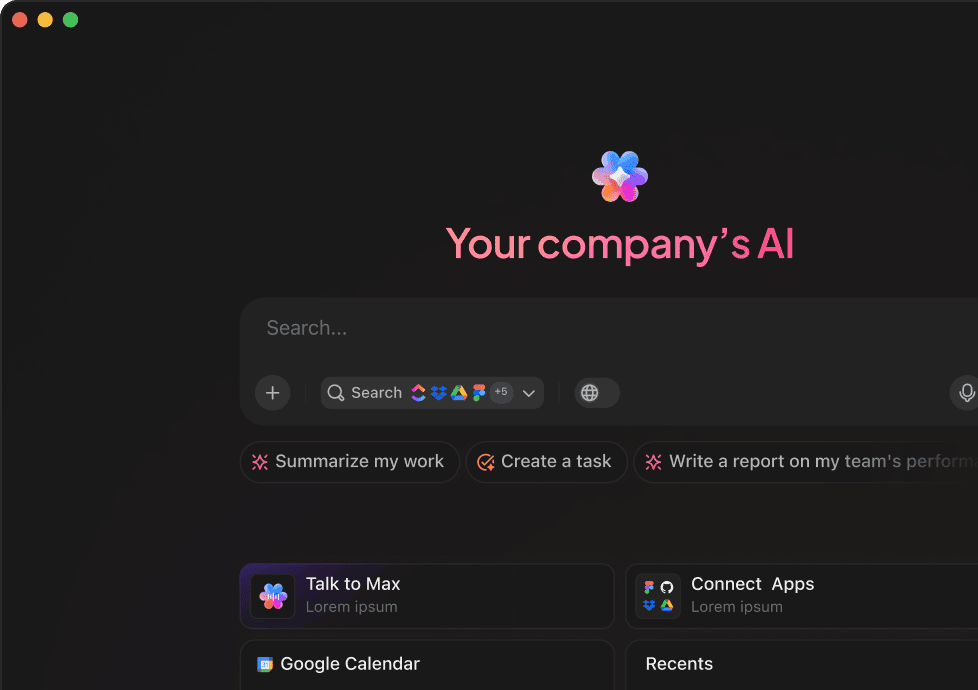
ClickUp Brain keeps AI close to tasks, projects and team collaboration, with supported integrations.
- Strengths: context inside existing work management
- Limits: not built to expose arbitrary API actions
Best for: teams wanting AI assistance within project workflows.
Side-by-side comparison
| Platform | Primary strength | Integration approach | Best-fit team | Key consideration |
| Lyzr Agent Studio | Building and deploying agents | Tools, knowledge bases, APIs | Business and technical teams | Custom APIs need configuration |
| Composio | Agent integration layer | Toolkits, managed auth, MCP | Developers | You build the agent around it |
| Pipedream Connect | App connectivity | Managed OAuth, APIs, MCP | Product and engineering | Surrounding logic is yours |
| Airbyte Agents | Business data context | Connectors, Context Store | Data and AI teams | Context Store is search only |
| n8n | Visual automation | Nodes, APIs, AI agent node | Technical teams | You own self-hosted operations |
| Relevance AI | Visual agent builder | Tools and integrations | Operations teams | Check coverage for your apps |
| Microsoft Copilot Studio | Microsoft ecosystem | Connectors, Power Platform | Microsoft-centred orgs | Licensing and tenant setup |
| Salesforce Agentforce | CRM-centred agents | Salesforce data and actions | CRM-heavy orgs | Tied to Salesforce investment |
| UiPath | Enterprise automation | RPA plus agent orchestration | Large enterprises | Implementation effort |
| ClickUp with Brain | Work management AI | Native data, integrations | Project teams | Narrower than a general layer |
Integration layer or agent-building platform?
An integration layer supplies connections, authentication and tool actions that an agent can call. An agent-building platform lets you define behaviour, configure tools and knowledge, test and deploy. A workflow platform coordinates events, conditions and actions, sometimes with agent steps. Many products span categories, so ask which capabilities you get natively and which you must assemble. If you need more than connectors, meaning the agent that uses them, that is Agent Studio’s territory. See how to take agents to production.
How to choose
Choose an integration layer if your agent exists and needs secure access to apps. Choose an agent-building platform to define, test and deploy behaviour. Choose a workflow platform to coordinate events and actions. Choose an ecosystem platform if your data lives in Microsoft or Salesforce. Check permissions and production ownership early if agents touch customer data, change records or send communications. Start with one process, list the systems and actions, and map permissions before comparing features.
Where Opencontroller fits
Connecting an agent answers how it reaches a system. When agents run across teams, frameworks and environments, an organisation may also need governance, runtime visibility and policy enforcement. That is the role of Opencontroller, a separate layer from Agent Studio.
Pick the platform that fits your agent
The best platforms for connecting AI agents to business tools depend on what the agent must access, which actions it performs and whether you need integrations alone or a full build environment. Connecting a tool is one step. Teams also have to define behaviour, test how connections are used and deploy into the right workflow. Lyzr Agent Studio helps teams build, configure, test and deploy agents that work with business tools and data. Explore it for your workflow, or book a demo to discuss your use case.
FAQs
It depends on whether you need integrations, agent building, workflow automation or ecosystem fit. Examples include Lyzr Agent Studio, Composio and n8n.
Choose by business process, existing applications, technical resources and deployment needs, then pilot one workflow.
Define the task, identify data sources and actions, pick an agent-building environment, configure integrations and permissions, test, and deploy with monitoring and review.
An integration platform supplies tools and connections. A builder creates, tests and deploys the agent that uses them.
Some offer free tiers or open-source components, such as Composio’s free start and n8n’s free self-hosted edition. Limits on usage, integrations and deployment usually apply.
Book A Demo: Click Here
Join our Slack: Click Here
Link to our GitHub: Click Here