TL;DR:
- Autonomous coding agents are running on developer machines right now, executing shell commands, indexing repositories, and holding credentials, in most organisations with no inventory and no permission scoping.
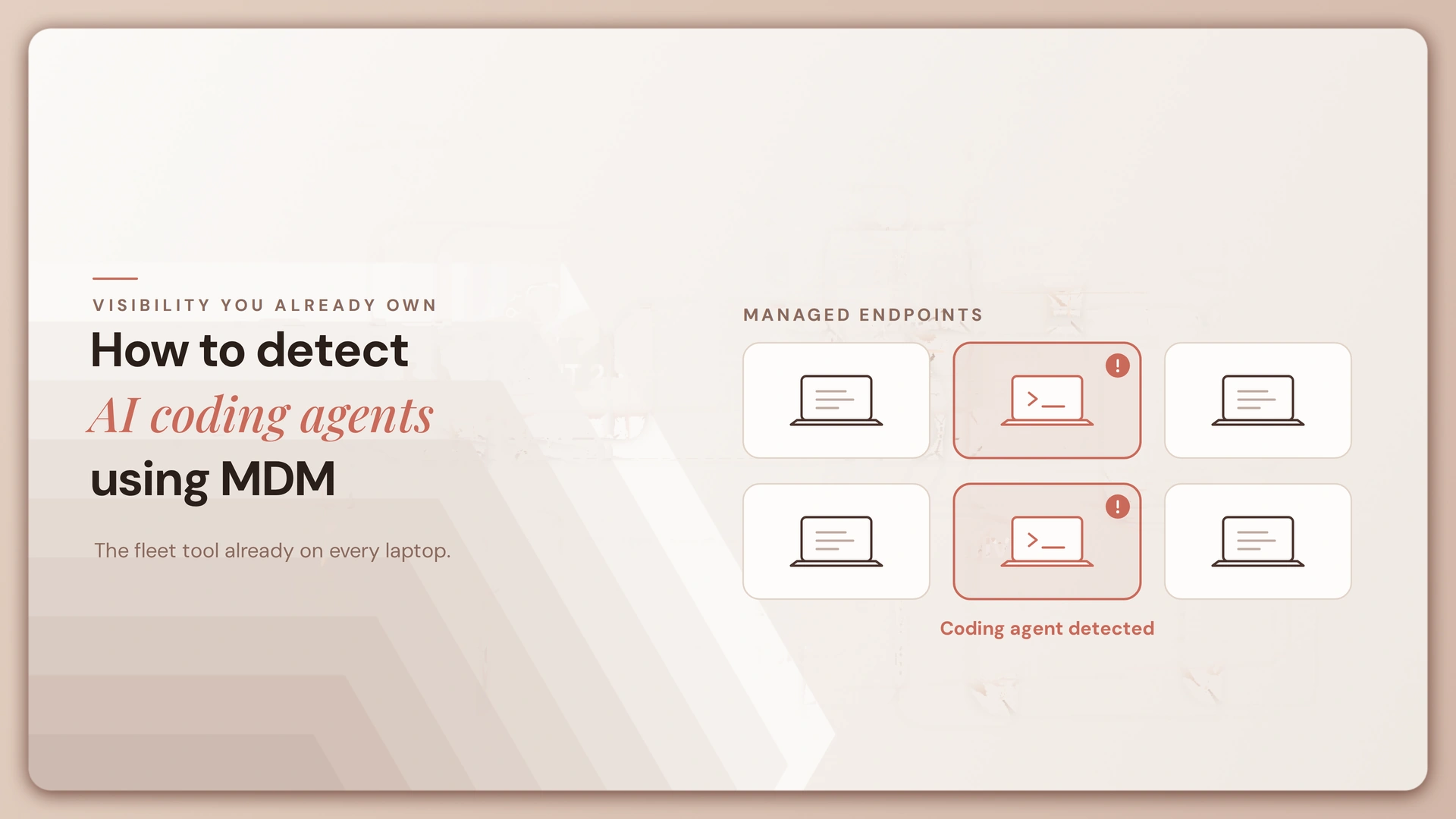
- They leave detectable traces across four surfaces: application binaries, home directory configuration, IDE extensions, and Model Context Protocol server declarations. MDM can find all four.
- What MDM cannot do is tell you what the agent did or why, which means detection produces an inventory rather than a control.
- The work that reduces risk happens after the scan: assigning owners, moving agents off personal credentials, and making the approved path faster than the unapproved one.
Why AI Coding Agents Are Different From Shadow SaaS
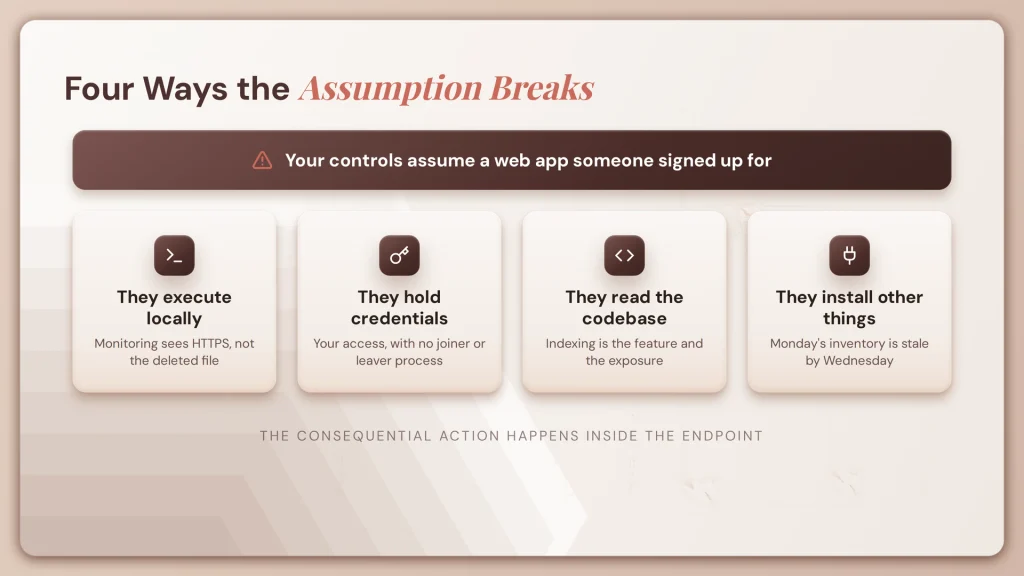
Most organisations already have controls for unapproved software: a CASB watching SaaS traffic, a gateway enforcing domain policy, inventory flagging unlicensed applications. Those controls assume the unapproved thing is a web app someone signed up for with a work email. Coding agents break that assumption in four ways.
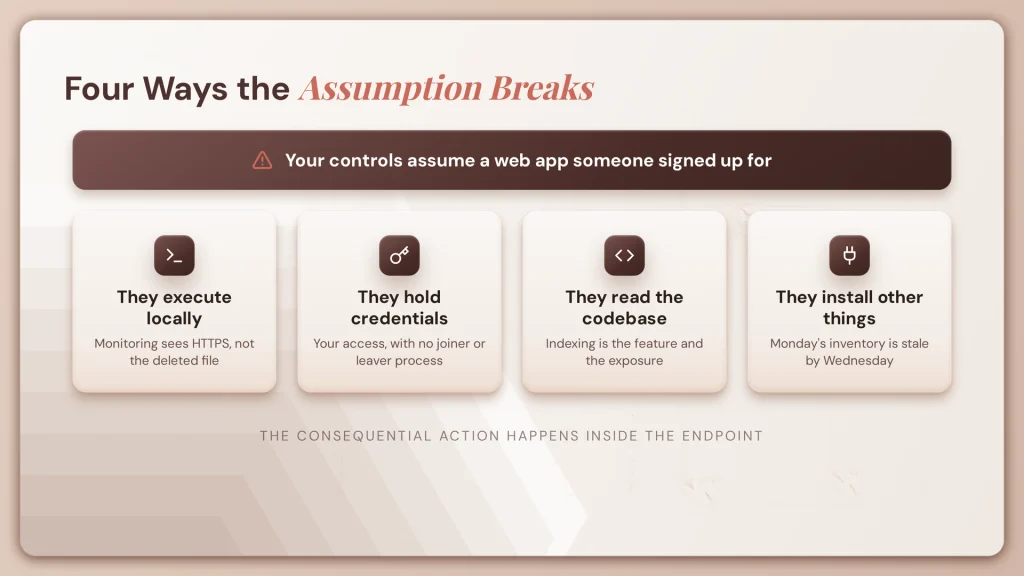
- They execute locally. A coding agent runs on the machine, spawns processes, and executes shell commands requested in natural language. Network monitoring sees an HTTPS connection to a model provider. It does not see the file deletion, the force push, or the credential written to a config file. The consequential action happens inside the endpoint.
- They hold credentials. Coding agents authenticate to model providers, and they also inherit whatever is already on the machine: the developer’s GitHub session, cloud CLI credentials, database connection strings in a local environment file. These are non-human identities operating with a person’s access, outside any identity governance process. Nothing joins, moves, or leaves with them.
- They read the codebase. Repository indexing is what makes these tools useful. It also means source code, internal architecture, and secrets in configuration files may be processed outside your environment, depending on the tool, the account tier, and telemetry settings. The same tool behaves differently on a personal account than an enterprise one, and that difference is invisible at the binary level.
- They install other things. An agent’s reach is not fixed at install time. Model Context Protocol servers extend what it can touch, and a developer can add one in under a minute. An inventory taken Monday is incomplete by Wednesday.
This is the endpoint version of a problem covered more broadly in our guide to shadow AI agents, which explains why detection alone does not resolve it. This piece is about what to scan for.
Where to Look for AI Coding Agents on Developer Endpoints
Everything below is collectible through standard mobile device management tooling: Intune, Jamf Pro, Kandji, or equivalent, via native software inventory or a scheduled script.
One caution: paths and identifiers change between product versions and differ across macOS, Windows, and Linux. Treat what follows as the shape of the problem and confirm specifics against current vendor documentation before deploying a script.
Surface one: application binaries and package managers
The most obvious surface and the easiest to collect.
AI-native editors install as standard applications and appear in normal software inventory. Command line agents are different: typically installed through npm, Homebrew, pip, or a direct binary download, so they may not register in application inventory at all. A script enumerating globally installed packages across common package managers catches what an application scan misses.
Local model runners belong in the same pass. They install as applications or services, listen on local ports, and store model weights identifiable by size and extension alone. The data stays local, which removes one risk and introduces others around unmanaged storage and resource use.
What this surface misses: portable binaries run from a downloads folder, anything inside a container, and anything running in a Windows Subsystem for Linux environment or a remote development host.
Surface two: home directory state
The more reliable signal, and the one worth prioritising.
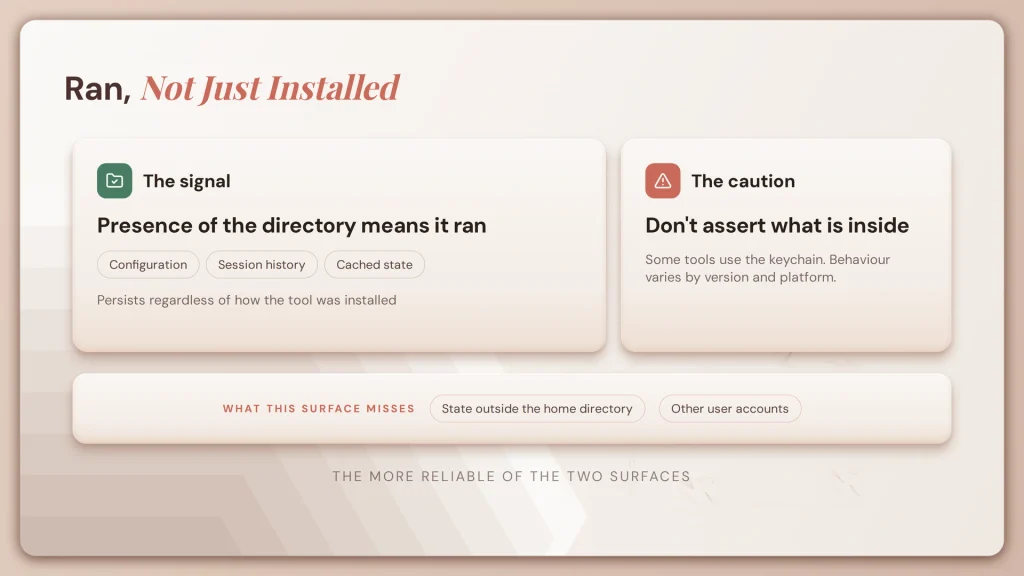
Agents write configuration, session history, and cached state into dotfiles and application support directories under the user’s home folder. These persist regardless of how the tool was installed, which makes them a better indicator than the binary. Presence of the directory tells you the tool has run, not merely that it was installed, which is a materially more useful signal.
Be careful about asserting contents. Some tools store API tokens in these locations, some use the system keychain, and behaviour varies by version and platform. If your programme depends on knowing whether credentials sit in plaintext on disk, verify per tool rather than assuming.
What this surface misses: tools that store state outside the home directory, and anything running under a different user account.
Surface three: IDE extensions
Many developers do not install a separate AI editor. They add an extension to the editor they already use.
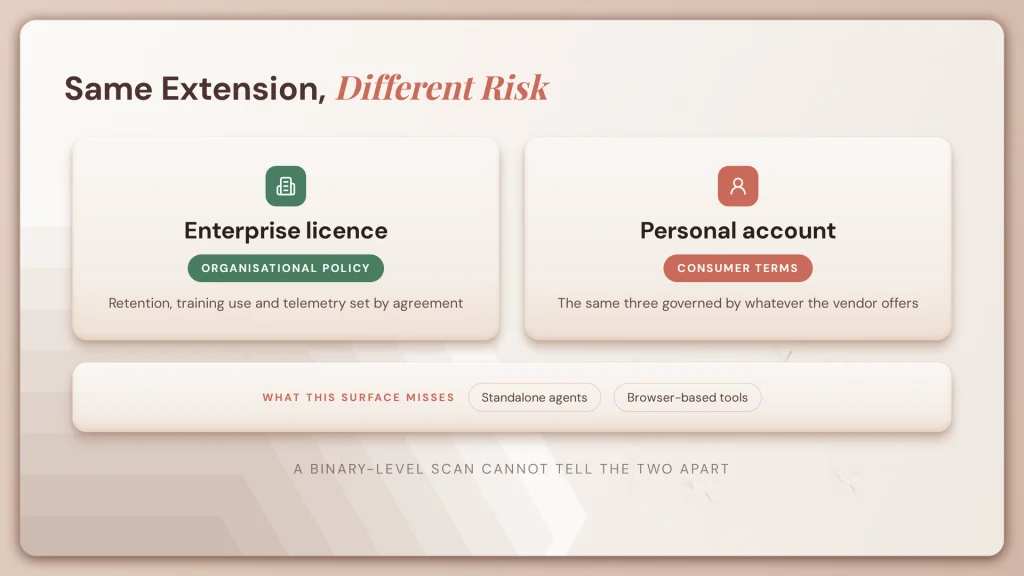
Extension inventory is straightforward to collect, because editors keep extensions in a predictable directory and expose a command line interface listing them. A script can enumerate them and compare against known AI assistants.
What matters most is not which extension is installed but which account is signed into it. The same extension behaves very differently under an enterprise licence with organisational policy applied than under a personal account. Enterprise agreements typically govern data retention, training use, and telemetry; consumer terms govern personal accounts. A binary-level scan cannot distinguish the two, and the difference is often the entire risk question.
What this surface misses: standalone agents that are not editor extensions, and browser-based tools.
Surface four: MCP server configuration
The highest-value surface, and the one almost nobody scans.
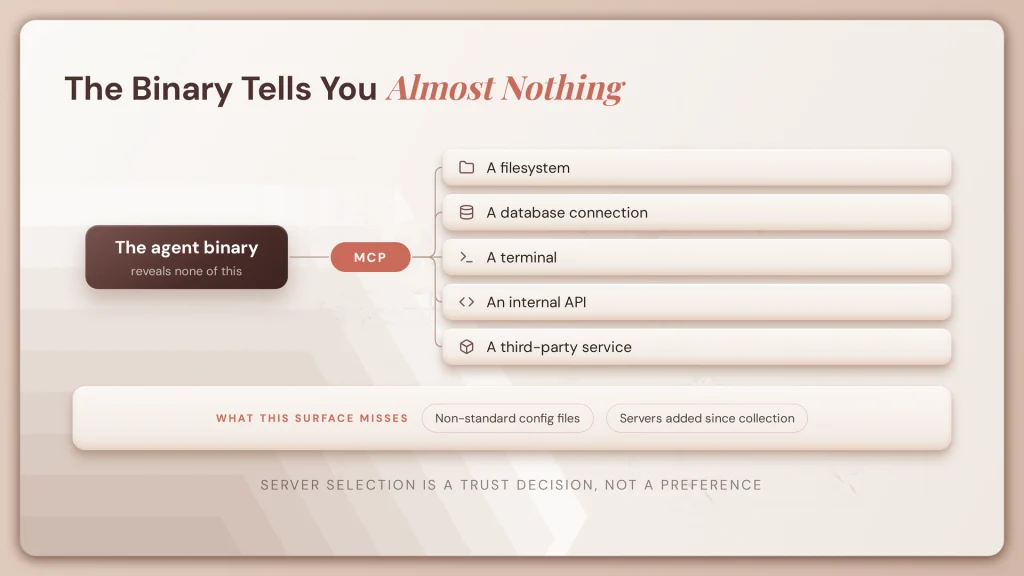
Model Context Protocol servers are how an agent gains capability beyond its built-in tools. A server can expose a filesystem, a database connection, a terminal, an internal API, or a third-party service. Once configured, the agent can discover and call it.
This means the agent binary tells you almost nothing about the agent’s reach. Two developers running the same editor can have wildly different risk profiles depending on their configured servers. Detecting the tool without its servers gives you half the picture, and the less important half.
Collection means reading the configuration files where servers are declared, typically JSON in a project directory or the user’s application support path. Extracting declared server names, commands, and arguments produces an inventory of what each agent can actually reach. Correlating with locally listening ports supplements this, but the declared configuration is the reliable signal; port scanning alone produces noise.
There is a second reason to care about this surface. A third-party MCP server is a supply chain dependency, and its tool descriptions are text the model reads and acts on. That makes server selection a trust decision rather than a configuration preference, for reasons covered in our guide to prompt injection.
What this surface misses: servers configured outside the standard files, and servers added after your last collection.
| Surface | What it catches | What it misses | Collection difficulty |
| Binaries and packages | Standard installs across app and package channels | Portable binaries, containers, WSL, remote hosts | Low |
| Home directory state | Anything that has actually run | Tools storing state elsewhere, other user accounts | Low |
| IDE extensions | Assistant plugins, account tier where exposed | Standalone agents, browser tools | Low |
| MCP configuration | The agent’s real reach and capability | Servers configured outside standard files | Medium |
What MDM Cannot Detect About AI Coding Agents
Any article that stops at the scan is selling you a false sense of coverage. Four honest limits.
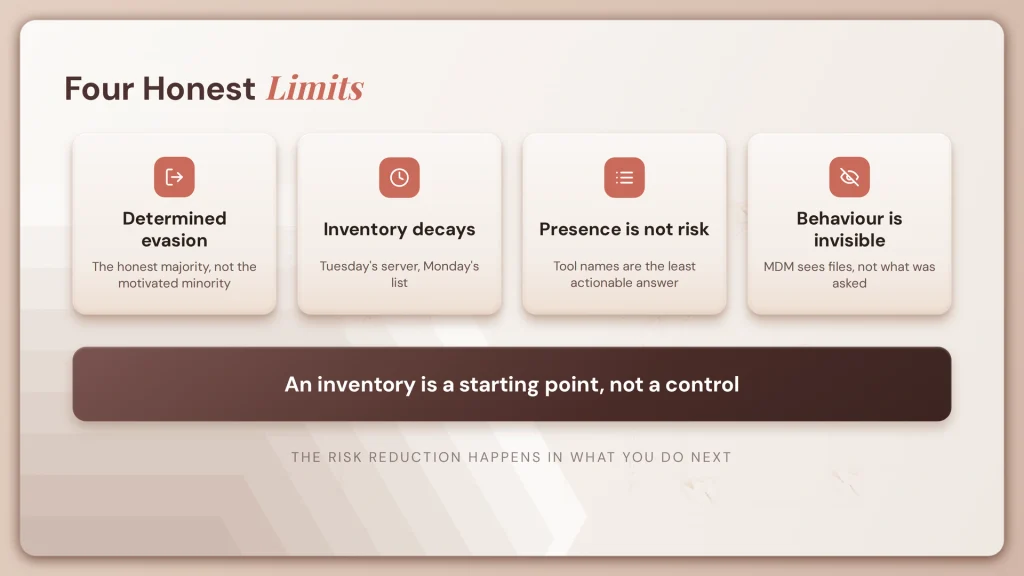
Determined evasion is straightforward. Every method above depends on the tool behaving normally on a managed machine. Someone working around a file path scan can use a portable binary, a container, a remote development host, or a personal machine. Your scan finds the honest majority. It does not find the motivated minority, and it was never going to.
Point-in-time inventory decays immediately. The MCP surface makes this acute. A developer adds a server on Tuesday and your Monday inventory is wrong, with no signal that anything changed. Either you collect continuously, or you accept that the inventory is a snapshot rather than a state.
Presence is not risk. Knowing a tool is installed on forty machines tells you very little. What matters is which repositories it indexed, which account is signed in, whether telemetry is enabled, what MCP servers it can reach, and whose credentials it holds. Most detection efforts produce a list of tool names, the least actionable part of the answer. Design collection around risk attributes, not inventory alone.
Behaviour is invisible at this layer. MDM sees files and processes. It cannot tell you what the agent was asked, what it reasoned, which tool it called, or whether retrieved content influenced it. That needs instrumentation inside the agent runtime, a different category of tooling covered in our comparison of AI agent observability platforms.
The conclusion follows directly: detection produces an inventory, and an inventory is a starting point rather than a control. The risk reduction happens in what you do next.
How to Monitor AI Coding Agents Without Surveilling Employees
This topic attracts two very different intentions, and it is worth being explicit about which one this article supports.
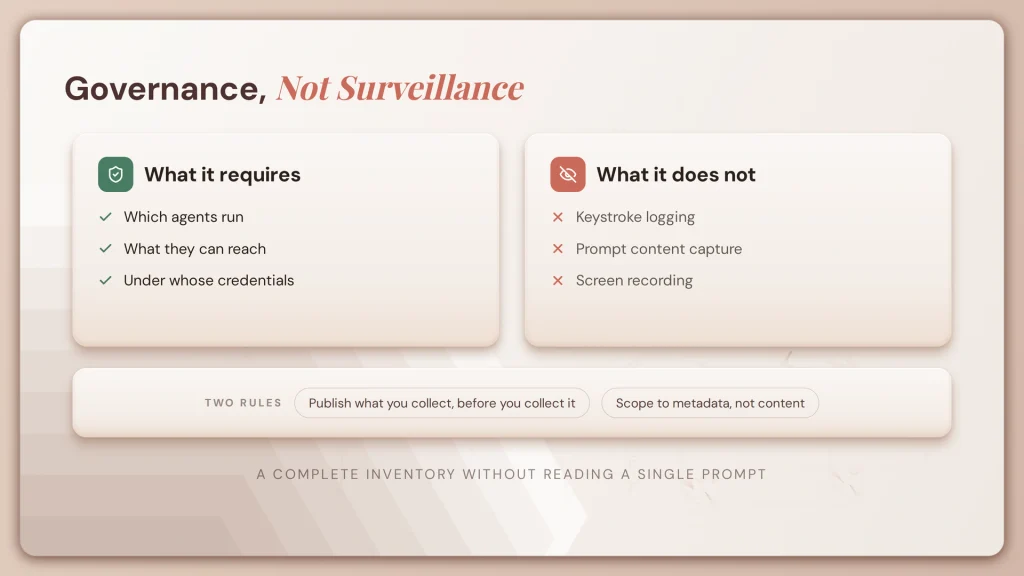
Agent governance requires knowing which agents run, what they can reach, and under whose credentials. That is asset and identity inventory, the same discipline you already apply to servers, service accounts, and third-party integrations, and it is a core part of any AI agent risk management programme.
It does not require keystroke logging, prompt content capture, or screen recording. Those are different controls, with different legal exposure and very different cultural consequences, and none of them are necessary to answer the questions above. You can build a complete agent inventory without reading a single prompt.
The practical argument matters as much as the principled one. Programmes framed as surveillance get evaded, developers move to unmanaged environments, and the organisation loses the visibility it wanted. Programmes framed as enabling a supported path get cooperation, because the developer’s incentive aligns with yours.
Two operational recommendations follow. Publish what you collect and why before collecting it. And scope collection to agent metadata, permissions, and credentials rather than content.
There is also a compliance dimension. Employee monitoring is regulated differently across jurisdictions, notice requirements vary, and works councils have consultation rights in several European countries. Involve your legal and people teams before deployment rather than after, and treat this as a design input rather than a review gate. Our overview of European enterprise AI governance covers the wider regulatory picture, and your compliance team should be in the room when scope is set. None of this constitutes legal advice.
How to Govern AI Coding Agents After Detection
This is the half that reduces risk. Five steps, in the order that works.
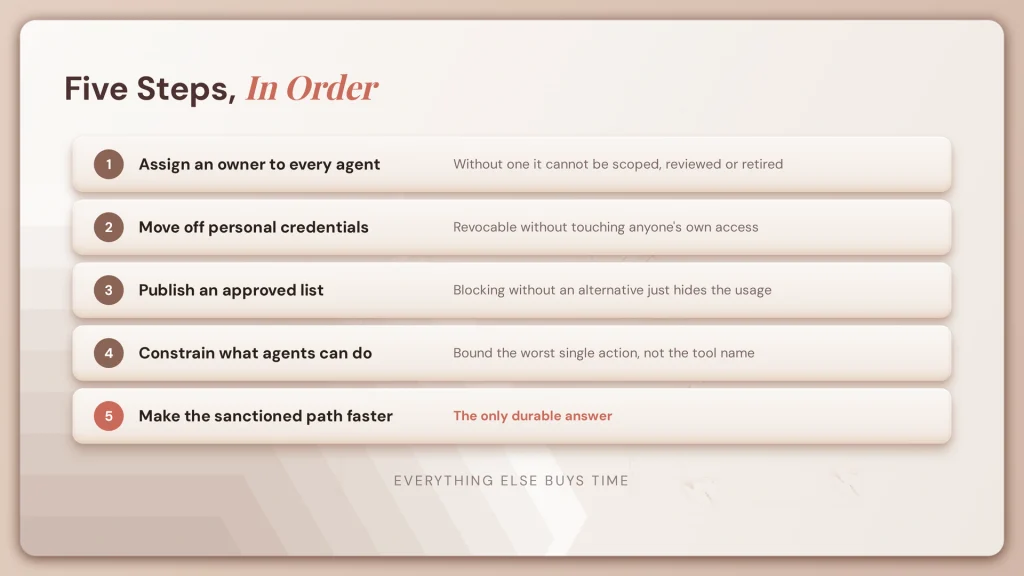
Assign an owner to every agent found. Ownership is the control everything else depends on. An agent with no named human owner cannot be scoped, reviewed, or decommissioned, and it will survive the departure of whoever built it. Record owner and team in whatever you use as your agent registry.
Move agents off personal credentials. Usually the highest-value first-pass finding. Agents running on individual API keys and personal GitHub accounts are the norm, and they create two problems: no revocation path independent of the person, and no attribution of agent activity separate from human activity. Replace with per-agent credentials revocable without touching anyone’s access. This is also what makes your leaver process work for agents.
Publish an approved list, not a blocklist. Developers need a fast answer to “can I use this.” If the answer takes three weeks, they will stop asking. A short published list of approved tools and approved MCP servers, with a lightweight review path for additions, keeps the shadow list small. Blocking without an alternative moves usage somewhere you cannot see it.
Constrain what agents can do, not just what they are. This is where meaningful risk reduction sits. Bound terminal execution on destructive operations. Require approval for actions with external consequences. Scope repository access rather than granting whatever the developer can reach. The question is not which tools are installed but what the worst single action any of them could take. Our guidance on AI agent governance covers how to structure these controls, and teams already facing enterprise AI agent challenges will recognise the pattern.
Make the sanctioned path faster than the unsanctioned one. If approval takes six weeks and installation takes six minutes, your inventory is out of date the week you finish it. This is the lesson shadow IT taught over two decades, and it is the only durable answer. Everything else buys time.
What Tools Can Detect and Monitor AI Coding Agents?
No single category covers this end to end today. Most organisations combine two or three.
MDM and endpoint management. Intune, Jamf, Kandji, and equivalents. This is the delivery mechanism for the scripts and policies described above, plus native software inventory. Strong at presence and configuration. Blind to agent behaviour.
EDR and runtime security. Process-level visibility, useful for correlation rather than discovery. An unknown binary executing commands inside a git repository while holding a persistent connection to an external API endpoint is a signal no file path scan produces.
AI agent specific endpoint tooling. A new category inserting into the agent workflow itself, bounding execution and enforcing organisational configuration. Roughly a year old, with a volatile vendor landscape. Evaluate what exists when you are buying rather than working from a list in an article.
Network and SaaS controls. Secure web gateway and CASB profiles give domain-level visibility into traffic to model providers and AI tool backends. Broad coverage, easily bypassed by a determined user, and best treated as one layer rather than a control in itself.
AI Coding Agent Detection and Governance Checklist
Seven steps you can start this week.
- Ask before you scan. Survey engineering teams on what they use. Asking is faster than scanning, the answers are more complete than any script, and it sets a cooperative tone for everything that follows.
- Run a software and package inventory pass for AI editors, command line agents, and local model runners across your managed fleet.
- Collect home directory configuration and IDE extension inventory to catch what installed outside standard channels.
- Read MCP configurations and record what each declared server can reach. This is the step most programmes skip and the one that tells you the most.
- For every agent found, record the owner, the signed-in account, and the accessible repositories. Inventory without these attributes is a list of names.
- Fix personal credentials first. This is almost always the highest-value remediation on a first pass.
- Publish the approved list and the review path before you enforce anything. Enforcement without an alternative produces evasion, not compliance.
If you want a broader framework for taking agents from discovery through to governed production, our playbook on taking agents to production covers the full sequence.
Where an AI Agent Platform Fits After Endpoint Detection
To be clear about the boundary: Lyzr does not do endpoint detection. MDM and EDR do that, and they should. Nothing in this article is solved by an agent platform.
What a platform addresses is what happens after the inventory exists. A detection pass produces a list of agents with no owners, running on personal credentials, with undocumented reach. Turning that into a governed state requires a registry with named ownership, per-agent permission scoping, approval gates on consequential actions, and decision traces that answer what an agent did and on what basis.
It also requires a sanctioned build path fast enough to compete with the unsanctioned one. Most governance programmes underweight this, and it is the difference between an inventory that stays accurate and one obsolete on arrival.
Lyzr provides these as platform capabilities: agent registration and ownership, scoped credentials and permissions, human approval gates, and decision traces through the Control Plane, with Responsible AI and hallucination management controls applied consistently across agents regardless of the framework they were built on. Existing agents built on common agent frameworks can be registered without a rewrite. See the Lyzr documentation, or book a demo to walk through it.
Detection tells you what exists. A registry is where it lives afterwards.
Frequently asked questions
How do you monitor an AI agent?
At the endpoint, through MDM inventory and EDR process visibility. For behaviour, through the agent platform’s own decision traces. MDM cannot see agent reasoning or tool calls.
How do I find AI agents running in my organisation?
Scan for AI editor binaries, command line agents, local model runners, IDE extensions, and MCP server configurations, then correlate with network traffic to model provider endpoints.
Can MDM detect AI coding agents?
Yes, for presence and configuration. MDM finds binaries, configuration directories, extensions, and declared MCP servers. It cannot tell you what the agent did or why it did it.
What is an MCP server and why does it matter for security?
A component that gives an agent access to tools, files, or local services. It defines the agent’s actual reach, which means detecting the agent without its servers gives you an incomplete picture. See our comparison of A2A, MCP, and REST for how the protocol works.
How can AI usage be monitored without surveilling employees?
Scope collection to agent inventory, permissions, and credentials rather than prompt content or keystrokes. The governance problem does not require content capture, and content capture creates legal and cultural costs it does not need to.
What are the risks of AI coding agents on developer laptops?
Source code leaving your environment, credentials held outside identity governance, autonomous shell execution with no bounds, and no audit trail of what the agent did. Our overview of the risks of public LLMs covers the data exposure dimension in more depth.
How often should endpoint AI inventory run?
Continuously if your tooling supports it. Point-in-time scans decay quickly, because agents and MCP servers are added between passes with no signal that anything changed.
Should we block AI coding tools?
Blocking without a sanctioned alternative moves usage to personal machines and reduces visibility. A published approved list with a fast review path works better in practice, and it is the approach we recommend to every CIO and CTO working through this.
Which AI coding agents should we look for?
The category matters more than any list, because the list changes constantly: AI-native editors, command line coding agents, local model runners, and editor extensions. Build the scan around categories and artifact patterns rather than named products.
What is the difference between shadow AI and shadow AI agents?
Shadow AI is unapproved tool use, typically a data disclosure problem bounded by what someone pasted. Shadow AI agents are autonomous systems that hold credentials, take actions, and keep running unattended.
Building agents you can actually govern?
See how OpenController handles agent registration, permission scoping, and decision traces, or book a demo to walk through it with our team.
Book A Demo: Click Here
Join our Slack: Click Here
Link to our GitHub: Click Here