If your Manager Agent needs to call an agent someone else built (different framework, different cloud, maybe not even something Lyzr hosts), A2A is the mechanism, and Lyzr supports it as a first-class connection type rather than something you bolt on.
In this piece: what A2A actually does under the hood, the two ways to wire a connection in Studio, which authentication method your target agent needs, and the one Databricks-specific step people miss.
What actually happens on a call
A2A calls follow a fixed sequence, worth knowing before you start debugging a failed connection:
| Step | What happens |
| 1 | The Manager Agent kicks off the task by hitting the target’s A2A endpoint directly |
| 2 | The external agent runs the input through whatever internal logic it has, invisible to Lyzr, and it stays that way |
| 3 | It hands back a structured result |
| 4 | Lyzr either passes that result along untouched or folds it into the next orchestration step |
Two prerequisites, before anything else:
- The external agent has to actually conform to the A2A spec.
- It has to be reachable at a public URL.
If either isn’t true, nothing later in the setup will fix it. Confirm both before touching Studio.
Not the same as MCP. MCP governs an agent’s connection to its own tools and data sources. A2A governs the connection between two separate agents. A single Manager Agent can use both at once without conflict.
Getting it running in Lyzr Studio
Two ways to connect, and they’re not interchangeable. Pick based on how the external agent will actually get used.
Route 1: call it from inside a Manager Agent Best for: a one-off dependency for a specific workflow that doesn’t need to be a first-class citizen in your workspace.
- Manager Agent → Build tab → Managerial Agent section → + A2A (next to + Agent)
- Drop in the server URL, set authentication if the target needs it
- Callable immediately as a sub-agent, no separate registration step
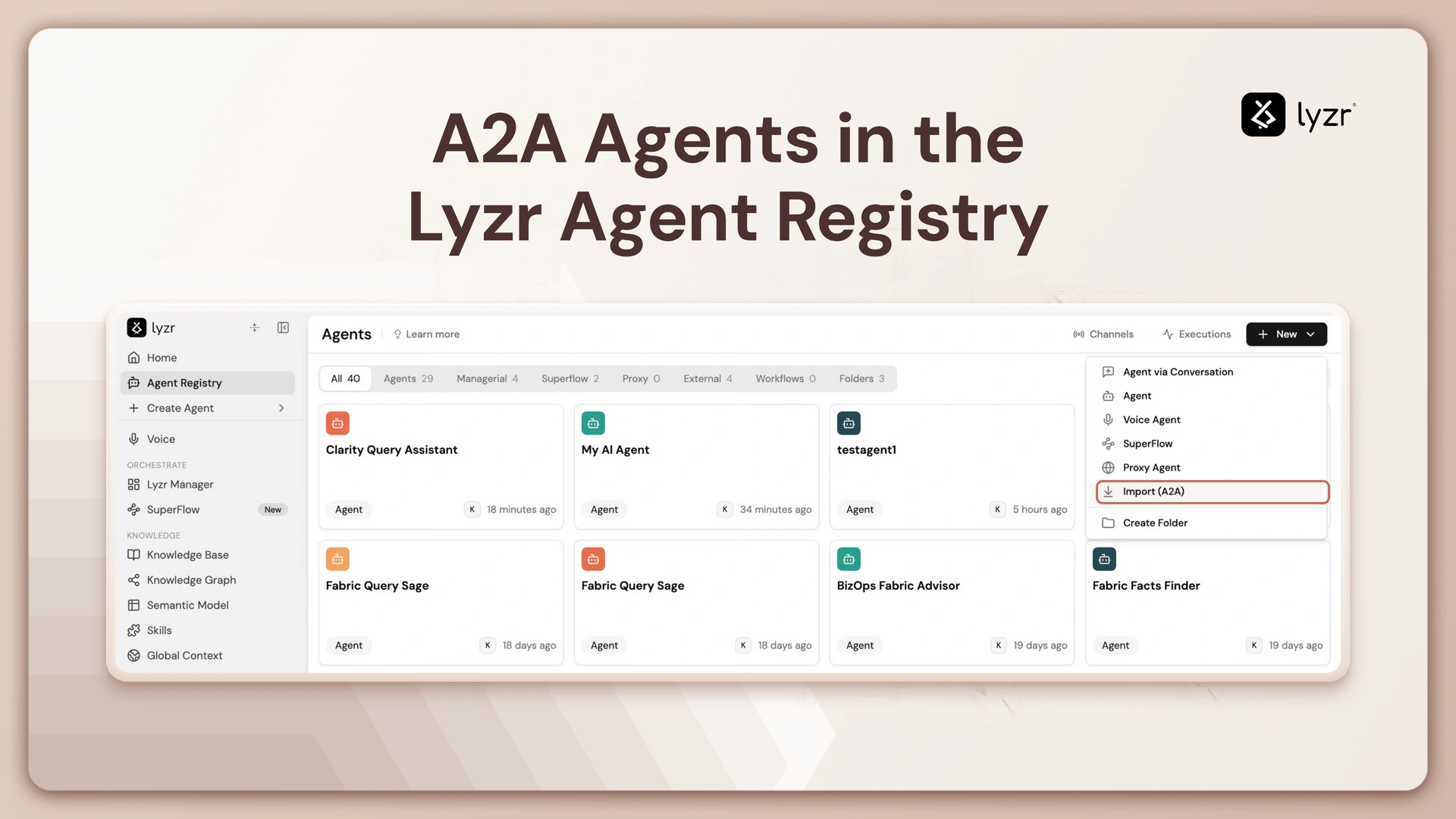
Route 2: import it into the Registry Best for: an external agent that will be called from more than one place, or where you want the same tracing/evaluation tooling native agents get.
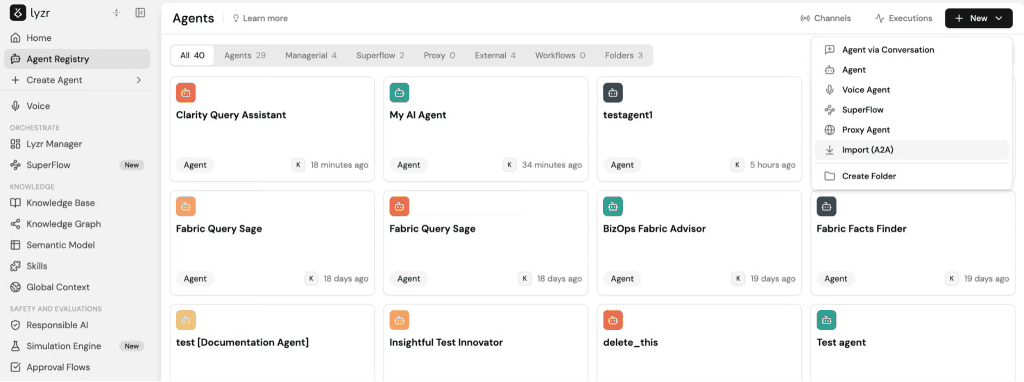
- New → Import (A2A) with the same server URL, no auth needed unless the target agent is protected, in which case pick a method and credential the same way you would for Route 1
- Behaves identically to a Studio-built agent: trace visibility, side-by-side evaluation against other agents, a live API endpoint, nothing extra to set up
- Shows up under the Registry’s External tab once imported, so it’s easy to tell apart from agents built natively in Studio
The trade-off: Route 1 is faster for a single use. Route 2 is the right call the moment a second team or a second workflow wants the same external agent.
Authentication, by target type
Both routes share the same underlying setup: the agent record points at a credential, and the credential’s actual secret lives in its own record, decoupled from the agent, so one login can back multiple A2A connections.
| Target | Auth method |
| Public endpoint, no auth required | None |
| Server expecting a static key | API key in header |
| Agent on Azure AI Foundry | Microsoft OAuth via Entra service principal |
| Agent behind a Databricks App | Databricks OAuth (service principal, client-credentials) |
Authentication, by target type
Both routes share the same underlying setup: the agent record points at a credential, and the credential’s actual secret lives in its own record, decoupled from the agent, so one login can back multiple A2A connections.
| Target | Auth method |
| Public endpoint, no auth required | None |
| Server expecting a static key | API key in header |
| Agent on Azure AI Foundry | Microsoft OAuth via Entra service principal |
| Agent behind a Databricks App | Databricks OAuth (service principal, client-credentials) |
Databricks is the one that trips people up. Databricks Apps won’t accept anything but an OAuth bearer token at the door. A personal access token gets flatly rejected, so a service-principal client-credentials flow is the only realistic way to connect one without a human logging in each time.
Even then, a successful token exchange isn’t the finish line: that same service principal has to be explicitly permissioned on the specific app you’re connecting to. Forget that grant and calls keep failing with an authorization error, even though nothing is wrong with the token itself.
Is this actually the problem you have?
Not every team needs to think about any of this on day one. A single agent, built and run by one team, doesn’t need a registry or a translation layer. It needs a good orchestrator, full stop. Adding interop machinery before there’s a second agent to talk to is solving a problem you don’t have yet.
The signal you’ve crossed into needing it: a second team ships an agent (different framework, sometimes a different cloud), and someone now has to decide how the first agent reaches it. At that point, teams usually reach for one of two stopgaps:
- A one-off integration bridging just those two agents
- A hand-maintained document describing each agent so the other team can call it directly
Both get expensive in a predictable way, not on day one, but by the third or fourth agent:
- Point-to-point integrations don’t compose. Each new pair needs its own glue.
- Hand-maintained descriptions drift. The first time someone changes what an agent does or where it runs, the description goes stale, and the failure shows up as a broken call in production, not a warning beforehand.
What scales past that point: one record per agent, kept centrally (what it does, where it lives, what it expects), with anything an external caller needs generated from that record automatically, not from a document someone has to remember to update. Put a translation layer in front of it, and a new agent becomes reachable from everything else the moment it’s registered, no per-pair integration, no one waiting on a ticket.
Bottom line: if you’re still on your first agent, this isn’t a decision you need to make yet. If a second team’s agent is already on the roadmap, set up the registry and translation layer before that agent ships, not after the first cross-team integration request lands on someone’s desk.
Book A Demo: Click Here
Join our Slack: Click Here
Link to our GitHub: Click Here