TL;DR
- Replying to one email is a solved problem. The 2026 test is the email that needs support, sales and the account team at once, without one agent undoing another’s work.
- Every inbound message is untrusted input. In 2025, one crafted email was enough to make Microsoft 365 Copilot leak data, so approval gates on sending matter more than reply quality.
- Lyzr scores highest on our six criteria: prebuilt agents for service (Jeff) and outbound (Jazon), custom agents and workflows in Agent Studio, and deployment in your own cloud.
- Agentforce is the pick for all-Salesforce shops. Fin and Front are the sharpest support-inbox specialists. Copilot Studio and Workspace Studio handle internal mail inside their own suites. n8n suits engineers who self-host.
- Before you sign, send every finalist a three-part email with a hidden instruction in it, and watch what it sends.
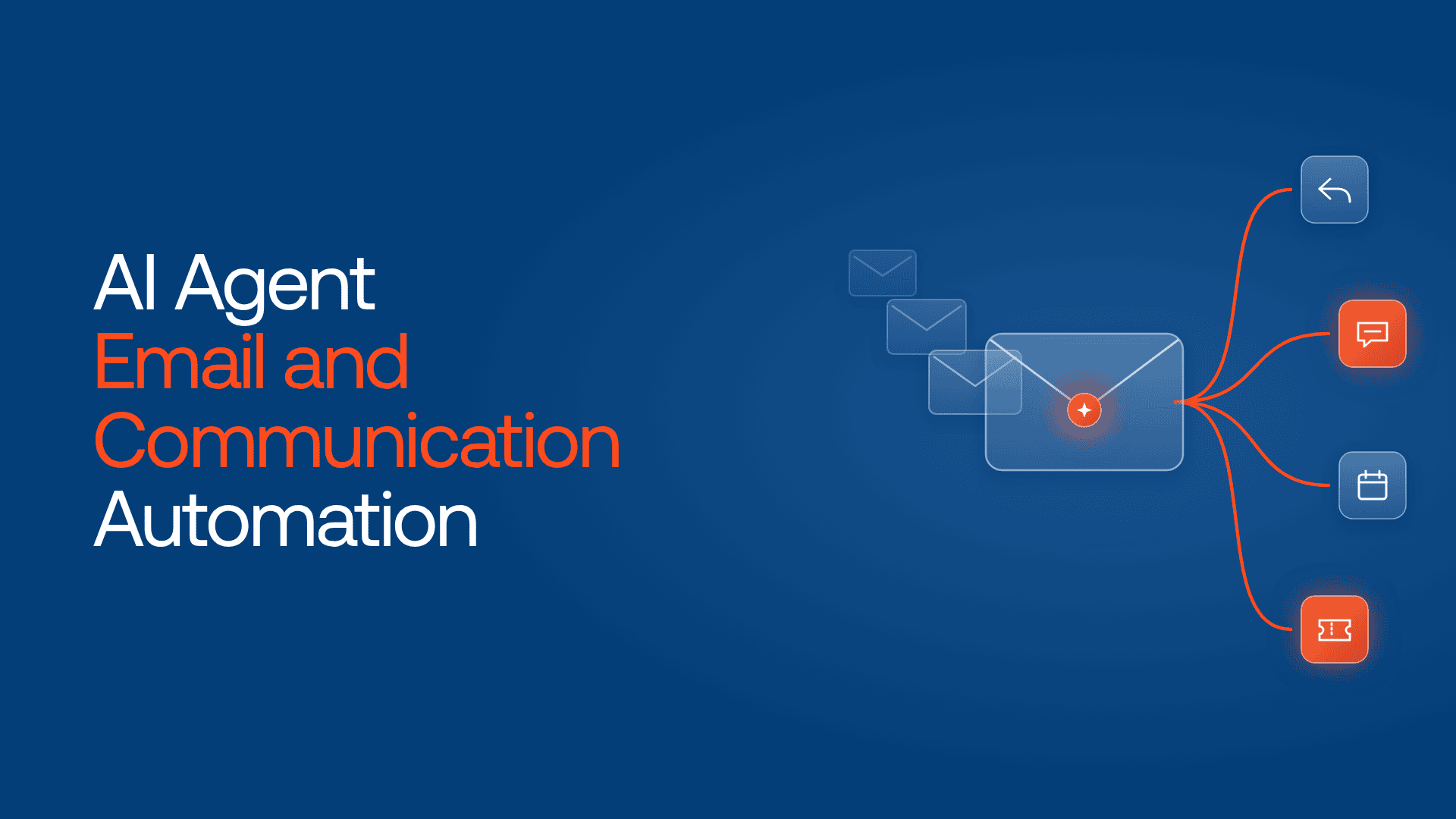
AI agent email and communication automation means AI agents that read, answer, send and route messages across email, chat and team channels, inside limits you set. Our shortlist for 2026: Lyzr, Microsoft Copilot Studio, Google Workspace Studio, Salesforce Agentforce, Front, Fin and n8n.
One email, three jobs, zero owners
At 9:12 on a Monday, a procurement lead replies to your renewal reminder. She asks three things: why last month’s invoice billed 40 seats instead of 30, whether your SOC 2 report is current, and could you copy her new CFO from now on.

By lunch, your support agent has explained the invoice using a help-center article. On Wednesday the renewal sequence, which never registered her reply, sends “Just floating this to the top of your inbox.” The account executive hears about it on Thursday, from the CFO.
Each agent did its own job. Nobody did hers.
That is the real test for AI agent email and communication automation in 2026: read the whole message, act in billing and CRM, and tell the account owners in Slack or Teams. Here are seven platforms worth a demo, and where each one loses the thread.
Your inbox is a queue and an attack surface
Microsoft’s Work Trend Index found in June 2025 that the average worker receives 117 emails and 153 Teams messages a day, and that Microsoft 365 users are interrupted every two minutes on average. Gartner expects 40% of enterprise apps to include task-specific AI agents by 2026, up from under 5% in 2025. It also predicts agentic AI will resolve 80% of common customer service issues without human intervention by 2029.
So is the risk. In June 2025, researchers disclosed EchoLeak (CVE-2025-32711, CVSS 9.3), a zero-click flaw in Microsoft 365 Copilot: one crafted email could make the assistant leak internal data without anyone clicking. Microsoft patched it. The lesson applies to every vendor. An agent that reads mail reads attacker-writable text, so prompt injection defense belongs in the buying criteria.
Our stance: start every email agent in draft mode, then grant send rights one category at a time. Order status first. Refunds last, if ever.
Which emails should an agent take first? Lyzr’s customer support use case library ranks the requests agents resolve well, from order status to billing disputes. Get the customer support use cases
Six things we checked
| Criterion | What we looked for |
| Inbound resolution | Reads, answers and closes customer email, not just drafts |
| Outbound sequences | Runs prospecting or follow-up email and stops when someone replies |
| Internal handoffs | Briefs people in Slack, Teams or Google Chat with context |
| Custom agents | Lets you build agents for rules no template covers |
| Approval before send | A human can gate specific actions, not only whole workflows |
| Private cloud or on-prem | Mail content can stay inside your own environment |
Based on public documentation through October 2026. Lyzr publishes this blog, so we say plainly where others fit better.
How the seven platforms compare side by side
✓ built in · ! partial, or depends on what you build · ✗ not offered or not the focus. Editorial assessment, October 2026. Verify current features with each vendor.
| Platform | Inbound resolution | Outbound sequences | Internal handoffs | Custom agents | Approval before send | Private cloud or on-prem |
| Lyzr | ✓ | ✓ | ✓ | ✓ | ✓ | ✓ |
| Salesforce Agentforce | ✓ | ✓ | ✓ | ✓ | ✓ | ✗ |
| n8n | ! | ! | ✓ | ✓ | ✓ | ✓ |
| Microsoft Copilot Studio | ✓ | ! | ✓ | ✓ | ! | ✗ |
| Google Workspace Studio | ! | ✗ | ✓ | ✓ | ! | ✗ |
| Front | ✓ | ✗ | ! | ! | ! | ✗ |
| Fin | ✓ | ✗ | ! | ! | ! | ✗ |
The grid rewards breadth. Fin and Front score low because they do one job, the support inbox, and do it very well.
What each platform does well, and where it slips
1. Lyzr: Best for email that crosses support, sales and internal teams
Lyzr runs prebuilt agents per function on the systems you already have. Jeff handles service email through to resolution, with policy-gated refunds and an audit trail. Jazon runs outbound across email, LinkedIn, WhatsApp and SMS. Lyzr Agent Studio is where you build the custom agents and workflows that connect them.
| Shines | Strains |
| Inbound, outbound and internal handoffs on one platform | Not a mailbox: your email provider and helpdesk stay |
| Runs on AWS, Azure, GCP or on-prem | Custom workflows need a short design phase |
Pick it if one message routinely needs two teams to act. Look elsewhere if you only want reply suggestions inside Gmail.
2. Salesforce Agentforce: Best when every thread already lives in Salesforce

Agentforce for Service can take customer email routed through Email-to-Case and reply in the thread, passing complex cases to a person. Hunter, the prospecting agent, runs outreach and email nurture, and asks the rep for approval before any judgment call. Slack gives the internal handoff a natural home.
| Shines | Strains |
| Service, sales and Slack under one vendor | Email service depends on Service Cloud |
| Rep approval on Hunter’s judgment calls | A fast-growing list of named agents to govern |
Pick it if CRM, service and Slack are already Salesforce. Look elsewhere if your tickets live in Zendesk. Compare Lyzr vs Agentforce.
3. n8n: Best for engineering teams that want to self-host

n8n pairs an AI Agent node with Gmail and Outlook triggers on a canvas you can host yourself. Its standout for email: a human review step can sit in front of one tool, such as “send email”, while reads run unattended. Approval requests can go to Slack, Teams, Gmail, Outlook or WhatsApp.
| Shines | Strains |
| Per-tool approval gates, any model | You build and maintain every email agent |
| Self-hosted under a fair-code licence | No prebuilt support or sales agents |
Pick it if you have automation engineers and strict data rules. Look elsewhere if the business team needs to own the agent.
4. Microsoft Copilot Studio: Best for Outlook and Teams shops
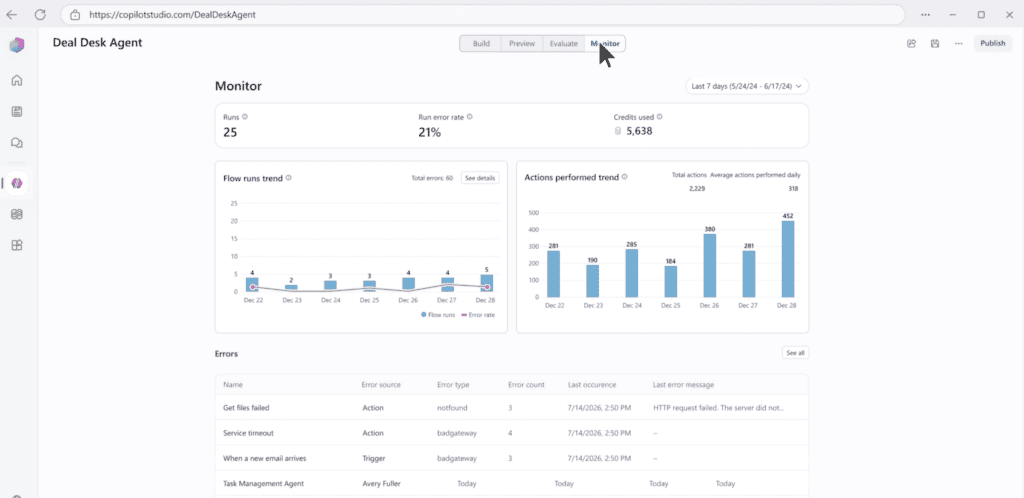
Copilot Studio agents can run on their own from a “new email arrives” trigger on a shared mailbox, triage and reply, then post a summary to Teams. Agent 365, generally available since May 1, 2026, adds a registry and lifecycle controls.
| Shines | Strains |
| Native Outlook triggers and Teams handoffs | Each trigger run counts toward capacity |
| Governance through Agent 365, Entra and Purview | Per-tool approval is still on the roadmap, so today you build approvals into agent flows |
Pick it if your mail and chat run on Microsoft 365. Look elsewhere if most of your mail runs outside Microsoft 365.
5. Google Workspace Studio: Best for teams that live in Gmail
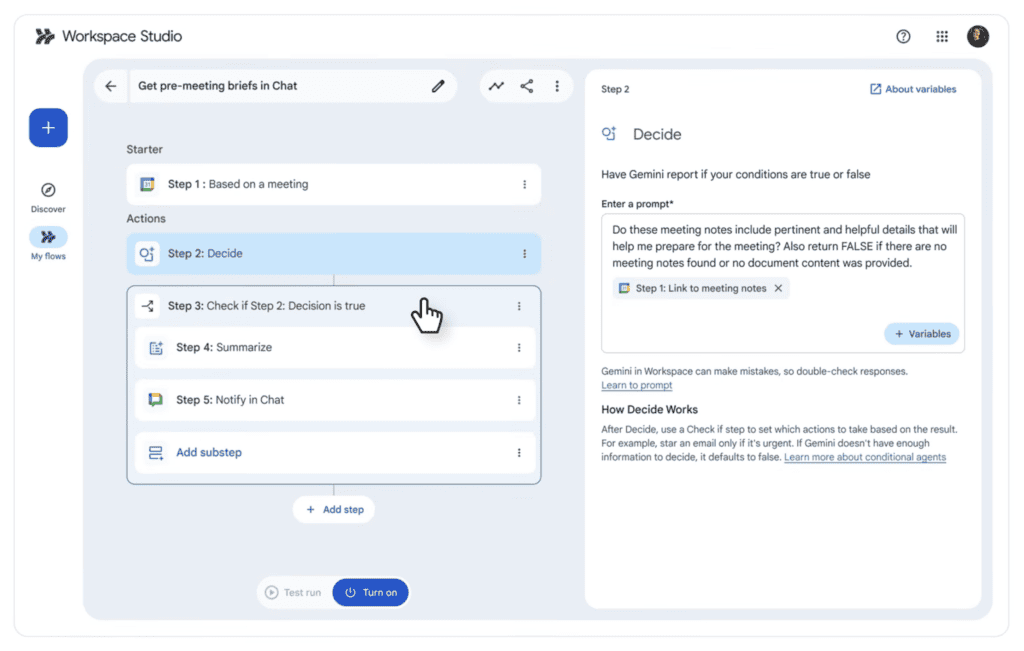
Workspace Studio, the successor to Workspace Flows, launched on December 3, 2025. Describe an agent in plain language, start it when mail arrives from chosen senders, and let Gemini triage or draft before posting to Chat. Connectors cover Salesforce, Jira, Asana and Mailchimp.
| Shines | Strains |
| No-code, and agents share like Drive files | Built for employees, not customer queues |
| Gmail, Chat and Calendar in one flow | DLP for third-party services isn’t in Google’s immediate plans |
Pick it if you want to cut internal email busywork fast. Look elsewhere if agents will answer customers at volume.
6. Front: Best for collaborative shared inboxes
Front’s Autopilot agent works conversations across email and messaging channels, with an AI disclosure on every reply by default. Teams can also connect outside agents built with Claude, Codex or Sierra, and Compass adds QA and improvement recommendations for agents. Autopilot pricing starts at $0.05 per conversation.
| Shines | Strains |
| Humans and agents share one inbox | Autopilot works in shared inboxes only |
| Bring-your-own agents, plus an MCP server | English is the only officially supported language |
Pick it if account teams already work from shared inboxes. Look elsewhere if customers email their reps directly.
7. Fin: Best for high-volume support email on any helpdesk
Fin, formerly Intercom, joined Salesforce on September 10, 2026. It resolves queries across email, live chat, WhatsApp, SMS, voice and Slack, on top of the helpdesk you already run, at $0.99 per resolution. Salesforce reports a 76% average resolution rate.
| Shines | Strains |
| Outcome pricing, any helpdesk | Inbound service only |
| Fin Operator proposes tuning, and a human approves each change | Roadmap now sits inside Salesforce AI Labs |
Pick it if support email volume is the main pain. Look elsewhere if replies need to trigger sales or finance work.
Match the platform to where your mail lives
| If this is you | Start with |
| One email often needs support, sales and the account team | Lyzr |
| Salesforce runs your CRM, service and Slack | Salesforce Agentforce |
| Engineers own automation and data must stay in-house | n8n |
| Outlook and Teams, mostly internal mail | Microsoft Copilot Studio |
| Gmail and Chat, mostly internal mail | Google Workspace Studio |
| A team works shared inboxes together | Front |
| Support volume is the whole problem | Fin |
Before you sign, run the forward test: send each finalist a three-part email with a hidden instruction in the footer. A good agent splits the requests, ignores the instruction and asks before sending anything binding.
Not sure which agent your inbox needs first? Lyzr’s Agent Finder matches your team and workflow to the agents that fit, in a few minutes. Try the Agent Finder
Turn email into workflows with Lyzr Agent Studio
Here is Priya’s email again, rebuilt in Lyzr Agent Studio.
A custom intake agent splits the reply into three tasks. Jeff finds the seat error in billing and drafts a credit for a finance approver to sign. A custom trust agent queues the current SOC 2 report for a human to send under NDA. Jazon pauses the renewal sequence and adds the CFO to the CRM, and the workflow posts a brief in the account team’s Slack channel. The AE knows by Monday afternoon, not Thursday.
| Building block | What it does in the workflow |
| Prebuilt agents: Jeff, Jazon, Skott | Take the service, outbound and marketing email off the shelf |
| Custom agents | Encode your rules: intake splitting, NDA checks, VIP routing |
| Workflows with human approval | Set the order of steps and the actions a person must sign |
Each step lands in an audit trail, and the whole setup can run in your own cloud.
Explore Lyzr Agent Studio to build your first email workflow, or book a demo to map one on your own stack.
FAQs
AI agent email and communication automation uses AI agents to read, answer and send messages across email and team chat, and to act in connected systems such as a CRM. Unlike autoresponders, the agent picks the next step from the message itself, within permissions and approval gates you set.
Yes, for low-risk categories, once you have controls in place. Start in draft mode, filter inbound mail for injected instructions, and require human approval for refunds, contracts and compliance documents. Grant autonomous sending one category at a time, and log every send.
Usually not. Most of these platforms connect to Gmail, Outlook and the helpdesk you already use. Front is the exception, because its agents work inside Front’s own shared inbox.
Related reading: Best AI workflow automation platforms for enterprises · Best tools for real-time AI agent monitoring · Customer support automation with Lyzr · Generative AI SDRs
Book A Demo: Click Here
Join our Slack: Click Here
Link to our GitHub: Click Here
Got a use case in mind?
8 weeks from use case to agents running in production.
Platform, people and FDEs, all in. Bring your environment. We'll co-build and stay until it's live.
Talk to UsFree resource
101 AI Agents Use Cases
100+ production-ready AI agent use cases across Marketing, Sales, HR, Banking, Insurance, Operations and a lot more
Download now