Compare the 6 best tools for AI agents in DevOps and IT automation, with key features, and tips to choose the right one for your team.
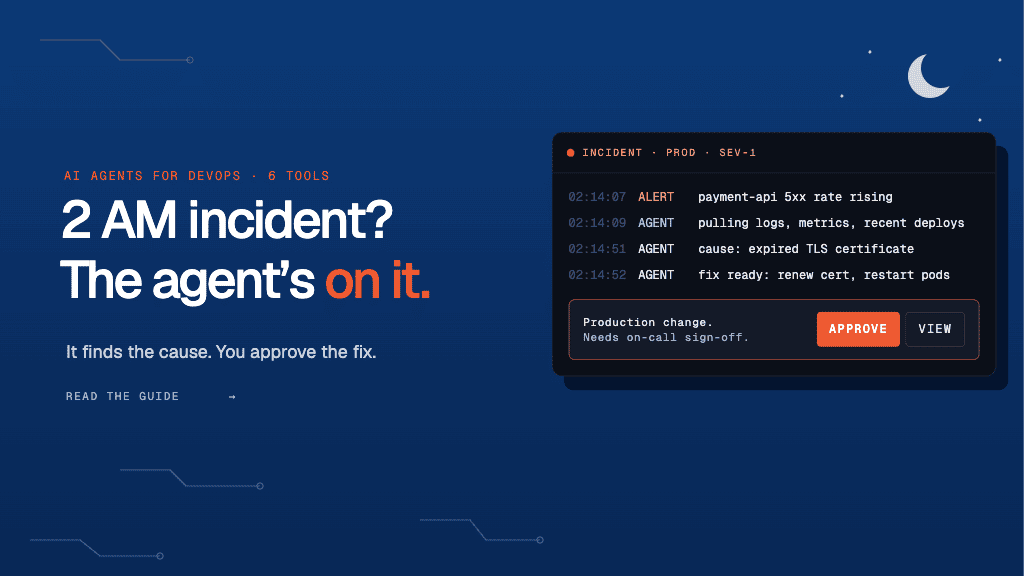
A routine deploy goes out, and your payment API starts throwing errors. You check dashboards, scan logs, and pull in three teams before you find the cause: an expired certificate nobody owned. Every minute of that hunt costs money. PagerDuty’s 2026 State of AI-First Operations Report found that more than two-thirds of organizations lose over $300,000 per hour during a major incident. Scripts and runbooks cannot decide which alert matters or link an error to the change behind it.
AI agents read your monitoring signals, test a theory, and act across your tools. In the same report, 59% of organizations said they are already building AI into their operational workflows. Most cases still want a human in the loop. So, you need agents that fix routine issues and pause for approval on risky ones. Let’s understand the tools for AI agents in DevOps and IT automation.
TL;DR
- AI agents read your monitoring signals, find the cause, and act across your tools.
- Before you pick a tool, check five things: whether it can fix problems or only investigate them, whether it connects to your full toolchain, whether you can limit what it’s allowed to touch, whether it keeps audit records, and what it costs when incidents spike.
- Lyzr runs IT workflows end to end. Several agents detect, diagnose, and resolve an incident together across your existing systems, with approval gates and a full audit trail.
- With Lyzr, you build workflows in plain language, deploy in your private cloud, and can have your first autonomous IT workflow live in under two weeks.
How to choose the right AI agent tool for DevOps and IT automation
Most AI agent tools look the same in a demo. The differences show up when the agent can’t reach your Kubernetes cluster or restarts a service nobody approved. Test every tool against these five checks before it touches production.
- Remediation depth: Check whether the agent stops at a root cause summary or can actually act. Can it roll back a bad deploy, restart a failed pod, scale a service, or run your existing runbooks? Investigation alone still leaves your on-call engineer doing the fix.
- Coverage of your toolchain: Map the agent’s integrations to your real stack: monitoring and logs, CI/CD, cloud accounts, infrastructure-as-code, ticketing, and chat. Ask whether it can read recent deploys and config changes. Most incidents start with a change, so an agent blind to your pipeline will miss the cause.
- Blast radius controls: Set permissions per environment and per action. The agent should restart a staging service on its own but need sign-off before touching production databases or customer-facing systems. Look for dry-run or read-only modes so you can it in a sandbox first.
- Change and audit records: Every action should create a record of what changed, why, and who approved it. Check that it writes to your change management or IT Service Management (ITSM) system automatically. This keeps your SOC 2 and ISO audits simple and gives you a clean timeline for post-incident reviews.
- Pricing at incident scale: Model the cost against your real alert volume. Per-investigation or credit-based pricing can spike during a bad week, exactly when you need the agent most. Also ask how long it takes to connect your stack and go live.
Can you list every AI agent running in your company right now? IBM data cited in the playbook says only 18 in 100 enterprises can, and 35% couldn’t shut one down today. Get the five layers of agent governance and a 30/60/90-day plan to bring every agent under control.
6 Best tools for AI agents in DevOps and IT automation
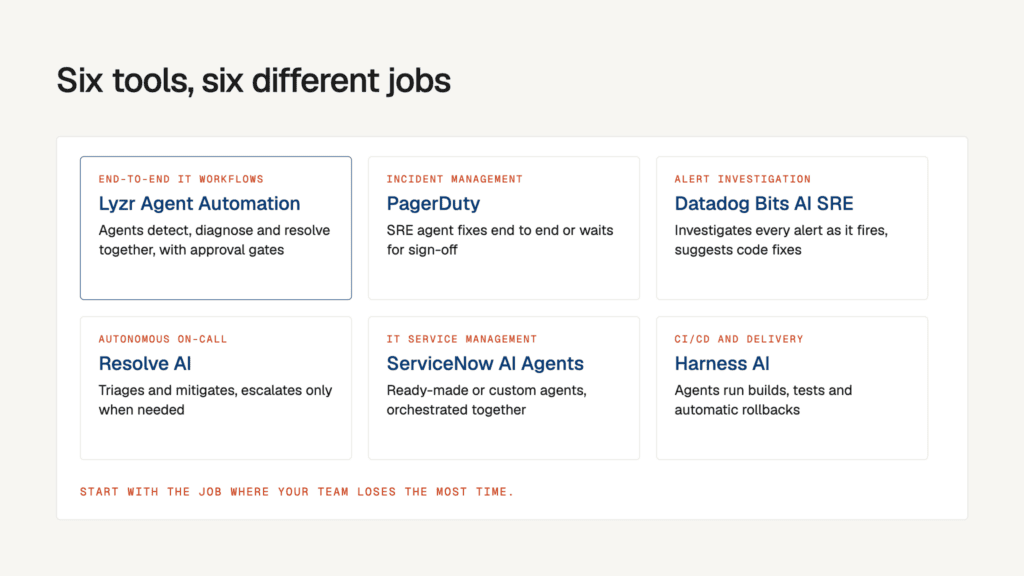
Each tool below covers a different part of your DevOps and IT work. Some investigate incidents, some manage on-call, and some run your delivery pipeline. Start with the job where your team loses the most time.
| Tool | Use case | Key features |
| Lyzr | End-to-end IT workflow automation | • Several agents work together to detect, diagnose, and resolve an incident • Plain-language setup with triggers from any system • Approval gates, full audit trail, and private cloud deployment |
| PagerDuty | Incident management | • SRE agent Paige runs a fix end to end or waits for your sign-off • Scribe agent records key incident moments and coordinates updates • Insights agent finds patterns in your past incidents |
| Datadog Bits AI SRE | Alert investigation inside your monitoring platform | • Starts investigating every alert the moment it fires • Suggests code fixes to speed up recovery • Works inside Slack and Jira, with role-based access |
| Resolve AI | Autonomous on-call and incident resolution | • Triages and mitigates alerts, escalating to engineers only when needed • Hivemind tracks live production state, alerts, and recent changes • Custom SRE agents for other automation, managed by Resolve |
| ServiceNow AI Agents | IT service management | • Ready-made agents, or build your own in plain language with AI Agent Studio • AI Agent Orchestrator coordinates teams of agents on one task • Action Fabric connects agents and tools from other platforms |
| Harness AI | CI/CD and software delivery | • Worker agents run builds and tests, manage rollbacks, and scale environments • Expert agents plan work using your repos, policies, and incident history • Automatic rollback when a change fails verification |
1. Lyzr Agent Automation Workflow for end-to-end IT workflow automation
With Lyzr, you deploy AI agents that run IT workflows from start to finish across your existing systems. Through agent orchestration several agents work on one process together: one detects an incident, another diagnoses it, and a third triggers the fix or opens the ticket. You set up workflows in plain language, and agents start on real-time triggers from any system. Approval gates pause the agent before important actions, and every step is logged in an audit trail. You can deploy it in your private cloud, with role-based access and encryption built in.
Thousands of change entries a day were too many for NTT Data engineers to review by hand. Lyzr built an agent that gives each change a risk score for causing an incident and drafts fixes based on past incidents. Engineers now catch risky changes early and spend far less time on manual review.
2. PagerDuty for incident management

PagerDuty is an incident management platform whose AI agents now work alongside your on-call responders. Its SRE agent, Paige, can run a fix end to end or wait for your sign-off. You decide which integrations Paige can access, team by team. A Scribe agent records key moments during an incident and coordinates updates. An Insights agent surfaces patterns from your past incidents. AIOps and PagerDuty Advance are listed as add-ons purchased separately from the Incident Management plans, so the AI features might add to your bill.
NPD Powered, an innovator in energy solutions, had their vendor team taking hours matching invoices to purchase orders in two separate systems. A team of Lyzr agents now validates every invoice, asks vendors for corrections, and updates QuickBooks and SAP once approved.
3. Datadog Bits for alert investigation in observability stack
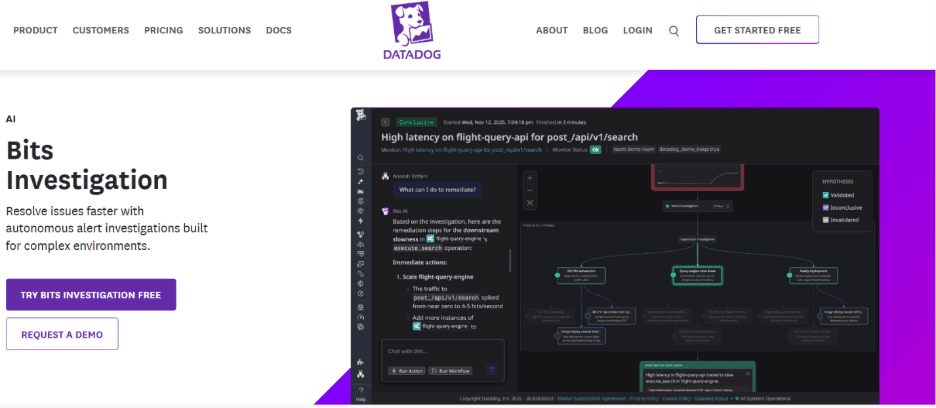
Bits Investigation is Datadog’s AI agent for site reliability work. It starts investigating every alert the moment it fires and suggests code fixes to speed up recovery. It works inside tools like Slack, Jira, and others. Admins control who can use it with role-based access. It runs on AI credits. Unused credits from your monthly commitment do not roll over, and any usage above that commitment is billed automatically at on-demand rates.
95% of enterprise AI initiatives fail to produce measurable business impact, according to MIT research cited in the playbook. Learn the barriers that keep agents stuck in pilots, from the integration cliff to the trust deficit, and how teams get past them.
4. Resolve AI for autonomous on-call and incident resolution
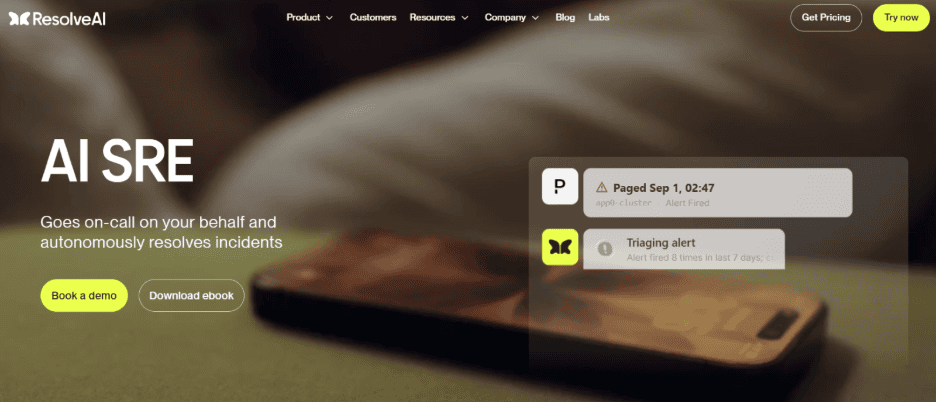
Resolve AI is an AI SRE (Site Reliability Engineer) that goes on call for you and resolves incidents on its own. It triages and mitigates alerts, then escalates to engineers when needed. Its Hivemind feature tracks what is happening in production right now, including system state, alerts, and recent changes. You can also build custom SRE agents for other automation, which Resolve manages for you. Resolve bills in usage-based credits tied to the work its agents do, so your costs might rise in the weeks when incidents spike.
Watch a manager agent direct a team of specialist agents in Lyzr Studio, with no code. Siva Surendira, CEO, Lyzr, walks through a demo to build a research paper writer, but the same setup works for incident response: one manager agent assigns log analysis, deploy checks, and fix drafting to specialist agents, then puts their findings together.
5. ServiceNow AI agents for IT service management
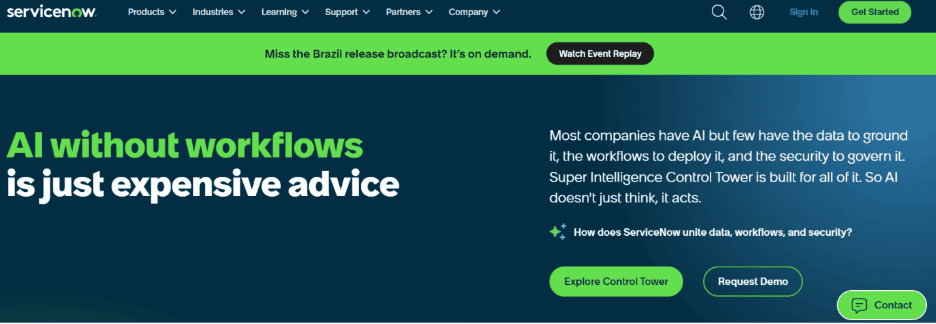
ServiceNow AI Agents complete IT service and operations tasks on their own inside the ServiceNow platform. You can deploy ready-made agents or build your own in plain language with AI Agent Studio. AI Agent Orchestrator coordinates and controls teams of agents working on the same task. Action Fabric connects AI agents and tools from other platforms. A central control tower monitors and manages all your AI in one place. Usage is metered in “assists,” which are used up every time a skill like agent retries and loops run. The frequent runs might make monthly costs hard to predict.
Field supervisors at Dairyland Power spent one to two hours on each of 100+ daily work orders, digging through safety guidelines. A Lyzr agent now pulls the right safety clauses, updates the work order, and sends it to a foreman for approval. The result is 70,000+ hours saved, equal to $1.5 million in cost savings per year.
6. Harness AI for CI/CD and software delivery
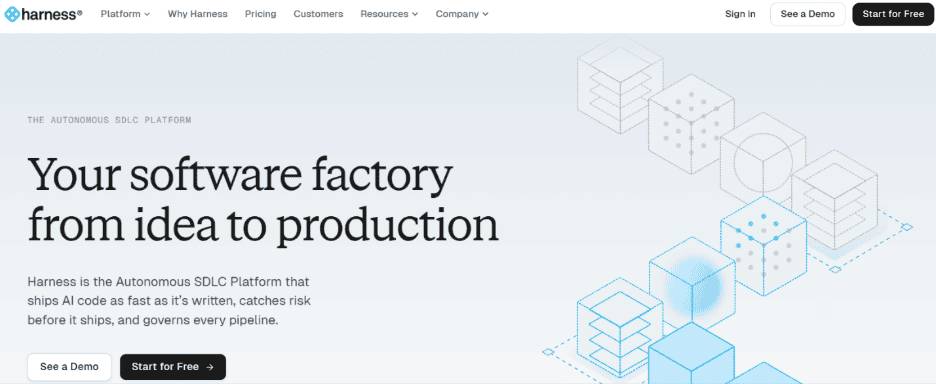
Harness is an AI software delivery platform with purpose-built agents for each stage of your pipeline. Worker agents run builds, trigger tests, manage rollbacks, and scale environments. Expert agents for DevOps, SRE, and security plan the work using your repos, infrastructure, policies, and incident history. Agent actions run inside your own VPC or cluster. If a change fails verification, it rolls back automatically. The Harness DevOps Essentials package is fixed, and you cannot add other Harness modules to it, so you may need a larger plan as your needs grow.
Run your DevOps and IT automation workflow on autopilot with Lyzr
Lyzr’s AI agents workflow automation takes an incident from first alert to final resolution. You keep control of every important step, and your engineers get their time back for work that moves the business.
- Multi-agent collaboration: Specialized agents detect, diagnose, and resolve incidents together in one workflow.
- Works with your stack: Native connectors integrate agents with your existing tools, databases, APIs, SAP and Salesforce.
- Real-time triggers: Agents act the moment an event fires in any connected system.
- Human approval gates: Agents pause for your sign-off before any critical or customer-facing action.
- Audit-ready by default: Every agent action is logged in a complete, compliance-ready trail.
- Enterprise security: Private cloud deployment, role-based access, and full data encryption.
- Plain-language setup: Build and change workflows without writing code.
Book a demo of Lyzr agent automation and get your first autonomous IT workflow live in under two weeks.
Best tools for AI agents in DevOps and IT automation FAQs
1. What are AI agents in DevOps and IT automation?
AI agents are software that read your monitoring signals, figure out what went wrong, and take action across your tools. Unlike scripts, they can handle problems they haven’t seen before. They can roll back a deploy, restart a service, or open a ticket, and pause for your approval on risky steps.
2. How are AI agents different from AIOps or runbook automation?
AIOps tools mainly reduce alert noise and spot patterns, and runbooks follow fixed steps written in advance. AI agents go further: they investigate the cause, decide what to do, and act across several systems. They also hand off to a person when the stakes are high.
3. Can AI agents fix incidents without a human?
Yes, many agents can fix routine issues on their own, such as restarting a failed pod or scaling a service. Most teams still want sign-off before an agent touches production or customer-facing systems. Choose a tool with approval gates you can set per action and per environment.
4. Can AI agents automate IT service management (ITSM) and service desk work?
Yes. Agents can triage tickets, update change records, and route requests to the right team without manual handoffs. Tools like Lyzr automate this work across your existing ITSM, ticketing, and chat tools.
5. What is Lyzr Agent Automation Workflow, and which IT workflows can it automate?
Lyzr Agent Automation Workflow lets you deploy AI agents that run workflows from start to finish across your existing systems. Several agents work together: one detects an incident, another diagnoses it, and a third triggers the fix or opens the ticket. Beyond IT operations, it automates workflows in finance, HR, customer support, and supply chain.
6. How quickly can you deploy Lyzr, and is it secure for enterprise IT?
Many teams have their first autonomous workflow live in under two weeks, using Lyzr’s pre-built agent templates and no-code setup. Lyzr supports private cloud deployment, role-based access, full data encryption, and detailed audit logs. Every agent action is recorded, so you stay ready for compliance reviews.
Book A Demo: Click Here
Join our Slack: Click Here
Link to our GitHub: Click Here
Got a use case in mind?
8 weeks from use case to agents running in production.
Platform, people and FDEs, all in. Bring your environment. We'll co-build and stay until it's live.
Talk to UsFree resource
101 AI Agents Use Cases
100+ production-ready AI agent use cases across Marketing, Sales, HR, Banking, Insurance, Operations and a lot more
Download now