TL;DR
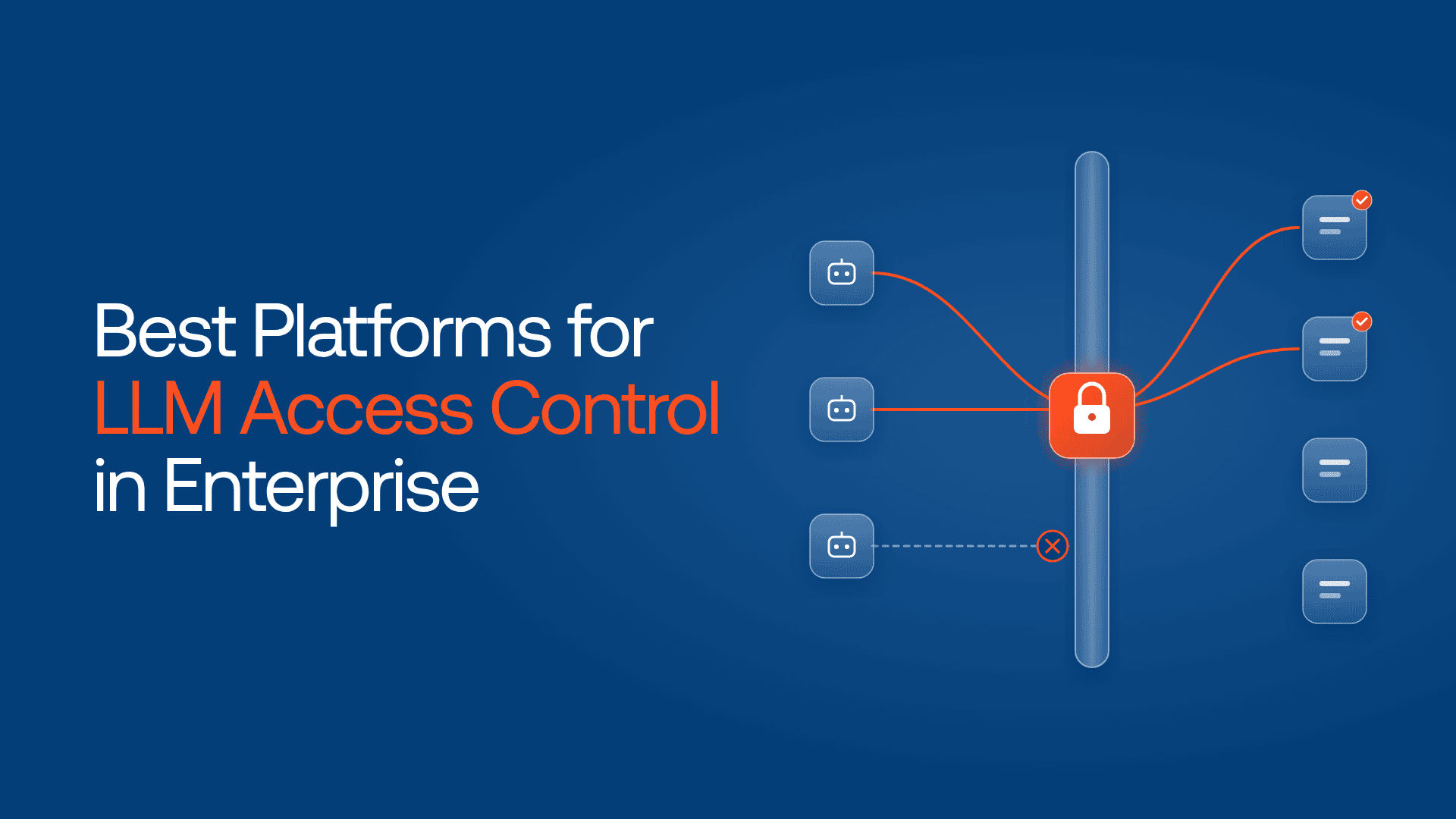
- LLM access control answers four questions per call: who is asking, which model, with what data, and how much.
- IBM found 92% of organizations hit by an AI-related breach lacked proper AI access controls.
- Several major platforms leave every model open by default. Close that first.
- Lyzr OpenController enforces one policy across providers, self-hosted models and agents, inside your network.
- Amazon Bedrock, Microsoft Foundry and Google’s Gemini Enterprise Agent Platform govern models within their own clouds.
- Databricks and Snowflake grant models to roles, like tables.
- Using several of these? Their lists will drift apart.
This year, Snowflake published a behavior change worth reading. According to Snowflake’s release notes for its 2026_02 behavior change bundle, Cortex functions such as SUMMARIZE, AI_TRANSLATE and AI_REDACT had not been enforcing model access controls. A query could succeed even when the model behind it was restricted.
The list said no. Some calls never asked it.

Snowflake closed the gap, and its allowlist deprecation notice says the account-level allowlist will be fully retired in January 2027. That’s LLM access control in enterprise in miniature: writing the rule is easy; making every path to every model check it is the job.
Access is where AI breaches start
In IBM’s 2026 Cost of a Data Breach Report, of the organizations that suffered an AI-related breach, 92% lacked proper AI access controls. Only 40% of organizations reported using access controls on AI models and data at all.
The same report found the share of incidents involving shadow AI more than doubled, to 43%, according to Mind’s analysis of the report. Netskope’s Cloud and Threat Report 2026, as reported by ITPro, counted an average of 223 genAI data policy violations per organization per month, and 2,100 in the top quarter.
In its March 2026 predictions, Gartner said that by 2030, half of AI agent deployment failures will be due to insufficient runtime enforcement by AI governance platforms.
What LLM access control in enterprise has to answer
Who is asking, and for whom? A person, an app, or an agent acting for one. A shared provider key answers none of these.
Which model, in which region? An approved list by model, version and location, not “anything the account can reach.”
With what data? Classification should pick the model. Customer records go to a self-hosted model or get masked at the gateway first.
How much? Budgets and rate limits per identity, so one runaway loop can’t drain a shared quota.
And a fifth most demos skip: what happens to a call that never reaches the check?
Find out whether your model access rules reach every agent, or only the ones you know about. Take the assessment →
The 6 best platforms for LLM access control in enterprise
1. Lyzr OpenController: one access policy for every model, wherever it runs
OpenController sits in the request path in front of models, tools and agents. Per Lyzr’s comparison with LiteLLM, it checks identity, policy and budget before a call lands, and limits which models and tools each agent can use.
Your IdP still issues identities. Per Lyzr’s agent identity guide, OpenController maps teams to directory groups, gives each agent its own registry entry, and governs model access and budgets through explicit grants. An agent is restricted to the models allowed for that call, and the design keeps a downstream agent from gaining more access than its caller.
Per Lyzr’s architecture page, provider credentials stay in your secret manager and don’t need to be handed to individual agents. The product page adds virtual keys with team budgets and an agent gateway that rate-limits every caller. Guardrails for PII, secrets and injection can refuse, mask or redirect a call. Self-hosted models on vLLM or Ollama get the same governance and a single trace, and Basecode extends policy to coding agents on supported developer devices. It deploys in your VPC, on-prem or air-gapped.
Where the rule lives: one policy across every platform below.
Where it stops: it enforces only on traffic routed through its gateways. Discovery helps find what isn’t.
Choose it if your models span two or more of the platforms below and auditors want one answer.
2. Amazon Bedrock: IAM and SCPs, plus org-wide guardrails
AWS’s security blog shows how SCPs, which now support full IAM policy language, can allowlist models across an organization with a Deny on everything outside an approved set. Per AWS’s docs, the bedrock:InferenceProfileArn condition key can force calls through tagged application inference profiles, so usage is attributable by team.
Cross-account safeguards in Bedrock Guardrails went GA on April 3, 2026: a Bedrock policy in AWS Organizations applies one guardrail to every model call across an OU or the whole organization, combining with account and request-level guardrails.
Where the rule lives: IAM, SCPs and Bedrock policies.
Where it stops: AWS’s model access docs say access to many Bedrock models is enabled by default with the right Marketplace permissions, so blocking is your job.
Choose it if most of your inference runs on AWS.
3. Microsoft Foundry: Azure Policy decides what gets deployed
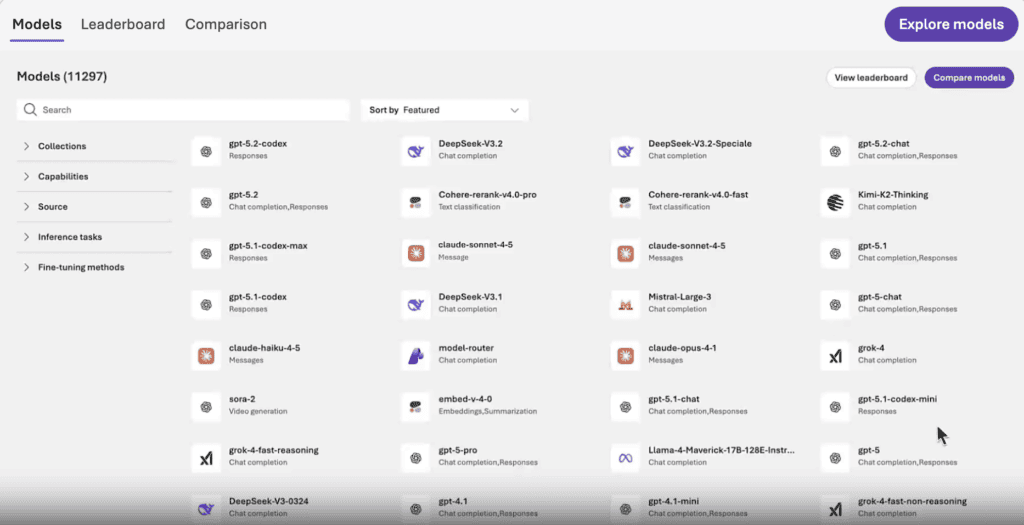
Per Microsoft’s docs, Foundry’s built-in policy “Foundry model deployments should only use approved models” is generally available and restricts deployments to listed models or publishers. A second policy, also generally available, can deny preview models or models not sold direct from Azure. Blocked models stay visible in the catalog with Deploy disabled and a reason shown, and model router only routes to models that comply.
Microsoft’s October 2026 Foundry governance guide also recommends Entra ID over API keys in production.
Where the rule lives: Azure Policy for what gets deployed, Azure RBAC and Entra for who calls it.
Where it stops: both policies are evaluated at deployment time, not per request.
Choose it if Azure is home and your security team already lives in Entra.
4. Google Gemini Enterprise Agent Platform (formerly Vertex AI): one org policy, inherited downward

Google folded Vertex AI into Gemini Enterprise Agent Platform in April 2026, but the model controls carried over. Google’s docs describe the vertexai.allowedModels constraint, set at organization, folder or project level, controlling three actions per model: predict, deploy and tune. When policies merge, deny wins, though a project can be set to override its parents.
Where the rule lives: Organization Policy Service, plus IAM on projects.
Where it stops: Google states it isn’t a per-user policy. It covers Model Garden only, not Model Registry, each model must be listed individually, and with no policy set, every model is allowed.
Choose it if you want a hard org-wide boundary on Google Cloud and handle per-user access through project design.
5. Databricks Unity AI Gateway: models as governed objects
Databricks announced on April 15, 2026 that AI Gateway is now part of Unity Catalog. Per its migration docs, a caller needs EXECUTE on a model API plus catalog and schema usage, and permissions on the underlying model don’t carry over. Its AI Gateway overview adds that admins can restrict foundation models account-wide or per group. Turning on “Enforce Unity Gateway” disables Databricks’ legacy pay-per-token endpoints, which then return PERMISSION_DENIED.
Rate limits can be set per user, group or service principal, with at most five group limits per model service.
Where the rule lives: Unity Catalog grants, next to your data permissions.
Where it stops: traffic that never enters Databricks. Under enforcement, AI Search endpoints aren’t supported yet.
Choose it if your data team already runs Unity Catalog and most AI work happens there.
6. Snowflake Cortex AI: model access as role grants

Per Snowflake’s release notes, model objects in SNOWFLAKE.MODELS are granted through application roles, and the 2026_07 bundle extends this to embedding functions such as AI_EMBED. Cortex AI Guardrails, announced May 1, 2026, add account-level prompt injection protection.
Watch one detail: accounts set to “All” get every model through the SNOWFLAKE.PUBLIC application role, which Snowflake says isn’t your account’s PUBLIC role, so it won’t show in its grants.
Where the rule lives: Snowflake RBAC.
Where it stops: Cortex calls inside Snowflake, nothing outside it.
Choose it if your sensitive data sits in Snowflake and LLM work should stay next to it.
Six platforms on one grid
| Platform | Central model allowlist | Access by user or group | Guardrails applied centrally | Governs models outside its own platform | Runs in your network or air-gapped |
| Lyzr OpenController | ✓ | ✓ | ✓ | ✓ | ✓ |
| Databricks Unity AI Gateway | ✓ | ✓ | ✓ | ◐ | ✗ |
| Amazon Bedrock | ✓ | ✓ | ✓ | ✗ | ✗ |
| Microsoft Foundry | ✓ | ✓ | ✓ | ✗ | ✗ |
| Snowflake Cortex AI | ✓ | ✓ | ✓ | ✗ | ✗ |
| Google Gemini Enterprise Agent Platform | ◐ | ◐ | ◐ | ✗ | ✗ |
✓ built in and documented · ◐ partial, limited in scope or a separate product · ✗ not offered. Databricks routes to external models only through Databricks. Google’s policy covers Model Garden only and isn’t per-user. Editorial assessment from public docs, November 2026.
The grid splits on the last two columns.
Default-open is a bigger risk than any vendor gap
Notice the pattern above. Bedrock enables many models by default. Google allows every Model Garden model when no policy is set. Snowflake’s old allowlist defaulted to “All.” Out of the box, the answer to “which models can our people use?” is often “all of them.”
Write the access matrix before you buy anything. A bank might start here:
| Caller | Models allowed | Data allowed | Limit |
| KYC review agent, acting for an analyst | Self-hosted open model in the bank’s data center | Customer PII | Daily token budget; no external providers |
| Research copilot, all staff | Two approved frontier models | Internal and public; PII masked first | Monthly budget per user |
| Coding agents on laptops | Approved coding models only | Source code; secrets blocked | Budget per developer |
| Anyone else | Nothing | Nothing | Deny and log |
Illustrative, not a customer case.
Most enterprises are missing the last row. If your matrix spans more than one platform here, you need one place that enforces all of it, and an audit trail that proves it did.
Put the list in one place
If one platform carries nearly all your LLM traffic, use its native controls and turn the defaults off this week. Most enterprises run a data platform, two clouds, self-hosted models and coding agents on laptops, each with its own list.
Book a demo and bring your access matrix. We’ll show OpenController enforcing it across the platforms you already run.
FAQs
Lyzr OpenController, Amazon Bedrock, Microsoft Foundry, Google Gemini Enterprise Agent Platform (formerly Vertex AI), Databricks Unity AI Gateway and Snowflake Cortex AI. The last five govern models on their own platform; OpenController applies one policy across them.
An allowlist says which models the organization may use at all. RBAC says which roles, groups or agents may call each one. You need both, and the allowlist should default to deny.
Give each agent its own identity, grant models per agent or project, and route every call through one enforcement point. An unregistered agent calling a provider with its own key bypasses all of it.
Related reading: Best tools for AI agent access control · Best tools for AI policy enforcement at scale · Best tools for real-time AI agent monitoring
Book A Demo: Click Here
Join our Slack: Click Here
Link to our GitHub: Click Here
Got a use case in mind?
8 weeks from use case to agents running in production.
Platform, people and FDEs, all in. Bring your environment. We'll co-build and stay until it's live.
Talk to UsFree resource
101 AI Agents Use Cases
100+ production-ready AI agent use cases across Marketing, Sales, HR, Banking, Insurance, Operations and a lot more
Download now