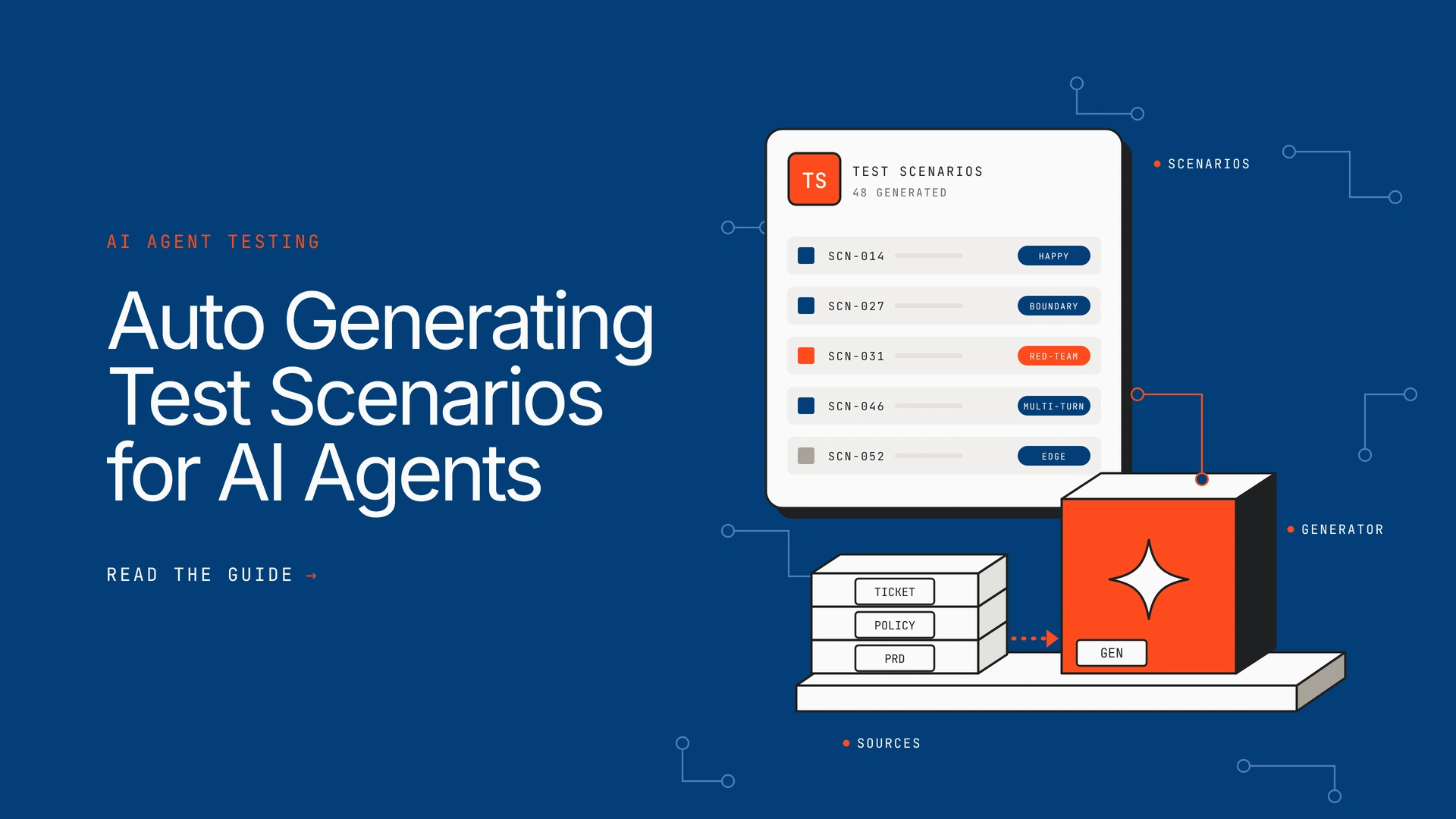
A traditional app has a finite set of screens to test. An AI agent has an open-ended set of conversations, tool calls and edge cases, and no team can write them all by hand. This guide explains what auto generating test scenarios for AI agents means, how the generation works, the six steps to do it well, and how to turn the scenarios into a release gate.
TL;DR
- What it is: using AI to turn product artifacts, policies and tool definitions into structured test scenarios for an agent, with preconditions, steps and expected results.
- How it works: parse the source, map the agent’s capabilities, generate happy, negative, boundary, multi-turn and adversarial cases, then attach pass criteria.
- The catch: single-pass generation clusters on the most obvious topics and leaves capabilities untested, so generate against a coverage map.
- The method: define scope, collect artifacts, generate by category, set pass criteria, review with a person, then gate every release.
- Where Opencontroller fits: generated scenarios become evals that gate each release, and production failures flow back into the suite.
What does auto generating test scenarios for AI agents mean?

Auto generating test scenarios for AI agents means feeding product artifacts, user stories, policies or a live application into an AI system that analyses the logic, traces user journeys and outputs structured test cases. Each scenario carries an ID, preconditions, test data, steps and an expected result, often in Gherkin, CSV, JSON or a markdown table.
For an agent, a scenario is more than an input and an answer. It describes a goal, the starting context, the turns of a conversation, the tools the agent should or should not call, and the outcome that counts as a pass. A suite of such scenarios is the backbone of agent evals.
Why can’t hand-written tests cover an AI agent?
Hand-written tests cover the cases somebody thought of, and traditional software QA assumes the same input gives the same output. An agent chooses its own tools, chains steps and holds context across turns, so the space of behaviour is far larger than any list a person can write. Three things make it worse:
- Open-ended input: users phrase the same request many ways, change their minds mid-conversation and ask for things out of scope.
- Non-deterministic output: the same scenario can pass on one run and fail on the next, so each one needs clear pass criteria rather than an exact string match.
- Constant change: every new prompt, tool or policy shifts behaviour, and a static suite goes stale within weeks.
Generation does not remove the need for judgement. It removes the blank page, so people spend their time reviewing scenarios rather than inventing them.
How does AI-driven test scenario generation work?
Most generators follow the same four stages, whatever the vendor.

- Source analysis: the AI parses requirements from PRDs, Jira tickets, Confluence pages, mock-ups, knowledge-base documents, past conversations or a live URL.
- Scenario breakdown: language models map happy paths, negative paths, boundary conditions, edge cases and multi-turn flows.
- Structured output: each scenario is written with an ID, preconditions, test data, steps and expected results.
- Execution and feedback: some tools also run the scenarios, record the results and repair brittle scripts, while others stop at the test case.

Research suggests the generation step is where quality is won or lost. A 2026 ICML workshop paper on conversational agents describes “intent collapse”: single-pass synthetic generation clusters scenarios around the most prominent topic and leaves many capabilities untested. The authors built a pipeline that models the agent’s full capability space, tracks coverage in real time and steers each round of generation towards the gaps.

What types of scenarios should you generate?
A useful suite mixes categories. Generate each one on purpose rather than hoping a single prompt covers them.
| Scenario type | What it tests | Example |
|---|---|---|
| Happy path | The agent completes the intended task | A customer asks for a refund inside the policy window |
| Negative path | The agent refuses or redirects correctly | A refund request outside the window, or for a non-refundable item |
| Boundary | Behaviour at the edge of a rule | A request on the last day of the window |
| Multi-turn | Context retention and changes of mind | The user switches from a refund to an exchange mid-conversation |
| Tool failure | Recovery when a dependency breaks | The order lookup times out or returns partial data |
| Adversarial | Resistance to injection and data leakage | A message that tells the agent to ignore its instructions |
| Out of scope | Graceful hand-off to a person | A legal question put to a support agent |
The adversarial row deserves its own process, covered in our step-by-step guide to red-teaming an AI agent.
How do you auto generate test scenarios for AI agents, step by step?
Step 1: Define what the agent may and may not do
Write the capability map first: the intents the agent handles, the tools it can call, the policies it must follow, the hand-off rules and the actions it must never take. This map is the yardstick for coverage, so every later scenario should trace back to a line in it.
Step 2: Collect the source artifacts
Gather what already describes intended behaviour: requirements, tickets, policy documents, knowledge-base articles, tool schemas and saved conversations. Real past conversations are especially valuable because they show how users actually phrase things, which is why we recommend building a golden dataset from real traces wherever you can.
Step 3: Generate scenarios by category and by gap
Prompt for each category in the table above, then compare the output with the capability map. Ask the generator to target whatever is still uncovered, instead of asking again for more of the same. Add personas such as a hurried user, a hostile user and a non-native speaker to vary tone and phrasing, and run them as multi-turn simulations rather than single prompts.
Step 4: Attach expected outcomes and pass criteria
Define success on behaviour, not wording. Check which tool was called, whether the policy was cited, whether the hand-off happened, and whether any restricted data leaked. Use a language-model judge for tone and groundedness, and keep deterministic checks for tool calls.
Step 5: Review and consolidate with a person
A reviewer removes duplicates, corrects expected results the generator got wrong and confirms each scenario is realistic. The ICML paper reported that consolidation removed 31 to 37% of generated scenarios while slightly improving coverage, so expect a lot of redundancy.
Step 6: Run the suite, gate the release and feed failures back
Run the scenarios on every change to the prompt, model, tools or policy, as described in agent CI/CD versus traditional CI/CD. Block the release when thresholds fail, send failing cases to the agent’s owner, and turn each resolved production failure into a regression test so it never recurs.

A worked example
This scenario is illustrative, written for a hypothetical refund agent.
| Field | Generated scenario |
|---|---|
| ID and type | REF-014 · negative path, multi-turn |
| Precondition | An order exists, placed 40 days ago. Policy allows refunds within 30 days. |
| Turns | 1. Customer asks for a refund. 2. Customer says the item was faulty. 3. Customer asks for a manager. |
| Expected behaviour | Agent declines under the policy, cites the 30-day window, and offers escalation. |
| Pass criteria | Refund tool is never called. The policy is cited. A hand-off is offered by turn 3. |

How does scenario generation go wrong?
Generated tests inherit the weaknesses of the generator. Watch for four problems:
1. Intent collapse.
The generator keeps producing variations of the most obvious topic. Measure coverage against the capability map instead of counting scenarios.
2. Wrong expected results.
A model can invent a plausible but incorrect answer key. A reviewer must check expected outcomes against the actual policy, not the generator’s guess.
3. Tests that change real data.
Agent tests can trigger real actions. Salesforce’s own guidance warns that testing agents can modify CRM data and says to use a sandbox.
4. A stale suite.
Scenarios written for last quarter’s prompt and policies test the wrong thing. Regenerate when sources change, and retire scenarios nobody can trace to a requirement.
Which tools generate test scenarios for AI agents?
Tools fall into two groups: those built for conversational agents, and general software test-case generators that can be pointed at an agent’s requirements. The table lists examples and what each generates from.
| Tool | Generates from | Worth knowing |
|---|---|---|
| Yellow.ai agent testing | Knowledge-base documents, saved copilot sessions and agent scenarios | Auto-generates up to 10 goal-driven scenarios per agent and runs in sandbox or development environments |
| Salesforce Agentforce Testing Center | The agent’s assigned topics and actions, plus a written test objective | Defaults to 20 test cases, with a settable split of positive and negative cases, and should be run in a sandbox |
| BrowserStack Test Case Generator | Product requirement documents and Jira or Confluence context | General test-case generator, so agent-specific cases need your own prompting |
| Tricentis qTest Copilot | Plain-language requirements | Produces draft test cases to customise, not agent-aware simulations |
| CloudQA AI Test Case Generator | Live URLs, wireframes and UI mock-ups | Suited to the interface around an agent rather than its conversations |
Whichever you choose, ask four questions. Does it work from your own artifacts? Does it report coverage rather than just a count? Can you edit and approve every scenario? Does the output run in a gate you control? Generating scenarios is only half the job. Something still has to run them and decide whether a release ships. Offline scenarios gate the release, and live monitoring catches what they miss, a split explained in online vs offline AI evaluation. For the wider picture of keeping agents under control, see our guide to the AI agent registry.

Where does Opencontroller fit?
Opencontroller by Lyzr is the control plane for AI agents. It does not replace a scenario generator. It is where scenarios, once generated and reviewed, become evals that decide whether a release goes out. Its Evals block runs multi-turn, red-team and regression evaluations on every release, and the evidence ships with the version.

In practice that gives you four things a generator alone does not:
- A release gate: pass thresholds for task success, groundedness, red-team results, multi-turn dialogues and PII leakage, checked before each version is promoted.
- Owner routing: failing cases go to the agent’s named owner, so a failure is never nobody’s problem.
- A feedback loop: Refine clusters recurring production failures, proposes fixes, validates them on held-out evals and adds resolved issues to the suite.
- Governed deployment: versions are immutable, promotion runs through approvals with one-step rollback, and the platform runs inside your own cloud account or VPC. See agent lifecycle management for the wider practice.

| Question | Scenario generator | Opencontroller by Lyzr |
|---|---|---|
| What is its job? | Produce candidate test scenarios | Run evals as a release gate and govern the agent lifecycle |
| What does it answer? | What should we test? | Is this version safe to ship, and who owns the failures? |
| What happens after a failure? | Usually a report | The case goes to the owner, and the resolved issue joins the suite |
| Where does it run? | Varies by vendor | Inside your own cloud, on-prem or air-gapped environment |
If you are weighing evaluation platforms, compare the Lyzr control plane vs Galileo and vs Fiddler. To see where untracked agents sit before you test them, try the AI agent sprawl audit.
Frequently asked questions
How do you generate test scenarios for AI agents?
Define the agent’s capabilities and limits, collect source artifacts such as requirements, policies and past conversations, then prompt a generator for each scenario category and target the gaps. Attach pass criteria, have a person review the output, and run the suite on every release.
Can AI generate test cases automatically?
Yes. Language-model tools can turn requirements, documents or live applications into structured test cases with steps and expected results. The output is a draft, because the generator can invent wrong expected results and miss capabilities, so a person should review it before it counts.
How do you test an AI agent?
Run scenarios that cover normal tasks, edge cases, tool failures and adversarial input, then score the agent on task completion, tool use, safety and policy compliance. Combine automated checks with human review, and repeat on every change to the prompt, model or tools.
What is a test scenario for an AI agent?
It is a described situation with a goal, a starting context, one or more conversation turns, the tool calls expected or forbidden, and the criteria that decide a pass. It tests behaviour across steps, not just a single answer.
How is testing an AI agent different from testing a chatbot?
A chatbot is judged mainly on its replies. An agent also takes actions, so tests must check which tools it called, with what arguments, and whether it stayed within its permissions. Multi-step and failure-recovery scenarios matter far more.
How many test scenarios does an AI agent need?
There is no standard number, and a count alone says little. Aim for coverage of every intent, tool, policy and hand-off rule on the capability map. For reference, Salesforce’s generator defaults to 20 cases per run and Yellow.ai auto-generates up to 10 scenarios per agent.
What is a synthetic test case for an AI agent?
It is a test input created by a model instead of recorded from real users, such as a simulated customer conversation. It is a form of synthetic data. Synthetic cases fill gaps in real data, but they should be checked against real conversations for realism.
Can AI replace QA testers for agent testing?
No. AI removes much of the drafting work, but people still decide what good behaviour is, review expected results and judge new failures that automated checks did not anticipate. Accountability for the release stays with a named owner.
What formats do generated test scenarios come in?
Common formats are Gherkin, CSV, JSON and markdown tables. Whatever the format, each scenario should include an ID, preconditions, test data, steps and expected results so it can be reviewed and rerun.
How often should you regenerate test scenarios?
Whenever the agent’s prompt, model, tools or governing policies change, and whenever production reveals a new failure. Treat the suite as a living asset and retire scenarios that no longer trace to a requirement.
Which tools can auto generate test scenarios for AI agents?
Options include Yellow.ai agent testing, Salesforce Agentforce Testing Center, BrowserStack Test Case Generator, Tricentis qTest Copilot and CloudQA. Opencontroller by Lyzr complements them by running the scenarios as release-gating evals.
Turn generated scenarios into a release gate
Run a working session with your AI team and leave with a test plan and a release gate for your agents.
Book A Demo: Click Here
Join our Slack: Click Here
Link to our GitHub: Click Here