TL;DR
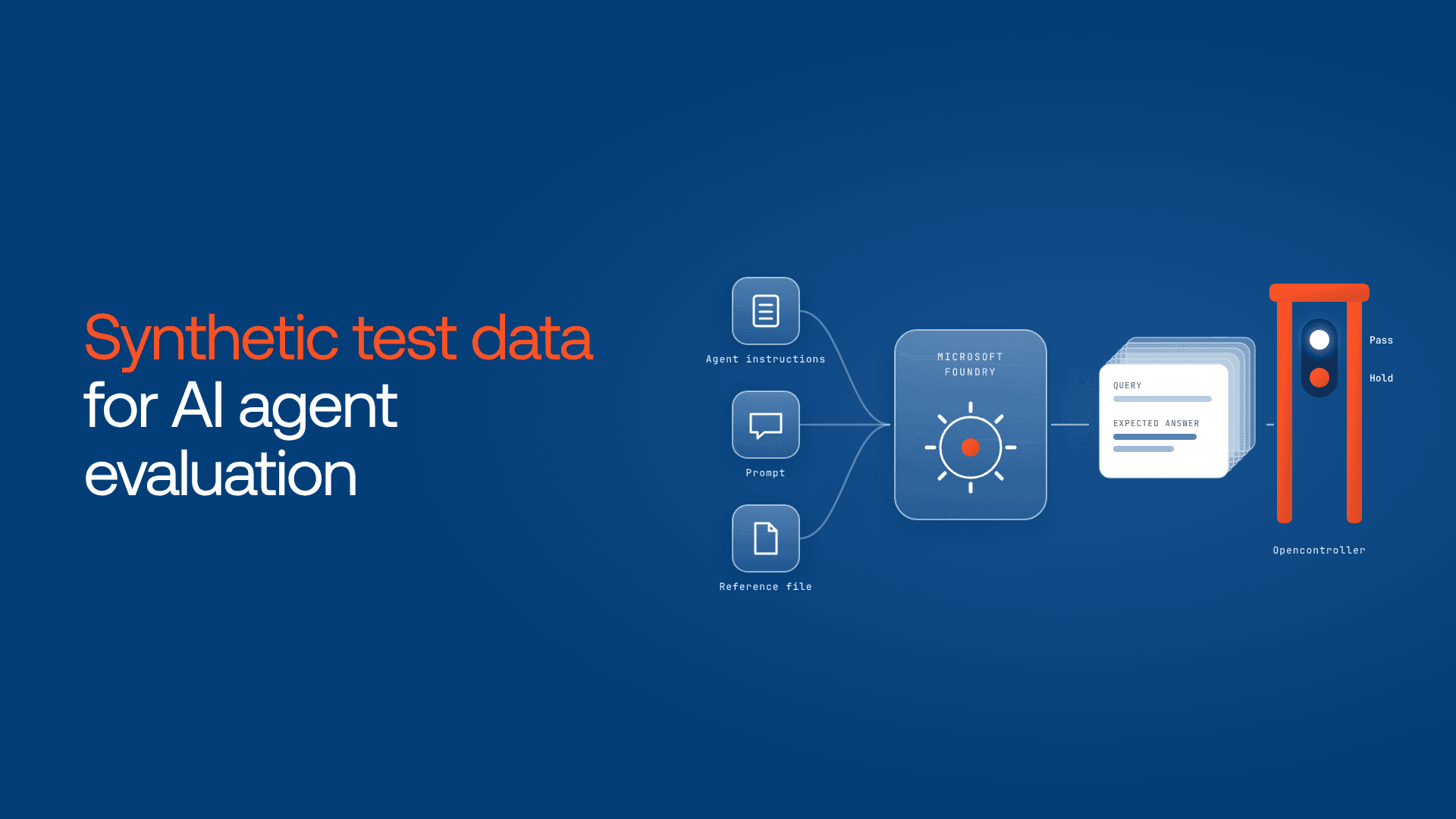
- To generate synthetic test data for AI agent evaluation on Microsoft Foundry, seed a generation job with your agent’s instructions, a steering prompt and a reference file.
- Foundry offers three paths: a reusable dataset job, generate-and-score in one evaluation run, and multi-turn conversation simulation. Only the dataset job’s Simple QnA mode documents ground truth.
- As of November 2026, the dataset feature is in public preview: 15 to 1,000 samples per job, a Responses API generator model and no SLA.
- Plan coverage by intent, persona and edge case before volume, and read the first 15 rows.
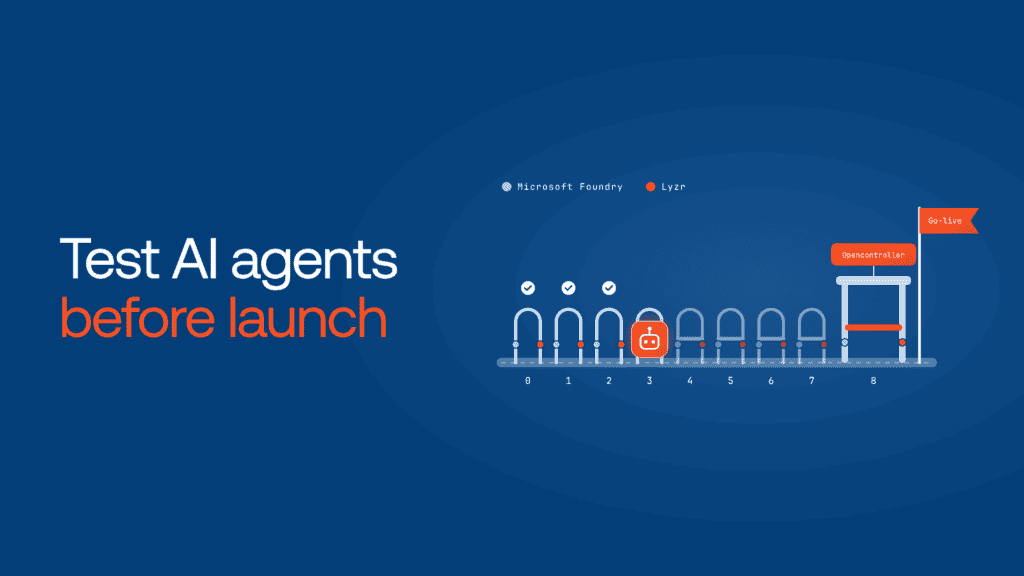
- A test set matters only if a failing score stops a release. Lyzr Opencontroller turns it into that gate.
A claims agent scored 94% on 500 generated questions (a composite scenario). But, every test question was easy: polite, about one thing, and answerable straight from that document. In the first week after launch, real customers asked two things in one message, or asked about situations the policy document didn’t cover. The agent answered confidently, and wrongly.
here, the question generator wasn’t the problem. Nobody told it which kinds of questions to create, nobody checked the questions it produced, and the 94% went straight into the launch decision.

This guide shows how to generate synthetic test data for AI agent evaluation on Microsoft Foundry (formerly Azure AI Foundry), make it cover what production will actually bring, and make the result decide what ships.
What is synthetic test data for AI agent evaluation?
Synthetic test data for AI agent evaluation is a set of test questions or conversation scenarios that a model generates from your agent’s instructions, a prompt or a reference document. On Microsoft Foundry, you generate it in the portal or SDK, review a sample, then score the agent against the versioned dataset.
Before go-live there’s no production traffic to sample. Microsoft’s synthetic dataset generation guide positions the feature for exactly that gap.
Before you start: prerequisites and preview limits
Here’s everything you need before you start AI agent evaluation:
- The Foundry User role or higher on the project.
- An Azure OpenAI deployment that supports the Responses API, in a supported region, to generate the rows. The model router can’t generate data.
- For Python,
azure-ai-projects2.5.0 or later plusazure-identity. Some summaries quote 2.8.0, so check Learn when you install. - 15 to 1,000 samples per job.
- Reference files that are processed, at least 1 KB, and in a supported format such as
.pdf,.mdor.csv.
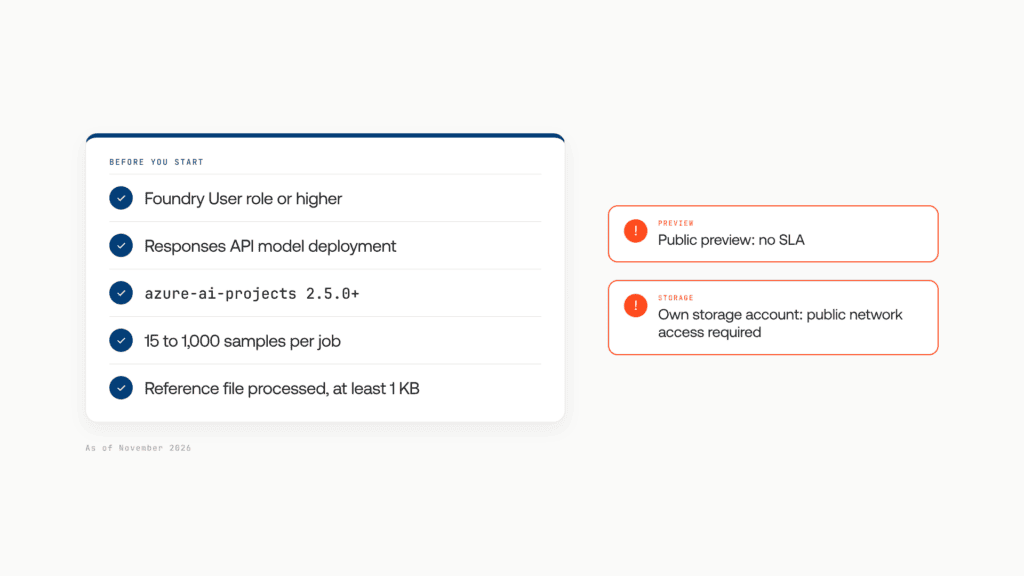
Two limits catch enterprise teams. The feature is in public preview, with no SLA, and Microsoft doesn’t recommend it for production workloads. And if your project uses your own storage account, it must allow public network access for dataset creation to work.
Microsoft Foundry synthetic data generation: three paths compared
Microsoft Foundry synthetic data generation runs three ways: a dataset job, a generate-and-score evaluation run, and a multi-turn simulation run. Only the dataset job’s Simple QnA mode documents ground truth answers.
| Path | Where | What you get | Ground truth | Sources | Best for |
|---|---|---|---|---|---|
| Dataset job, Simple QnA | Portal or SDK | Versioned query and ground_truth rows | Yes | Agent, prompt, file, or a mix | Reusable regression set |
| Dataset job, Simulation seed | Portal or SDK | Versioned scenario descriptions | No | Agent, prompt, file, or a mix | Feeding simulations |
azure_ai_synthetic_data_gen_preview | SDK evaluation run | Queries saved as a dataset and scored in one run | Not documented | Prompt, one seed file, agent instructions | Quick first baseline |
azure_ai_synthetic_data_generation_with_simulation | SDK evaluation run | Scenarios, conversations and scores | No | Agent, prompt, file | Multi-turn agents |
Use the evaluation run for a number today, a dataset job for a stable set to re-run after every change, and simulation if your agent holds conversations.
How to generate a synthetic dataset in the Foundry portal
- Open the Data Generation tab, select Create dataset, then Generate synthetic.
- Set Dataset usage to Evaluation.
- Choose Simple QnA (single-turn) or Simulation seed (multi-turn) as the task type.
- Pick a Generator model.
- Add one or more sources: Agent, Prompt or Reference file.
- Set the maximum number of samples and an output file name, then select Generate.
- When the job finishes, preview the rows on the Data tab before you run any evaluator.
How to generate synthetic test data with the Foundry SDK
Single-turn Q&A from an agent definition
This job, from Microsoft’s minimal example, seeds 15 questions from a deployed agent’s instructions:
python
job = DataGenerationJob(
    inputs=DataGenerationJobInputs(
        name="retail-agent-eval-set",
        scenario=DataGenerationJobScenario.EVALUATION,
        sources=[AgentDataGenerationJobSource(
            description="Agent definition used to seed QnA generation.",
            agent_name="retail-agent",
            agent_version="1",
        )],
        options=SimpleQnADataGenerationJobOptions(
            max_samples=15,
            model_options=DataGenerationModelOptions(model="gpt-4.1-mini"),
        ),
        output_options=DataGenerationJobOutputOptions(name="retail-agent-eval-set"),
    ),
)
poller = project_client.beta.datasets.begin_create_generation_job(job=job)
result = poller.result()
Multi-turn conversations
For conversational agents, an evaluation run with the azure_ai_synthetic_data_generation_with_simulation data source generates scenarios, simulates a user talking to your agent and scores the conversations in one pass. The settings that matter:
generation_sources: agent, prompt, file, or a mixtest_case_count: scenarios to generatemax_num_turnsanddesired_num_turns: conversation lengthconversation_repetitions: conversations per scenario; set above one to see variance
Microsoft’s sample scores them with built-in evaluators including task completion, tool use quality, groundedness and coherence. Runs can take several minutes, so poll for status, and calibrate your evaluators before you trust the numbers.
Plan coverage before you generate volume
A thousand rows from one prompt are a thousand versions of the same happy path. That’s what sank the claims agent.
The coverage matrix below crosses the intents your agent handles, the personas who’ll ask (new customer, expert, frustrated repeat caller) and difficulty. Run one small job per slice.
Ask for edge cases explicitly:
- Requests that should be refused or escalated to a person
- Out-of-scope questions your knowledge base can’t answer
- Two requests in one message, or a goal that changes mid-conversation
- Missing details the agent has to ask for
- Tool failures the agent has to admit to
For simulation seeds, vague test_case_description values produce weaker conversations, so spell out the user’s goal, constraints and edge case. Good persona and scenario design matters more than volume.

How many test cases do you need? Microsoft doesn’t set a number. Start at 15 per slice and grow it until its pass rate stops moving between runs.
Review the rows before you trust the score
Microsoft’s guidance: review the 15-row minimum first, mirror your production system prompt, regenerate and version the dataset when instructions change significantly, and combine synthetic data with trace-based datasets once real traffic exists.
Add four checks of your own:
- Answer leakage. Questions that quote the reference file word for word test phrase matching, not understanding.
- Wrong ground truth. Spot-check expected answers against the source. A bad answer key fails good agents.
- Personal data. A ticket dump used as a reference file can leak customer details into your test set.
- Same model, same blind spots. Where you can, generate and judge with different model families.
After launch, continuous evaluation takes over.
Your test set is ready. Can you see what happens after the score? Find your evaluation blind spot in 5 minutes. Take the assessment:
Adversarial test data is a separate job
Synthetic Q&A tests quality, not safety. Many search results still point to the classic AdversarialSimulator and jailbreak simulators, but Microsoft’s classic simulator page says they apply to hub-based Foundry (classic) projects and won’t work for new Foundry projects.
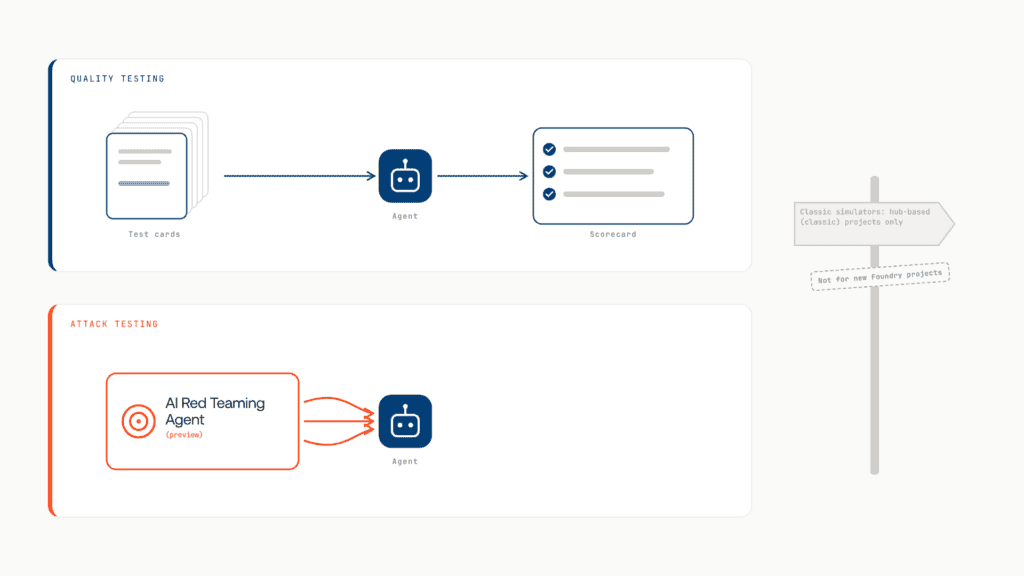
On new projects, use the AI Red Teaming Agent, in public preview, for attack data, and test prompt injection separately.
Where synthetic testing breaks down at scale
For one agent, the steps above work. But across a company, three gaps open up.
A score doesn’t stop anything. An evaluation run is a report. Had the claims agent scored 61%, nothing in the run would have kept it from shipping. The decision lives in a meeting or a skippable CI job.
Datasets drift away from agents. Across twenty agents and five teams, nobody can say which dataset version tested which agent version, or whether the one in production passed.
Some agents never get a test set. Agents built outside Foundry, or outside any process, never reach the Data Generation tab. And synthetic data stops at launch.
What’s missing is a layer above the evaluation tool: one agent record, a version-tied release gate, and policy that works after launch.
How Lyzr Opencontroller makes synthetic test results decide what ships
Lyzr Opencontroller is a control plane that finds every AI agent, gives each one an owner, and controls what it can call, spend and touch. Its architecture runs on Find, Ship, Run and Improve, and agents keep running where they run today. Here’s how it closes each gap:
- Every agent on one record: Opencontroller automatically discovers agents, models, tools, data and workflows across your AI estate, and governs every agent whoever built it and wherever it runs. Every agent has an owner who knows a test set is due.
- A score that holds a release: It applies evaluations, approvals and release controls around the deployment handoff, while your CI keeps building, scanning and signing. A failing Foundry run holds that version.
- Policy for what the test set missed: Guardrails, budgets and policy sit in Opencontroller’s gateways, and it enforces policy wherever agent traffic passes through them.
- Evidence for the next dataset: It’s built as a system of record for policy, evidence and audit, and production evidence feeds the next release: the real-traffic signal Microsoft says to combine with synthetic data.
It doesn’t replace Foundry’s generator or evaluators. It makes their results count.
Coming back to the claims agent, its 500-row score would have been one input to a release under Opencontroller, that also needs an approval, and the questions nobody tested would have met runtime policy before they met customers.
Book a demo to see Opencontroller turn your Foundry test sets into release gates.
Frequently asked questions
Seed a generator model with your agent’s instructions, a steering prompt and a reference document. On Microsoft Foundry, run a data generation job in the portal or SDK, review 15 rows, scale up, then score the agent.
A preview feature that builds evaluation datasets from an agent definition, a prompt or a reference file: single-turn question and answer pairs or multi-turn scenario seeds, 15 to 1,000 per job.
Simple QnA creates single-turn query and ground truth pairs you evaluate directly. Simulation seed creates scenarios that a simulated user plays out against your agent, scored at conversation level.
No. Synthetic data covers pre-launch gaps and edge cases you choose; production traces show what real users do. Microsoft recommends combining both.
Book A Demo: Click Here
Join our Slack: Click Here
Link to our GitHub: Click Here
Got a use case in mind?
8 weeks from use case to agents running in production.
Platform, people and FDEs, all in. Bring your environment. We'll co-build and stay until it's live.
Talk to UsFree resource
101 AI Agents Use Cases
100+ production-ready AI agent use cases across Marketing, Sales, HR, Banking, Insurance, Operations and a lot more
Download now