Compare the best tools for AI agent workflow visualization to map, trace and replay every step your agents take in production.
The first version of your agent started on a whiteboard: a few boxes, some arrows, a clean path from request to answer.
Three months later it calls six tools, retries when they fail, hands work to a research sub-agent and waits for a human to approve. The whiteboard photo in your team’s Slack channel looks nothing like what’s running in production. AI agent workflow visualization tools give you that whiteboard back, drawn from what your agents do instead of what you planned.
Once an agent runs a workflow your business depends on, you need to see what it did on every run. A clear picture of each run helps your engineers debug faster. It helps product, ops and compliance teams review how an agent behaved without reading code. Let’s explore the tools do this well and what each one is best at. product, ops and compliance teams review how an agent behaved without reading code. Let’s explore the tools do this well and what each one is best at.
TL;DR
- AI agent workflow visualization turns each agent run into a map of steps, so developers follow the path an agent took instead of reading raw logs.
- A good tool works with your existing frameworks, shows detail down to each prompt and tool call, handles multi-agent branches, supports replay and lets non-engineers review runs safely.
- Lyzr Agent Studio comes with a visual SuperFlow canvas, live run status, replay, traces and analytics dashboards together in one enterprise platform.
- Start with Lyzr Reimaginer, where Lyzr’s consultants map one process and take it to production in weeks.
What is an AI agent workflow visualization
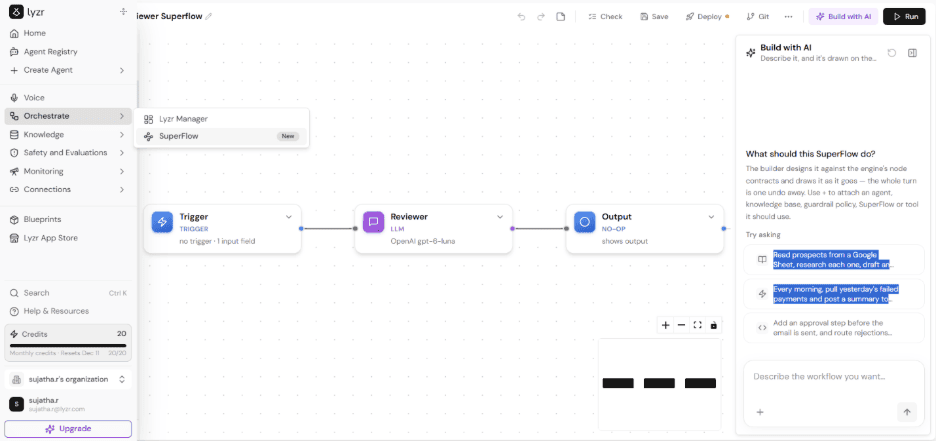
Lyzr SuperFlow canvas showing a Trigger, an LLM Reviewer and an Output node connected in sequence, with the ‘Build with AI’ panel open on the right.
AI agent workflow visualization is the practice of showing an AI agent’s execution as a visual map instead of raw logs. Each step the agent takes appears as a node, such as a model call, a tool call, a retrieval, a decision branch, a handoff to another agent or a human approval.
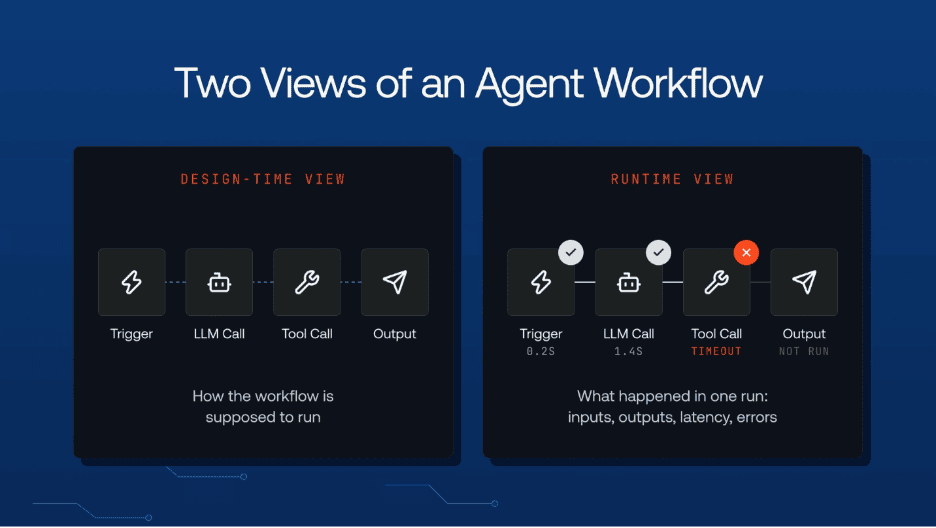
The connections between nodes show the order and flow of the run. Most tools offer two views:
- A design-time view – Shows how the workflow is supposed to run
- A runtime view – Replays what happened in a specific run, with the inputs, outputs, latency and errors at each step.
Agents don’t follow a fixed script, so the same request can take a different path each time depending on many factors like:
- What the model decides
- What tools return
- Whether a retry kicks in
A visual trace makes the above paths easy to follow. Engineers, product managers and reviewers can see why an agent reached an outcome and find where a run went wrong. They can also confirm that guardrails and approval steps are fired when they should have.
How to choose an AI agent workflow visualization tool
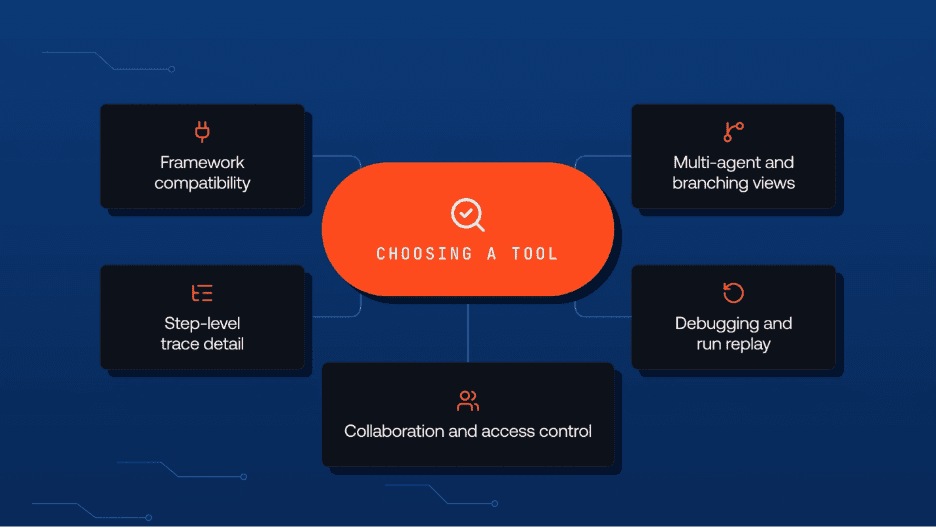
The right tool depends on how you build your agents and who needs to read the visuals. A team running multi-agent systems in production needs different features than a team prototyping a single assistant.
| Criteria | Definition | Importance | Example |
| Framework compatibility | Tool’s ability to connect with the agent frameworks, SDKs and model providers your team already uses. | If setup takes a lot of custom work, adoption slows and some steps never show up in your visuals | A business running agents on both LangGraph and the OpenAI Agents SDK sees every run in one view without writing custom instrumentation. |
| Step-level trace detail | Depth of information each node shows, from high-level steps down to individual prompts and tool calls. | A shallow view tells you where a run failed but not why, which means you still end up digging through logs | A support agent quotes a customer the wrong refund amount, and the trace points to the exact tool call that returned an outdated price. |
| Multi-agent and branching views | Show handoffs between agents, parallel branches, loops and retries in a clear layout. | Complex agent systems turn into unreadable graphs in tools built for simple linear chains | A research agent hands work to three sub-agents in parallel, and the graph shows which branch stalled and set off a retry loop. |
| Debugging and run replay | Tools for inspecting, reproducing and fixing a specific run directly from the visual | Seeing a failure only helps if you can act on it quickly and confirm the fix worked | An engineer edits the input to a failed step, replays the run and compares it side by side with the original to confirm the fix. |
| Collaboration and access control | Collaboration and access control for teammates outside engineering view and discuss agent runs while the tool controls who can see what. | Product, ops and compliance teams often need to review agent behavior, and traces can contain sensitive data | A compliance reviewer opens a shared run link to check an approval step, while customer details in the trace stay redacted. |
Tracing is the debugging layer most agent stacks skip. A good trace records the request, the agent’s plan, each tool call, token cost and the outcome. Read the guide to AI agent tracing.
Best tools for AI agent workflow visualization
Tools for AI agent workflow visualization take two approaches. Platforms like Lyzr Agent Studio and Langflow designs a workflow on a canvas and helps watch it run, while tracing tools such as Langfuse and Arize AX draw the graph from runs that have already happened.
| Tool | Visual view | Best fit |
| Lyzr Agent Studio | Live SuperFlow canvas with per-node run status, run replay, traces and analytics dashboards | Enterprises that want to build, run and govern agent workflows in one platform |
| LangSmith Studio | Graph of the agent’s structure with the path each run took and the state at every step | For debugging LangGraph agents during development |
| Langfuse | Agent graphs built from traces, in aggregated or expanded views | Teams that want open-source, self-hosted tracing for agents in production |
| Arize AX | Agent Trajectory graph of which agents call which, where loops form and which paths fail | Multi-agent systems built on LangGraph, CrewAI, AutoGen or the OpenAI Agents SDK |
| Langflow | Component canvas with inputs and outputs at each step and a built-in test playground | Prototyping agent flows before serving them as an API |
1. Lyzr Agent Studio for building and monitoring enterprise agent workflows
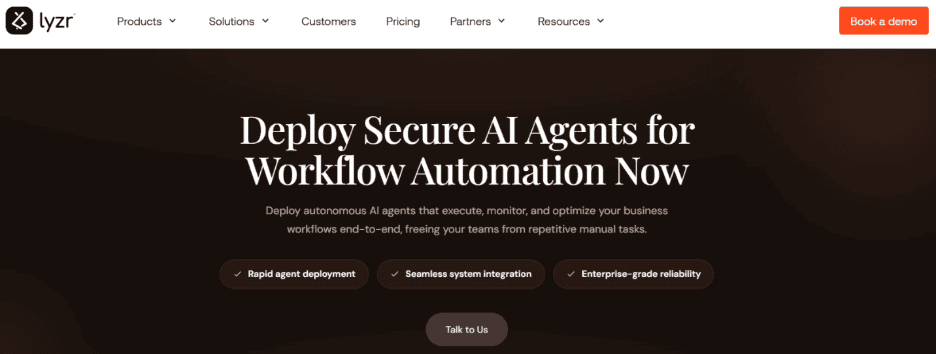
Lyzr Agent Studio is an enterprise platform for building and governing AI agents. Lyzr SuperFlow builder lays each workflow out as a visual graph of agents, tools, approval steps and branches. During a run, every node on the canvas shows its live state (running, succeeded, failed or waiting for approval), and you can replay past runs with each node’s output saved. When a process needs flexible routing instead of a fixed path, a Manager Agent picks which worker agents to call. The Traces view shows each run’s latency and token use. After launch, built-in workflow analytics dashboards and real-time logs track agent performance and workflow health. Enterprises that want help mapping a process first can use Lyzr Reimaginer, where Lyzr’s consultants design the workflow on the SuperFlow canvas and take it to production in weeks.
What does an agent workflow look like while it runs? In Lyzr SuperFlow, running nodes pulse amber-> finished ones turn green and failed ones flag the error, and every node’s output is kept for debugging.
2. LangSmith Studio for debugging LangGraph agent graphs
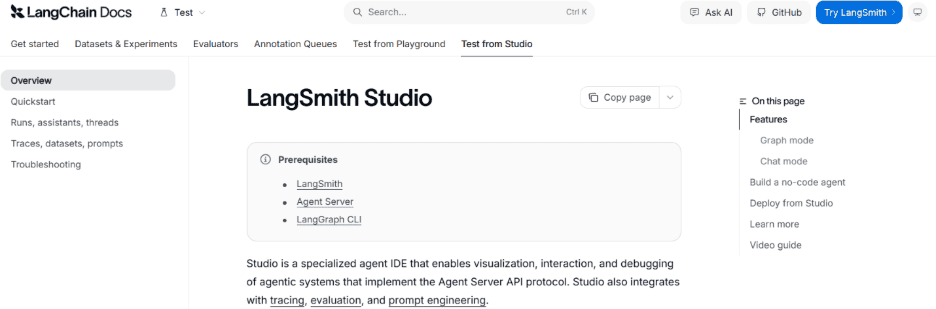
LangSmith Studio (earlier known as LangGraph Studio), is an agent IDE that draws your graph’s structure and highlights the nodes each run passed through. You can inspect the state at every step, rewind to an earlier point and rerun from there. It also links to LangSmith datasets, so you can test a fix against saved cases. It needs a LangSmith account, the Agent Server and the LangGraph CLI, and no-code agent building is available only on LangSmith Cloud.
LangGraph is code-first, so you set up hosting and observability yourself. Lyzr comes with visual multi-agent flows plus dashboards, logs and traces. Compare Lyzr and LangGraph.
3. Langfuse for visualizing agent runs in production
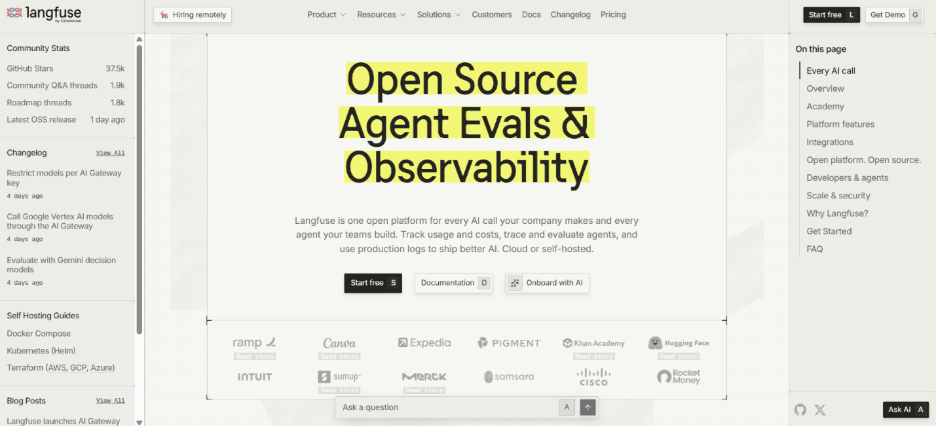
Langfuse is an open-source LLM observability platform that turns agent traces into graphs of every step an agent took. The aggregated view merges repeated steps into one node with a counter and draws loops as cycles. The expanded view unrolls every call in the order it ran, which makes it easy to see where an agent looped or went down an unexpected path. Graphs appear automatically only with the LangGraph integration, and other frameworks first need their traces tagged with agent-specific observation types.
Lyzr scores 12 agent observability tools, like Braintrust and Datadog, and many more on trace depth, policy enforcement and cost predictability. Explore the best AI agent observability tools to decide which tool fits your workflow.
4. Arize AX for mapping multi-agent paths and failure points
Arize AX is an AI observability and evaluation platform whose Agent Trajectory view turns agent traces into an interactive graph and path diagram. It shows which agents call which, where loops happen, and which paths end in failures. The graph is built from standard OpenTelemetry span attributes, and LangGraph, CrewAI, AutoGen, the OpenAI Agents SDK and Agno set those attributes automatically. Other frameworks need each agent span tagged by hand which might increase the operational overload, and any span without a node ID won’t appear in the graph.
Credits spike after a deploy, and nobody knows which agent caused it. Lyzr’s Monitoring and Analytics dashboards break usage down by agent, latency and reliability, with a trace for every run. See how monitoring works in Agent Studio.
5. Langflow for prototyping agent flows on a visual canvas
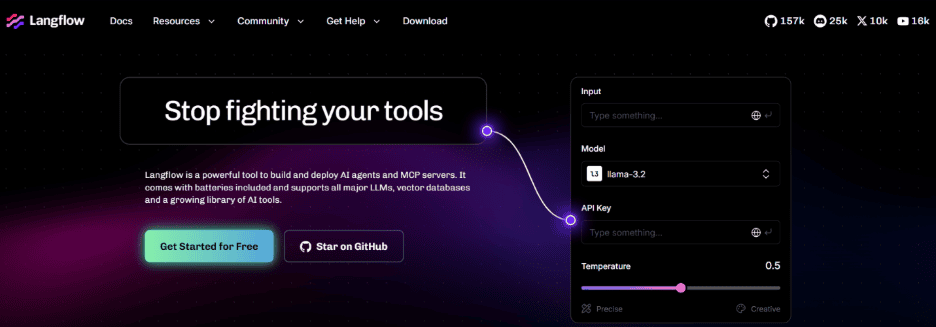
Langflow is an open-source visual builder where you connect models, agents, tools and data sources as components on a canvas. Each component shows its inputs and outputs, so you can test a flow step by step in the built-in playground before serving it as an API. Flows built in the editor are then packaged for a separate backend-only runtime. Move to production might take extra setup, because of the separate runtime service, PostgreSQL with pgVector, and Redis to share caches across replicas.
Understand how to instrument AI agents with OpenTelemetry to give each agent run its own trace and tag each one with the agent version.
See every agent step before you scale with Lyzr agent workflow automation
Lyzr helps you design agent workflows on a visual canvas, watch them run node by node, and track their health after launch. Your security and approval rules apply at every step.
- SuperFlow: Visual workflow builder with live run status and replay
- Manager Agent and Traces: Flexible multi-agent routing, with latency and token tracking for each run
- Workflow analytics: Dashboards and real-time logs for agents in production
- Reimaginer: Lyzr’s consultants map one process and take it live in weeks
Take the Lyzr agent test drive →
Best tools for AI agent workflow visualization FAQs
What is the difference between agent tracing and agent workflow visualization?
Agent tracing records every step of a run, including model calls, tool calls, inputs, outputs and latency. Workflow visualization draws that data as a map of connected steps, so you can see the path a run took at a glance. Lyzr Agent Studio does both: traces capture each run, and the SuperFlow canvas shows the workflow node by node.
Can I visualize agents built on different frameworks in one place?
Yes, if the tool accepts OpenTelemetry data, the common standard for traces. Arize AX, for example, reads OpenTelemetry span attributes to build its agent graphs. Lyzr Agent Studio is built on OpenTelemetry, so traces, logs and metrics stay consistent across environments.
Do non-technical teams need coding skills to read an agent workflow?
No, a visual canvas lets product, ops and compliance teams follow a workflow without opening the code. In Lyzr SuperFlow, you can describe a workflow in plain language with Build with AI, and it is drawn on the canvas for you. During a run, each node shows whether it is running, succeeded, failed or waiting for approval.
How do human approval steps appear in a visualized agent workflow?
Most visual builders show an approval as its own node that pauses the run until someone approves or rejects it. Lyzr SuperFlow has a Wait for Approval node that sends approved and rejected runs down separate paths. Paused runs use no compute while they wait and continue from the same point once a decision is made.
Does agent workflow visualization help with audits and compliance?
Yes, a visual record of each run shows reviewers which steps an agent took, which tools it called and where a person approved the action. Lyzr Agent Studio keeps a trace for every run, with tool inputs and outputs, latency and token use. Role-based access controls who can see which runs.
Book A Demo: Click Here
Join our Slack: Click Here
Link to our GitHub: Click Here
Got a use case in mind?
8 weeks from use case to agents running in production.
Platform, people and FDEs, all in. Bring your environment. We'll co-build and stay until it's live.
Talk to UsFree resource
101 AI Agents Use Cases
100+ production-ready AI agent use cases across Marketing, Sales, HR, Banking, Insurance, Operations and a lot more
Download now