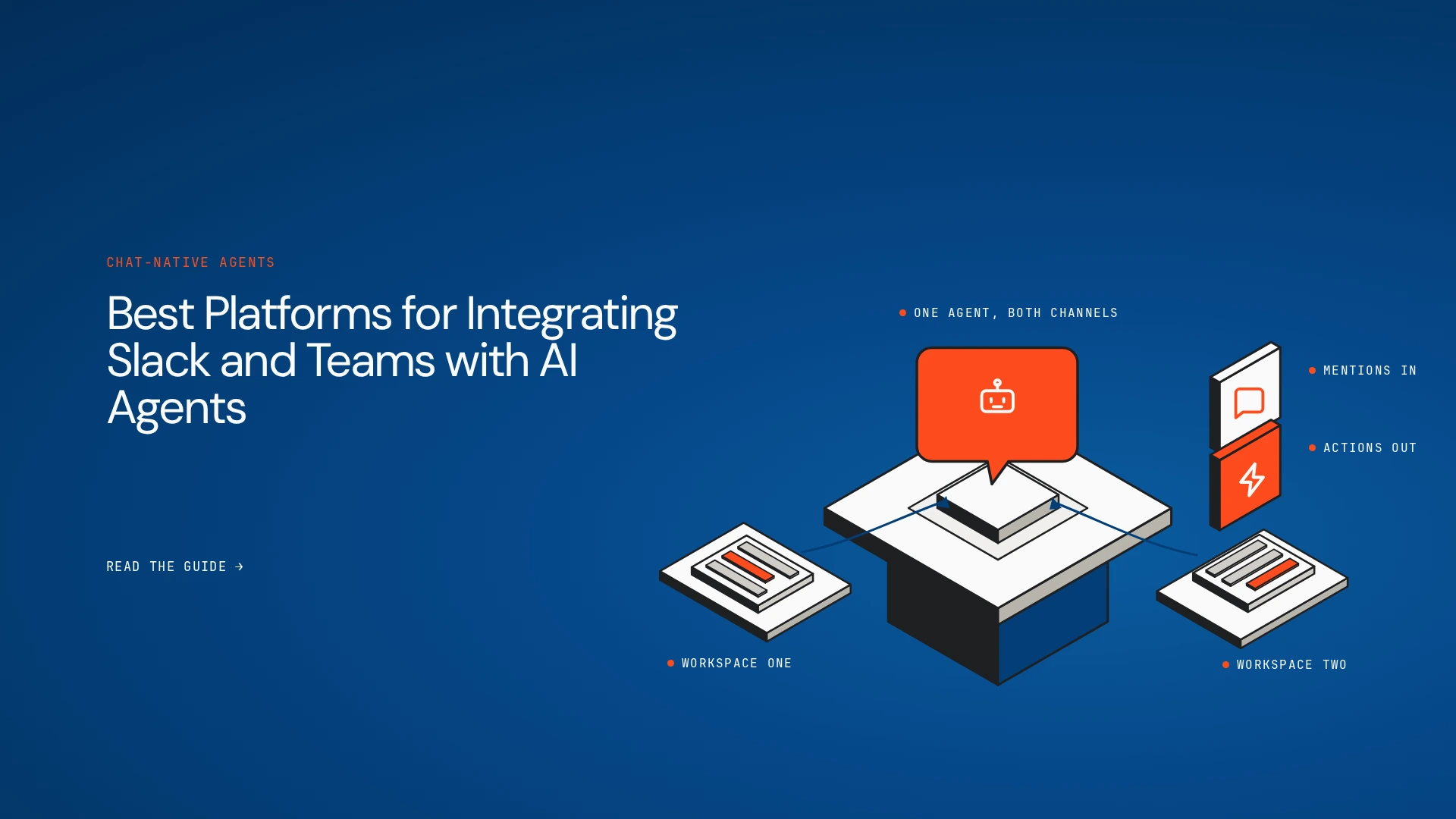
A support lead asks an agent in Slack to look into a ticket. The agent has to pull the customer’s history from the ticketing system, summarise the issue in the same thread and ask for approval before it changes anything. Posting a message is the easy part. What matters is whether the platform ties the conversation, the business context, the tools, the permissions and the action into one dependable workflow.
This guide compares the best platforms for integrating Slack and Teams with AI agents on exactly that question. Some build and orchestrate agents, some connect existing agents to chat, some automate visually, and some live inside one vendor’s ecosystem.
The shortlist
- Lyzr Agent Studio: building and orchestrating enterprise agents and cross-system workflows.
- CopilotKit Channels SDK: connecting existing agents to Slack and Teams with native interactive UI.
- Paragon: integration infrastructure for agents and business applications.
- Conclude: AI teammates that join Slack and Teams channels.
- n8n: self-hostable visual automation with Slack triggers and actions.
- Zapier: no-code automation across Slack and connected apps.
- Make: visual multi-step automation involving Slack, AI services and downstream apps.
- Microsoft Copilot Studio: agents built and published inside the Microsoft ecosystem.
What do these platforms actually do?
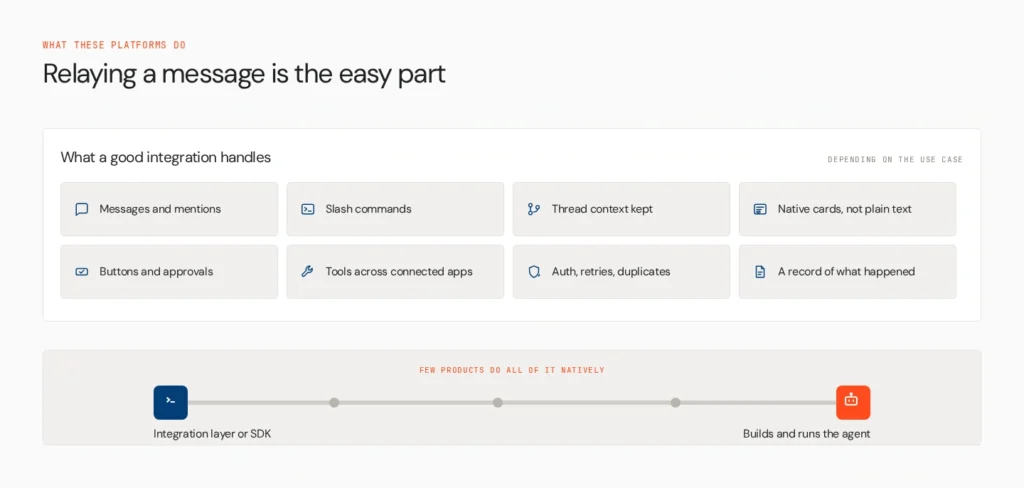
A good integration does more than relay a message. Depending on the use case, it may receive messages, mentions and commands, preserve thread context, reply with native Slack Block Kit or Teams Adaptive Cards, present buttons and approvals, trigger tools across connected apps, handle authentication, retries and duplicate events, and keep a record of actions and approvals.
Few products do all of that natively. Some are an SDK or integration layer, and others build and run the agent itself. Keep that difference in mind through every review below. For broader automation context, see Lyzr’s guides to enterprise workflow automation platforms and agentic workflow automation.
How we compared them
We checked Slack and Teams support separately, agent compatibility (existing, custom or the platform’s own), conversation context, native interactions such as buttons and approvals, workflow execution, build experience, security and permissions, reliability, governance and audit, and deployment options. The comparison reflects public documentation at the time of writing and isn’t a hands-on benchmark. We didn’t infer support from a generic integrations page.
The platforms
1. Lyzr Agent Studio

Lyzr’s Agent Studio has two channel paths. For Slack, you create a Slack app, register Lyzr’s webhook, and create a channel in the Agent Builder. Several agents can share a channel, with /agents to list them and /switch to change the active one, and each person’s selection persists. Slack can also act as a tool: agents post messages, summarise threads, mention people, react to messages and tag a human supervisor to escalate. For Teams, the cookbook uses an Azure Bot, a Microsoft app registration and a Teams app manifest, so messages flow through Azure Bot Service to the agent.
Behind the channel, Agent Studio builds agents with tools and knowledge, orchestrates multi-step flows and exposes every agent through a REST API. An operations request in a channel can gather data from connected systems, route into a workflow and return a status.
- Strengths: a documented path for both Slack and Teams, multiple agents per channel, workflow orchestration
- Limits: setup is manual (a Slack app, an Azure Bot), and the channel docs don’t describe interactive approval cards, so confirm that need
Best for: enterprises building and orchestrating business agents across applications.
2. CopilotKit Channels SDK
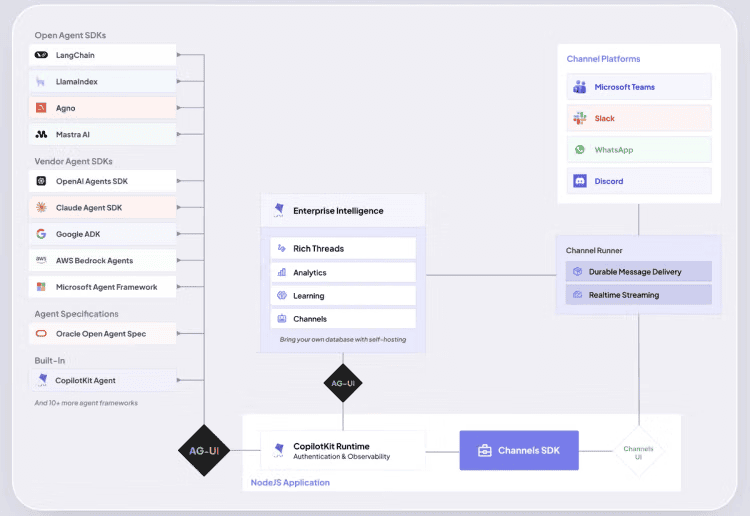
The MIT-licensed Channels SDK, announced in August 2026, brings agents built on frameworks such as LangGraph, CrewAI or Google ADK into Slack and Teams. One message definition renders as Block Kit in Slack and Adaptive Cards in Teams, and the SDK supports tool calls, files and human approval before actions such as writes. Managed connections run through CopilotKit Intelligence. Slack is the more mature surface, while Teams was listed as early access at launch.
- Strengths: native interactive UI, works with existing agents, open-source SDK
- Limits: you write code and own the agent runtime, and Teams maturity needs checking
Best for: engineering teams connecting existing custom agents without rebuilding them.
3. Paragon
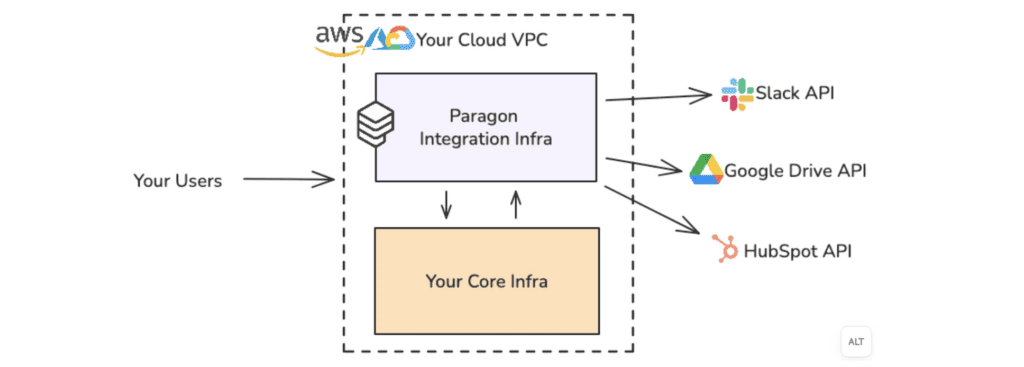
Paragon provides managed integration infrastructure that lets agents connect to Slack and other business applications, with managed authentication and triggers.
- Strengths: many app connections behind one layer
- Limits: confirm which features need which plan, and don’t assume equivalent Teams support
Best for: teams needing managed connections between agents and business systems.
4. Conclude

Conclude focuses on AI teammates that join Slack or Teams channels and use company knowledge.
- Strengths: little custom development, agents that behave like channel members
- Limits: confirm supported workflows and how it fits existing agent infrastructure
Best for: organisations wanting agents in conversations with minimal engineering.
5. n8n
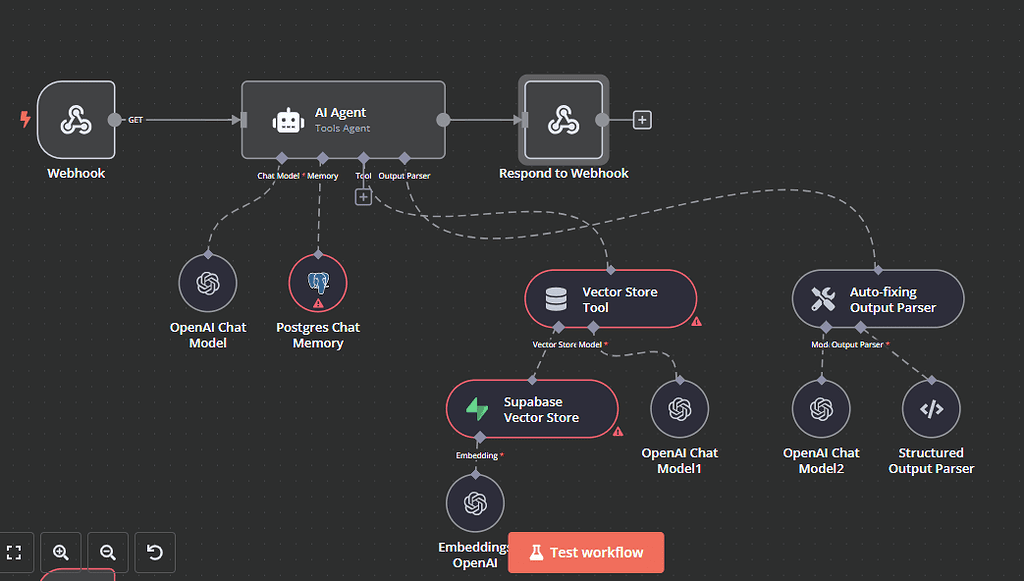
n8n is a visual, source-available automation platform with Slack triggers and actions and nodes for AI services. Its fair-code licence makes it self-hostable.
- Strengths: flexibility and hosting control
- Limits: you design agent logic, credentials, error handling and conversation state
Best for: technical teams that want visual automation with the option to self-host.
6. Zapier
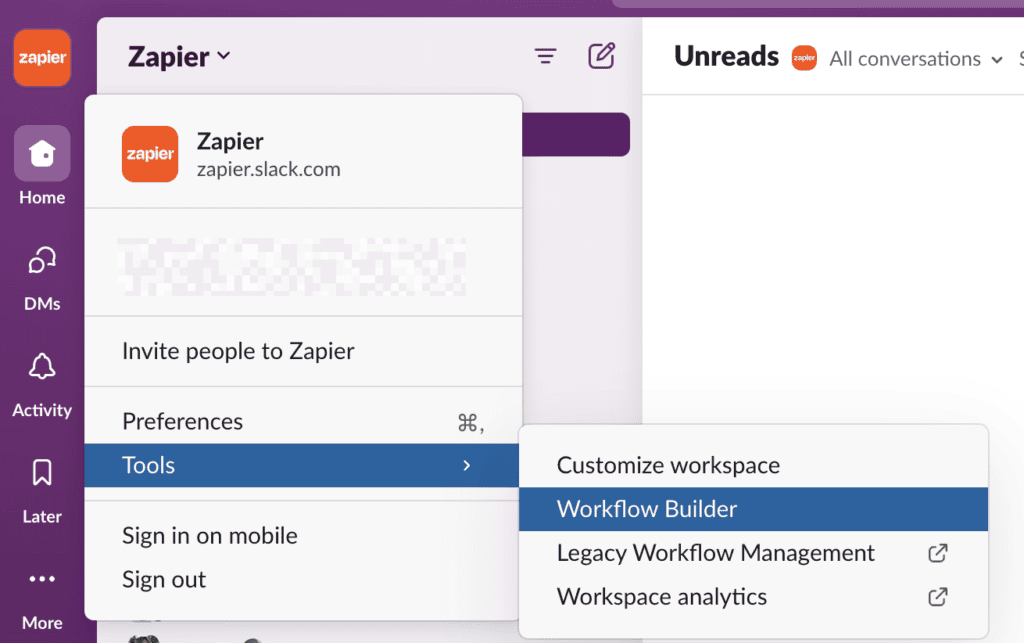
Zapier connects Slack events to AI-powered actions across a wide app catalogue through no-code automation. Check whether a capability is a true agent, an AI step in an automation or a link to an external agent, because those differ.
- Strengths: speed and app coverage
- Limits: complex multi-turn behaviour and fine-grained runtime control may need extra infrastructure
Best for: business teams automating straightforward Slack-triggered processes.
7. Make
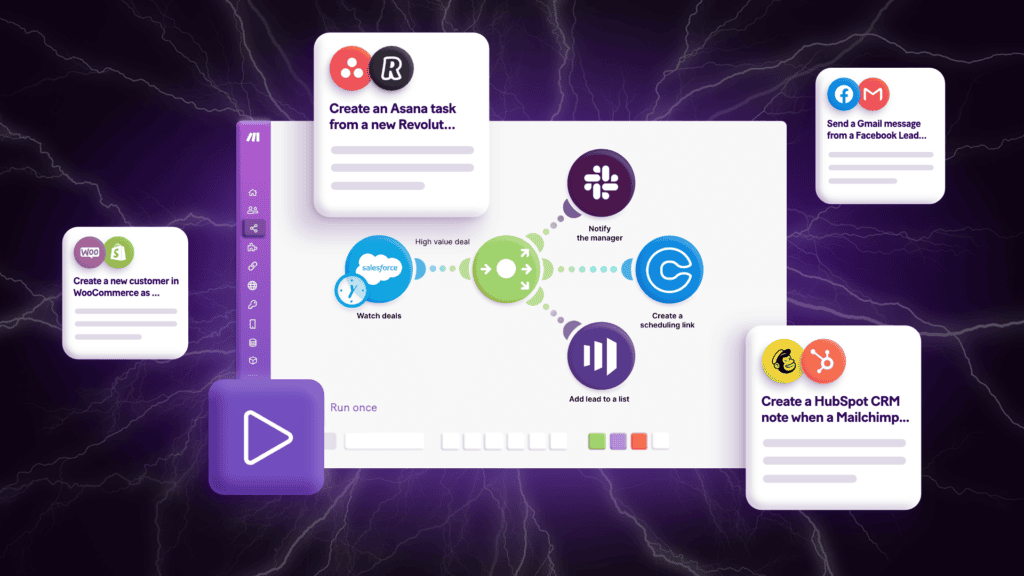
Make offers a visual builder for multi-step scenarios that connect Slack, AI services and downstream apps, for example turning a channel request into a structured task for approval.
- Strengths: clear visual control over multi-step flows
- Limits: AI steps aren’t the same as autonomous agents, so check native agent functionality
Best for: teams wanting visual control over Slack and AI automation.
8. Microsoft Copilot Studio

Copilot Studio builds agents and publishes them to Teams, with connections into Microsoft 365 and the Power Platform.
- Strengths: native fit for Microsoft-centred organisations
- Limits: less flexible for agents running in other frameworks, and Slack support needs checking
Best for: Microsoft 365 enterprises distributing agents inside Teams.
Side-by-side comparison
| Platform | Slack | Teams | Bring existing agents | Visual or low-code | Native interactive UI | Workflow automation | Self-host or private |
| Lyzr Agent Studio | ✓ | ✓ | Partial (via API) | ✓ | Not documented | ✓ | Partial |
| CopilotKit Channels SDK | ✓ | ✓ (early access) | ✓ | — | ✓ | Partial | Partial |
| Paragon | ✓ | — | ✓ | — | Partial | ✓ | Partial |
| Conclude | ✓ | ✓ | Partial | ✓ | Partial | Partial | — |
| n8n | ✓ | Partial | Partial | ✓ | — | ✓ | ✓ |
| Zapier | ✓ | ✓ | Partial | ✓ | — | ✓ | — |
| Make | ✓ | ✓ | Partial | ✓ | — | ✓ | — |
| Copilot Studio | Partial | ✓ | Partial | ✓ | ✓ | ✓ | — |
✓ native or clearly documented · Partial limited or needs extra setup · — not supported or not a primary capability. Features can depend on plan, region and deployment mode.
How to choose
- Building enterprise agents and orchestrating cross-system work: start with Agent Studio and compare its channel setup with your needs.
- An existing agent that needs a native Slack or Teams experience: evaluate the Channels SDK.
- A managed integration layer for many apps: consider Paragon.
- Agents that act like team members in channels: look at Conclude.
- Flexible visual automation with hosting control: n8n.
- Quick no-code automation: Zapier or Make.
- Already standardised on Microsoft 365: Copilot Studio first.
Run a short proof of concept on one real workflow. Test thread continuity, permissions, tool execution, approvals, retries and the audit trail before committing.
Where governance fits
Organisations that run agents across several teams and frameworks need a consistent way to discover, govern, monitor and control them beyond the messaging integration. Agent Studio helps teams build and orchestrate agents, channel tools connect agents to collaboration apps, and Opencontroller addresses governance across the enterprise’s agent estate. Opencontroller isn’t a Slack or Teams connector.
Choose by where the agent runs
Pick a platform by where the agent runs, how it connects to business systems, how native the Slack or Teams experience needs to be and how approvals and permissions are enforced. Explore Lyzr Agent Studio if you need to build and orchestrate enterprise agents and workflows, or book a demo to walk through your Slack or Teams use case. The Agents to Production playbook covers the rollout.
FAQs
Yes. Slack has native AI features, and third-party agents can be installed through apps and integrations. Platforms like Lyzr and CopilotKit connect your own agents.
It depends on your needs. Agent Studio suits business agents and workflows, while frameworks and SDKs suit code-first teams.
Register a bot, route its messages to your agent and publish a Teams app. Platforms such as Copilot Studio, Lyzr and CopilotKit each handle parts of this differently.
Slack offers its own built-in AI features and supports third-party agents. Which you use depends on your workspace configuration and plan.
Yes, with the right layer. Tools like the Channels SDK render one message natively in both, and Lyzr documents separate channel setups for each.
Book A Demo: Click Here
Join our Slack: Click Here
Link to our GitHub: Click Here
Got a use case in mind?
8 weeks from use case to agents running in production.
Platform, people and FDEs, all in. Bring your environment. We'll co-build and stay until it's live.
Talk to UsFree resource
101 AI Agents Use Cases
100+ production-ready AI agent use cases across Marketing, Sales, HR, Banking, Insurance, Operations and a lot more
Download now