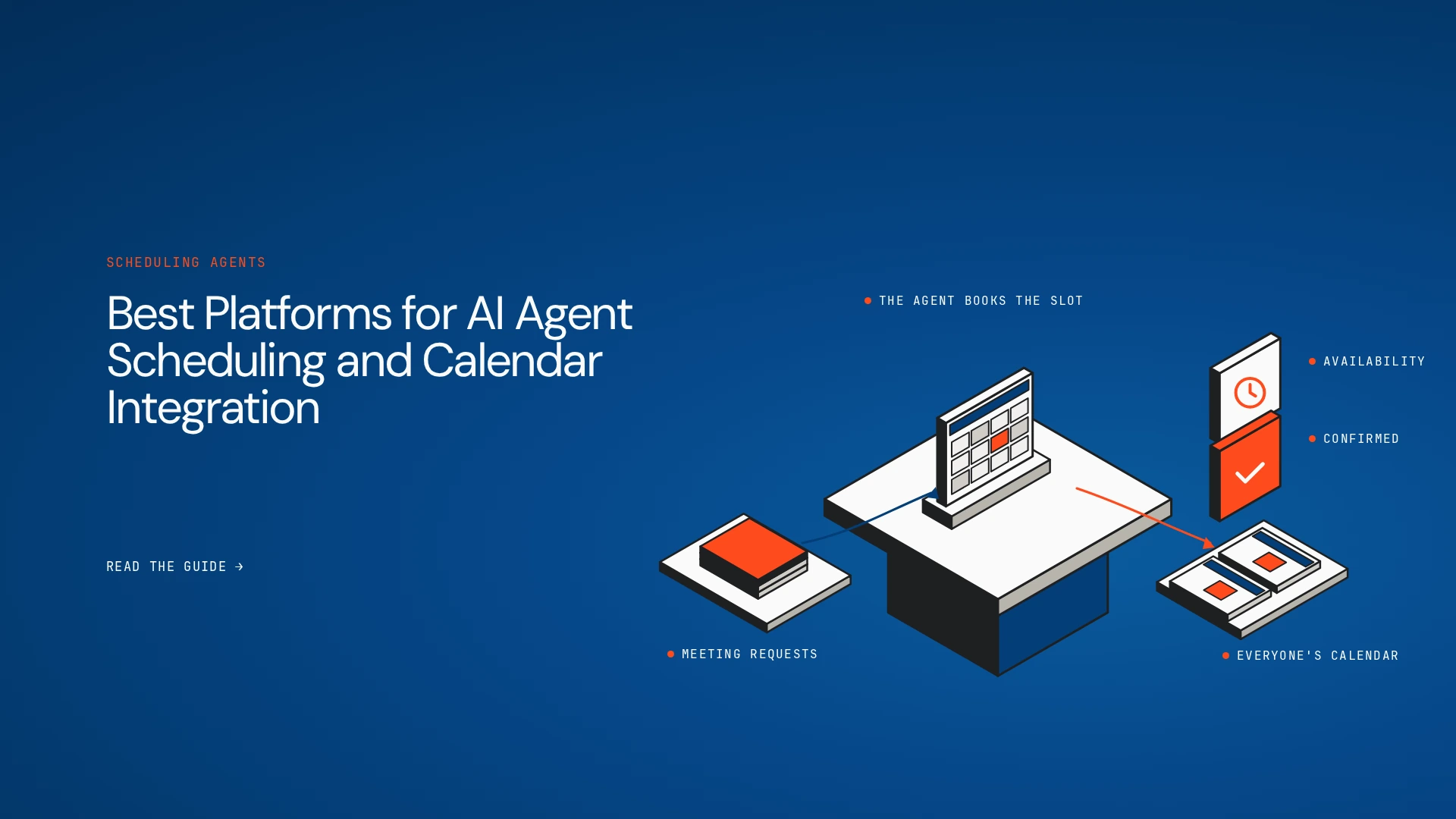
A sales team needs to book a customer meeting. The slot has to work across several calendars without conflicts. The CRM needs updating, and the right follow-up has to go out. A basic scheduler solves the availability problem. A connected agent can also update other systems and coordinate the next step.
That framing sets up the buying decision. Do you need a smarter calendar, or an agent that coordinates work around the calendar? This guide compares the best platforms for AI agent scheduling and calendar integration so you can tell which category fits.
The short answer
- Lyzr Agent Studio: custom scheduling agents and calendar-connected business workflows.
- Reclaim: protecting focus time, habits and flexible task scheduling.
- Calendly: meeting booking, routing and customer-facing scheduling.
- Akiflow: combining tasks, calendars and time blocking.
- Kronologic: automated meeting coordination for sales follow-up.
- Zapier: connecting calendar events and AI actions across apps.
- n8n: customisable calendar workflows with visual automation and self-hosting.
- Microsoft Copilot Studio: custom agents for Microsoft 365 organisations.
What is AI agent scheduling and calendar integration?
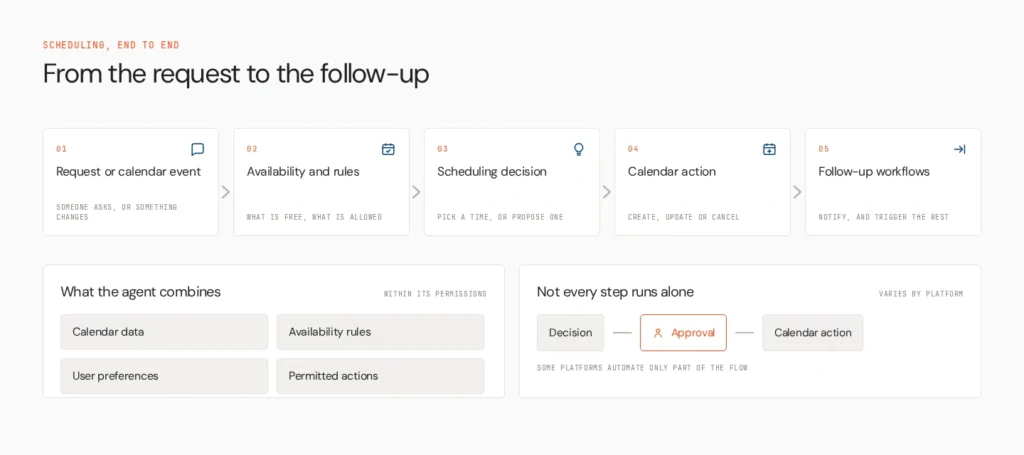
AI agent scheduling combines calendar data, availability rules, user preferences and supported actions to coordinate meetings or manage time. Calendar integration lets an agent read availability, create or update events and connect those actions to other applications, within the permissions it holds.
A complete workflow usually runs through six steps. The agent receives a request or event, retrieves availability and constraints, picks or proposes a time, confirms the decision or asks for approval where needed, creates, updates or cancels the event, and notifies participants and triggers follow-up actions. Few platforms do every step autonomously. Some need a user to confirm, and others automate only parts of the flow.
How we compared them
We checked calendar support (Google, Outlook, others), scheduling capability, AI autonomy, workflow integration, custom agent building, human approval, conflict handling, build experience, security and deployment, and pricing. The comparison rests on official documentation, and we haven’t hands-on tested every product. See Lyzr’s broader guides to enterprise workflow automation and agentic workflow platforms for context on the general category.
The platforms
1. Lyzr Agent Studio

Agent Studio is built for custom agents and multi-step workflows, and its documentation lists calendar tools directly. The Google Calendar tool connects through OAuth with read and write access and can find free slots, create, update and delete events, and add an event from a natural-language string. The Outlook integration works through Microsoft Graph with calendar read and write scopes and can create events and meeting invites. A Calendly tool can create meetings or share booking links, and it respects time zones, buffers and cancellation policies.
Because tools combine into multi-agent workflows, scheduling can sit inside a larger process. An interview-coordination agent might check availability, apply your scheduling rules, propose a slot, update the recruiting workflow and notify participants.
- Strengths: documented Google, Outlook and Calendly tools, custom logic, orchestration across apps
- Limits: it isn’t a ready-made personal calendar assistant, and email-based negotiation with outside parties and richer conflict rules aren’t described, so you build them into the workflow
Best for: enterprises that need custom scheduling agents embedded in business workflows.
2. Reclaim

Reclaim optimises an individual’s calendar by protecting focus time, scheduling habits and fitting tasks around changes.
- Strengths: low-effort calendar optimisation
- Limits: it isn’t a general agent platform, so don’t expect custom cross-app orchestration
Best for: people and teams protecting focus time.
3. Calendly

Calendly handles booking links, availability, routing and customer-facing scheduling. Check which AI features your plan includes.
- Strengths: dependable booking and routing
- Limits: scheduling and routing aren’t the same as an agent running arbitrary multi-step workflows
Best for: sales, recruiting and customer success teams that book external meetings.
4. Akiflow

Akiflow combines tasks and calendar planning with time blocking across connected tools.
- Strengths: one view of tasks and commitments
- Limits: task planning isn’t autonomous scheduling, so check which steps need you
Best for: individuals coordinating tasks across productivity tools.
5. Kronologic
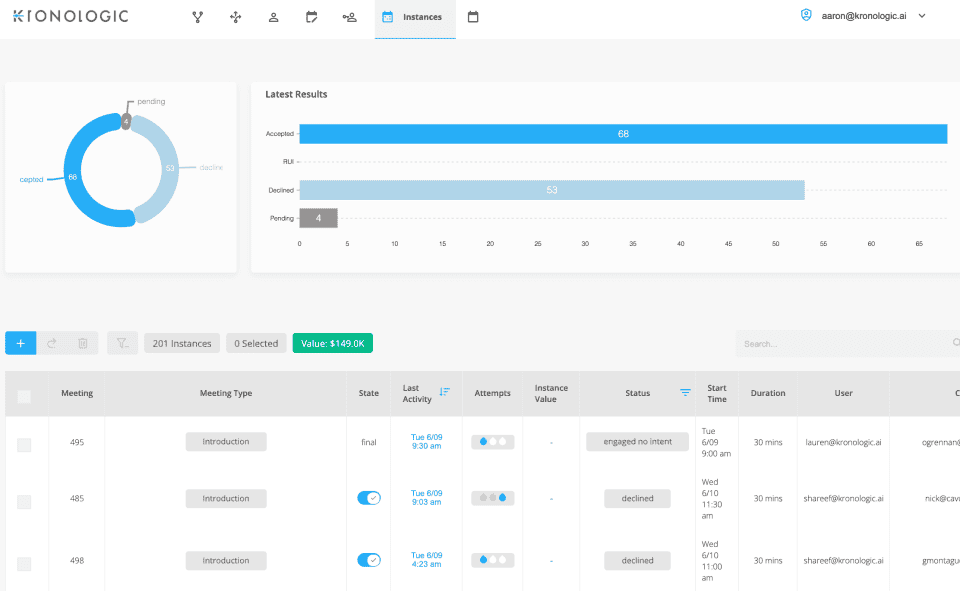
Kronologic automates meeting booking for sales and lead follow-up, sending invites on behalf of reps. It was acquired by East11 Ventures, so confirm current product details and pricing.
- Strengths: focus on turning engagement into booked meetings
- Limits: sales-centred, and not a general-purpose agent builder
Best for: revenue teams automating meeting coordination.
6. Zapier

Zapier connects calendar triggers and actions to CRMs, notifications and AI steps. An automation with an AI step differs from a persistent agent with its own state and decision loop.
- Strengths: wide app coverage, fast setup
- Limits: complex stateful scheduling and fine permissions need careful configuration
Best for: business teams linking calendar events to many SaaS apps.
7. n8n

n8n is a visual automation platform with API connectivity and fair-code self-hosting. A workflow could read a calendar event, fetch CRM context, ask a model to draft a follow-up and route it for review.
- Strengths: flexibility and deployment control
- Limits: you manage authentication, error handling and state
Best for: technical teams that want control over custom calendar workflows.
8. Microsoft Copilot Studio

Copilot Studio builds custom agents inside the Microsoft ecosystem, with Outlook and Power Platform connections.
- Strengths: identity and data already in Microsoft 365
- Limits: check licensing and connectors, and don’t assume every scheduling action is native
Best for: Microsoft-centred enterprises.
Left out: Clara, an email-based scheduling assistant, because its ownership history is inconsistent across sources and it only recently relaunched. Check its current status before considering it.
Side-by-side comparison
| Platform | Primary use case | Calendar scheduling | Custom agent building | Cross-app workflows | Automation level | Deployment flexibility |
| Lyzr Agent Studio | Custom scheduling agents | ✓ | ✓ | ✓ | Configurable, with confirmation steps | Partial |
| Reclaim | Focus time and tasks | ✓ | — | Partial | High | — |
| Calendly | Booking and routing | ✓ | — | Partial | Booking automation | — |
| Akiflow | Task and calendar planning | Partial | — | Partial | Assistive | — |
| Kronologic | Sales meeting automation | ✓ | — | Partial | High | — |
| Zapier | App connections | Partial | Partial | ✓ | Depends on setup | — |
| n8n | Custom automation | Partial | Partial | ✓ | Depends on setup | ✓ |
| Copilot Studio | Microsoft agents | Partial | ✓ | ✓ | Configurable | — |
✓ native or clearly documented · Partial limited or needs configuration · — not a focus. Dedicated schedulers are usually faster to adopt for specific calendar tasks. Agent-building and automation platforms give more flexibility for organisation-specific workflows.
How to choose
- A ready-made personal assistant: Reclaim or another dedicated tool.
- Booking, routing and customer-facing scheduling: Calendly.
- Task planning across calendars: Akiflow.
- Sales meeting automation: Kronologic, after confirming its current status.
- Calendar events that trigger actions across SaaS apps: Zapier or n8n.
- Custom enterprise scheduling agents across several systems: Agent Studio.
- A Microsoft 365 organisation: Copilot Studio first.
Run a proof of concept on a real workflow. Test time zones, calendar permissions, double-booking prevention, rescheduling, failed API calls, user confirmation and the audit trail.
Where governance fits
Agent Studio helps teams build and orchestrate agents. Organisations running many agents across teams may also want visibility, policy enforcement and runtime controls across them, which is where OpenController fits. It isn’t a calendar tool or a scheduler.
Match the platform to the decision
Choose by the scheduling decisions the platform must make, the calendar actions it can perform and the business systems it must coordinate. Explore Lyzr Agent Studio if you need custom agents and multi-step workflows beyond routine calendar management, or book a demo to walk through your scheduling use case. The Agents to Production playbook covers rollout.
FAQs
It depends on what you need. Reclaim suits personal calendar optimisation, Calendly suits booking, and Agent Studio suits custom workflows.
Match the platform to your team. Agent Studio suits business workflows, and developer frameworks suit code-first teams.
Partly. Tools like Reclaim adjust schedules automatically, while others propose changes and wait for confirmation.
Yes, within the permissions they hold. They can check availability and create events, and you can add confirmation before changes.
An assistant optimises or books within the calendar. An agent treats scheduling as one step in a wider workflow that touches other systems.
Book A Demo: Click Here
Join our Slack: Click Here
Link to our GitHub: Click Here
Got a use case in mind?
8 weeks from use case to agents running in production.
Platform, people and FDEs, all in. Bring your environment. We'll co-build and stay until it's live.
Talk to UsFree resource
101 AI Agents Use Cases
100+ production-ready AI agent use cases across Marketing, Sales, HR, Banking, Insurance, Operations and a lot more
Download now