Somewhere in your organization right now, a prompt that took three people two weeks to get right is sitting in a config file, a Notion doc, or a hardcoded string inside a repo nobody wants to touch.
Nobody remembers exactly which version is live.
Nobody can say for certain why the last change was made, or who approved it.
And if it starts misbehaving in production, the fix is a Slack thread, not a rollback button.
That’s not a hypothetical. It’s the default state of prompt management at most companies that scaled generative AI faster than they built the infrastructure to govern it. The prompt is the most consequential asset in the entire LLM stack, and it’s usually the least protected.
This guide is for the people who have to fix that: platform engineers standing up the infrastructure layer, technical decision-makers writing the RFP, and buyers trying to separate real enterprise capability from a feature list. We’ll cover why Git alone can’t carry this weight, what a serious prompt versioning tool actually needs to do, how the current vendor landscape breaks down, and the operational mistakes that turn a good tool into shelfware.
TL;DR
- Prompts now function as production infrastructure, not disposable text, and Git tracks changes but not performance, approvals, or business impact.
- Modern prompt versioning tools add rollback, branching, environment promotion, A/B testing, evaluation, RBAC, and audit trails in one system.
- A major 2025 market event, Humanloop’s shutdown after being acquired by Anthropic, is a live case study in vendor risk that every buyer should factor into procurement.
- The right tool choice depends on team composition (engineers-only vs. cross-functional), regulatory exposure, and how deeply prompts are tied to multi-agent systems.
- Buying beats building for all but the largest AI-native organizations, because the real cost isn’t the license, it’s the engineering time diverted from product work.
What prompt versioning actually means (and why it’s not just “save history”)
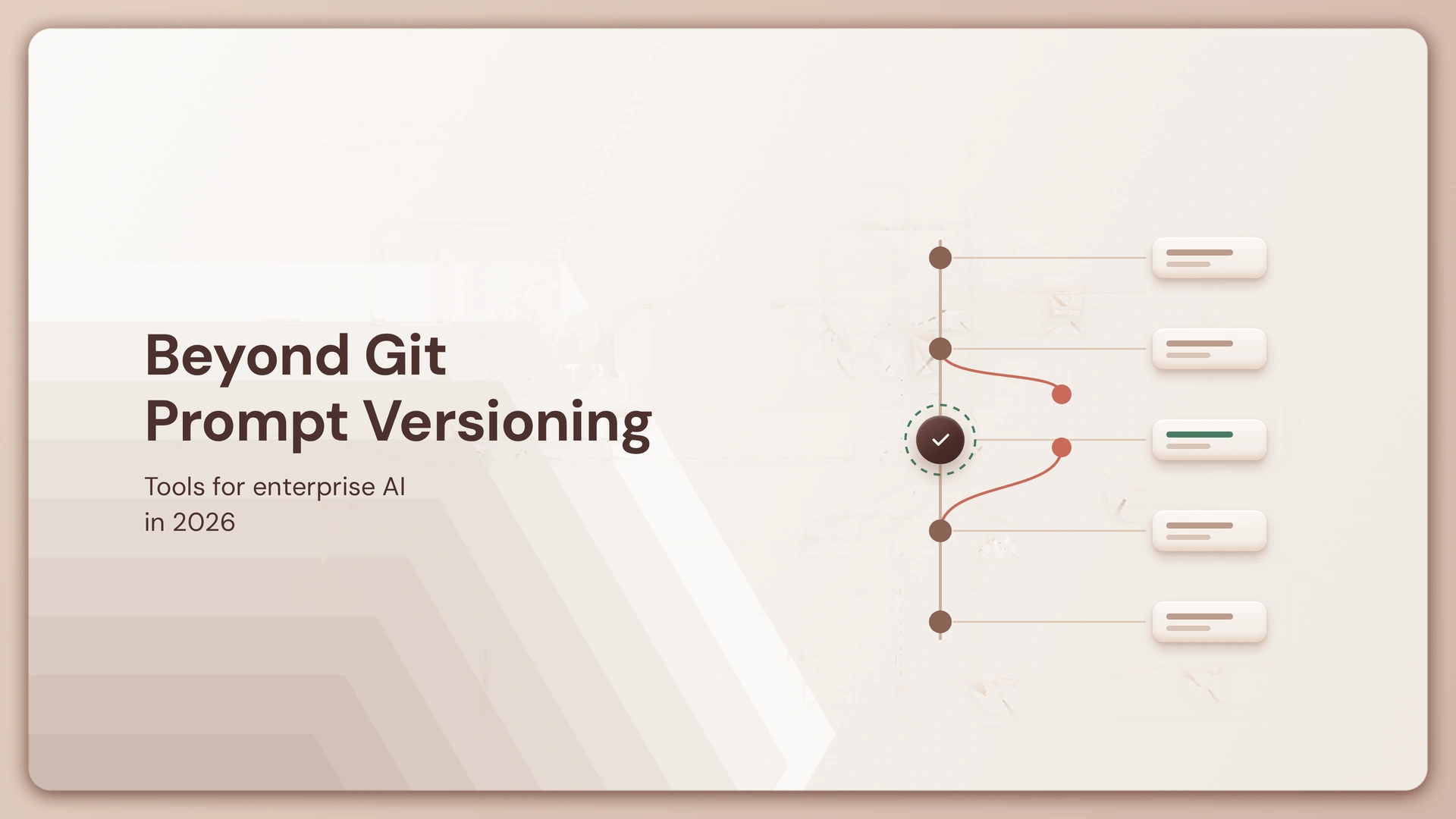
Prompt versioning is the practice of treating every prompt as a tracked, immutable artifact with its own identity, history, and performance record, not a string you overwrite. Each edit produces a new version with a unique ID, a record of what changed, and (in a properly built system) a link to how that change performed against real or synthetic traffic.
That last part is what separates prompt versioning from simple document history. A prompt isn’t just text. It’s the model selection, the temperature and token settings, the tool schemas an agent can call, the safety constraints, and often an entire multi-turn conversation structure bundled together.
Modern prompts don’t just include text. They include model selection, parameters like temperature and max tokens, tool schemas, safety constraints, and sometimes entire multi-message conversations that together define how an AI system behaves. Version that poorly, and you’re not tracking a sentence, you’re losing control of a system’s entire behavior.
This is also why prompt management can’t stay a single-call concern once you’re running agents instead of one-shot completions. AI agents rely on multiple prompts, and a small change to an early prompt can cascade through the agent and completely change its behavior, which is why prompt management tools must operate at the agent level, not just the single-call level. If you’re building AI agents that chain reasoning steps and tool calls, a single unversioned prompt upstream can quietly break everything downstream of it.
Why Git alone fails for AI prompt version control
Git tracks what text changed. It has no concept of whether that change made the system better, worse, cheaper, or riskier, and in production AI, that gap is where incidents live.
A Git diff shows you old text versus new text. It cannot tell you that the new version increased hallucination rate, added latency, or quietly disabled a safety guardrail a legal team required. Prompts don’t fail loudly like broken code. They fail by degrading, subtly, unevenly, often invisible until a customer complains.
Git also assumes its users are comfortable with branches, pull requests, and commit messages. Most of the people who need to shape a prompt aren’t engineers. Product managers, compliance reviewers, and domain experts are frequently the ones with the context to know a prompt is wrong, and Git’s workflow actively excludes them. The best prompt management tools solve these issues by decoupling prompts from application code and turning them into centrally managed assets, enabling version control, safe rollbacks, and structured experimentation without redeploying services.
There’s also no built-in way to answer the two questions that matter most in production: which version is currently live, and is it actually working. Most teams ask the same questions: which version is live, how do we measure a change, how do we roll back if performance drops, and which tool makes sense for our setup. Git answers none of them without bolting on custom tooling, which is exactly the maintenance burden a dedicated platform is built to remove.
None of this means Git is useless. Plenty of teams run lean on it for a long time. But there’s a real tell for when you’ve outgrown it: if plain Git still covers your needs, keep using it until it visibly breaks. The break point is usually the same for every team, multiple non-engineering stakeholders touching the same prompt, or a compliance requirement that demands a real audit trail.
What a modern prompt management platform should actually do
Ten capabilities separate a serious enterprise tool from a glorified prompt notebook. Skip any of them and you’ve just rebuilt Git with a nicer interface.
- Version history with performance context. Every version needs more than a text diff, it needs a linked performance record: accuracy, cost, latency, and the eval scores tied to that specific version.
- One-click rollback. If a new version degrades output quality, restoring the last known-good version should take seconds, not a redeploy. This sounds basic, but it’s the single most tested capability in current tool comparisons, because a rollback that quietly breaks linked traces or evaluation datasets isn’t really a rollback. Versioning robustness is often the first criterion tested, specifically whether a rollback actually works in production conditions, tested by making breaking prompt changes and verifying that older versions could be restored cleanly without side effects to linked traces or evaluation datasets.
- Branching and safe experimentation. Teams need to fork a production prompt, test changes in isolation, and merge only what proves out, without ever touching the live version.
- Collaboration built for non-engineers. If only engineers can open the tool, you’ve solved a technical problem and left the actual quality problem, domain judgment, locked out. Collaboration with non-technical stakeholders lets domain experts iterate on prompts through the UI, and that visual, no-code focus is what brings prompt version control to non-engineers.
- Formal approval workflows. Sign-off gates for legal, compliance, or clinical review before a prompt reaches production, not a comment thread that may or may not get read.
- Environment management. Dev, staging, and production as distinct, enforced stages, so an untested prompt physically cannot reach real users.
- A/B testing and staged rollout. Route a percentage of live traffic to a new version and measure it against the incumbent on real outcomes before a full cutover.
- Integrated evaluation. Prompts should be testable against a fixed dataset automatically, not manually pulled into a separate script. Before a prompt moves forward, engineers typically run it against a fixed set of gold-standard test cases to confirm it actually follows the rules before it advances.
- Audit trails and RBAC. A complete, unalterable record of who created, edited, approved, and deployed each version, with permissions granular enough to match your compliance model. SOC 2 compliance, in-VPC deployment, role-based access controls, and audit trails are non-negotiable for organizations handling production AI at scale.
- Production observability tied to version. When latency or error rates spike, you need to know instantly which prompt version is responsible, not spend an afternoon reconstructing it from logs. This is the same discipline behind AI agent tracing, where every output has to be traceable back to the exact configuration that produced it.
Agent Versioning: The Missing Layer in the AI Agent Development Lifecycle

How the current vendor landscape actually breaks down
The market has split into two clear camps, and knowing which one you’re evaluating changes what you should expect. The field is splitting between “prompt registry as a feature,” tools like Portkey, Helicone, and LangSmith, and “prompt lifecycle as the whole product,” tools like Braintrust, Agenta, and Vellum.
Framework-native tools optimize for a specific ecosystem. LangSmith is a development platform from LangChain that provides prompt versioning, tracing, and evaluation for teams building with LangChain or LangGraph, and prompts stored in its Hub load directly into LangChain code with full change history tracked. That’s a real advantage if you’re deep in that stack, and a real limitation if you’re not, it’s easiest to justify if you’re already on LangChain, but its value drops outside that ecosystem, and it lacks branching and approval workflows.
Open-source, self-hosted options trade some polish for data ownership, a meaningful tradeoff in regulated environments where prompts may touch sensitive data. Langfuse provides versioned prompt storage under MIT license with Docker deployment, though teams need to build evaluation, testing, and alerting on top, in exchange for full data ownership, which matters where compliance requirements are strict.
Proxy-based tools aim for near-zero integration friction, which makes them attractive to teams that want non-engineers editing prompts fast. One prompt management platform frames itself as a “prompt CMS” emphasizing collaborative version control and governance patterns like release labels, explicitly positioning its tooling as usable by subject-matter experts as well as engineers.
And then there’s the cautionary tale every buyer in this space should know. Humanloop, once a well-regarded enterprise prompt management platform, was acquired by Anthropic in July 2025 and shut down that September, and teams still on it needed to migrate fast. Crucially, Humanloop shut down on 8 September 2025 after Anthropic acqui-hired its founders and team, and Anthropic took no IP or assets, meaning the platform was gone, not transferred. That’s not a footnote, it’s the strongest argument for treating vendor lock-in, data portability, and exit strategy as first-class evaluation criteria, not afterthoughts.
Comparison: Git vs. a purpose-built prompt versioning platform
Feature-by-Feature Breakdown
| Capability | Git-based workflow | Enterprise prompt versioning platform |
|---|---|---|
| Version history | Text diffs only | Version history linked to performance metrics |
| Rollback | Manual revert, requires redeploy | One-click restore, no redeploy needed |
| Non-engineer collaboration | Requires Git literacy | UI-driven editing, comments, approvals |
| Approval workflows | Informal, via PR comments | Formal, enforceable sign-off gates |
| Environment promotion | Manual branching convention | Structured dev/staging/production stages |
| A/B testing | Requires custom tooling | Built-in traffic splitting and comparison |
| Evaluation | External scripts, manual | Automated scoring against test datasets |
| Audit trail | Code changes only | Full lifecycle logging (create, edit, approve, deploy) |
| Access control | Repo-level only | Granular, per-prompt and per-action RBAC |
| Observability link | None | Version tied directly to live performance data |
Evaluation criteria worth actually weighting
Not every criterion matters equally to every buyer. Weight these against your own risk profile before you compare vendors.
- Rollback integrity under real conditions. Ask vendors to demonstrate a rollback after a breaking change, not a clean demo scenario. The test that matters is whether older versions restore cleanly without side effects to linked traces or evaluation datasets.
- Runtime overhead. A tool that fetches the “current” version at inference time adds latency to every call. A tool that adds meaningful overhead per LLM call to serve the current prompt version is making a real tradeoff, one that compounds across a high-volume production system.
- Team composition fit. If product managers and compliance reviewers need to touch prompts directly, prioritize tools built for that from day one rather than engineer-first tools with a UI bolted on.
- Governance depth. SSO, tenant isolation, audited change history, and SLAs aren’t nice-to-haves in regulated industries, they’re gating requirements. These features include RBAC, SSO, tenant isolation, audited change history, and SLAs.
- Vendor durability and exit path. After Humanloop, ask directly: what happens to our prompts, evaluation history, and audit logs if you shut down or get acquired? Can we export everything in a usable format today?
- Agent-level thinking. If your roadmap includes multi-agent orchestration, confirm the tool versions prompts at the agent and workflow level, not just the single API call.
Where this shows up in real enterprise deployments
Regulated customer service. A financial services firm running an LLM-based support agent needs every prompt version tied to a compliance sign-off before it can reach production, plus an audit trail proving which version was live during any customer interaction under dispute. This is exactly the kind of governance layer built into a control plane for BFSI environments.
Multi-team product organizations. When marketing owns tone and legal owns disclaimers but engineering owns deployment, approval workflows are the only thing standing between “everyone has an opinion” and “nothing ships.” A structured sign-off chain turns that friction into a repeatable process instead of a recurring argument.
Agent-heavy platforms. Teams building on an agentic control plane to orchestrate multiple specialized agents need prompt changes upstream tested against downstream tool-selection behavior before rollout, a single reworded system prompt can change which tool an agent chooses to call.
High-volume consumer applications. Where cost-per-query and latency directly hit margins, A/B testing prompt versions against real traffic, not just accuracy, determines whether a “better” prompt is actually cheaper to run at scale.
Implementation: what separates a rollout that sticks from one that doesn’t
- Start with one high-impact application, not a company-wide mandate. Prove rollback and evaluation value on a single system before asking every team to change how they work.
- Write the governance model before you write a single prompt. Decide who approves what, and at what stage, before the tool goes live, not after the first disputed deployment.
- Build a golden dataset early. Run the draft prompt against a fixed set of gold-standard test cases to confirm it actually follows the rules, this becomes your regression suite, the same way a test suite protects a codebase.
- Wire promotion into existing CI/CD, don’t run it in parallel. A separate, manual promotion process for prompts is exactly the kind of shadow workflow that erodes adoption within a quarter.
- Treat the tool as the single source of truth, immediately. The moment a prompt exists in both the platform and a stray doc or Slack message, you’ve recreated the exact problem you bought the tool to solve.
The mistakes worth naming directly, because they show up constantly:
- Choosing an engineer-only tool when the real bottleneck is cross-functional collaboration, this is consistently identified as the biggest source of failed ROI.
- Tracking latency and cost but not business outcomes. An A/B test that doesn’t connect to conversion, resolution rate, or satisfaction is measuring the wrong thing.
- Building in-house because it feels straightforward. It rarely stays that way, and it pulls engineers off product work to maintain infrastructure a vendor already solved.
- Ignoring vendor stability. Humanloop customers learned this in September 2025, migrate on your timeline, not in an emergency window after a shutdown announcement.
Frequently asked questions
What is prompt versioning?
Prompt versioning is the practice of saving every change to a prompt with a unique ID, a record of what changed, and its history over time. Prompt versioning is the process of saving every prompt change with an ID, a diff, and a history. In enterprise settings, that history is also linked to performance data, so teams can see not just what changed but whether the change helped or hurt.
Why isn’t Git enough for managing prompts in production?
Git tracks textual changes but has no concept of prompt performance, approval status, or production impact. It shows you a diff, not whether the new version increased cost, degraded accuracy, or removed a safety constraint, and it offers no native workflow for non-engineering stakeholders to review or approve changes.
What features should I look for in prompt management software?
At minimum: version history linked to performance metrics, one-click rollback, branching for safe experimentation, non-engineer collaboration tools, formal approval workflows, environment management across dev/staging/production, built-in A/B testing, integrated evaluation against test datasets, complete audit trails, and role-based access control.
How do you roll back a prompt in production?
In a dedicated platform, rollback means restoring a previous version instantly without redeploying the application, while preserving the integrity of any linked traces or evaluation data. In a Git-only setup, rollback typically requires a manual revert and a full redeploy, which is slower and riskier during an active incident.
What happened to Humanloop, and what does it mean for buyers?
Humanloop was acquired by Anthropic in mid-2025 and shut down that September, with Anthropic taking the team but not the platform’s IP or customer assets. It’s now a concrete example of why vendor durability, data portability, and export options belong in every procurement checklist for this category.
Is prompt versioning the same as prompt engineering?
No. Prompt engineering is the practice of designing and refining prompt text to get better model outputs. Prompt versioning is the infrastructure layer that tracks, tests, and governs those prompts once they’re deployed, engineering produces the prompt, versioning manages its lifecycle.
Should we build a prompt versioning system in-house or buy one?
For most organizations, buying is the more efficient path, because the ongoing maintenance of rollback safety, evaluation pipelines, and audit infrastructure competes directly with engineering time better spent on the product itself. In-house builds tend to make sense only for AI-native companies where prompt infrastructure is close to the core product.
The real cost isn’t the tool, it’s what happens without one
Every enterprise running production AI eventually hits the same wall: prompts scale faster than the ability to govern them. The question isn’t whether you’ll need a system for this, it’s whether you build one deliberately, or assemble one reactively after an incident forces the issue.
Git will get you started. It won’t get you through an audit, a compliance review, or a 2 a.m. rollback under pressure. The teams that treat prompts as production assets, versioned, evaluated, approved, and observable, are the ones shipping AI systems that survive contact with real users and real regulators.
As your organization moves further into agentic OS platforms and multi-step orchestration, the number of prompts you’re responsible for won’t shrink. It will multiply, and the instructions governing each one will carry more operational weight, not less.
Best Agentic OS Platforms: Enterprise Buyer’s Guide
Lyzr builds version control, approval workflows, and observability directly into the agent development lifecycle, so prompt governance isn’t a separate system bolted on after the fact. If you’re evaluating how to bring that discipline to your own AI stack, our team can walk through it against your actual environment.
Book A Demo: Click Here
Join our Slack: Click Here
Link to our GitHub: Click Here