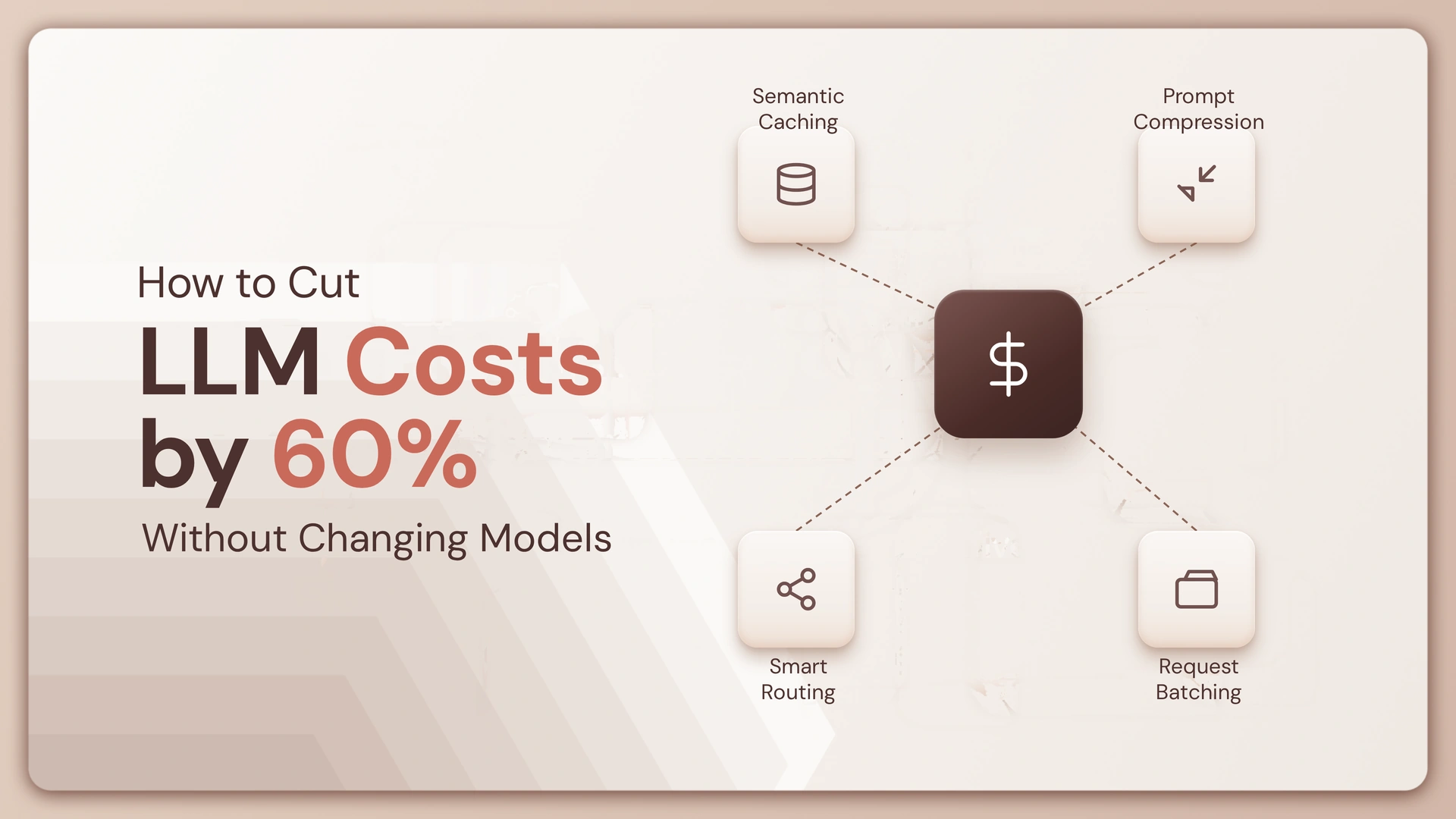
You don’t always need a cheaper model to get a cheaper AI bill.
Sometimes the expensive part isn’t the model at all. It’s the 12,000-token prompt you keep sending, the same context being loaded five times, or an agent making three calls when one would do.
If your LLM bill has started climbing faster than usage, the first question shouldn’t be “Which model should we switch to?”
It should be “What are we making the model do that it doesn’t need to do?”
With the right controls, a 60% reduction can be a realistic optimization target for workloads carrying a lot of unnecessary token and workflow overhead.
Start with the bill, not the model
Before changing anything, break your LLM spend into the things that actually create the bill.
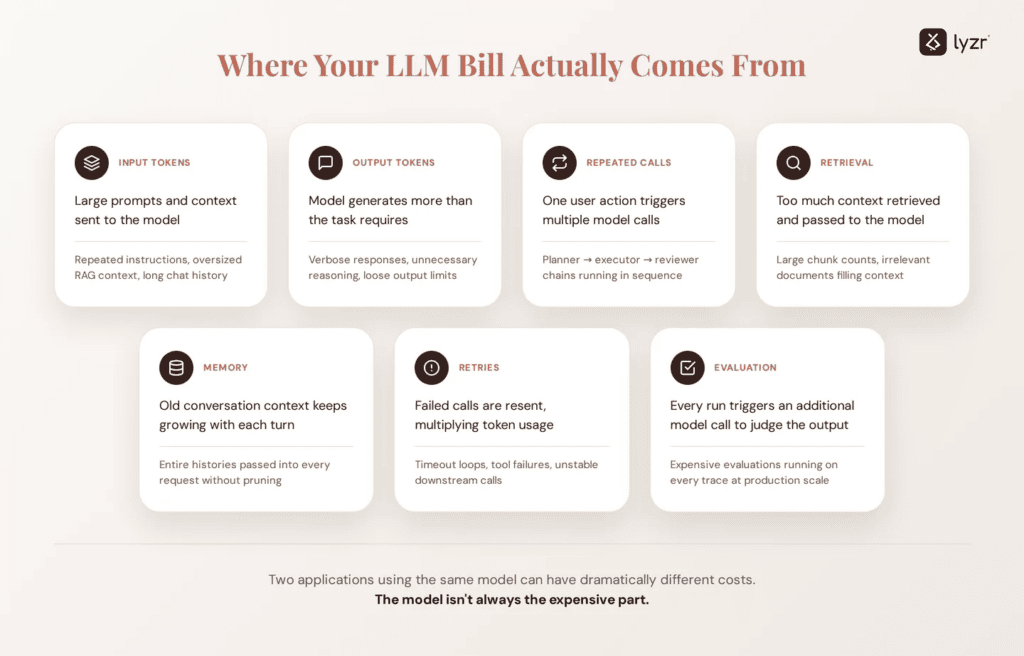
An LLM request generally has two obvious cost drivers: input tokens and output tokens. But agentic workflows add more layers around them—retrieval, memory, repeated calls, tool execution, retries, evaluation, and orchestration.
That means two applications using the exact same model can have dramatically different costs.
| Cost driver | What happens | What to look for |
|---|---|---|
| Input tokens | Large prompts and context are sent to the model | Repeated instructions, oversized RAG context, long chat history |
| Output tokens | The model generates more than necessary | Verbose responses, unnecessary reasoning, loose output limits |
| Repeated calls | One user action triggers several model calls | Planner → executor → reviewer chains |
| Retrieval | Too much context is retrieved | Large chunk counts, irrelevant documents |
| Memory | Old conversation context keeps growing | Entire histories passed into every request |
| Retries | Failed calls get repeated | Timeout loops, tool failures, unstable workflows |
| Evaluation | Every run triggers additional model calls | Running expensive evaluations on every trace |
The key insight is simple:
You can reduce the number of tokens and calls without changing the model producing them.
Lyzr’s AI agent monitoring and tracing approach is useful here because token usage, latency, reliability, and execution traces give you a much clearer picture of where the spend is actually coming from.
The 60% target: where can the savings actually come from?
Let’s make this practical.
Suppose your current monthly LLM spend is $10,000. A 60% reduction means getting that down to $4,000.
You don’t need one giant optimization to save $6,000.
You can get there by stacking several smaller improvements.
| Optimization | Example reduction | Running total |
|---|---|---|
| Remove unnecessary prompt context | 20% | 20% |
| Reduce retrieved chunks | 10% | 30% |
| Trim conversation history | 8% | 38% |
| Cap unnecessary output | 7% | 45% |
| Remove redundant model calls | 8% | 53% |
| Add caching and reuse | 7% | 60% |
These percentages are a planning model, not a promise. Your actual savings depend on how your application is built.
But the pattern matters.
Cost optimization is usually a workflow problem before it becomes a model-selection problem.
Before you optimize, answer these 5 questions
Don’t change your architecture yet.
Look at your last 100–1,000 production traces and answer these:
1. How many tokens does one successful task consume?
Not the model’s advertised context window.
Your actual average.
2. How many model calls happen per task?
One user request might quietly become:
User → Planner → Retrieval → Agent → Reviewer → Final response
That’s five opportunities to spend tokens.
3. How much context is repeated?
If the same 8,000-token policy document is being sent on every request, you’re paying repeatedly for information that may barely change.
4. How often does the agent retry?
A 2,000-token request that fails twice before succeeding isn’t a 2,000-token request anymore.
5. Which requests actually need the full context?
This is often where the biggest savings are hiding.
A simple customer lookup does not need the same context as a complex compliance investigation.
Quick cost audit
Use this checklist before touching your model configuration:
- Average input tokens per request
- Average output tokens per request
- Model calls per successful task
- Average retrieved chunks
- Average conversation-history length
- Retry rate
- Tool-call frequency
- Cost per successful task
- Top 10 most expensive workflows
- Top 10 agents by total monthly spend
If you can’t answer at least 7 of these, you probably don’t have enough visibility to optimize intelligently yet.
Your prompt may be costing more than you think
A common mistake is looking only at the final answer.
The model sees everything you send before it generates that answer.
Consider a request with:
- 2,000 tokens of system instructions
- 3,000 tokens of conversation history
- 4,000 tokens of retrieved context
- 1,000 tokens of user input
- 800 tokens of output
That’s 10,800 tokens around one response.
Now imagine the same pattern running 20,000 times per month.
The problem isn’t necessarily your model.
The problem is that you’ve built a pipeline that keeps asking the model to reread the same information.
A better context budget
Instead of asking, “How much context can this model handle?”, ask:
“How much context does this task actually need?”
| Context | Keep? | Better approach |
|---|---|---|
| Current user request | Yes | Always include |
| Relevant instructions | Yes | Keep concise |
| Entire chat history | Usually no | Summarize or retain relevant turns |
| Full knowledge base | No | Retrieve only relevant sections |
| Previous tool outputs | Sometimes | Keep only outputs needed for the next step |
| Repeated static instructions | No | Compress and standardize |
| Unused metadata | No | Remove it |
A smaller context isn’t automatically a better context.
The goal is relevant context.
Stop sending the whole knowledge base
RAG can reduce the need to stuff information into a prompt, but poorly configured retrieval can create another cost problem.
Imagine retrieving 20 chunks for every question when 5 would have answered it.
You haven’t optimized retrieval.
You’ve simply moved the token bill upstream.
A useful starting point is to measure:
Retrieved tokens → relevant tokens → answer tokens
If you’re retrieving 10,000 tokens and only 2,500 are actually useful, there’s a lot of room to cut.
Try this retrieval checklist
- Reduce the number of retrieved chunks
- Remove duplicate chunks
- Set a relevance threshold
- Keep chunk sizes appropriate to the question
- Filter by metadata before semantic retrieval
- Retrieve broadly only when the task actually requires it
- Measure how often retrieved context is used
The goal isn’t “retrieve more.”
It’s retrieve enough.
Your agent might be calling the model too many times
This is where agentic applications can quietly become expensive.
Consider two workflows.

Both can produce the same result.
But Workflow A makes several model calls before the user sees anything.
That doesn’t mean multi-step workflows are bad. Planning, review, and validation can be valuable.
The question is:
Does every step need an LLM?
Sometimes a deterministic function, rule, API call, or cached result can handle the step more cheaply.
A simple decision test
For every model call in your workflow, ask:
If I removed this call, would the quality of the final result materially decrease?
If the answer is “no,” you’ve probably found a cost-saving opportunity.
Don’t make the model generate what your application can decide
LLMs are useful for ambiguous tasks.
They are expensive places to put simple rules.
For example:
Instead of:
Ask the model whether the customer is in the US, UK, or EU.
Consider:
Use the customer’s country field and route deterministically.
Or:
Instead of:
Ask the model whether the response should be under 500 characters.
Use:
An application-level output constraint.
The model should handle the reasoning that actually needs a model.
Everything else should stay outside it where practical.
Cap output before it becomes a cost problem
Input tokens often get attention first, but output can quietly grow too.
A model doesn’t know that your application only needs 80 words unless you give it a reason to stop.
Compare:
| Request | Possible output |
|---|---|
| “Explain the result.” | 600–1,000 tokens |
| “Return the 3 key findings.” | 150–300 tokens |
| “Return JSON with 3 fields.” | 50–150 tokens |
The third format isn’t always appropriate.
But when your downstream application only needs structured data, asking for an essay is an expensive design decision.
Before sending a prompt, ask:
- Does the application need prose?
- Could the response be structured?
- What is the maximum useful output?
- Are examples making the prompt unnecessarily large?
- Is the model repeating information already present in the request?
A tighter output contract can reduce both cost and downstream processing.
Cache the work you already paid for
If the same question, retrieval result, or intermediate computation appears repeatedly, don’t automatically run it again.
Caching can be especially useful for:
- Repeated user questions
- Static instructions
- Frequently retrieved documents
- Expensive intermediate results
- Repeated tool responses
- Stable classification results
Think of it this way:
The cheapest token is the token you don’t have to send again.
For an application receiving 100,000 requests per month, even a modest cache hit rate can materially change the monthly bill.
Here’s a 10-minute LLM cost test
You don’t need a full architecture review to find your first optimization.
Pick your 10 most expensive traces from the last week.
Then fill this out:
| Question | Your answer |
|---|---|
| Average input tokens | ___ |
| Average output tokens | ___ |
| Model calls per task | ___ |
| Retrieved chunks | ___ |
| Tool calls | ___ |
| Retries | ___ |
| Repeated context | ___ |
| Cost per successful task | ___ |
Now ask yourself:
Which number looks unnecessarily high?
That’s your first optimization target.
Not the model.
What happens when you combine the optimizations?
Let’s take a hypothetical workflow costing $10,000/month.
Instead of switching models, the team makes six changes:
| Change | Monthly cost |
|---|---|
| Starting point | $10,000 |
| Reduce unnecessary context | $8,000 |
| Improve retrieval | $7,000 |
| Reduce conversation history | $6,200 |
| Tighten output | $5,500 |
| Remove redundant calls | $4,700 |
| Add caching | $4,000 |
That’s a 60% reduction without changing the underlying model.
The important part isn’t the exact dollar amount.
It’s that each optimization attacks a different source of waste.
Model routing is useful—but don’t start there
Model routing can absolutely reduce costs.
But if your application sends 15,000 unnecessary tokens to a cheaper model, you’ve still built an inefficient workflow.
A better sequence is:
1. Remove waste → 2. Reduce unnecessary calls → 3. Improve context → 4. Add caching → 5. Then consider routing
This keeps model selection from becoming a distraction from basic efficiency.
Lyzr takes a model-agnostic approach, which is useful when teams want to optimize performance and cost without rebuilding their application around a single model. You can also explore Lyzr’s guide to choosing the right model for your use case.
Want to know whether your agent is actually expensive?
Here’s a simple way to think about it.
A model’s price doesn’t tell you the full cost of an agent.
Agent cost = model calls × tokens per call × token price + workflow overhead
That means a “cheap” model can still produce an expensive agent if it is called 8 times with huge contexts.
And an expensive model can be surprisingly economical when it solves a task in one well-scoped call.
Try this comparison
Which workflow would you rather operate?
| Agent A | Agent B | |
|---|---|---|
| Model | Same | Same |
| Input tokens | 12,000 | 4,000 |
| Output tokens | 1,200 | 500 |
| Model calls | 4 | 1 |
| Monthly tasks | 20,000 | 20,000 |
| Relative workload | High | Much lower |
Your answer should be obvious:
The model didn’t change.
The workload did.
That’s the core idea behind serious LLM cost optimization.
How to build a cost-control loop
Cost optimization shouldn’t be a one-time cleanup.
Your application changes. Prompts grow. New agents get added. More tools get connected. Traffic increases.
So the system needs a feedback loop.
Measure → Find waste → Change one thing → Test quality → Deploy → Measure again
| Stage | What to track |
|---|---|
| Measure | Tokens, calls, latency, failures, cost |
| Find waste | Expensive agents and traces |
| Optimize | Context, retrieval, calls, outputs, caching |
| Validate | Quality and task success |
| Deploy | Roll out gradually |
| Monitor | Cost per successful task |
This is where AI agent tracing and monitoring become important. You need to see not only what an agent costs, but what that spend produced.
The checklist: can you cut your LLM bill without touching the model?
Before you call your model provider and start negotiating rates, run through this list.
Context
- Remove repeated instructions
- Summarize long histories
- Send only relevant retrieved content
- Remove unused metadata
- Set a context budget
Workflow
- Count model calls per task
- Remove unnecessary planning/review steps
- Replace deterministic LLM decisions with application logic
- Reduce retries
- Avoid duplicate tool calls
Output
- Define useful output limits
- Use structured responses where appropriate
- Remove unnecessary examples and repetition
- Ask only for information the application actually uses
Reuse
- Cache repeated requests
- Cache stable retrieval results
- Reuse intermediate results where safe
- Identify workflows with predictable outputs
Measurement
- Track cost per successful task
- Track tokens per trace
- Track model calls per task
- Rank agents by monthly spend
- Set cost or token limits for runaway workflows
Lyzr’s rate limits can also be used to cap credit and token usage across users, agents, and sub-organizations.
The real goal isn’t a 60% cheaper model

It is tempting to make LLM cost optimization a model-shopping exercise.
Cheaper model. Lower price per million tokens. New provider. Repeat.
But that’s only one lever.
If your application is sending unnecessary context, making redundant calls, retrieving irrelevant documents, generating oversized responses, and retrying failed workflows, changing models only makes the waste slightly cheaper.
A better goal is simpler:
Make every model call earn its place.
Once you know which calls create value, which tokens are necessary, and which workflows are wasting spend, a 60% cost reduction becomes much more achievable—without asking your team to rebuild around a different model.
Frequently asked questions
Can you reduce LLM costs without changing models?
Yes. The biggest opportunities often come from reducing unnecessary input tokens, output tokens, model calls, retrieval volume, retries, and repeated context. You can optimize the workload before changing the underlying model.
What is the fastest way to reduce LLM costs?
Start by identifying your most expensive traces. Look at input tokens, output tokens, model calls, retrieved context, and retries. The highest-cost workflows usually reveal optimization opportunities faster than changing model providers.
Does reducing prompt size reduce LLM costs?
Yes. When providers charge based on input tokens, reducing unnecessary prompt and context tokens directly reduces usage. The goal is not simply to make prompts shorter, but to remove context the model does not need.
Does RAG reduce LLM costs?
It can, but only when retrieval is efficient. Retrieving 20 large chunks for every request can increase token usage. A smaller set of highly relevant chunks can provide the needed context with less overhead.
How do I reduce token usage in AI agents?
Start by measuring tokens per trace. Then reduce repeated context, trim conversation history, limit retrieved chunks, constrain outputs, remove unnecessary model calls, and cache repeated work.
Is model routing the best way to reduce LLM costs?
Not necessarily. Routing is one useful strategy, but it should come after basic workflow optimization. If an inefficient workflow sends excessive context or makes unnecessary calls, routing alone won’t solve the underlying problem.
How do I track LLM costs across AI agents?
Track cost at the trace, agent, user, workflow, and model level where possible. You should be able to connect spend with outcomes such as successful tasks, latency, errors, and retries. This makes it easier to identify expensive workflows that aren’t delivering proportional value.
What is the difference between reducing token usage and reducing LLM costs?
Token reduction is one way to reduce cost, but LLM spend also depends on the number of model calls, model pricing, retries, and other workflow behavior. The broader goal is to reduce the cost of completing a successful task.
Final takeaway
You don’t need to switch models to make your AI application cheaper.
First, find the work your model shouldn’t be doing.
Cut the repeated context. Tighten retrieval. Reduce unnecessary calls. Limit output. Cache what you already computed. Then measure the result.
If you can bring a $10,000 monthly workload down to $4,000 while keeping the same model and maintaining task quality, you’ve done something more valuable than finding a cheaper API.
You’ve built a more efficient AI system.
Book A Demo: Click Here
Join our Slack: Click Here
Link to our GitHub: Click Here
Got a use case in mind?
8 weeks from use case to agents running in production.
Platform, people and FDEs, all in. Bring your environment. We'll co-build and stay until it's live.
Talk to UsFree resource
101 AI Agents Use Cases
100+ production-ready AI agent use cases across Marketing, Sales, HR, Banking, Insurance, Operations and a lot more
Download now