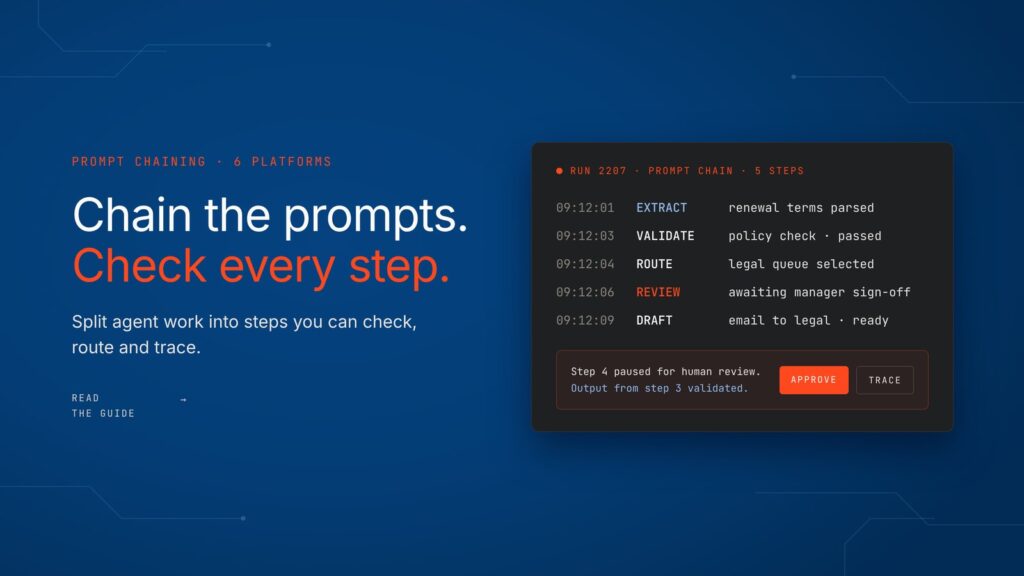

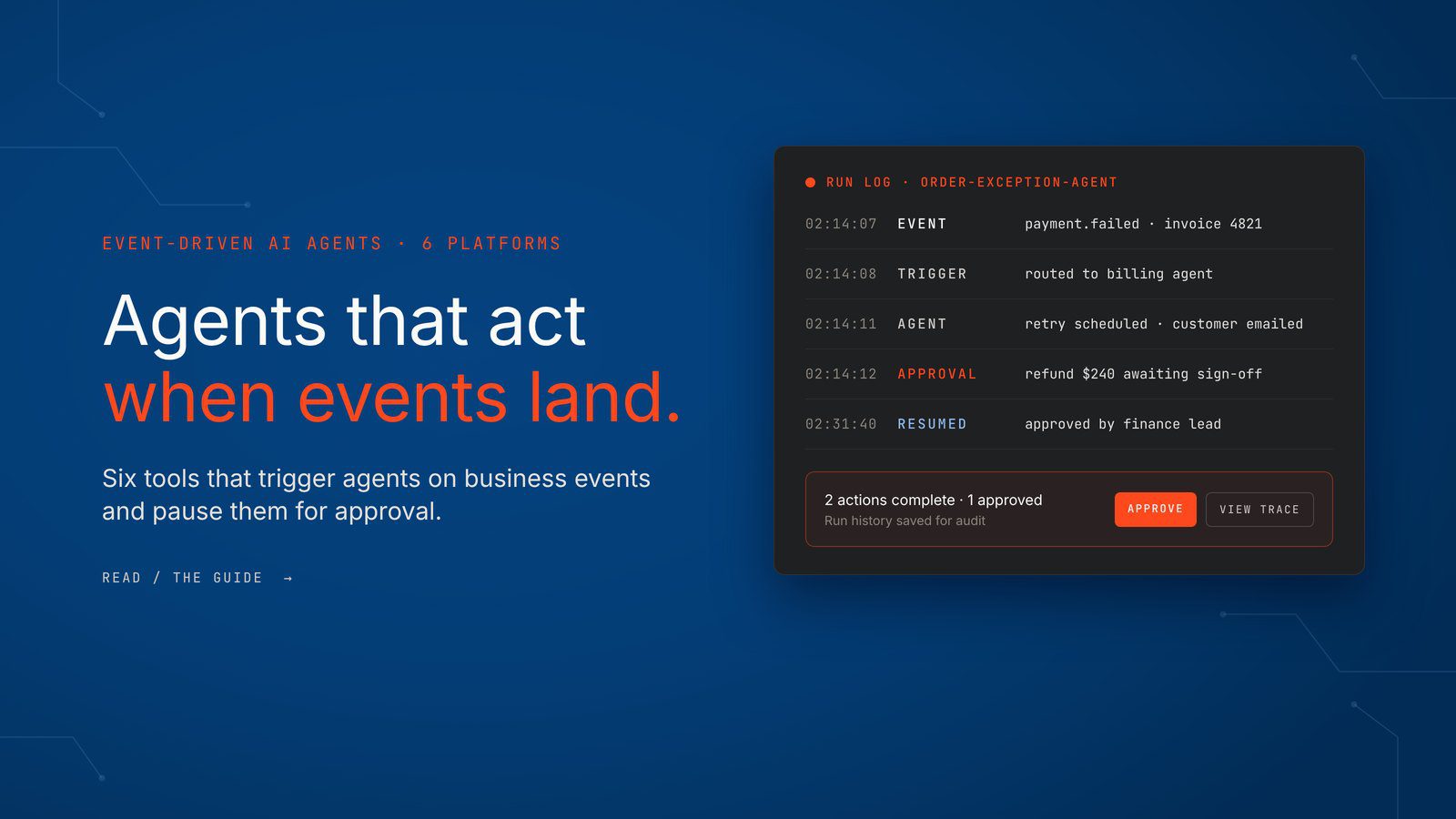
Compare the best tools for event-driven AI agents, from Confluent and Temporal to Lyzr Agent Studio, with triggers, durable runs and human approval steps.
A customer’s card payment fails at 2:14 a.m. The billing system logs the error, and nothing else happens until a support rep opens the queue at 9 a.m., long after the customer has given up and cancelled. Most AI agents still work like that support queue: they wait until a person types a prompt. Event-driven AI agents close the gap by waking up the moment something happens, such as a failed payment or a new ticket, and acting on it within seconds.
Your agents need a dependable way to receive events, keep state across retries, pause for human sign-off and leave a record of every action they take. Here are the best tools for event-driven AI agent workflows that handle orchestration differently, from streaming engines to visual builders, and where each one fits your stack.
Automating a workflow built for inbox-checking humans mostly gives you a faster inbox. The playbook on reimagining enterprise workflows shows how to redesign a process around AI agents before you automate a single step.
TL;DR
- Event-driven AI agents start work the moment a business event happens, such as a failed payment or a new ticket, instead of waiting for someone to type a prompt.
- Choose a tool by trigger and connector coverage, durable state and retries for long runs, built-in human approval steps, governance and audit logs, deployment options and cost model.
- Lyzr Agent Studio starts SuperFlow workflows from webhook or schedule triggers, pauses high-risk steps with a Wait for Approval node and replays past runs end to end.
- Responsible AI controls and audit logs are built in, Opencontroller traces every agent and caps spend, and the stack runs in your own cloud, on-prem or air-gapped.
What are event-driven AI agent workflows?
Event-driven AI agent workflows are agentic workflows that start when a business event occurs, such as a new order, a failed payment or a sensor reading, instead of when a user sends a prompt. An event source (an app, a webhook or a message broker such as Apache Kafka) publishes the event. A trigger routes it to one or more agents, which reason over the event data, call tools and write results back as new events. A durable runtime keeps each run’s state, so the workflow can retry a failed step, wait for a human approval or resume after a crash.
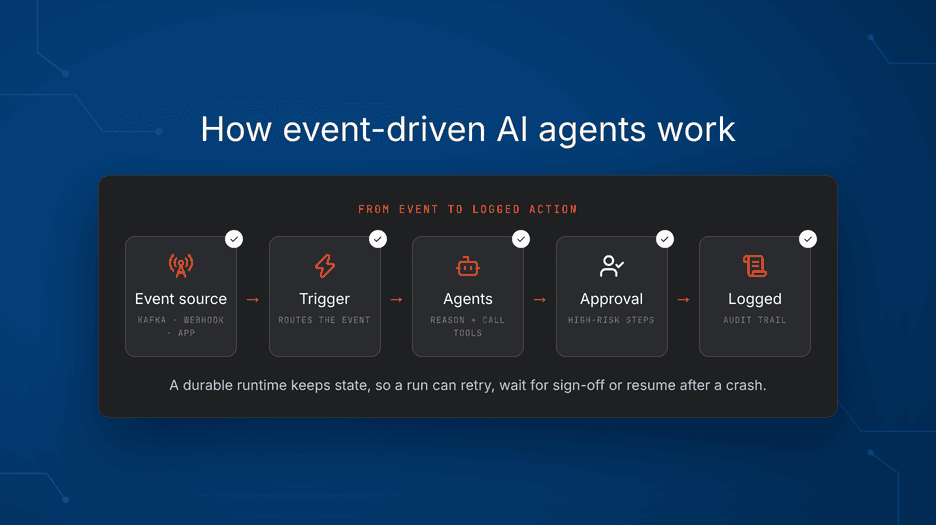
Event-driven AI agents flow: an event source publishes an event, a trigger routes it to agents, a human approves high-risk steps and the action is logged.
Difference between event-driven and request-driven AI agents
Many agents in production today are request-driven: a person asks, the agent answers. Event-driven agents run without that prompt, which changes how you build and govern them.
| Aspect | Event-driven AI agents | Request-driven AI agents |
| Definition | Agents triggered by business events from apps, webhooks or streams | Agents triggered by a user prompt or API call |
| Workflow | Event, trigger, agent reasoning, tool calls, new event | Prompt, agent reasoning, response |
| Primary goal | React to changes in the business as they happen | Answer a question or finish a task on request |
| Use cases | Fraud checks, order exceptions, ticket triage, inventory alerts | Chat assistants, research help, drafting |
| Example | An agent reroutes a shipment when a carrier posts a delay | A user asks an agent where a shipment is |
Most companies run both: request-driven agents serve people, and event-driven agents watch the systems those people depend on.
See how triggers, agents and hand-offs fit together in practice. Watch Agent Orchestration 101 for a short walk-through of how Lyzr coordinates multiple agents in one flow.
Benefits of using event-driven AI agents
Moving agents from prompts to events changes when work happens and how much of it needs a person. The gains show up in response time, spend and audit readiness.
Faster response to business changes
An agent subscribed to a payment-failure event can retry the charge, email the customer and open a ticket within seconds. A batch job that runs every night finds the same failure up to 24 hours later. For fraud, stockouts and service outages, that delay is the difference between a fix and a loss.
Lower spend on idle compute and model calls
Event-driven agents run only when an event arrives. Durable runtimes can also pause a run while it waits for human review or a timer, so you pay nothing for the hours a manager takes to reply. Polling agents, by contrast, call models and APIs on a schedule even when nothing has changed.
Safer testing with replayed events
Because every input is a stored event, you can replay last week’s real traffic through a new agent version before it goes live. That shows you how the agent would have behaved on real orders or tickets, without sending a single email or refund.
Independent scaling for each agent
Each agent reads from its own trigger or topic, so a spike in support tickets scales the triage agent without touching the billing agent. You can add a new agent to an existing event stream without rewriting the agents already consuming it, which keeps multi-agent architecture changes small.
A clear record of why each action ran
Every agent action traces back to the event that caused it, which gives you a ready-made audit trail for AI agents. When an auditor asks why an agent issued a refund, you can show the triggering event, the agent’s reasoning, the approval and the final call in one chain.
A global payments company cut average handle time by 16.17% in its first trial cohort with Lyzr support agents. The payments support automation case study shows how the agents assist reps in real time and escalate with full context.
How to select the right tool for event-driven AI agents
The right tool depends on where your events already live, how long your workflows run and how much AI agent governance your industry demands. Use these criteria to score each option against your own stack.
| Aspect | Key capability | Business impact |
| Trigger and connector coverage | Native triggers for webhooks, schedules, message queues and apps such as Salesforce, SAP and Slack | Agents react to the systems you already run without custom glue code |
| Durability and recovery | Checkpointed state, automatic retries and resume after crashes | Long-running workflows finish even when a model call or API fails |
| Human approval steps | Built-in pauses for sign-off on high-risk actions | Refunds, payments and policy changes stay under human control |
| Governance and audit | Role-based access control (RBAC), guardrails and audit logs for every agent action | Compliance officers can trace and defend each decision |
| Deployment model | Vendor cloud, customer cloud, on-premises or air-gapped options | Sensitive event data stays inside your own environment |
| Multi-agent orchestration | Routing one event to several specialized agents with shared context | Complex processes run end to end without manual hand-offs |
| Cost model | Pricing by agents in production, executions or compute, with any large language model (LLM) | Spend stays predictable as event volume grows |
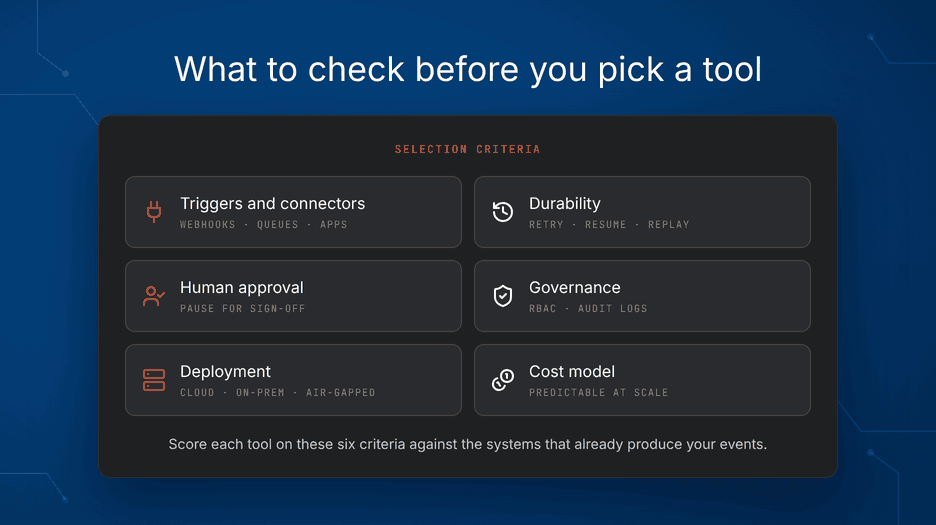
Six criteria for choosing a tool for event-driven AI agents: triggers and connectors, durability, human approval, governance, deployment and cost model.
Weighing a managed platform against a code-first framework? The Lyzr Agent Studio vs LangGraph comparison breaks down build effort, governance and deployment side by side.
Best tools for event-driven AI agent workflows
The tools below split along two lines: whether you write the workflow in code or assemble it visually, and whether events come from a streaming platform, a function runtime or app triggers. They also differ in how much governance and human-in-the-loop review they ship with by default.
| Tool | Best fit | Key features |
| Lyzr workflow automation | Governed, event-triggered enterprise agent workflows | Webhook and schedule triggers, Wait for Approval node, replayable runs, SAP and Salesforce connectors, air-gapped deployment |
| Confluent Streaming Agents | Agents embedded in Kafka and Flink streams | Flink-native agents, replayable inputs, RBAC and audit logging, vector search |
| Temporal | Durable, long-running agent workflows in code | Durable execution, Signals for external events, long timers, crash recovery |
| Inngest | Event-triggered durable functions used by developers | Event triggers, waitForEvent pauses, keyed concurrency, AgentKit |
| Microsoft Agent Framework | Graph-based agent workflows on Azure | Graph workflows, human-in-the-loop steps, durable checkpoints, Azure Functions hosting |
| n8n | Visual event automations with AI agent steps | Visual builder, webhook and app triggers, AI Agent node, self-hosting |
1. Lyzr workflow automation for governed, event-triggered enterprise agent workflows
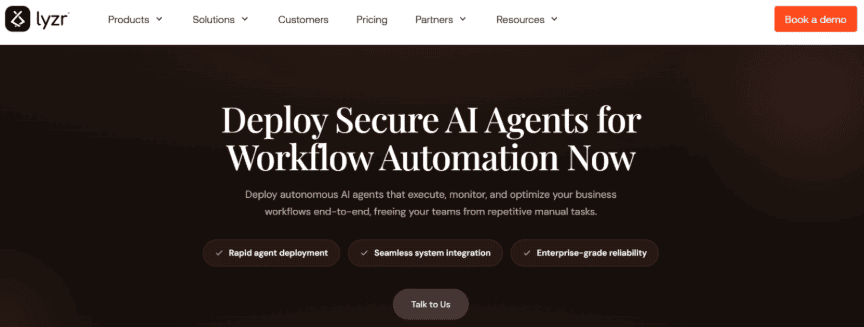
Lyzr Agent Studio homepage
Lyzr Agent Studio is an enterprise platform for designing, building and deploying AI agents and multi-agent workflows, with no-code and API options. Its SuperFlow builder starts each workflow from a Trigger node, fired by a webhook or a durable cron schedule, and a Wait for Approval node pauses high-risk steps for days or weeks at no cost until a person acts. Failed steps retry automatically, past runs replay end to end, and connectors for SAP, Salesforce and Slack bring business events in without glue code. Responsible AI controls and audit logs are built in, and you can deploy on Lyzr’s cloud, your own cloud, on-premises or air-gapped.
When a wireless infrastructure company lost its order automation vendor, it rebuilt the process on Lyzr agents. Document extraction dropped from 30 minutes to 3, and orders now process as they arrive instead of in batches, as the telecom order automation case study explains.
2. Confluent Streaming Agents for agents embedded in Kafka and Flink streams

Confluent Streaming Agents homepage
Confluent Streaming Agents is a Confluent Cloud feature for building and running event-driven agents directly on fully managed Apache Flink and Kafka. Agents sit inside the data stream, so they act on fresh events and can replay past inputs to test new logic without live side effects. Its Real-Time Context Engine adds RBAC and audit logging, and agents can run vector search against streaming data. IBM acquired Confluent in March 2026, so the product roadmap and pricing may shift toward IBM’s watsonx portfolio.
Not sure whether your agents belong in a stream processor or a long-running service? Compare the trade-offs in serverless vs long-running agent runtimes.
3. Temporal for durable, long-running agent workflows in code
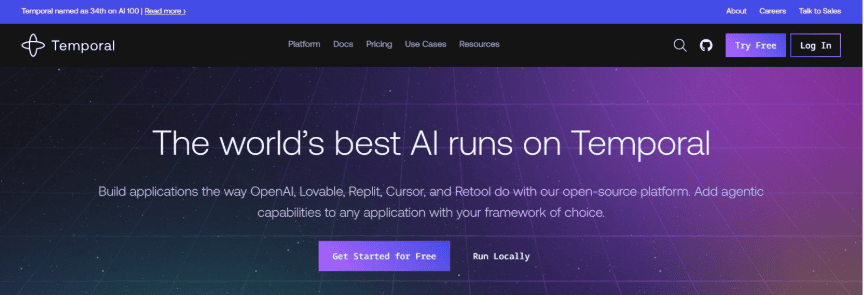
Temporal homepage
Temporal is an open-source durable execution platform, available self-hosted or as Temporal Cloud, where workflows written in code survive crashes and restarts. Signals deliver external events, such as an approval or a status update, into a running workflow, and timers can hold a workflow for days without losing state. Every step is recorded in an event history, which makes agent runs easy to replay and debug. Each workflow’s history has a 51,200 event limit, so agents that make many tool calls in one run may need to split work across executions to avoid termination.
Agent stuck calling the same tool over and over? Learn how runaway tool loop detection catches the pattern before it burns through your model budget.
4. Inngest for event-triggered durable functions used by developers
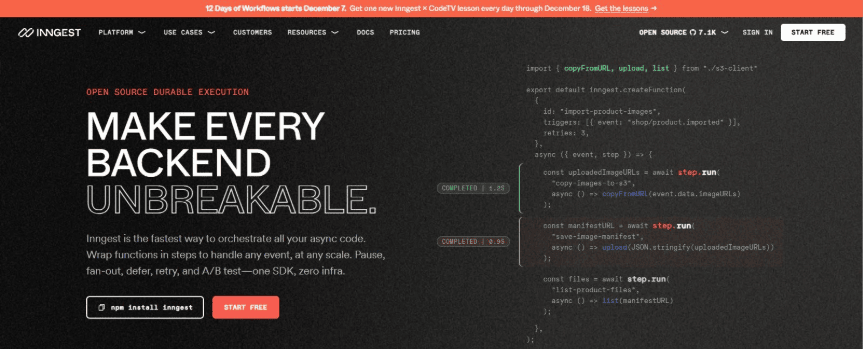
Inngest homepage
Inngest is a durable execution platform where developers write functions that run when an event is sent, then deploy them to their existing host. Its step.waitForEvent call pauses a run until a matching event arrives, which is a simple way to wait for a human decision or an outside system. Concurrency and throttling limits can be keyed to event data, such as one customer ID, and the AgentKit library adds agent and tool-calling building blocks. Inngest enforces a 1,000-step function cap, so agents that create one step per item may hit the limit on large batches.
Put every event handler through a dry run before it touches production data. These tests to run before launching AI agents cover the failure modes that show up first.
5. Microsoft Agent Framework for graph-based agent workflows on Azure
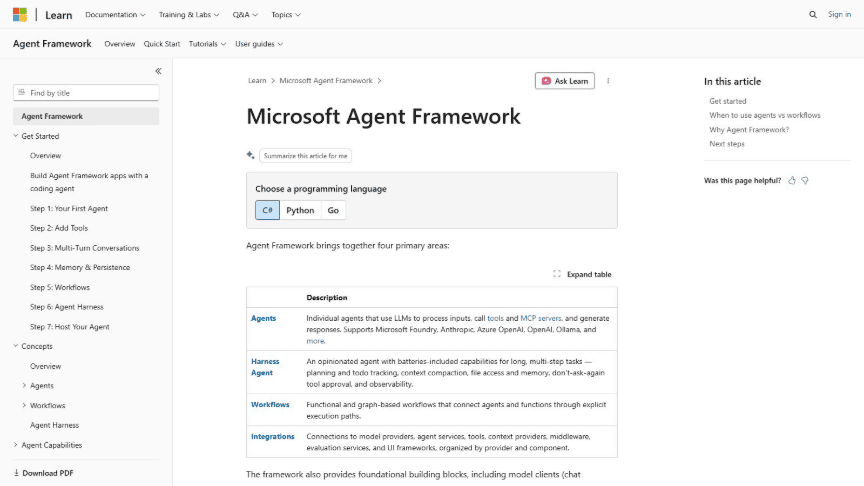
Microsoft Agent Framework homepage
Microsoft Agent Framework is Microsoft’s open-source software development kit (SDK) for .NET and Python, the successor to Semantic Kernel and AutoGen, and it reached version 1.0 in April 2026. Its graph-based workflows combine agents with business logic, branch on conditions, fan out to parallel steps and include human-in-the-loop requests. The durable task extension checkpoints each step and pauses for human input or external events without using compute, with hosting on Azure Functions or your own infrastructure. The durable hosting packages ship as prerelease, so production users may face breaking API changes between versions.
Running agents on Microsoft’s stack and wondering how to govern them? The Opencontroller vs Microsoft Foundry comparison shows where a separate control plane adds oversight.
6. n8n for visual event automations with AI agent steps

n8n homepage
n8n is a workflow automation tool with a visual node editor, offered as n8n Cloud or self-hosted. Trigger nodes start workflows from webhooks, schedules and app events, and the AI Agent node adds LLM reasoning and tool calls inside the same flow. Hundreds of prebuilt integrations make it quick to wire an agent to tools your business already uses. Self-hosted n8n runs under the Sustainable Use License, so offering n8n-powered automation to outside customers may require a separate commercial agreement.
Outgrowing visual flows as your agent count increases? See how Lyzr compares with n8n on governance, multi-agent support and deployment.
Put event-driven AI agents to work with Lyzr
Event-driven agents pay off when they can act on real business events, stop for a human when the stakes are high and show auditors exactly what happened. Lyzr gives you those pieces in one platform, from the trigger to the audit log, running wherever your data has to stay.
- Lyzr Agent Studio: build multi-agent workflows in SuperFlow with webhook triggers, approval pauses and Responsible AI controls built in.
- AI agents for workflow automation: start agents on business events, add human approval checkpoints and track every run with workflow analytics.
- Opencontroller: govern every agent across clouds with owners, guardrails, spend limits and tracing.
Pick one event that costs your business time today and hand it to an agent first.
Best tools for event-driven AI agent workflows FAQs
How do I add human approvals to an event-driven multi-agent workflow?
Place an approval step between the agent that proposes an action and the step that executes it, so the run pauses until a person approves or rejects. Use a durable runtime so the paused run keeps its state for hours or days without holding compute, and route rejections back to a revision step. In Lyzr SuperFlow, the Wait for Approval node pauses the run durably and marks it “Awaiting approval” until someone acts.
Which platforms are best for event-driven AI agent workflows in the enterprise?
The best fit depends on where your events live: Confluent Streaming Agents suits Kafka and Flink shops, Temporal and Inngest suit developers who want durable code, and n8n suits visual builders. Enterprises with strict audit and approval needs usually want governance and flexible deployment in the same platform. Lyzr Agent Studio covers that with SuperFlow, which combines triggers, agents and human approvals on one canvas.
How do you govern event-driven AI agents in production?
Give every agent a named owner, limit the tools and data it can reach, and log each event, decision and action so you can trace any outcome back to its trigger. Add guardrails and spend caps too, since an event spike can multiply model calls within minutes. Lyzr Opencontroller discovers agents across clouds and controls what each one can call, spend and access, as its guide to policy-based agent governance explains.
Can AI agents consume events from Apache Kafka?
Yes, agents can read Kafka topics natively inside a stream processor, as Confluent Streaming Agents does on Flink, or through a consumer service that forwards each event to an agent endpoint. The consumer approach keeps your agent platform separate from the broker, so you can swap either side later. Lyzr SuperFlow accepts forwarded events through a webhook trigger secured with a shared secret header.
Can event-driven AI agents run on-premises or air-gapped?
They can, as long as the event broker, the agent runtime and the models all run inside your network. This setup suits banks, hospitals and government agencies that keep event data out of public clouds. Lyzr Optimus is an on-premises appliance with graphics processing units (GPUs), open-weight models and audit logs, air-gapped by default with no cloud fallback.
Book A Demo: Click Here
Join our Slack: Click Here
Link to our GitHub: Click Here
Got a use case in mind?
8 weeks from use case to agents running in production.
Platform, people and FDEs, all in. Bring your environment. We'll co-build and stay until it's live.
Talk to UsFree resource
101 AI Agents Use Cases
100+ production-ready AI agent use cases across Marketing, Sales, HR, Banking, Insurance, Operations and a lot more
Download now