An AI agent might start with a simple task: write a Python script, install a package, or analyze a file. But as it gets access to more tools and takes on more complex work, one question becomes harder to ignore: where should all that code actually run?
Letting an agent execute code directly on your application server can expose files, credentials, and other resources to risks you didn’t intend to introduce. That’s where AI agent sandboxing comes in. It gives agents a separate environment to execute code within defined boundaries, without handing them unrestricted access to your infrastructure.
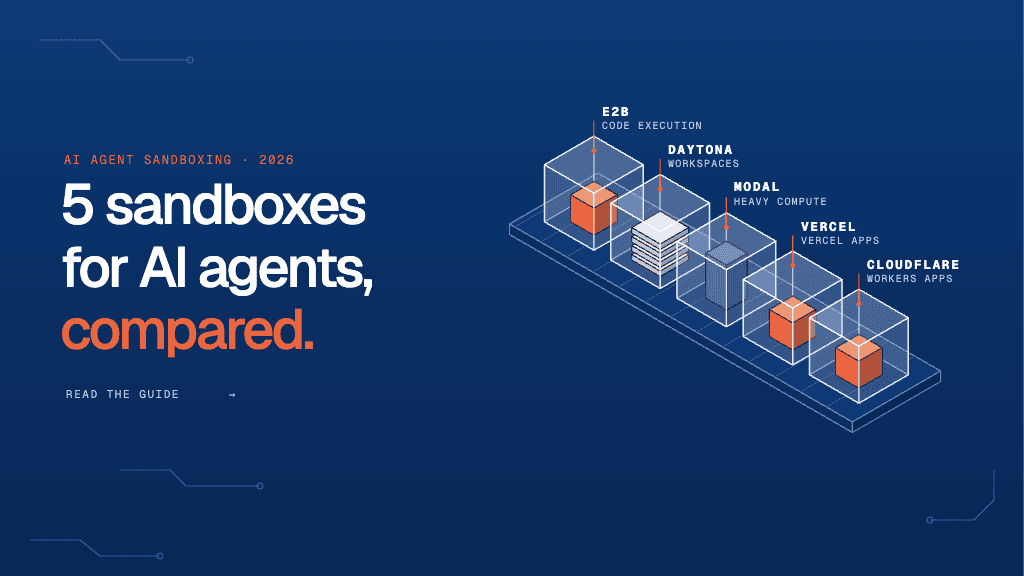
But not every sandbox works the same way. Some are built for quick code execution, others for persistent development environments or compute-heavy workloads. In this guide, we’ll compare five AI agent sandboxing tools for 2026 and break down what each does best, so you can find the right fit for your workload and security requirements.
Why Do AI Agents Need Sandboxing?
An AI agent may execute generated code, install packages, run shell commands, or process files to complete a task. These capabilities make agents useful, but they also introduce risks.
Generated code can behave unexpectedly, third-party packages can contain malicious code, and untrusted instructions can encourage an agent to perform unauthorized actions.

Running these operations directly on an application server can expose the host system and sensitive data to unnecessary risk. A sandbox provides a separate execution environment with defined boundaries around resources, files, and network access.
However, sandboxing is only one part of securing an AI agent. Teams must also control credentials, restrict permissions, and monitor execution.
For a broader view of agent security, explore Lyzr’s approach to building and deploying AI agents, which covers agent development, testing, and deployment. If your application executes untrusted code, you will still need to evaluate the specific isolation mechanisms offered by your chosen sandbox.
Best AI Agent Sandboxing Tools Compared

The following tools address different execution requirements. Use this comparison to shortlist options, then verify current pricing, technical limits, and security documentation before committing.
| Tool | Best for | Key strength | What to evaluate |
| E2B | Managed code execution | Agent-focused sandbox APIs and microVM-based isolation | Startup time, session limits, pricing |
| Daytona | Persistent agent workspaces | Configurable environments and workspace persistence | Runtime type, lifecycle, isolation |
| Modal Sandboxes | Compute-intensive workloads | Integration with scalable compute and GPU workloads | Resource costs, runtime limits |
| Vercel Sandbox | Applications built on Vercel | Integration with the Vercel developer ecosystem | Runtime duration, regions, plan limits |
| Cloudflare Sandbox SDK | Cloudflare-based applications | Integration with Cloudflare’s development environment | Runtime compatibility, network controls |
1. E2B: Best for Managed Code Execution

E2B is worth evaluating when an AI agent needs to execute generated Python code, work with files, or create artifacts in an isolated environment. Its managed sandbox infrastructure can reduce the operational work involved in building and maintaining an execution system.
Consider a coding assistant that generates a Python script, runs it, checks the output, and modifies the code if something fails. E2B provides an environment for this execution cycle without requiring your application server to run the generated code directly.
Choose E2B when:
- Your agent frequently executes AI-generated code.
- You want a managed sandbox API.
- You need isolated environments for code-interpreter or developer-agent workflows.
Before committing, test startup time, concurrency, persistence, and the cost of a typical agent task.
2. Daytona: Best for Persistent Agent Workspaces

Some agent tasks require more than a single code execution. A coding agent may need to clone a repository, install dependencies, edit files, run tests, and return to the same workspace as it progresses.
Daytona is designed around programmatically managed sandboxes and persistent workspace-style workflows. This makes it worth considering when an agent needs to retain files and state across multiple operations.
Choose Daytona when:
- Your agent works on repositories or multi-step development tasks.
- Files and dependencies must persist between operations.
- You need programmatic control over workspace creation and management.
Check the isolation characteristics of the specific runtime you intend to use. Persistent environments also need clear expiration and cleanup rules so old files and credentials do not remain accessible indefinitely.
3. Modal Sandboxes: Best for Compute-Heavy Workloads

Some agents need to process large datasets, run computationally intensive scripts, or work alongside GPU-backed workloads.
Modal offers sandbox execution within a broader compute platform. This makes it a candidate when sandboxing needs to work alongside scalable compute rather than as a standalone service.
Choose Modal Sandboxes when:
- Agent tasks require substantial CPU or GPU resources.
- Execution needs to scale with workload demand.
- You want sandboxed execution within a broader compute environment.
Evaluate hardware availability, execution limits, isolation guarantees, and billing details. For agents that run only short scripts, a simpler managed sandbox may be easier to operate and more economical.
4. Vercel Sandbox: Best for Teams Using Vercel

If your application already runs on Vercel, its Sandbox offering may make it easier to add isolated code execution without introducing an entirely separate developer platform.
This can be useful for applications that allow agents to execute generated code, test changes, or create temporary project artifacts.
Choose Vercel Sandbox when:
- Your team already uses Vercel.
- You want sandbox execution to fit into your existing developer workflow.
- Your workload matches the supported runtime and resource limits.
Check session duration, regional availability, supported runtimes, and plan restrictions. Do not assume sandbox limits are identical to those of a standard Vercel application deployment.
5. Cloudflare Sandbox SDK: Best for Cloudflare-Based Applications
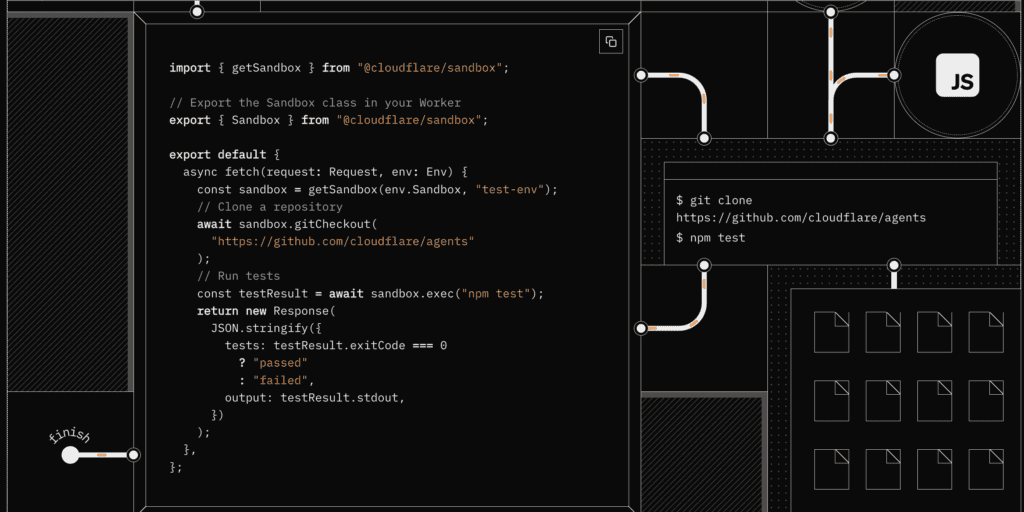
Cloudflare Sandbox SDK is worth evaluating if your application already uses Cloudflare Workers and related services. Integrating sandbox execution into your existing platform may reduce the number of separate systems your team needs to manage.
Choose Cloudflare Sandbox SDK when:
- Cloudflare is central to your application architecture.
- You want sandbox functionality within that ecosystem.
- Your agent’s execution requirements match the SDK’s supported capabilities.
Before choosing it, confirm compatibility with your required languages, processes, networking behavior, and execution duration. Platform compatibility alone does not establish that a sandbox meets your security requirements.
How to Choose the Right AI Agent Sandboxing Tool

The right choice depends on what your agent does, how long it runs, and what access it needs. A code interpreter, a repository-editing agent, and a data-processing agent have different requirements.
Use this table to narrow your shortlist.
| Your primary requirement | Tools to evaluate first | Why |
| Execute generated code through a managed API | E2B | Focused on managed sandbox execution |
| Retain files and workspace state across steps | Daytona | Persistent workspace capabilities |
| Run resource-intensive or GPU-backed tasks | Modal Sandboxes | Broader compute options |
| Integrate execution into an existing Vercel stack | Vercel Sandbox | Fits the Vercel developer ecosystem |
| Integrate with a Cloudflare Workers application | Cloudflare Sandbox SDK | Fits the Cloudflare environment |
Quick Assessment: What Does Your Agent Actually Need?
Before comparing vendors in detail, use this checklist to identify your priorities.
1. What does your agent execute?
- Python scripts or generated code
- Repository edits, dependencies, and tests
- Data processing or compute-heavy tasks
- Multiple tools and execution types
2. Does the environment need to persist?
- No. A fresh environment for each task is sufficient.
- Files must persist across multiple steps.
- A workspace must remain available across sessions.
3. What compute resources do you need?
- Standard CPU and memory
- High CPU or memory
- GPU-backed execution
4. Do you already use a specific platform?
- No existing platform dependency
- Vercel
- Cloudflare Workers
5. What kind of code will run?
- Mostly trusted, internally generated code
- User-submitted code, third-party packages, or untrusted inputs
Once you have answered these questions, shortlist two tools that meet your essential requirements. Then test them using the same representative agent task.
For example, a coding agent that needs to retain repository files will have different priorities from an agent that runs short Python scripts. Similarly, an agent that executes untrusted code needs a stronger focus on isolation, network restrictions, and credential handling.
This assessment is a starting point, not a substitute for reviewing the vendor’s security architecture.
What to Verify Before Deploying an AI Sandbox

Even after selecting a tool, you need to check how it behaves under realistic conditions. A sandbox is one layer of your security design, not a replacement for it.
| Security control | What to verify |
| Isolation | Understand whether the runtime uses a microVM, VM, container, or another isolation mechanism. |
| Network access | Restrict outbound connections where possible and allow only required destinations. |
| Secrets | Avoid exposing long-lived production credentials to agent code. Prefer scoped, short-lived access. |
| Resource limits | Set limits for CPU, memory, execution time, storage, and concurrency. |
| Persistence | Define what survives a task and when files and environments are deleted. |
| Monitoring | Keep sufficient execution logs to investigate failures and unexpected behavior. |
For untrusted code, review the isolation architecture and threat model carefully. Containers, virtual machines, and microVMs have different security properties, and the actual implementation matters more than the product label.
You should also test what happens when an agent attempts to access a restricted file, contact an unauthorized endpoint, or exceed its resource limits.
Security testing should extend beyond the sandbox itself. For example, Lyzr’s agent evaluation capabilities can help teams systematically test agent behavior, identify failures, and evaluate safety-related outcomes. Such evaluation complements execution isolation; it does not replace it.
For teams managing agents beyond the development stage, Lyzr’s Agent Control Plane provides additional context on deployment governance, security scanning, evaluation, and observability. These are relevant when moving from an isolated proof of concept to a production system.
Final Recommendation
There is no single AI agent sandboxing tool that fits every workload. E2B is a strong starting point for managed code execution, Daytona for persistent agent workspaces, Modal Sandboxes for compute-heavy tasks, Vercel Sandbox for Vercel-centered applications, and Cloudflare Sandbox SDK for Cloudflare-based systems.
Before making a final decision, run the same representative task on your top two choices. Measure startup time, execution latency, failure recovery, persistence behavior, and cost per completed task. Then test network restrictions, secret exposure, and cleanup.
If you are also building the agent itself, consider how sandboxing fits into the wider development and deployment process. Lyzr Agent Studio can help teams build, test, and deploy agents, while its ComputerAgent framework explores configurable execution environments, permissions, guardrails, and activity logging. These are related parts of an agent architecture, but they should not be treated as interchangeable with a dedicated sandbox provider.
The most reliable choice is the one that meets your workload’s execution and security requirements without adding unnecessary operational complexity.
Frequently Asked Questions
1. What is AI agent sandboxing?
AI agent sandboxing means running an agent’s code or tool operations inside a restricted environment. The sandbox helps limit access to the host system, files, network, and compute resources if generated code behaves unexpectedly.
2. Which tool is best for AI agent sandboxing?
The best option depends on your workload. E2B is worth evaluating for managed code execution, Daytona for persistent workspaces, Modal Sandboxes for compute-heavy tasks, Vercel Sandbox for Vercel-based applications, and Cloudflare Sandbox SDK for Cloudflare-centered systems.
3. Are containers enough to sandbox AI agents?
Containers provide useful isolation, but they share the host kernel. For untrusted code, evaluate the actual security boundary and threat model. Depending on the risk, a microVM or another isolation mechanism may be more appropriate.
4. What features should an AI agent sandboxing platform provide?
Evaluate isolation, network controls, secret handling, execution limits, persistence, supported runtimes, observability, and pricing. Prioritize features according to your agent’s execution requirements and security risks.
5. Does sandboxing make an AI agent completely secure?
No. Sandboxing helps limit the impact of unsafe execution, but it does not prevent every attack. You still need restricted credentials, controlled network access, input validation, resource limits, and monitoring.
Book A Demo: Click Here
Join our Slack: Click Here
Link to our GitHub: Click Here
Got a use case in mind?
8 weeks from use case to agents running in production.
Platform, people and FDEs, all in. Bring your environment. We'll co-build and stay until it's live.
Talk to UsFree resource
101 AI Agents Use Cases
100+ production-ready AI agent use cases across Marketing, Sales, HR, Banking, Insurance, Operations and a lot more
Download now