
Observability and tracing are built natively into OpenController by Lyzr, a control plane for AI agents.
It includes its own observability module that captures traces and agent failures directly.
The public documentation does not cover an integration with Arize, so please check the interactive demo or ask the team.
Activating the native observability module
OpenController does not treat observability as an afterthought.
Tracing is a core capability built directly into the platform.
You activate it by turning on the Observability module in your settings.
Once the module is connected, you can start capturing data immediately.
Navigate to the observability menu to create a new project for your traces.
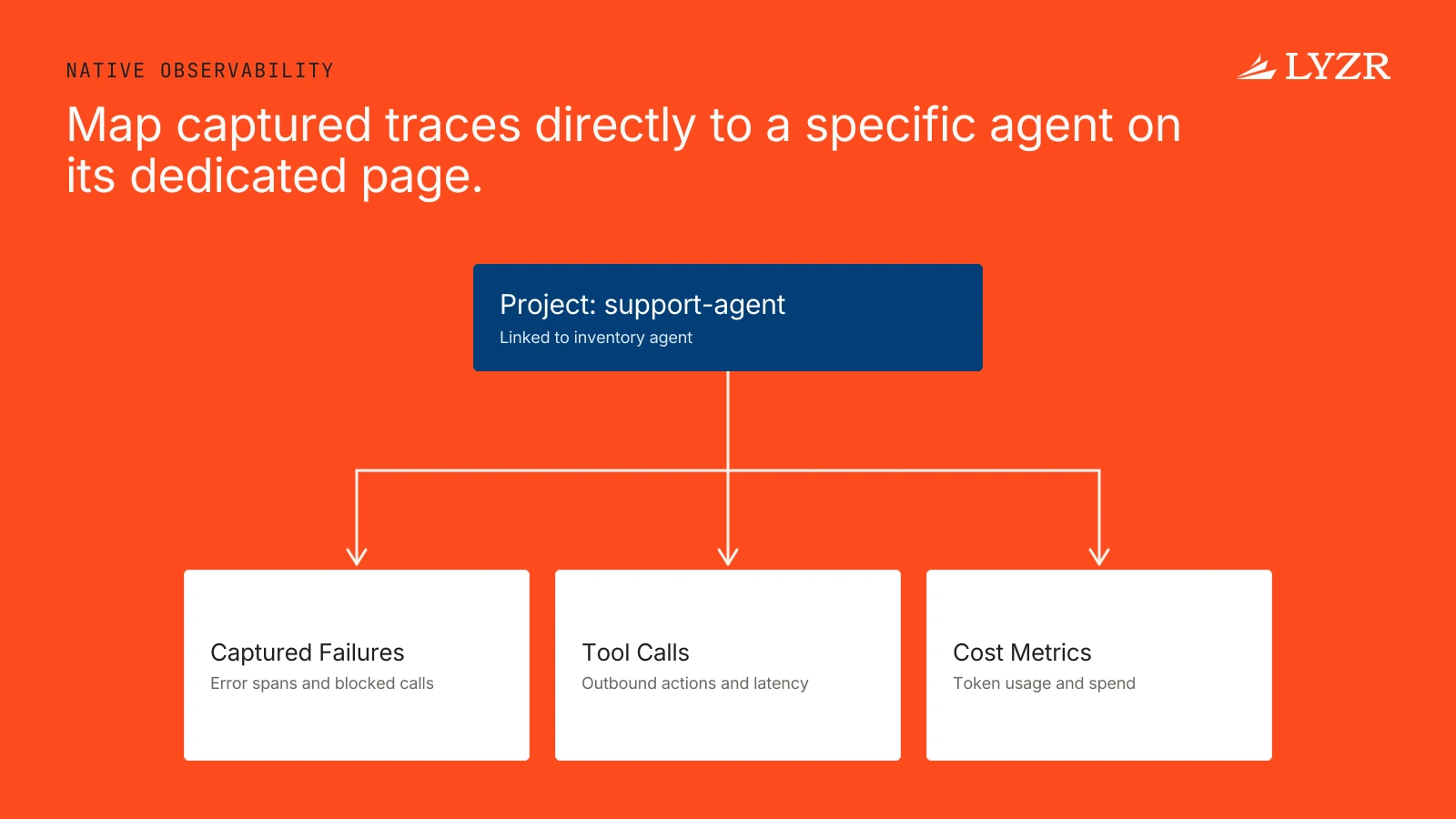
You simply give the project a name, like support-agent, and link it to the corresponding agent in your inventory.
This connection automatically maps the captured traces back to that specific agent.
Every failure, tool call, and cost metric then counts toward that agent on its dedicated page.
The entire process happens natively within Lyzr's control plane without requiring third-party workarounds.
Controlling who reads the traces
OpenController uses built-in roles to govern exactly who can access and read your agent traces.
- An Admin makes the project and generates its API key.
- A Viewer reads traces alongside the inventory and other data.
- An Operator reads exactly what was asked and answered inside them.
- The Operator role also grants permission to send traces to Observability.
- An Admin is required to change integrations, keys or settings.
- A service account can never hold the Owner role for these tasks.
Exporting data to your own trace store
While tracing is built natively into OpenController, your data is never locked inside the platform.
You can route traces directly to your own external trace store.
The platform supports standard OpenTelemetry exports.
To connect your store, go to the observability settings and configure your base URL.
You might point this destination to a ClickHouse database or another compatible backend.
Teams often configure the OTEL_EXPORTER_OTLP_ENDPOINT and the /v1/traces path to route their telemetry.
This setup gives you full ownership of your trace data.
You get the benefit of native capture without sacrificing control over where the records live.
Related questions
- How does the control plane’s observability and analytics work for agents built on Microsoft Copilot?
- Can we bring in external platform-based agents built on SAP Joule or Agentforce into Opencontroller?
- Can Opencontroller enforce policies and quarantine non-compliant agents that were built internally or using third-party tools rather than Lyzr?
Want to see how it fits your stack? Talk to us about OpenController by Lyzr.
Got a use case in mind?
8 weeks from use case to agents running in production.
Platform, people and FDEs, all in. Bring your environment. We'll co-build and stay until it's live.
Talk to UsFree resource
101 AI Agents Use Cases
100+ production-ready AI agent use cases across Marketing, Sales, HR, Banking, Insurance, Operations and a lot more
Download now