
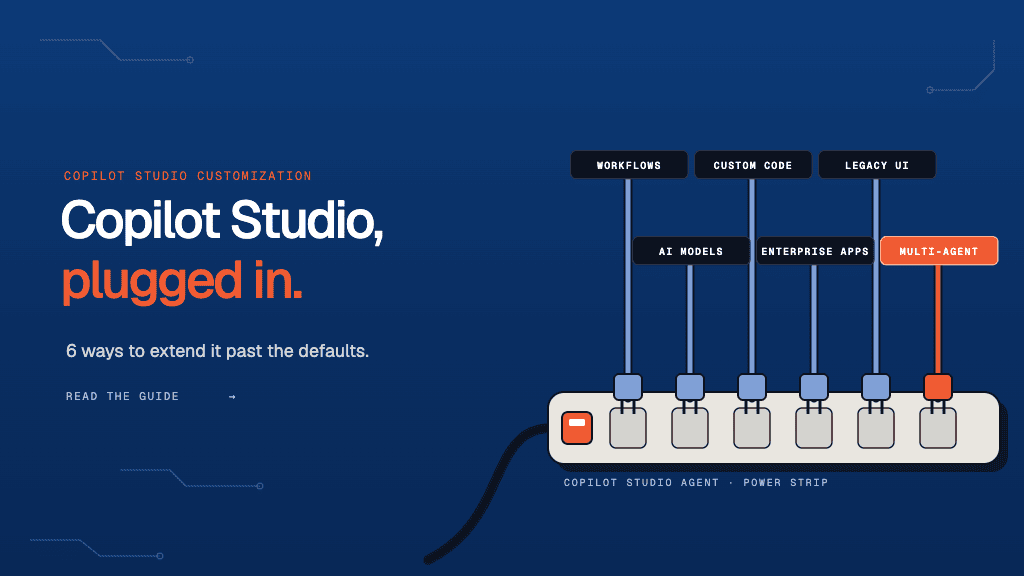
Microsoft Copilot Studio makes it easier for businesses to create AI agents, connect them to business data, and automate workflows across the Microsoft ecosystem. But as agents move from simple conversational assistants to systems that execute complex business tasks, standard configurations may not cover every requirement.
Teams may need custom integrations with internal APIs, advanced orchestration across multiple agents, connections to systems outside Microsoft, additional governance controls, or more flexible deployment options.
That’s where customization platforms, developer frameworks, integration layers, and AI orchestration solutions come in.
The right platform depends on whether you’re extending Copilot Studio itself, connecting it to external services, building custom components, or orchestrating agents that work alongside Copilot.
In this guide, we’ll explore five platforms worth considering for Microsoft Copilot Studio customization, along with how Lyzr can complement Microsoft-based agent ecosystems.
What to look for in a Microsoft Copilot Studio customization platform
Customization can mean anything from adding a custom connector to orchestrating multiple agents across enterprise systems. Before choosing a platform, consider what you’re actually trying to extend.
- Integration capabilities: Connect agents with internal APIs, databases, and third-party applications.
- Workflow extensibility: Support custom logic, business processes, and multi-step execution.
- Agent interoperability: Enable Copilot Studio agents to interact with other agents and services.
- Governance: Manage access, permissions, execution, and monitoring.
- Developer flexibility: Support custom code, APIs, frameworks, and deployment requirements.
Not every platform below directly modifies Copilot Studio. Some extend its capabilities through integrations or complementary agent infrastructure.
5 platforms for Microsoft Copilot Studio customization
1. Microsoft Power Automate – Best for extending agents with business workflows
Best for: Automating business processes and connecting Microsoft applications.
Power Automate extends Copilot Studio by enabling agents to trigger workflows, interact with applications, and perform actions across business systems. Teams can use flows to handle processes that require multiple steps, conditional logic, approvals, or data updates.
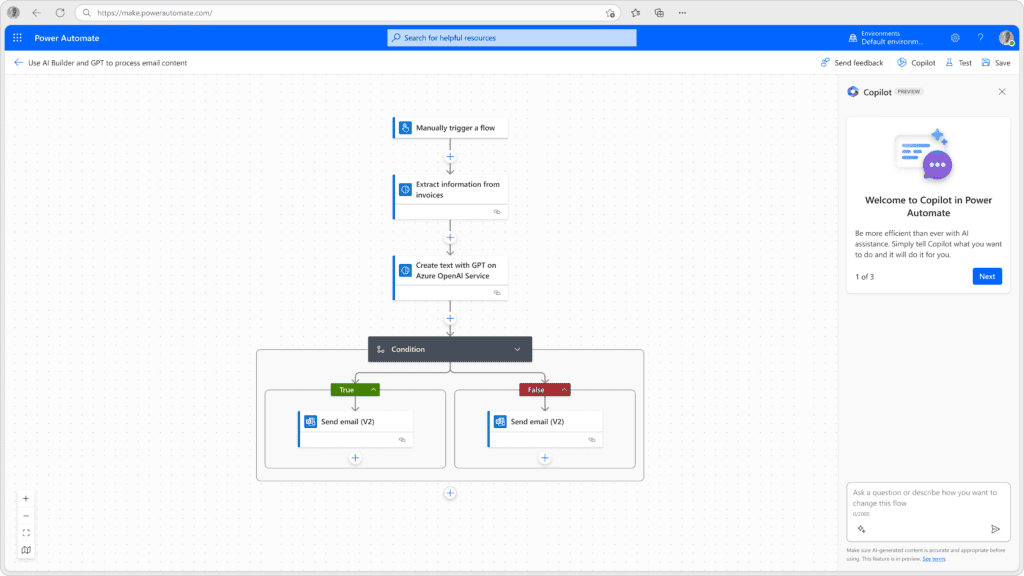
- Automate multi-step business workflows.
- Connect Microsoft 365 and third-party applications.
- Trigger actions through agent interactions.
- Implement approvals and conditional logic.
- Integrate flows with Copilot Studio agents.
Why consider it: Power Automate is a natural extension for teams already using Microsoft Power Platform who need agents to perform actions beyond answering questions.
2. Microsoft Azure AI Foundry – Best for advanced AI customization

Best for: Developers building custom AI capabilities and integrating advanced AI workflows.
Azure AI Foundry provides tools and infrastructure for developing, evaluating, and deploying AI applications and agents. It can complement Copilot Studio when teams need custom model configurations, advanced AI development, or capabilities beyond low-code agent creation.
- Develop and deploy custom AI applications.
- Work with models and AI services.
- Build custom agent workflows.
- Evaluate AI applications.
- Integrate AI capabilities into enterprise systems.
Why consider it: Azure AI Foundry is relevant when Copilot Studio needs to work alongside more customized AI applications, model workflows, or developer-built agent capabilities.
3. Azure Functions – Best for custom code and API logic
Best for: Developers implementing custom backend logic for Copilot Studio agents.
Azure Functions allows developers to run custom code without managing dedicated server infrastructure. It can be used to expose business logic, process requests, connect systems, or create APIs that Copilot Studio agents invoke through integrations.
- Build custom API endpoints.
- Execute backend logic.
- Integrate with databases and external systems.
- Implement event-driven processes.
- Support scalable serverless execution.
Why consider it: Azure Functions is useful when customization requires code, especially for connecting an agent to internal services or business logic that isn’t available through standard connectors.
4. Workato – Best for enterprise application integrations
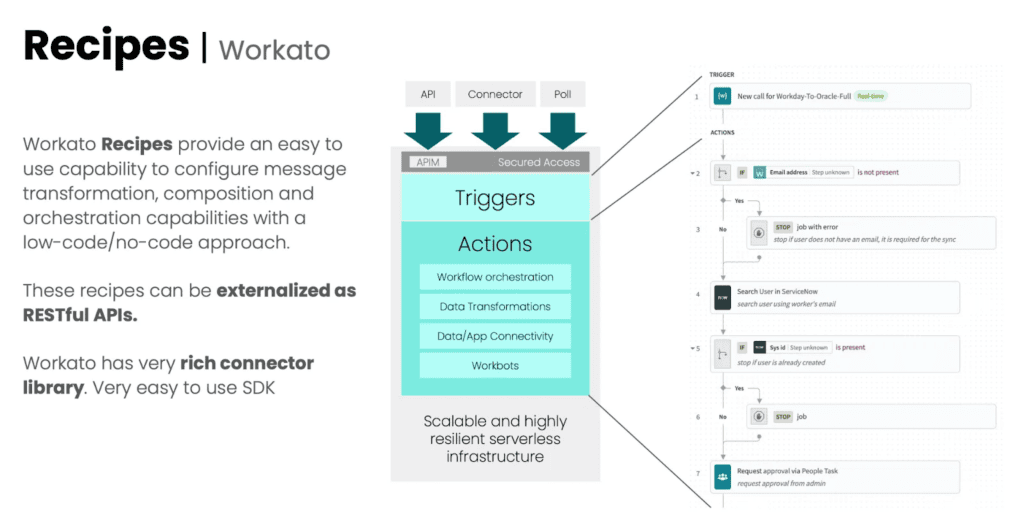
Best for: Connecting Copilot Studio agents with enterprise applications and business workflows.
Workato provides enterprise integration and automation capabilities that help connect applications, data, and business processes. It can serve as an integration layer when Copilot Studio agents need to interact with systems outside the Microsoft ecosystem.
- Connect enterprise applications.
- Automate cross-system business workflows.
- Integrate APIs and data.
- Coordinate business processes.
- Support enterprise integration requirements.
Why consider it: Workato is worth evaluating when agent customization involves connecting multiple enterprise applications and coordinating processes across systems.
5. UiPath – Best for automating legacy applications
Best for: Organizations extending agents into legacy systems and UI-driven processes.
UiPath combines automation capabilities with AI-driven workflows and robotic process automation. It can complement Copilot Studio when agents need to interact with legacy applications that lack modern APIs or require desktop-based automation.

- Automate legacy application workflows.
- Execute UI-based tasks.
- Integrate robotic process automation.
- Coordinate enterprise process automation.
- Support human oversight and exception handling.
Why consider it: UiPath can help extend agent-driven processes into applications and systems that are difficult to integrate using conventional APIs alone.
Where Lyzr fits into Microsoft Copilot Studio customization
Best for: Enterprises that need a complementary agent orchestration layer beyond individual Copilot Studio agents.
Microsoft Copilot Studio is useful for creating agents within the Microsoft ecosystem. But enterprise workflows may involve agents built on different frameworks, deployed across different environments, and connected to systems that aren’t necessarily managed through Microsoft.
Lyzr Agent Studio can complement Copilot Studio in these scenarios.
Rather than replacing Copilot Studio, Lyzr can serve as an additional agent development and orchestration layer for workflows that require specialized agents, multi-agent coordination, or broader integration flexibility.
For example, a Copilot Studio agent could act as the conversational entry point for an employee. When a request requires a more complex workflow, an integration layer could connect it to agents built and orchestrated using Lyzr.
Depending on the architecture, this integration can be implemented using APIs or supported interoperability mechanisms such as MCP and A2A.
- Multi-agent orchestration: Coordinate specialized agents across business workflows.
- Integration flexibility: Connect agents with enterprise applications, APIs, and knowledge sources.
- Interoperability: Work alongside other agent frameworks and systems.
- Deployment flexibility: Support enterprise deployment requirements, including self-hosted environments.
- Production agent development: Build, deploy, and manage agents beyond simple conversational interactions.
Explore Lyzr Agent Studio to learn how it supports enterprise AI agent development and orchestration.
Microsoft Copilot Studio customization platforms: Comparison matrix
| Platform | Primary customization capability | Best suited for |
|---|---|---|
| Power Automate | Business workflows and connectors | Low-code process automation |
| Azure AI Foundry | Custom AI development | Advanced AI capabilities |
| Azure Functions | Custom code and APIs | Backend logic and integrations |
| Workato | Enterprise integrations | Cross-application automation |
| UiPath | UI and legacy automation | Legacy application workflows |
| Lyzr Agent Studio | Agent development and orchestration | Complementary multi-agent infrastructure |
Lyzr is included separately as a complementary agent platform rather than a direct Copilot Studio customization tool. Capabilities depend on the integration architecture and configuration.
How to choose the right customization platform
The best platform depends on what Copilot Studio needs to do beyond its standard capabilities.
| Your requirement | Platform to consider |
|---|---|
| Automate Microsoft business workflows | Power Automate |
| Build advanced AI applications | Azure AI Foundry |
| Implement custom APIs and backend logic | Azure Functions |
| Connect enterprise applications | Workato |
| Automate legacy applications | UiPath |
| Orchestrate complementary multi-agent workflows | Lyzr Agent Studio |
If the requirement is primarily extending Microsoft workflows, Power Automate and Azure Functions are natural starting points. If you need enterprise integrations or legacy automation, Workato and UiPath may be more relevant.
If the requirement involves building and coordinating specialized agents beyond a single Copilot Studio agent, consider a complementary agent orchestration platform such as Lyzr.
Frequently asked questions
Can Microsoft Copilot Studio be customized?
Yes. Copilot Studio supports customization through connectors, workflows, APIs, integrations, and other extensibility options. Developers and teams can extend agents to interact with business systems, perform actions, and implement custom processes.
Can Copilot Studio connect to external APIs?
Yes. Copilot Studio agents can connect to external APIs using supported connectors and other integration mechanisms, including custom connectors and workflows.
Can I integrate Lyzr with Microsoft Copilot Studio?
Lyzr Agent Studio can complement Microsoft Copilot Studio through integration architectures involving APIs and supported interoperability mechanisms. The specific approach depends on the agents, systems, and workflows involved.
What is the difference between Copilot Studio and Azure AI Foundry?
Copilot Studio is focused on creating and managing agents through a more accessible agent-building environment. Azure AI Foundry provides a broader developer-oriented environment for developing, evaluating, and deploying AI applications and agents. They can complement each other depending on the architecture.
Book A Demo: Click Here
Join our Slack: Click Here
Link to our GitHub: Click Here
Got a use case in mind?
8 weeks from use case to agents running in production.
Platform, people and FDEs, all in. Bring your environment. We'll co-build and stay until it's live.
Talk to UsFree resource
101 AI Agents Use Cases
100+ production-ready AI agent use cases across Marketing, Sales, HR, Banking, Insurance, Operations and a lot more
Download now